Loki forging the mistletoe dart
In the smithy at the world’s edge, Loki shaves a sprig of mistletoe into a thin dart. The light is low, the wood pale, the moment quiet before everything breaks.
Edit prompt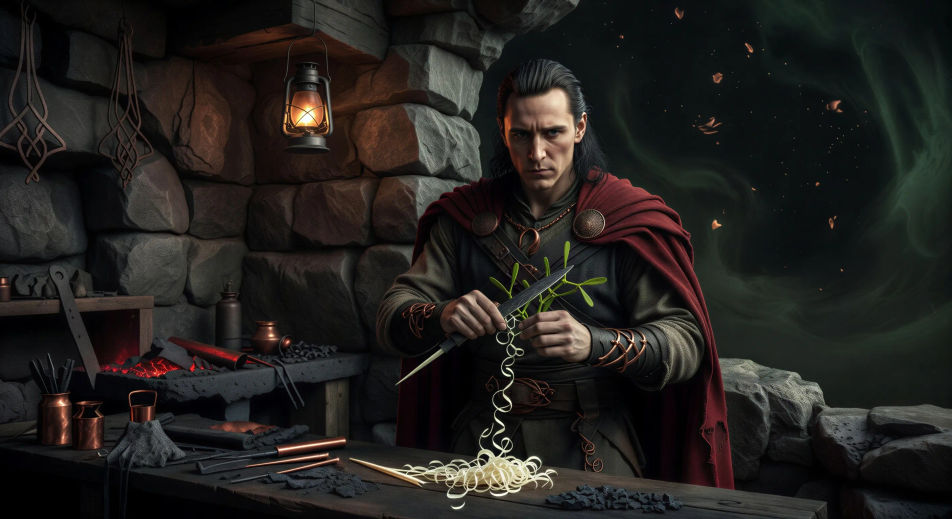
Direct the Eddic trickster in your browser with Morphic's Loki AI video generator. Generate the half-giant shaving mistletoe into a thin dart, or the flyting at Aegir's firelit hall. Recite the Lokasenna with Speech and score the binding with Music, then stitch the episode.
In the smithy at the world’s edge, Loki shaves a sprig of mistletoe into a thin dart. The light is low, the wood pale, the moment quiet before everything breaks.
Edit promptLoki crashes the sea-giant Aegir’s feast and insults every god in turn. Long firelit hall, gods at long tables, Loki standing in the centre with a wine-cup raised.
Edit prompt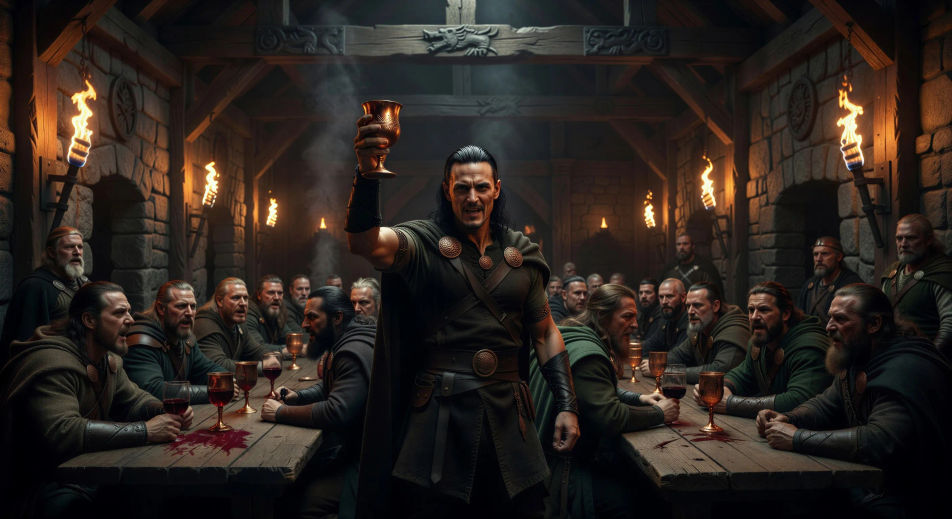
In a mountain river under storm light, Loki leaps as a salmon and is snatched mid-air by Thor’s great hand. The river silver, the sky black, the chase ended.
Edit prompt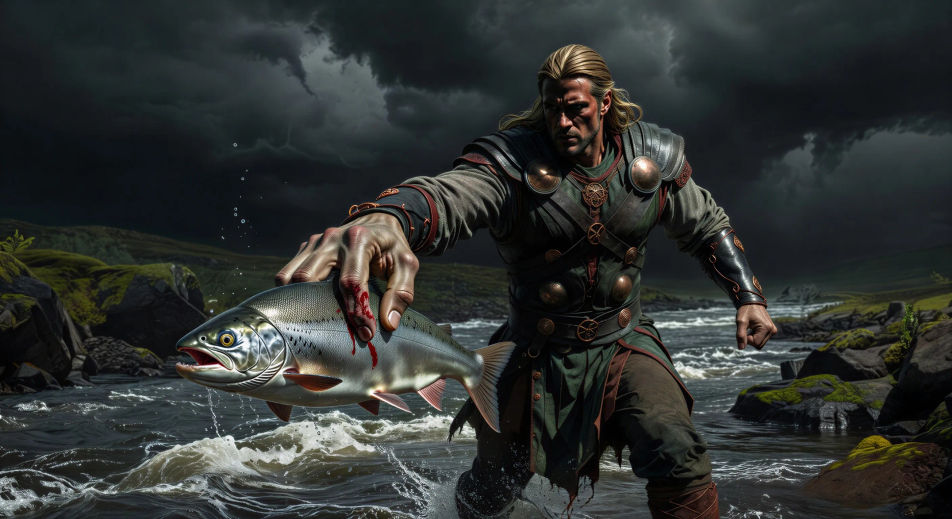
In the cave under the world, Loki is bound to three stones with the entrails of his own son. Sigyn stands above him with a bowl raised to catch the serpent’s venom.
Edit prompt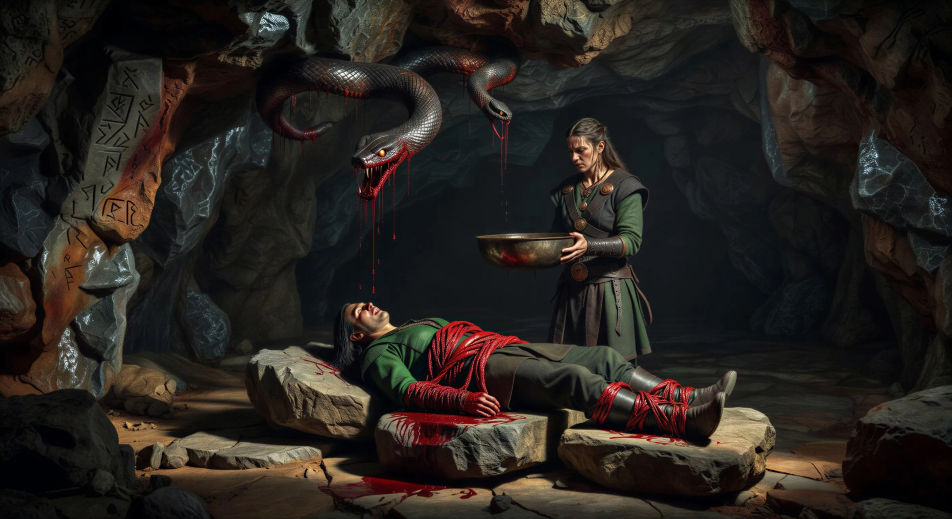
Tuliskan adegan Loki yang Anda inginkan, dengan kata-kata sederhana.
Morphic membuat klip sinematik yang siap dijadikan frame di canvas Anda dalam hitungan detik.
Ubah prompt, buat ulang variasi, lalu unduh atau bagikan shot-nya.

Share a scene description with character references. Get a full storyboard with shot angles and mood.

Feed in a single image. Get 9 cinematic beats laid out as a 3x3 storyboard grid.
One image to a 9-scene cinematic video.

Take any character image and generate 6 distinct facial expressions on a single reference sheet.
Cinematic time-freeze short film for any scene
Drop in a photo of yourself. Get a 12-second cinematic movie with animation and a matched soundtrack.
Norse mythology AI Videos
Create Norse mythology scenes, Eddic god portraits, and Ragnarok shorts with Morphic. Generate, narrate, and score Norse videos from a single prompt.
Fenrir AI Videos
Create Fenrir scenes, Norse wolf portraits, and Gleipnir-binding shorts with Morphic. Generate, narrate, and score Fenrir videos from a single prompt.
Jormungandr AI Videos
Create Jormungandr scenes, Midgard serpent portraits, and Thor duel shorts with Morphic. Generate, narrate, and score Norse myth videos from one prompt.
Video AI Ragnarok
Buat adegan kiamat Ragnarok, duel dewa Norse, dan film pendek Eddic dengan Morphic. Hasilkan, narasikan, dan beri musik video Ragnarok dari satu prompt.
Mulai gratis hari ini, dengan opsi untuk upgrade atau membatalkan kapan saja.
Basic
2400 bulanan kredit
1 pengguna saja
Semua model
Workflows
Standard
3625 bulanan kredit
1 pengguna saja
Semua model
Workflows
Pro
6350 bersama bulanan kredit
1 pengguna
Semua model
Workflows
Max
24650 bersama bulanan kredit
1 pengguna
Semua model
Workflows
Enterprise
Untuk batas yang lebih tinggi
Khusus
ketentuan harga dan penagihan

Free
Untuk bereksperimen
$0
gratis selamanya