A market waking at dawn
A wide street of lantern-lit stalls comes to life as vendors raise shutters and steam rises from food carts, warm amber light spreading across wet stone, a slow dolly forward drawing the viewer into the crowd.
Edit prompt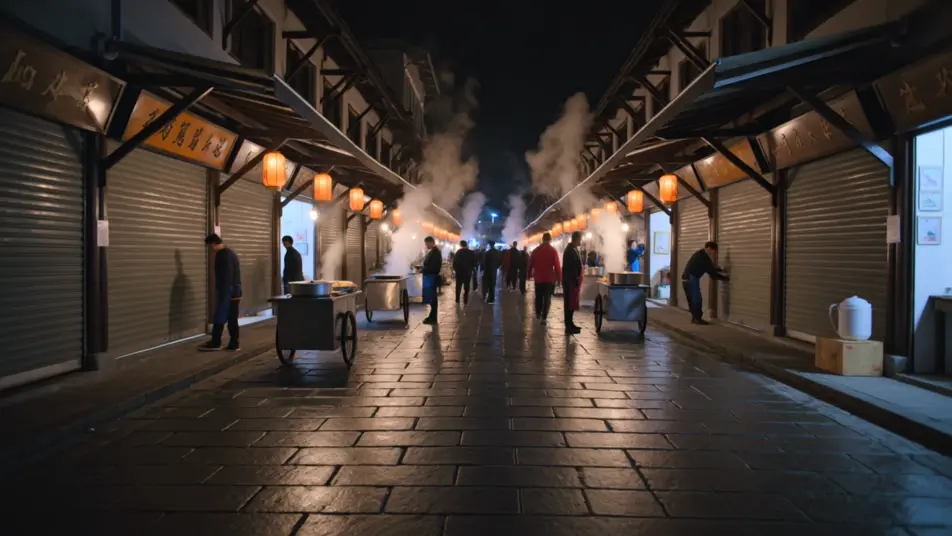
Direct a clip from a typed sentence in your browser with Morphic's text to video generation AI video generator. Generate a lantern-lit market waking at dawn or a lone runner crossing a rain-slick bridge. Pair with Music to score the moment, then stitch it on the Canvas and add narration with Speech.
A wide street of lantern-lit stalls comes to life as vendors raise shutters and steam rises from food carts, warm amber light spreading across wet stone, a slow dolly forward drawing the viewer into the crowd.
Edit promptA lone figure crosses a long steel bridge in steady rain, city lights smeared in the puddles below, a low tracking shot moving alongside the runner as breath fogs in the cold blue air.
Edit prompt
A single presenter seated against a soft gradient backdrop, keyed with a gentle three-point setup, the camera holding a locked medium shot so the delivery stays clean and the words carry.
Edit prompt
A sleek object rotates slowly on a lit pedestal against seamless white, a shallow depth of field softening the edges, the camera arcing a quarter turn to catch the highlight sliding across the surface.
Edit prompt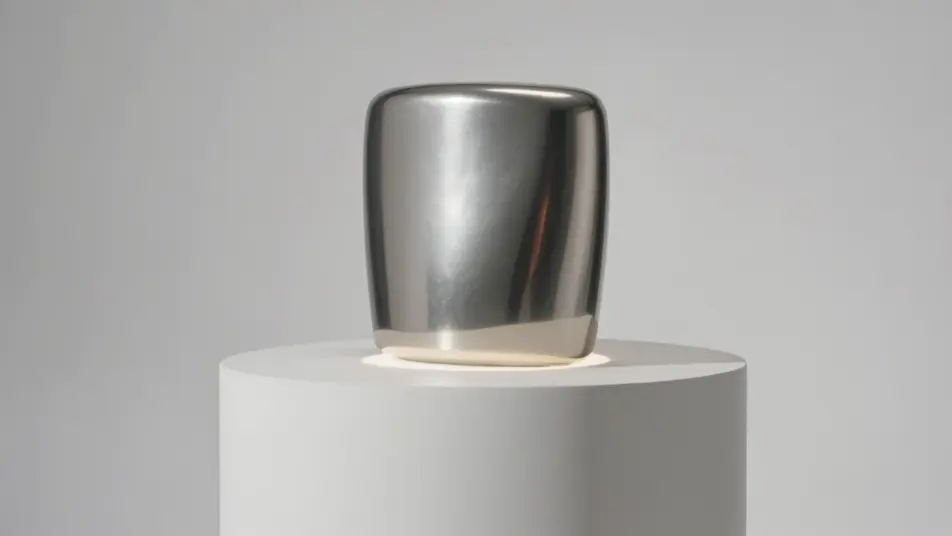
Tuliskan adegan text to video generation yang Anda inginkan, dengan kata-kata sederhana.
Morphic membuat klip sinematik yang siap dijadikan frame di canvas Anda dalam hitungan detik.
Ubah prompt, buat ulang variasi, lalu unduh atau bagikan shot-nya.

Dramatize any text conversation into a cinematic multi-shot video.
Cinematic time-freeze short film for any scene

Generate a professional film title card from scratch, with optional cinematic animation.
Photo of any real-estate becomes a cinematic renovation timelapse video with construction SFX and music.
One image to a 9-scene cinematic video.

Describe a first-person scenario. Get sequential POV frames animated into video clips with audio.
AI Scene Extension videos
Extend clips with AI on Morphic. Continue a shot past its last frame, hold a moment longer, and keep motion and light consistent across the join. No editing skills.
AI Video Upscaling videos
Upscale video with AI on Morphic. Enlarge low-res clips, sharpen soft footage, and recover facial and texture detail while keeping motion smooth and natural.
Video AI VFX
Buat video AI VFX dengan Morphic. Ledakan, efek energi, kehancuran sci-fi, partikel, dan adegan makhluk dari sebuah prompt. Tanpa green screen, tanpa.
Video AI POV
Buat video AI POV dengan Morphic. Arahkan jalan-jalan orang pertama yang imersif, ketukan aksi, dan momen keseharian setinggi mata. Ada adegan contoh, tanpa perlu pengalaman editing.
Mulai gratis hari ini, dengan opsi untuk upgrade atau membatalkan kapan saja.
Basic
2400 bulanan kredit
1 pengguna saja
Semua model
Workflows
Standard
3625 bulanan kredit
1 pengguna saja
Semua model
Workflows
Pro
6350 bersama bulanan kredit
1 pengguna
Semua model
Workflows
Max
24650 bersama bulanan kredit
1 pengguna
Semua model
Workflows
Enterprise
Untuk batas yang lebih tinggi
Khusus
ketentuan harga dan penagihan

Free
Untuk bereksperimen
$0
gratis selamanya