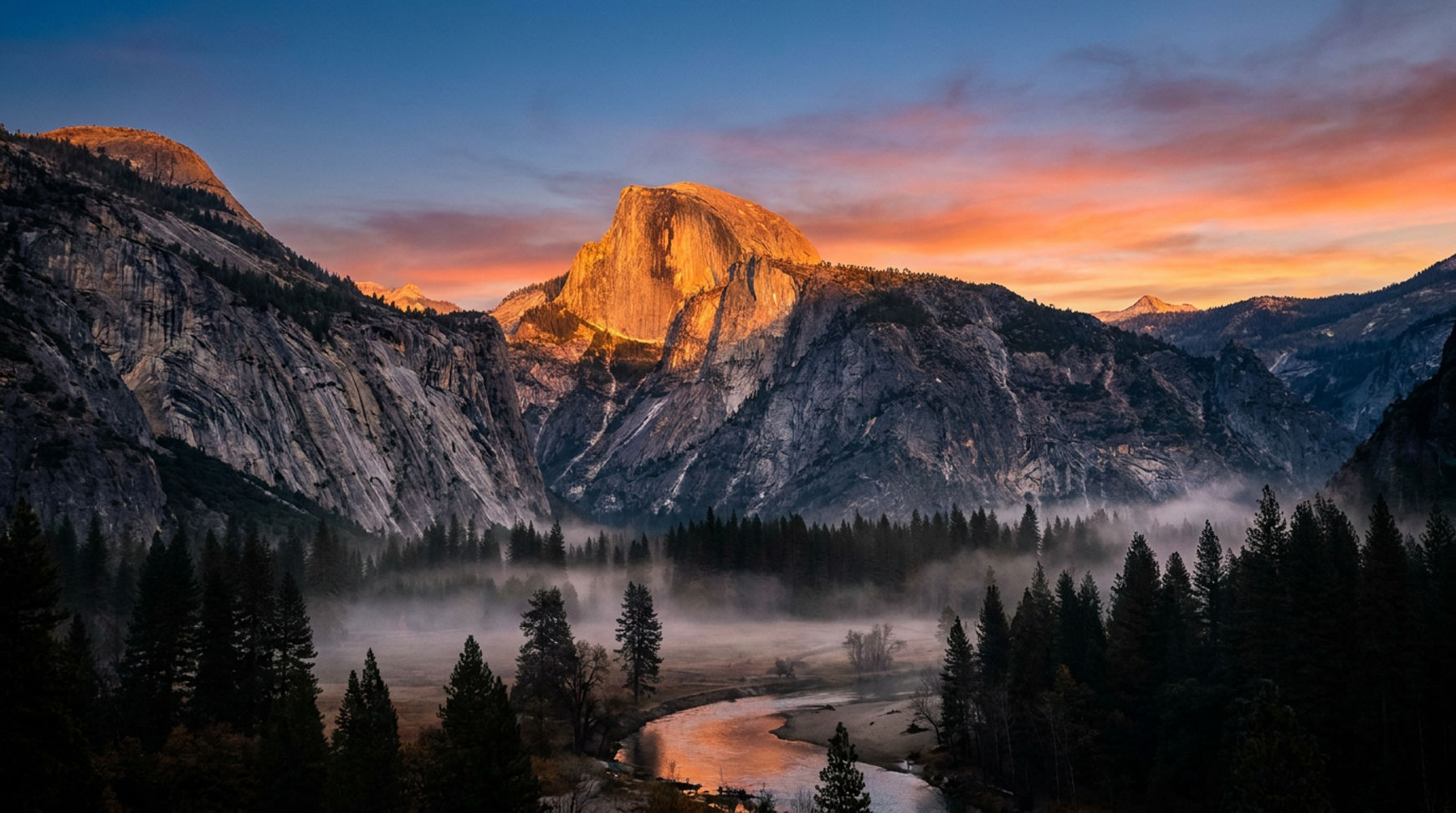
What is Nano Banana Pro?
Nano Banana Pro represents Google's most advanced image generation and editing model. Built on the Gemini 3 Pro architecture, it delivers state-of-the-art capabilities that transform how creators, marketers, and businesses produce visual content.
The model stands apart through its reasoning-driven approach. Rather than simply matching keywords from your prompt, Nano Banana Pro understands intent, context, and real-world relationships. This intelligence enables it to generate images with unprecedented accuracy, consistency, and creative control.
Key technical capabilities include rendering sharp, legible text in multiple languages, maintaining consistent character features across edits, blending up to 14 reference images while preserving visual coherence, and connecting to Google Search for factually accurate real-world information. These features work together to produce professional-grade visuals suitable for commercial applications.
The "Pro" designation reflects significant improvements over the original Nano Banana model. Generation quality reaches 2K and 4K resolution with enhanced detail preservation. Text rendering accuracy has dramatically improved, with the model correctly spelling complex words and positioning typography naturally within scenes. Most importantly, the model's reasoning capabilities mean it can handle complex, multi-step instructions that would confuse simpler image generators.
How to create images using Nano Banana Pro
Nano Banana Pro is now available on Morphic, providing seamless integration with video creation and content workflows. Access professional image generation directly within your creative workspace without switching between multiple platforms or managing separate accounts.
Try Nano Banana Pro on Morphic →
Effective generation workflow
Follow the CRAFTED approach for consistent, professional results:
Step 1: Clarify Your Goal
Articulate exactly what you need. Document the purpose, intended use, required dimensions, key visual elements, and style preferences. Clear goals prevent aimless experimentation and maximize the value of each generation.
Step 2: References Collection
Collect visual examples that communicate your vision. Include images with similar composition, color palettes, character poses, or environmental details. References dramatically improve first-attempt success rates. Nano Banana Pro supports up to 14 reference images, providing comprehensive visual guidance.
Step 3: Architect Your Prompt
Build prompts using the SCALIST framework: Subject, Composition, Action, Location, Image style, Specs (technical parameters), and Text rendering. Start broad, then add specific details that matter to your use case.
Step 4: First Generation
Create your first generation. Assess composition, lighting, detail accuracy, and overall aesthetic match. Identify specific elements that work well and areas needing improvement.
Step 5: Tweak Through Conversation
Rather than starting over, use conversational editing to address specific issues. "Adjust the lighting to be softer," "Move the subject slightly right for better balance," or "Increase background blur" efficiently targets problems while preserving successful elements.
Step 6: Export and Document
Once satisfied, save your result in appropriate formats. Document successful prompts for future reference. Building a personal prompt library accelerates future projects and helps you understand what works best for your specific needs.
Best prompts for Nano Banana Pro
Effective prompting transforms Nano Banana Pro from a capable tool into a competitive advantage. The model's reasoning capabilities reward well-structured, intentional prompts that provide clear direction without unnecessary complexity.
The six essential elements (SCALIST framework)
Remember the six core components of effective prompts with SCALIST:
- Subject
- Composition
- Action
- Location
- Image style
- Specs (Technical parameters)
- Text rendering (when applicable)
Every successful prompt includes these fundamental components:
Subject Definition
Describe who or what appears in your image with specific characteristics. "A young woman with wavy brown hair, wearing a black turtleneck" beats "a woman." Include relevant details about pose, expression, and distinctive features.
Composition Specification
Define how the scene is framed. Specify camera angles like "low-angle shot looking up," "bird's-eye view," or "eye-level medium shot." Include aspect ratio when creating platform-specific content: "9:16 vertical for Instagram Stories" or "16:9 horizontal for YouTube thumbnails."
Action Description
Convey what's happening in the scene. Active descriptions create dynamic images. "Carefully arranging flowers in a vase" generates more interesting results than "holding flowers." Include timeline elements for sequential content: "Initial setup," "midpoint transformation," "final result."
Location Context
Establish the setting with environmental details. "A minimalist Scandinavian kitchen at golden hour with natural light streaming through floor-to-ceiling windows" provides clearer direction than "a kitchen." Include atmosphere: "misty morning," "bustling marketplace," "serene library."
Style Direction
Communicate the overall aesthetic. Options include "photorealistic with natural lighting," "watercolor illustration with soft edges," "3D render with glossy surfaces," or "vintage film photography with grain." The model interprets style instructions to guide its creative decisions.
Technical Parameters
Add photography-specific details for precision control. "Shot with 85mm f/1.4 lens creating shallow depth of field, three-point lighting setup, shot on Sony A7III" produces professional results matching studio photography standards.
Advanced prompting strategies
Multi-Reference Integration
When uploading reference images, explicitly define each one's role:
Image A provides the character's facial features and expression: young woman with wavy brown hair, warm smile, hazel eyes. Image B establishes the lighting and color palette: golden hour sunlight, warm amber tones, soft shadows. Image C supplies the background environment: modern coffee shop interior with plants and wooden furniture. Combine these elements maintaining visual harmony and natural integration between all reference sources.
Image A provides the character's facial features and expression. Image B establishes the lighting and color palette. Image C supplies the background environment. Combine these elements maintaining visual harmony and natural integration between all reference sources.
Text Rendering Instructions
For typography-heavy designs, provide explicit specifications:
Display the headline 'INNOVATION STARTS HERE' in bold 72pt Helvetica, centered at the top third of the image with 40px margin. Below, render 'Annual Tech Summit 2026' in 24pt light weight, same font family. Ensure crisp, readable text with no spelling errors. Background: gradient from deep blue to purple. Professional tech conference poster aesthetic.
Iterative Refinement Language
Build on previous generations rather than starting over:
Building on the previous result, maintain the successful lighting and composition while adjusting only the background color from blue to sage green. Preserve all other elements exactly as generated.
Factual Accuracy Requirements
For educational or technical content, emphasize correctness:
Create a scientifically accurate diagram of photosynthesis showing chloroplasts, light-dependent reactions, and Calvin cycle. Include correct chemical formulas (6CO2 + 6H2O + light → C6H12O6 + 6O2). Label all components using standard biological terminology. Clean educational diagram style with green plant cell cross-section, arrows showing process flow, clear labels in sans-serif font.
Industry-specific prompt templates
E-commerce Product Photography
Product: wireless Bluetooth headphones in matte black. Subject: Over-ear headphones placed on white marble surface. Composition: 45-degree angle, centered, 1:1 square aspect ratio. Lighting: Soft diffused studio lighting from upper left, minimal shadows. Style: Clean e-commerce product shot, white background, f/4 aperture. Technical: High detail on product texture showing cushion material and metal bands, natural color accuracy, 2K resolution.
Product: [your product name] Subject: [Product] placed on [surface material] with [props] Composition: 45-degree angle, centered, 1:1 square aspect ratio Lighting: Soft diffused studio lighting from upper left, minimal shadows Style: Clean e-commerce product shot, white background, f/4 aperture Technical: High detail on product texture, natural color accuracy, 2K resolution
Social Media Content
Subject: Productivity tips for remote workers. Composition: 9:16 vertical, bold text occupying upper third. Action: Minimalist home office workspace with laptop, plants, and coffee on clean desk. Style: Vibrant, attention-grabbing, modern flat design aesthetic with coral and teal colors. Text: 'BOOST YOUR PRODUCTIVITY' in bold sans-serif white letters at top, 'Swipe up to learn more' at bottom with arrow. Technical: High contrast for mobile viewing, Instagram Stories format.
Subject: [Your topic/message] Composition: 9:16 vertical, bold text occupying upper third Action: [Relevant visual metaphor or scene] Style: Vibrant, attention-grabbing, modern flat design aesthetic Text: "[Your headline]" in bold sans-serif, "[Your CTA]" at bottom with arrow Technical: High contrast for mobile viewing, colors: [your brand palette]
Editorial Illustration
Subject: Professional woman in power suit holding digital tablet. Composition: Magazine cover layout, 2:3 aspect ratio, subject positioned right third following rule of thirds. Action: Confident pose looking at camera with slight smile, tablet held naturally. Setting: Modern glass office building background, blurred cityscape. Style: Contemporary editorial illustration, bold colors with deep navy suit and coral background accents, graphic shapes and geometric elements. Technical: Print-ready quality, CMYK-friendly palette, sharp detail, space for magazine title at top.
Subject: [Central figure or concept] Composition: Magazine cover layout, 2:3 aspect ratio Action: [Dynamic pose or conceptual representation] Setting: [Contextual environment supporting the story] Style: Contemporary editorial illustration, bold colors, graphic shapes Technical: Print-ready quality, CMYK-friendly palette, sharp detail
Common prompting mistakes to avoid
1. Vague Descriptions
Generic descriptions produce generic results. Specificity creates distinctive outputs.
Bad example: "Create a nice office space"
Good example: "Modern open-plan office with floor-to-ceiling windows, white standing desks, ergonomic chairs, plants, natural light, professional tech startup aesthetic, wide shot"
2. Contradictory Instructions
Requesting incompatible attributes creates confused outputs.
Bad example: "Professional corporate setting but casual and artistic"
Good example: "Business professional environment with creative industry touches like art books and design awards"
3. Over-Complicating Single Prompts
Attempting to describe too many elements simultaneously dilutes focus.
Bad example: Describing 15 different elements in one prompt
Good example: Focus on 4-6 most important elements, generate base image, refine through conversation
4. Ignoring Technical Specifications
Failing to specify camera settings and lighting limits control over final appearance.
Bad example: No mention of camera settings or lighting
Good example: "85mm f/1.8 lens, natural window light from left, shallow depth of field"
5. Forgetting Platform Context
Generating without considering final use leads to sizing and formatting issues.
Bad example: Generating without considering final use
Good example: "9:16 for Instagram Stories" or "1200x628 for Facebook ads"
Nano Banana Pro use cases for creators
Creators across disciplines leverage Nano Banana Pro to accelerate workflows, explore concepts, and produce professional assets without traditional production overhead.
Content creators and influencers
Social Media Grid Planning
Generate unified visual themes across multiple posts. Create 9-image grid layouts where each piece works independently while contributing to unified aesthetic. Maintain color harmony, compositional balance, and brand consistency across the entire feed.
Example workflow: Define your brand colors and visual style, generate individual posts with consistent parameters, arrange in 3x3 grid to verify cohesion before posting.
Thumbnail Generation
Produce attention-grabbing YouTube thumbnails with bold text, expressive faces, and high-contrast colors. Test multiple variations to identify which design maximizes click-through rates.
YouTube thumbnail featuring a shocked man in blue hoodie with hands on face, mouth wide open in surprise expression, with large yellow text 'SURPRISING RESULTS' at the top with black outline. Background shows split scene with tropical beach paradise on left side (turquoise water, white sand, palm trees, boat) and European city street on right side (historic architecture, people walking, mountains in distance). Bright, vibrant colors, high contrast, dramatic lighting, YouTube clickbait thumbnail style, professional photography quality, 16:9 aspect ratio.
Story Template Creation
Design consistent Instagram Stories templates with designated areas for text, stickers, and interactive elements. Generate multiple style variations to keep content fresh while maintaining brand recognition.
Artists and illustrators
Concept Art Development
Rapidly visualize character designs, environmental concepts, and scene compositions. Generate multiple variations of the same concept to explore different artistic directions before committing to final execution.
Workflow: Start with rough sketches, upload as reference, prompt Nano Banana Pro to develop fully-rendered concepts, iterate based on feedback, use final concept as reference for traditional art production.
Style Exploration
Apply different artistic treatments to the same subject. Transform a single composition through various styles: watercolor, oil painting, digital illustration, line art, or mixed media. This exploration helps identify which aesthetic best serves your project.
Comic and Manga Creation
Generate consistent characters across panels. Nano Banana Pro maintains facial features, proportions, and styling while placing characters in different poses, expressions, and environments.
Create a manga panel featuring [character description from reference image]. Panel layout: 16:9 aspect ratio. Character positioned right side, dynamic action pose, speed lines radiating from movement. Background: simplified urban setting. Black and white with screentone shading. Speech bubble space upper left for dialogue.
Filmmakers and video producers
Storyboard Generation
Visualize scenes before shooting. Generate sequential frames showing camera angles, lighting setups, and composition for complex sequences. Share storyboards with team members to align creative vision.
Location Scouting Visualization
When physical location scouting isn't feasible, generate realistic environmental concepts. Show clients how different locations might work for their project without traveling to multiple sites.
VFX Planning
Create pre-visualization for visual effects shots. Generate reference images showing how practical footage will integrate with CGI elements, helping VFX teams understand the desired final result.
Educators and course creators
Educational Diagrams
Transform complex concepts into clear visual explanations. Generate annotated diagrams, flowcharts, and process illustrations that improve student comprehension.
Create a whiteboard-style educational diagram explaining the water cycle. Show evaporation from ocean, cloud formation, precipitation, and runoff in a circular flow. Include clear labels with arrows indicating direction. Use blue and green colors, simple icon-based illustration style. All text must be legible and correctly spelled.
Course Material Visuals
Produce professional graphics for presentations, workbooks, and promotional materials. Maintain consistent visual language across all course assets.
Historical Recreation
Generate accurate visual representations of historical events, figures, or settings for educational content. Connect to Google Search for factual accuracy in recreating specific time periods.
Designers and agencies
Client Presentation Mockups
Quickly generate multiple design concepts for client review. Show how different approaches might look before investing significant time in detailed execution.
Brand Identity Exploration
Visualize logo applications across various contexts: packaging, signage, digital interfaces, merchandise. Generate comprehensive brand identity systems showing consistent application across touchpoints.
Rapid Prototyping
Convert wireframes and sketches into realistic interface mockups. Generate multiple screen states, user flows, and interaction patterns to test design concepts with stakeholders.
Nano Banana Pro use cases for marketers
Marketing teams leverage Nano Banana Pro to scale content production, test creative variations, and maintain brand consistency across campaigns.
Social media marketing
Scroll-Stopping Visuals
Generate bold, attention-grabbing images optimized for platform-specific algorithms. Create thumb-stopping content that increases engagement rates across Instagram, TikTok, Facebook, and LinkedIn.
Platform-specific specifications matter. Instagram feed posts perform best at 1080x1080 or 1080x1350. Stories require 1080x1920. Facebook link previews need 1200x628. Generate correctly-sized assets for each platform to maintain visual quality.
Social media carousel cover design in 4:5 portrait orientation. Striking headline '5 MISTAKES COSTING YOU SALES' rendered in bold impact font, golden yellow color on midnight navy blue backdrop. Modern studio headphones positioned bottom right corner, detailed texture and realistic materials. Clean minimalist layout with plenty of breathing room and white space. Mobile-first design with strong visual impact. Professional digital marketing aesthetic, high-contrast color scheme, sharp graphic design execution.
Educational Content Series
Create unified multi-post educational series. Generate visually consistent templates where only content changes between posts, building brand recognition through repetition while delivering value.
Email marketing
Hero Images
Design compelling email header images that communicate campaign messages instantly. Generate variations for A/B testing to identify which visual approach drives higher open and click-through rates.
Email header, 600x300 pixels. Text 'LIMITED TIME: 40% OFF' in bold white letters, centered. Background: lifestyle product photography showing [product] in natural setting. Warm, inviting lighting. Call-to-action button space reserved at bottom. Professional e-commerce aesthetic.
Product Showcase
Generate clean product images with consistent styling for email catalogs. Show products in lifestyle contexts that help subscribers visualize ownership and use.
Paid advertising
Ad Creative Variations
Rapidly test different ad concepts without photoshoot costs. Generate multiple headline treatments, image styles, and compositional approaches to identify top performers before scaling ad spend.
A/B testing workflow: Generate 5-10 visual variations with different value propositions, run small-budget tests, analyze performance data, scale budget to top performers, iterate based on insights.
Retargeting Visuals
Create specific ads for customers at different journey stages. Show abandoned cart products with enticing presentation, display social proof for consideration-stage prospects, highlight limited-time offers for fence-sitters.
E-commerce retargeting banner, 1200x628 pixels, premium coffee maker as hero element with professional product photography, gleaming stainless steel finish with modern curves, soft natural window lighting creating warm approachable mood, clean minimalist background in light cream and warm beige tones, 'Still thinking about this?' headline in friendly modern sans-serif font (Helvetica or Montserrat style) with comfortable letter spacing, positioned in upper third for optimal engagement, subtle urgency indicator 'Offer ends soon' in smaller text integrated tastefully in bottom right corner, professional digital advertising styling, warm inviting color palette with touches of rich coffee brown, non-pushy persuasive design, high-end commercial aesthetic, clear focal point on coffee maker, balanced negative space around product, gentle call-to-action approach, sharp product details, studio quality lighting with soft shadows, marketing banner composition
Content marketing
Blog Post Featured Images
Generate unique visuals for articles instead of generic stock photos. Create illustrations that represent article themes, making content more shareable and memorable.
Abstract 3D illustration representing AI in marketing. Geometric brain shape made of neural network patterns, floating above modern office desk. Cool blue color scheme with gradient highlights. Wide 16:9 aspect ratio for blog header. Professional, tech-forward aesthetic.
Infographic Creation
Transform data and statistics into visually appealing infographics. Nano Banana Pro handles chart generation, icon placement, and text rendering to create shareable visual assets.
Vertical infographic titled '2026 Marketing Trends.' Clean white background with brand accent color (royal blue #003366). Five sections with large numbers, trend titles, and 2-3 bullet points each. Simple icon illustrations for each trend. Professional, readable design optimized for Pinterest and LinkedIn sharing.
Brand marketing
Campaign Concept Visualization
Generate creative concepts for campaigns before committing production budgets. Show stakeholders how different creative directions might look, facilitating alignment before expensive execution.
Seasonal Campaign Assets
Quickly produce holiday-specific or seasonal marketing materials. Generate variations for different markets, demographics, or promotion types without separate photoshoots for each.
Localization and Translation
Create region-specific marketing assets with translated text while maintaining visual consistency. Generate the same core design with different languages, ensuring global campaigns feel locally relevant.
Product poster, 24×36 inches, print-ready. Sophisticated electric scooter in premium finish positioned center-stage on polished urban plaza with sleek modern buildings, young professional in smart casual attire preparing to ride with coffee cup in hand, aspirational morning commute lifestyle. Bold modern sans-serif English headline with perfect kerning and spacing. Brand's signature color scheme with refined accents. Professional commercial product photography with soft morning light, defined crisp shadows, tack-sharp details, premium minimal composition, sophisticated urban mobility branding, luxury advertising aesthetic
Performance marketing
Landing Page Hero Sections
Generate above-the-fold visuals that immediately communicate value propositions. Test different hero images to identify which drives highest conversion rates.
Product Photography at Scale
Generate hundreds of product variations without photography overhead. Show products in different contexts, angles, and styling to support expansive e-commerce catalogs.
Before/After Visualizations
Create compelling transformation stories for case studies. Generate realistic before/after comparisons that demonstrate product impact or service results.
Two-panel before/after transformation comparison, 1200×800 format. Left panel with "BEFORE" text: chaotic home office with cables tangled everywhere, papers strewn across surfaces, dim fluorescent lighting casting unflattering shadows, coffee-stained desk, overflowing bins, depicted in washed-out desaturated palette with grayish-brown tones, depressing cluttered environment. Right panel with "AFTER" text: serene organized workspace featuring hidden cable management solutions, minimalist desk arrangement with only essential items, soft warm LED lighting creating cozy ambiance, potted succulent, wooden desk organizer, rendered in bright aspirational colors with natural wood tones and fresh whites, peaceful productive energy. Elegant arrow graphic separating the two panels. Professional before-after case study design, clean typography, documentary photography style, editorial quality
How to generate product images with Nano Banana Pro
Product photography represents one of Nano Banana Pro's most practical commercial applications. The model generates e-commerce-ready product shots that rival professional studio photography at a fraction of the cost and time.
E-commerce product shots
White Background Standard
Generate clean product images on pure white backgrounds meeting marketplace requirements. Amazon, eBay, and most e-commerce platforms mandate white background images for primary product listings.
Product: stainless steel water bottle with bamboo lid. Composition: Bottle centered, occupying 80% of frame, straight-on view showing front label. Background: Pure white (#FFFFFF), no shadows, no gradient. Lighting: Soft, even lighting with no harsh shadows, true color accuracy showing brushed steel texture. Technical: 2000x2000 pixels minimum, sharp focus throughout product, f/8 depth of field, professional product photography.
Product: [your product name] Composition: Product centered, occupying 80% of frame, straight-on view Background: Pure white (#FFFFFF), no shadows, no gradient Lighting: Soft, even lighting with no harsh shadows, true color accuracy Technical: 2000x2000 pixels minimum, sharp focus throughout product, f/8 depth of field
Lifestyle Context
Show products in use or relevant environments. Lifestyle shots help customers visualize ownership and understand scale, proportion, and application.
[Product] placed on natural wood dining table with morning coffee and newspaper. Soft natural light from window left side casting gentle shadows. Shallow depth of field (f/2.8) with slight background blur. Warm, inviting breakfast scene. Shot appears authentic and unstaged.
Product variations
Color and Material Options
Generate the same product in different colors or finishes without separate photoshoots. Maintain identical lighting, angle, and composition across all variations for consistent catalog presentation.
Generate smartphone case in five color variations: matte black, glossy white, brushed silver, rose gold, and navy blue. Keep exact same product angle (45-degree three-quarter view), lighting setup (soft studio lighting from upper left), and background (pure white) for all versions. Show subtle texture differences between matte and glossy finishes. Ensure color accuracy suitable for online retail display. Arrange in horizontal row for comparison.
Generate [product] in five color variations: matte black, glossy white, brushed silver, rose gold, and navy blue. Keep exact same product angle, lighting setup, and background for all versions. Ensure color accuracy suitable for online retail display.
Knolling Layouts
Create organized, flat-lay product arrangements. Knolling (the practice of arranging related objects at 90-degree angles)produces visually satisfying images perfect for product bundles or accessory showcases.
Minimal knolling layout of a compact travel coffee grinder with all accessories in a pristine grid arrangement on an ultra-white background. Items include: modern hexagonal grinder body with grind settings visible, collapsible metal handle, thin cleaning brush with wooden handle, dark canvas storage pouch laid flat, and user manual with coffee illustrations. Perfect geometric alignment with 90-degree angles, consistent spacing throughout. Bird's-eye top-down view. Professional product photography with bright even lighting, no harsh shadows, minimalist and organized aesthetic, every package component clearly displayed.
Product features and details
Macro Detail Shots
Highlight specific product features, materials, or craftsmanship. Close-up shots emphasize quality and justify premium pricing.
Extreme close-up of [specific product feature], shot with macro lens showing texture and material detail. Dramatic side lighting accentuating surface characteristics. Shallow depth of field isolating feature against blurred product context. Professional macro photography aesthetic revealing craftsmanship.
Dimensional Views
Generate multiple angles showing product from all sides. Help customers understand three-dimensional form and spot important details.
Generate four views of wireless computer mouse: front view showing buttons and scroll wheel, back view showing ergonomic curve, left side view showing thumb rest, right side view showing profile. Identical soft studio lighting and pure white background for all views. Arrange in 2x2 grid layout. Each view clearly labeled with small text below. Consistent scale and positioning across all angles keeping mouse same size. Technical product photography style with sharp focus, f/8 aperture.
Generate four views of [product]: front, back, left side, right side. Identical lighting and background for all views. Arrange in 2x2 grid layout. Each view clearly labeled. Consistent scale and positioning across all angles. Technical product photography style.
Contextual product photography
Scale Reference
Show products in contexts that communicate size. Include recognizable objects for scale comparison when product dimensions might be unclear.
Compact smart speaker placed on a natural wood dining table with a morning coffee and a folded newspaper nearby. Soft natural light from the window on the left side casts gentle shadows across the surface. Shallow depth of field (f/2.8) creates a slight background blur, keeping the product in crisp focus. Warm, inviting breakfast scene with neutral tones and soft textures. Shot appears authentic and unstaged, like a casual morning at home.
Show [product] on desk next to standard laptop and coffee mug for scale reference. Natural office environment with window light. Customer can instantly understand product size relative to familiar objects. Realistic workplace setting.
Use Case Demonstration
Illustrate specific use cases or applications. Show products solving problems or enhancing activities to increase perceived value.
Show a compact handheld garment steamer being used on a wrinkled shirt in a small apartment bedroom. Capture the moment as steam smooths out the fabric, demonstrating the key benefit of quick, convenient wrinkle removal without an ironing board. Natural, documentary-style photography. Customer sees themselves in the scene, understanding how the product fits into their everyday routine.
Show [product] being used in [specific scenario]. Capture moment of use that demonstrates key benefit. Natural, documentary-style photography. Customer sees themselves in the scene, understanding how product fits their life.
Product launch and marketing
Hero Product Shots
Create dramatic, attention-grabbing images for product launches. Use creative lighting, dynamic compositions, and bold styling to generate excitement.
Dramatic product launch hero image, 16:9 aspect ratio. A sculpted glass perfume bottle with a metallic cap floating against a deep midnight-blue gradient background, with dramatic rim lighting tracing the curves of the bottle and highlighting the translucent liquid inside. Subtle reflections appear on the glossy surface below, enhancing the sense of luxury. Premium, aspirational aesthetic with a cinematic, high-end fragrance campaign look. Text space reserved in the bottom third for launch messaging.
Dramatic product launch hero image, 16:9 aspect ratio. [Product] floating against dark gradient background with dramatic lighting creating highlight rim. Subtle reflections on glossy surface below. Premium, aspirational aesthetic. Text space reserved bottom third for launch messaging.
Nano Banana Pro for ad creatives
Advertising creative production benefits enormously from Nano Banana Pro's speed, flexibility, and cost-effectiveness. The model enables rapid testing and iteration that transforms campaign performance.
Display advertising
Banner Ad Variations
Generate complete ad sets in standard IAB sizes. Test different value propositions, visual treatments, and call-to-action placements without designer bottlenecks.
Common banner sizes to generate:
- Leaderboard: 728x90
- Medium rectangle: 300x250
- Wide skyscraper: 160x600
- Mobile banner: 320x50
- Large mobile banner: 320x100
Display ad, 300x250 pixels. Product image left third. Bold headline 'SAVE 40% TODAY' top right in brand red (#E31B23). Secondary text 'Limited Time Offer' smaller below. Green CTA button 'Shop Now' bottom right. Clean, high-contrast design optimized for banner blindness breakthrough.
Responsive Ad Assets
Create images that work across multiple aspect ratios. Generate landscape, square, and portrait versions of the same creative concept maintaining visual consistency.
Social media advertising
Feed Ad Creatives
Design ads that blend naturally into social feeds while capturing attention. Balance native feel with clear commercial intent.
Instagram feed ad, 1080×1080. Show a reusable insulated water bottle in an authentic lifestyle setting at a city park. A young adult from a diverse background is sitting on a bench after a light workout, casually taking a sip from the bottle. Casual smartphone photography aesthetic with natural light and slight motion blur. Overlay text kept minimal: "Stay Cold for 24 Hours" in the top left in a clean sans-serif font. Feels organic, not overly polished.
Instagram feed ad, 1080x1080. Show [product] in authentic lifestyle setting. Real person (diverse representation) naturally using product. Casual smartphone photography aesthetic. Overlay text kept minimal: "[Benefit]" top left in clean sans-serif. Feels organic, not overly polished.
Story Ad Formats
Create vertical, full-screen ads optimized for Instagram and Facebook Stories. Maximize screen real estate with mobile-first design.
Instagram Story ad, 1080x1920. Vertical composition with running shoes product image occupying center two-thirds, floating on vibrant gradient background (purple to blue). Swipe-up call-to-action arrow bottom with 'Shop Now' text. Brand logo small in top corner. Text overlay: '40% OFF SPRING SALE' in bold white letters. High contrast for outdoor mobile viewing. Clean, attention-grabbing design optimized for 15-second attention span.
Instagram Story ad, 1080x1920. Vertical composition with product image occupying center two-thirds. Swipe-up call-to-action arrow bottom. Brand logo small in top corner. Text overlay: "[Compelling offer]" in bold letters. High contrast for outdoor mobile viewing. 15-second attention span optimization.
Video ad stills and thumbnails
Pre-Roll Video Thumbnails
Generate compelling thumbnails for video ads. The thumbnail determines whether viewers watch past the skip button on YouTube and other platforms.
YouTube pre-roll thumbnail, 1280x720. Close-up expressive face showing excitement and surprise, young professional with wide eyes and open mouth. Bright, saturated colors with teal and orange contrast. Large overlay text asking 'ARE YOU MAKING THIS MISTAKE?' in bold yellow letters top third. Curiosity gap that compels click. Optimized for small mobile preview size with high contrast elements.
YouTube pre-roll thumbnail, 1280x720. Close-up expressive face showing [emotion related to product benefit]. Bright, saturated colors. Large overlay text (question or bold claim). Curiosity gap that compels click. Optimized for small mobile preview size.
Social Video Covers
Create static covers for social media videos. The cover image determines whether users in feed stop scrolling to watch.
Facebook video cover, 1200x675. Dynamic action shot of chef tossing food in pan with flames, captured mid-motion. Overlay text summarizing value proposition: 'Learn 5 Restaurant Secrets' in white bold text with dark semi-transparent background for readability. Play button visual cue (triangle icon) center. Design that intrigues enough to start video playback. Mobile-first composition with key elements in center safe zone, chef's face and text clearly visible.
Facebook video cover, 1200x675. Dynamic action shot from video content. Overlay text summarizing value proposition. Play button visual cue. Design that intrigues enough to start video playback. Mobile-first composition with key elements in center safe zone.
Campaign variations
A/B Testing Creative
Generate multiple ad variations systematically testing single variables. Change only headline treatment, color scheme, or product angle between versions to isolate performance factors.
Testing framework:
- Generate 5 headline variations (same visual)
- Test top headline with 3 visual approaches
- Test winning combination with 2 CTA treatments
- Scale top performer
Seasonal Campaign Adaptations
Quickly adapt successful ad creative for different seasons, holidays, or promotions. Maintain proven layout while updating seasonal elements.
Holiday campaign ad based on proven template. Keep centered product shot layout and brand logo placement from original. Add Christmas-specific elements: snowflakes, pine branches border, red and gold color accents. Product (gift box) surrounded by festive decorations. Text: 'Holiday Gift Guide 2026' in elegant serif font. Maintain brand consistency while feeling seasonally appropriate. Warm, inviting holiday atmosphere with soft bokeh lights in background.
Holiday campaign ad based on proven base template. Keep [successful elements from original]. Add [holiday-specific elements]: decorative touches, seasonal colors, holiday messaging. Maintain brand consistency while feeling seasonally appropriate. Generate versions for: Christmas, New Year, Valentine's Day, Spring Sale.
Retargeting and remarketing
Dynamic Product Ads
Generate ads featuring specific products users viewed. Nano Banana Pro can create styled product shots with promotional overlays programmatically.
Dynamic retargeting ad showing wireless earbuds from abandoned cart. Product image on clean white background, earbuds in charging case with lid open showing buds inside. Overlay badge '15% OFF YOUR FIRST ORDER' top right corner in bright red circle. Subtle urgency text 'Still available - Limited stock' bottom in gray. Clean, focused design emphasizing product itself. Professional e-commerce photography with soft shadows, 1:1 square format for Instagram.
Dynamic retargeting ad showing [product from abandoned cart]. Product image on clean background. Overlay badge "15% OFF YOUR FIRST ORDER" top right. Subtle urgency: "Still available" or "Limited stock" bottom. Clean, focused design emphasizing product itself.
Engagement Retargeting
Create ads addressing users at different engagement stages. Awareness-stage ads differ from consideration or decision-stage creative.
Consideration-stage retargeting ad for fitness app. Include social proof elements: '⭐⭐⭐⭐⭐ Trusted by 50,000+ users' prominently displayed. Show person using app on phone while exercising outdoors, genuine smile showing satisfaction. Background shows diverse people exercising together. Overlay testimonial quote: 'Changed my life in 30 days - Sarah M.' Professional credibility aesthetic with trust badges (money-back guarantee icon, free shipping icon) at bottom. Clean design addressing common objections.
Consideration-stage retargeting ad. Include social proof elements: "Trusted by 10,000+ customers" or customer testimonial quote. Product shown in satisfied customer context. Addresses common objections through visual cues (money-back guarantee badge, free shipping icon). Professional credibility aesthetic.
Ad creative best practices
Mobile-First Design
Most ad views happen on mobile. Design for small screens first, ensuring key elements remain visible and text stays readable at thumbnail size.
Loading Speed Optimization
Generate images at appropriate file sizes. Balance visual quality with fast loading times, especially for display advertising where slow loads waste impressions.
Platform-Specific Optimization
Each advertising platform has unique requirements and user contexts. Instagram ads benefit from aspirational lifestyle treatments. LinkedIn ads require professional credibility. TikTok ads need authentic, user-generated aesthetics.
Common mistakes using Nano Banana Pro
Even experienced users encounter recurring issues when working with Nano Banana Pro. Understanding these pitfalls accelerates mastery and prevents wasted generations.
Prompting mistakes
1. Being Too Vague
Generic descriptions produce generic results. "A beautiful sunset" lacks the specificity needed for distinctive output.
Bad example: "Make an office photo"
Good example: "Modern tech startup office with floor-to-ceiling windows, natural light, standing desks, plants, minimalist Scandinavian design, shot at golden hour with 35mm lens"
2. Over-Complicating Single Prompts
Attempting to describe ten different elements simultaneously confuses the model and dilutes focus.
Bad example: "Create an image with a person wearing red, in a park, with dogs, near a fountain, at sunset, with balloons, eating ice cream, next to a food truck, with mountains in background, and birds flying"
Good example: "Person in red jacket playing with golden retriever in urban park at sunset, golden hour lighting, 50mm lens" (Generate base image, then add elements through conversational editing)
3. Contradictory Instructions
Requesting incompatible attributes creates confused outputs.
Bad example: "Professional corporate but also casual and artistic"
Good example: "Business professional with creative industry touches like design awards and art books"
4. Ignoring Technical Parameters
Failing to specify camera settings, lighting, and composition limits control over final appearance.
Bad example: "Take a portrait"
Good example: "Portrait shot with 85mm f/1.8 lens, natural window light from left, shallow depth of field isolating subject from softly blurred background"
Image quality issues
1. Starting with Low-Quality Source Images
When editing existing images, input quality directly affects output quality. Nano Banana Pro cannot fully compensate for severe compression artifacts, blur, or poor lighting in source material.
Solution: Start with highest-quality source images available. If editing photos, use original resolution files rather than compressed social media versions.
2. Unrealistic Physical Requests
Asking for transformations that violate natural physics produces unconvincing results.
Bad example: "Make person 7 feet tall in normal-sized room"
Good example: "Show person in room with appropriate scale and proportions maintaining realistic spatial relationships"
3. Lighting Inconsistencies
Failing to consider how lighting should change when modifying scenes creates unnatural-looking composites.
Bad example: "Change outdoor sunny scene to nighttime" (without adjusting subject lighting)
Good example: "Transform to nighttime scene, adjusting subject lighting to match cool moonlight with reduced fill light, appropriate shadows for low-light environment"
Workflow errors
1. Not Using Conversational Editing
Re-generating from scratch wastes time. If an image is 80% correct, refine it through conversation rather than starting over.
Bad approach: Generating entirely new image for small changes
Good approach: "Maintain all current elements but adjust background color from blue to sage green"
2. Forgetting to Save Variations
Losing track of good iterations because you didn't save them before further editing.
Solution: Download promising versions at each major iteration stage. Build a library of variations to compare and combine later.
3. Batch Processing Without Testing
Running large batches with untested prompts wastes time on repeated failures.
Solution: Test prompt on 2-3 images, refine based on results, then scale to full batch.
Character consistency failures
1. Forgetting to Upload References
Expecting consistent characters without providing visual references.
Solution: Always upload clear reference image when character consistency matters. Specify: "Maintain exact facial features, proportions, and styling from reference image"
2. Not Preserving Context
Losing character consistency across conversation turns because context wasn't maintained.
Solution: In API integrations, include full conversation history. Stay within same conversation thread for related generations.
Nano Banana Pro vs Flux Pro
Choosing between Nano Banana Pro and Flux Pro depends on your specific needs, workflow preferences, and project requirements. Both models excel in different scenarios, making them complementary rather than directly competitive.
Core architectural differences
Nano Banana Pro (Gemini 3 Pro Image)
Built on Gemini 3 architecture with integrated reasoning capabilities. The model "thinks" about prompts before generating, understanding logic, physics, and contextual relationships. This reasoning engine produces images that make sense structurally and factually.
Nano Banana Pro connects to Google Search for real-world knowledge. When generating infographics, diagrams, or factually-dependent content, the model accesses current information ensuring accuracy. This grounding prevents hallucination on topics requiring factual precision.
Flux Pro (Black Forest Labs)
Built on rectified flow transformer architecture with 32 billion parameters. Flux prioritizes photorealistic rendering quality, achieving 4MP resolution outputs with exceptional detail preservation. The model excels at aesthetic richness, atmospheric depth, and painterly realism.
Flux operates standalone without external knowledge integration. All capabilities exist within the model's training, making it deterministic and controllable but lacking access to current information.
Performance comparison
| Feature | Nano Banana Pro | Flux Pro |
|---|---|---|
| Maximum Resolution | 2K-4K | Up to 4MP (2048x2048) |
| Text Rendering | Excellent - Sharp, legible, multilingual | Good - 66.6% T2I accuracy |
| Logical Reasoning | Superior - Understands physics, relationships | Moderate - Aesthetic-focused |
| Character Consistency | Excellent - Up to 5 people across 14 images | Excellent - Consistent across variations |
| World Knowledge | Integrated via Google Search | None - Standalone model |
| Generation Speed | 10-15 seconds (includes "thinking") | 5-8 seconds (faster generation) |
| Multi-Image Input | Up to 14 reference images | Up to 10 reference images |
| Prompt Following | Superior - Understands intent | Very Good - Strong adherence |
| Cinematic Quality | Very Good | Exceptional - Painterly realism |
| Infographics/Diagrams | Superior - Factually accurate | Good - Visual appeal only |
Real-world performance tests
Test 1: Complex Group Scene
Elderly woman and child in supermarket aisle, golden hour lighting, soft emotional connection, detailed background products.
Result: Nano Banana Pro handled small faces, complex lighting, and dense environmental details with precision. Flux Pro produced stylistic image but showed inconsistencies in lighting logic and environmental complexity.
Winner: Nano Banana Pro
Test 2: Numerical Logic
Result: Nano Banana Pro correctly counted and arranged balloons as specified. Flux Pro created visually appealing balloon cluster but didn't accurately follow numerical constraints.
Winner: Nano Banana Pro
Test 3: Atmospheric Nature Scene
Mountain sunset with dramatic clouds, cinematic composition, rich colors.
Result: Both models delivered production-ready quality. Flux Pro achieved slight edge in cinematic mood and atmospheric depth. Nano Banana Pro provided structural clarity and compositional precision.
Winner: Tie (different strengths)
Test 4: Sequential Transformation
Four-panel sequence showing ice cream melting over 4 hours: 1PM solid, 2PM softening, 3PM collapsed, 4PM completely melted.
Result: Nano Banana Pro maintained consistency across panels while showing logical progression. Flux Pro created visually appealing individual images but lacked sequential reasoning.
Winner: Nano Banana Pro
Use case recommendations
Choose Nano Banana Pro When You Need:
- Accurate text rendering in multiple languages
- Factually correct infographics and diagrams
- Complex logical reasoning (counting, spatial relationships)
- Real-world knowledge integration
- Educational or technical content
- Multi-image composition maintaining consistency
- Character identity preservation across edits
- Sequential storytelling with continuity
Choose Flux Pro When You Need:
- Maximum resolution outputs (4MP)
- Cinematic, painterly aesthetic quality
- Artistic mood and atmospheric depth
- Pure photorealistic rendering
- Creative visual exploration
- Fast iteration speed
- Open-source flexibility (Dev version)
- Local deployment capabilities
Best practice: Use both
Many professional workflows benefit from leveraging both models strategically:
- Use Nano Banana Pro for text-heavy designs, infographics, educational content, and projects requiring factual accuracy
- Use Flux Pro for high-resolution artistic renders, cinematic compositions, and purely aesthetic applications
- Combine outputs: Generate base image with one model, refine with the other based on specific needs
This hybrid approach maximizes strengths while minimizing weaknesses of either individual model.
Best alternatives to Nano Banana Pro
While Nano Banana Pro excels in many scenarios, alternative models offer different capabilities that may better serve specific needs. Understanding the competitive landscape helps you choose optimal tools for each project.
DALL-E 3 (OpenAI)
Strengths:
- Integrated into ChatGPT for conversational workflow
- Excellent understanding of complex, natural language prompts
- Strong safety guardrails and content filtering
- Consistent aesthetic quality across generations
- No separate platform learning curve for ChatGPT users
Limitations:
- Less precise text rendering compared to Nano Banana Pro
- Limited to 4 images per request in ChatGPT interface
- No multi-image reference composition
- Slower iteration compared to specialized tools
- Requires ChatGPT Plus subscription ($20/month) for best access
Best For: Users already working within ChatGPT ecosystem, projects benefiting from conversational refinement, content where ChatGPT's writing complements image generation, quick conceptual exploration without platform switching.
Midjourney
Strengths:
- Distinctive artistic aesthetic with strong community recognition
- Powerful community with shared prompt libraries and inspiration
- Version control allowing access to different model iterations
- Consistent stylistic treatment ideal for artistic projects
- Discord-based workflow familiar to creative communities
Limitations:
- Less precise control over technical parameters
- Weaker text rendering capabilities
- No direct API access (relies on Discord interface)
- Learning curve for Discord-based command system
- Requires separate subscription ($10-$120/month)
Best For: Artistic illustration and concept art, creative projects prioritizing aesthetic over precision, users comfortable with Discord-based workflows, projects benefiting from community inspiration and feedback.
Stable Diffusion
Strengths:
- Completely open-source and free to use
- Full local control and privacy
- Extensive custom model ecosystem (thousands of fine-tuned variants)
- No usage limits or content restrictions (within legal bounds)
- Active development community creating tools and extensions
Limitations:
- Requires technical setup and hardware knowledge
- Needs capable GPU for reasonable generation speeds
- Steeper learning curve for optimization
- Base model quality lower than commercial alternatives (improved through fine-tuning)
- Ongoing compute costs if using cloud GPUs
Best For: Users with technical expertise and proper hardware, projects requiring complete privacy and data control, workflows needing extensive customization and fine-tuning, high-volume generation where per-image costs matter, applications requiring specific style consistency through custom training.
Ideogram
Strengths:
- Exceptional text rendering (primary strength)
- Simple, accessible interface requiring minimal learning
- Reliable text generation for posters, logos, and typography-heavy designs
- Fast generation speeds
- Generous free tier for testing
Limitations:
- Less versatile than Nano Banana Pro for complex scenes
- Limited advanced controls and parameters
- Smaller model compared to leading alternatives
- Less suitable for photorealistic photography
- Newer platform with evolving capabilities
Best For: Text-heavy designs where typography accuracy is critical, poster creation, logo design, and branded graphics, users wanting simple, focused tool for specific use case, projects where text rendering is the primary requirement.
Adobe Firefly
Strengths:
- Native integration within Adobe Creative Suite (Photoshop, Illustrator)
- Commercial-safe training data (licensed content only)
- Seamless workflow with other Adobe tools
- Style matching to existing Adobe Stock imagery
- Built-in tools for editing and refinement within familiar interfaces
Limitations:
- Requires Adobe Creative Cloud subscription
- Less advanced than standalone AI image generators
- Somewhat conservative outputs prioritizing commercial safety
- Limited compared to models trained on broader datasets
Best For: Adobe ecosystem users wanting integrated AI capabilities, commercial projects requiring licensed, safe imagery, workflows combining traditional design tools with AI generation, users prioritizing seamless Creative Suite integration.
Selection framework
For marketing and business: Nano Banana Pro offers the best balance of text rendering, real-world knowledge, and professional output quality. Consider Flux Pro for high-end campaign visuals requiring maximum resolution.
For artistic projects: Midjourney provides distinctive aesthetic. Stable Diffusion offers unlimited customization for technical users willing to invest setup time.
For typography-focused work: Ideogram and Nano Banana Pro lead text rendering capabilities. Choose based on whether you need simple text generation (Ideogram) or complex multilingual layouts (Nano Banana Pro).
For integrated workflows: DALL-E 3 works best within ChatGPT ecosystem. Adobe Firefly suits Creative Suite users. Nano Banana Pro integrates with Google Workspace and productivity tools.
For budget-conscious users: Stable Diffusion offers unlimited local generation after initial setup. Free tiers of Nano Banana Pro, Ideogram, and others provide starting points for evaluation.
Conclusion
Nano Banana Pro represents a transformative advancement in AI-powered image generation. Its combination of reasoning capabilities, text rendering accuracy, and real-world knowledge integration makes it uniquely capable among current image models.
Key takeaways
The model's true value emerges through understanding its strengths and applying structured approaches to prompt engineering. Success requires moving beyond simple text descriptions to providing clear, intentional direction that leverages Nano Banana Pro's intelligence through the SCALIST framework.
For creators, marketers, and businesses, Nano Banana Pro removes traditional barriers to visual content production. Generate professional assets without expensive equipment, specialized skills, or lengthy production timelines. Test creative concepts rapidly, iterate based on feedback, and scale successful approaches efficiently.
As AI image generation continues evolving, Nano Banana Pro establishes new benchmarks for what's possible. Its reasoning-driven approach points toward future models that don't just match keywords but truly understand intent, context, and creative vision.
Whether you're creating social media content, developing marketing campaigns, producing educational materials, or exploring artistic concepts, Nano Banana Pro provides the tools to transform ideas into professional visual reality. The key lies in understanding its capabilities, mastering effective prompting techniques, and integrating it into workflows that leverage its unique strengths.
Try Nano Banana Pro on Morphic
Sign up for Morphic to start creating with Nano Banana Pro. No downloads, no setup, just describe what you want and generate.
FAQs
Nano Banana Pro is Google's most advanced AI image generation and editing model. It excels at creating professional images with accurate text rendering, maintaining character consistency, and understanding complex logical instructions. The model generates images up to 4K resolution and can blend up to 14 reference images while preserving visual coherence.
Yes. Morphic integrates Nano Banana Pro into its platform, allowing you to create professional images as part of your visual storytelling workflow. Morphic combines image generation with video creation tools, asset management, and collaboration features, enabling complete content production in one unified workspace.
Morphic streamlines the entire creative workflow by integrating image generation directly with video production tools. Generate images with Nano Banana Pro, organize them in project libraries, combine them with video content, and collaborate with team members, all without switching between multiple platforms or managing separate accounts.
Yes. Nano Banana Pro can be used for commercial projects including marketing materials, product photography, advertising campaigns, and client work. Always review the specific terms of service for your platform to understand commercial usage rights and any attribution requirements.
Nano Banana Pro offers superior text rendering across multiple languages, better factual accuracy through real-world knowledge integration, and more advanced reasoning capabilities. It excels at understanding complex prompts, maintaining character consistency, and generating images that follow logical constraints. For pure photorealistic quality at maximum resolution, Flux Pro may have an edge, while Midjourney offers distinctive artistic aesthetics.
Yes. Nano Banana Pro renders text accurately in multiple languages including Spanish, French, German, Japanese, Korean, Chinese, Arabic, and many others. The model can even translate text within images while maintaining layout and design, making it valuable for localized content creation and international campaigns.
Upload a clear reference image showing your character. In your prompt, explicitly state: "Maintain exact facial features, expressions, hair style, and clothing from the reference image." Stay within the same conversation thread when generating related images to help the model maintain context and consistency across your project.
Yes. Upload images and provide editing instructions using natural language. The model handles background replacement, style transfer, object removal/addition, color grading, and complex modifications while preserving unaffected areas. Conversational editing enables iterative refinement through follow-up instructions without starting from scratch.
Avoid vague descriptions, contradictory instructions, over-complicated single prompts, and neglecting technical parameters like aspect ratio or style specifications. Start with high-quality source images when editing. Use conversational editing to refine results rather than regenerating from scratch. Always test prompts before batch processing to ensure they produce desired results.
Generation typically takes 10-30 seconds for simple images. Complex compositions with multiple reference images may require 1-2 minutes. The reasoning process adds slight overhead compared to simpler models but produces more accurate results, reducing the need for re-generation and saving time overall.
Yes. Morphic's platform allows you to generate images with Nano Banana Pro and seamlessly integrate them into video projects. Create static images for your scenes, backgrounds, or characters, then use Morphic's video tools to animate them, add transitions, apply effects, and build complete visual narratives without switching platforms.
Morphic provides an integrated creative environment where Nano Banana Pro's image generation works alongside video creation, editing tools, asset libraries, and real-time collaboration features. Rather than jumping between separate tools for image generation, editing, video production, and team coordination, Morphic offers a unified workflow that accelerates content creation from concept to final delivery.
Morphic enables multiple team members to work on projects simultaneously. Share generated images within project workspaces, leave comments on specific assets, track revision history, and maintain organized libraries of approved visuals. This collaborative approach ensures consistent brand standards across all team-generated content while eliminating version control confusion.