سوق يستيقظ عند الفجر
شارع واسع من أكشاك مضاءة بالفوانيس يدبّ فيه الحياة بينما يرفع الباعة المصاريع ويتصاعد البخار من عربات الطعام، ضوء كهرماني دافئ ينتشر على الحجر المبلّل، وحركة دولي بطيئة إلى الأمام تسحب المشاهد إلى الزحام.
تعديل الأمر النصي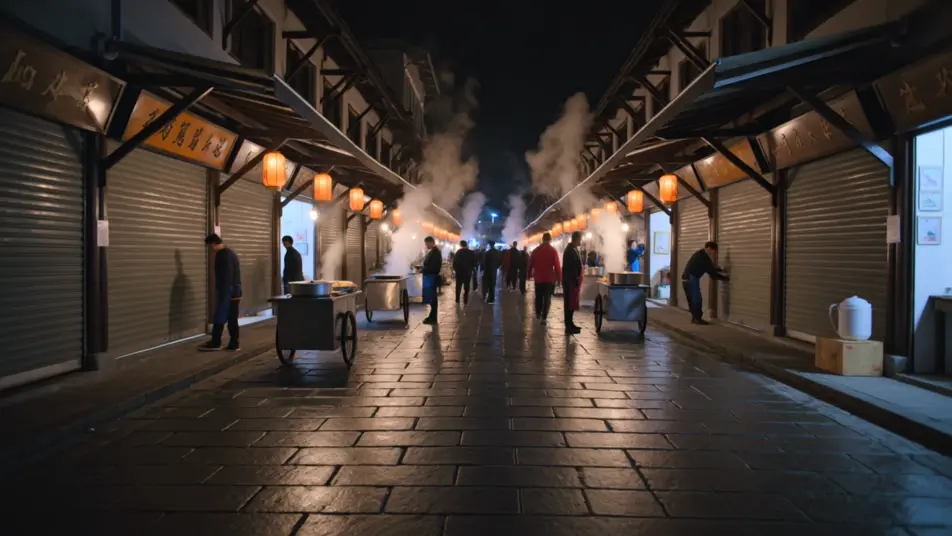
أخرِج مقطعًا من جملة مكتوبة داخل متصفحك مع مولّد فيديو تحويل النص إلى فيديو بالذكاء الاصطناعي من Morphic. أنشئ سوقًا مضاءً بالفوانيس يستيقظ عند الفجر أو عدّاءً وحيدًا يعبر جسرًا مبلّلًا بالمطر. اقرنه بأداة Music لتلحين اللحظة، ثم اجمعه على Canvas وأضف التعليق الصوتي بأداة Speech.
شارع واسع من أكشاك مضاءة بالفوانيس يدبّ فيه الحياة بينما يرفع الباعة المصاريع ويتصاعد البخار من عربات الطعام، ضوء كهرماني دافئ ينتشر على الحجر المبلّل، وحركة دولي بطيئة إلى الأمام تسحب المشاهد إلى الزحام.
تعديل الأمر النصيشخصية وحيدة تعبر جسرًا فولاذيًا طويلًا في مطر ثابت، أضواء المدينة تتلطّخ في البرك في الأسفل، ولقطة تتبّع منخفضة تتحرك بمحاذاة العدّاء بينما يتبخّر النَّفَس في الهواء الأزرق البارد.
تعديل الأمر النصي
مقدّم واحد جالس أمام خلفية متدرّجة ناعمة، مُضاء بإعداد ثلاثي النقاط لطيف، والكاميرا تحمل لقطة متوسطة ثابتة ليبقى الأداء نظيفًا وتصل الكلمات.
تعديل الأمر النصي
جسم أنيق يدور ببطء على قاعدة مضاءة أمام خلفية بيضاء متصلة، عمق مجال ضحل يُنعّم الحواف، والكاميرا تنحني ربع دورة لتلتقط الوميض المنزلق على السطح.
تعديل الأمر النصي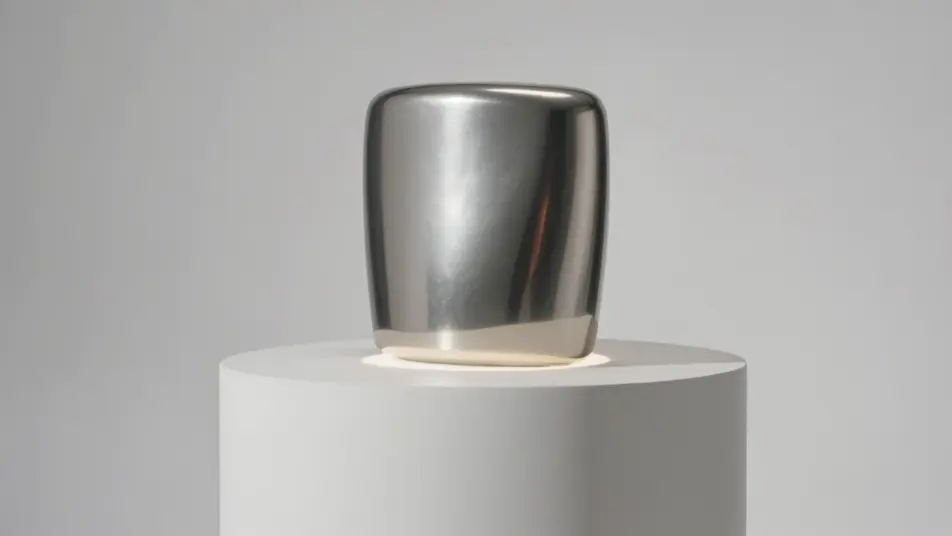
اكتب مشهد تحويل النص إلى فيديو الذي تريده، بكلمات بسيطة.
ينشئ Morphic مقطعا سينمائيا جاهزا للإطارات على لوحتك خلال ثوانٍ.
عدّل الأمر النصي، وأعد إنشاء التنويعات، ثم نزّل اللقطة أو شاركها.

Dramatize any text conversation into a cinematic multi-shot video.
Cinematic time-freeze short film for any scene

Generate a professional film title card from scratch, with optional cinematic animation.
Photo of any real-estate becomes a cinematic renovation timelapse video with construction SFX and music.
One image to a 9-scene cinematic video.
Drop in a photo of yourself. Get a 12-second cinematic movie with animation and a matched soundtrack.
فيديوهات تمديد المشهد بالذكاء الاصطناعي
مدّد اللقطات بالذكاء الاصطناعي على Morphic. واصل لقطة بعد إطارها الأخير، وأبقِ لحظة أطول، وحافظ على اتساق الحركة والضوء عبر نقطة الوصل. لا حاجة إلى مهارات مونتاج.
فيديوهات رفع دقة الفيديو بالذكاء الاصطناعي
كبّر مقاطع الفيديو منخفضة الدقة بالذكاء الاصطناعي عبر Morphic. استرجع تفاصيل الوجوه والملمس والحواف مع حركة ثابتة وطبيعية.
فيديوهات المؤثرات البصرية بالذكاء الاصطناعي
أنشئ فيديوهات مؤثرات بصرية بالذكاء الاصطناعي مع Morphic. انفجارات، طاقة، دمار مستقبلي، وجسيمات من موجّه واحد دون شاشة خضراء.
فيديوهات POV بالذكاء الاصطناعي
أنشئ فيديوهات POV بالذكاء الاصطناعي مع Morphic. صوّر مشاهد بمنظور الشخص الأول، لحظات حركة وحياة يومية عند مستوى العين، بلا خبرة مونتاج.
ابدأ مجاناً اليوم، مع إمكانية الترقية أو الإلغاء في أي وقت.
Basic
2400 شهرياً أرصدة
1 مستخدم فقط
جميع النماذج
Workflows
Standard
3625 شهرياً أرصدة
1 مستخدم فقط
جميع النماذج
Workflows
Pro
6350 مشترك شهرياً أرصدة
1 مستخدم
جميع النماذج
Workflows
Max
24650 مشترك شهرياً أرصدة
1 مستخدم
جميع النماذج
Workflows
Enterprise
لحدود أعلى
مخصص
شروط الأسعار والفوترة

Free
للتجربة والاستكشاف
$0
مجاني إلى الأبد