Direct layered double-exposure blends in your browser with Morphic's double exposure AI video generator. Generate double exposure clips like a profile silhouette filled with a moving forest, or a runner's outline holding a rolling city skyline inside it, and pair them with the Music tool to swell the score as the second image bleeds through. Stitch the overlapping worlds into one continuous montage on the Canvas.

Double exposure variations you can direct

Double exposure sequences you can stage

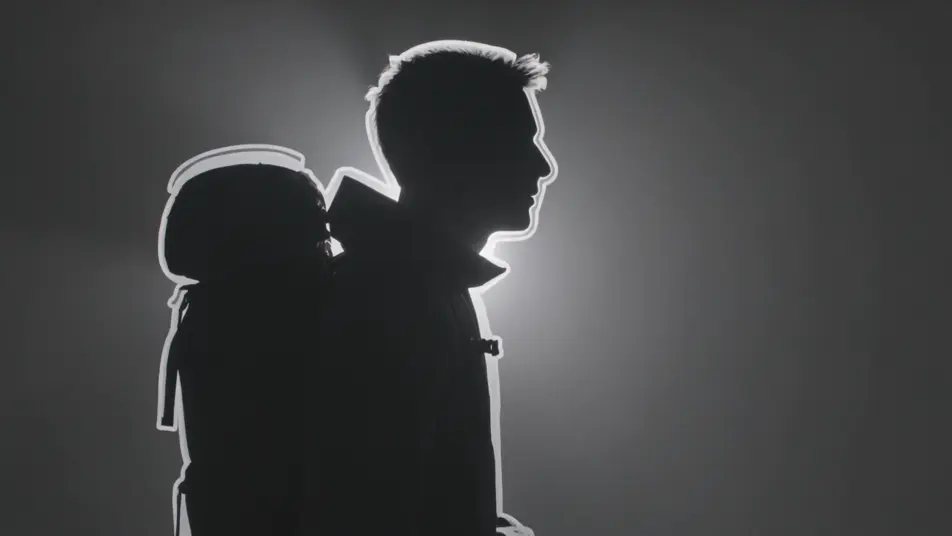
A traveler holding a mountain range

A profile silhouette of a traveler fills the frame while a moving mountain range lives inside the outline, mist rolling over ridges and light shifting across peaks, soft rim light on the contour, slow push-in.

Editar prompt
A dancer blended with falling rain

A dancer moves in half-exposure over a curtain of falling rain, the two layers sliding across each other as she turns, cool blue key light, steady wide shot letting both images breathe.

Editar prompt

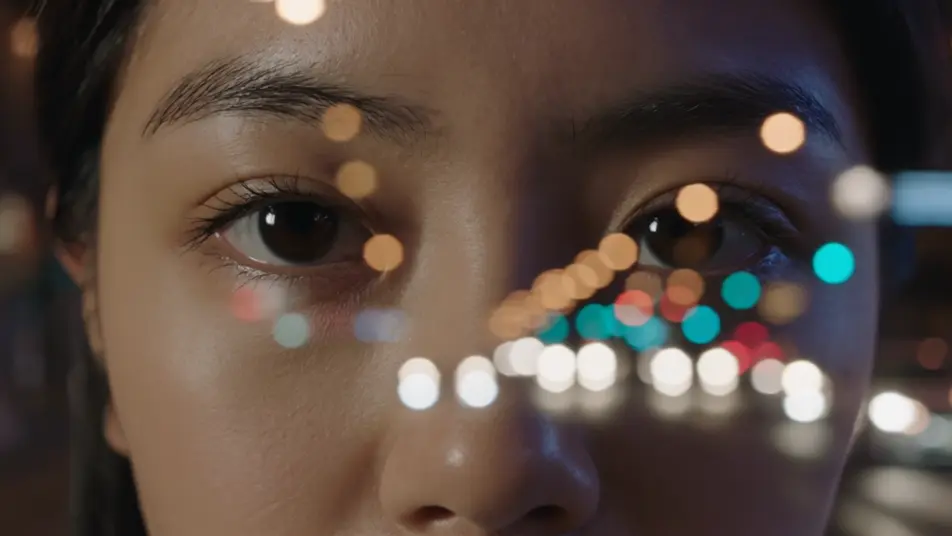
A face full of city lights

A tight portrait dissolves into a night city, headlights and neon streaking through the features while the eyes stay legible, warm and cool light mixing, locked-off frame with a gentle drift.

Editar prompt

A hand cradling a blooming garden

An open hand fills with a time-lapse garden, flowers opening and vines climbing across the palm in layered exposure, soft diffused daylight, slow overhead tilt down onto the blend.

Editar prompt

Crie vídeos de double exposure em três passos

  1. 01

    Descreva sua cena de double exposure

    Escreva a cena de double exposure que você quer, em poucas palavras.

  2. 02

    Gere o vídeo

    A Morphic gera um clipe cinematográfico e pronto para uso no seu Canvas em segundos.

  3. 03

    Refine seu vídeo de double exposure

    Ajuste o prompt, gere novas variações e depois baixe ou compartilhe a cena.

Workflows relacionados

Você também pode gostar

Preços simples

Comece grátis hoje mesmo, com a opção de fazer upgrade ou cancelar quando quiser.

Basic

$9/ mês
cobrado como $0 por ano

900 mensal créditos

1 apenas usuário

Todos os modelos

Workflows

Standard

$24/ mês
cobrado como $0 por ano

3200 mensal créditos

1 apenas usuário

Todos os modelos

Workflows

Pro

$45/ mês
cobrado como $0 por ano

6200 compartilhado mensal créditos

1 usuário

+ até 4 mais com custo adicional

Todos os modelos

Workflows

Pro Max

$170/ mês
cobrado como $0 por ano

24000 compartilhado mensal créditos

1 usuário

+ até 9 mais com custo adicional

Todos os modelos

Workflows

Enterprise

Para limites maiores

Personalizado

termos de preços e cobrança

Créditos ilimitados
Limites de vagas personalizados
Todos os modelos
Workflows
Pricing Gradient

Free

Para experimentar

$0

grátis para sempre

Até 20 créditos
apenas 1 usuário
Modelos limitados
Workflows

Perguntas frequentes

Where can I make double exposure videos with AI?
You can create double exposure videos directly in your browser on Morphic. Open the Text to Video tool, describe the outline layer and the moving world that fills it, and Morphic renders the blend. No masking and no compositing software needed.
What kinds of double exposure shots work best with AI video?
Silhouette-and-landscape blends, ghosted portraits, and body-and-cityscape overlays read the strongest. A clear anchoring shape with a second image that moves gently inside it gives the eye one legible outline plus a living interior, which is what makes the effect land.
How do I write a good prompt for a double exposure video?
Describe two layers plus the blend: the silhouette or portrait that holds the frame, the moving scene that fills it, and how strongly they overlap. Add the light on the contour and a slow camera move. The clearer the two layers, the cleaner the exposure Morphic returns.
How do I keep the blend consistent between scenes?
Reuse the same anchor shape and the same light treatment across your prompts so every clip reads as one series. On the Canvas you can place the blends side by side and tune the opacity and framing of each until the montage flows as a single piece.
Can I add music and narration to my double exposure videos?
Yes. The Music tool scores an original track that can swell as the second image bleeds through, and the Speech tool generates narration in the voice you choose. Layered together, a silhouette montage can carry a spoken-word line over the blend.
Do I need video editing experience to make a double exposure video?
No. Morphic runs in your browser and you direct it with plain-language prompts. If you can name the outline and the world that fills it, you can produce the effect. The prompts on this page are written to paste and run as they are.