An apparition in a Victorian hallway
A translucent figure drifts down a long, dim hallway lined with old portraits, the wallpaper showing faintly through it. Cold blue moonlight from a far window, a slow static frame that lets it pass.
Editar prompt
Direct translucent ghost overlays in your browser with Morphic's ghost overlay AI video generator. Generate a semi-transparent figure drifting through a dim hallway, or a spectral face fading up behind a mirror. Score the reveal with Music, then stitch the hauntings together on the Canvas.
A translucent figure drifts down a long, dim hallway lined with old portraits, the wallpaper showing faintly through it. Cold blue moonlight from a far window, a slow static frame that lets it pass.
Editar promptA dim bedroom where a faint spectral face slowly resolves in a standing mirror while the room reflected around it stays empty. Low warm lamplight, a slow push-in on the glass.
Editar prompt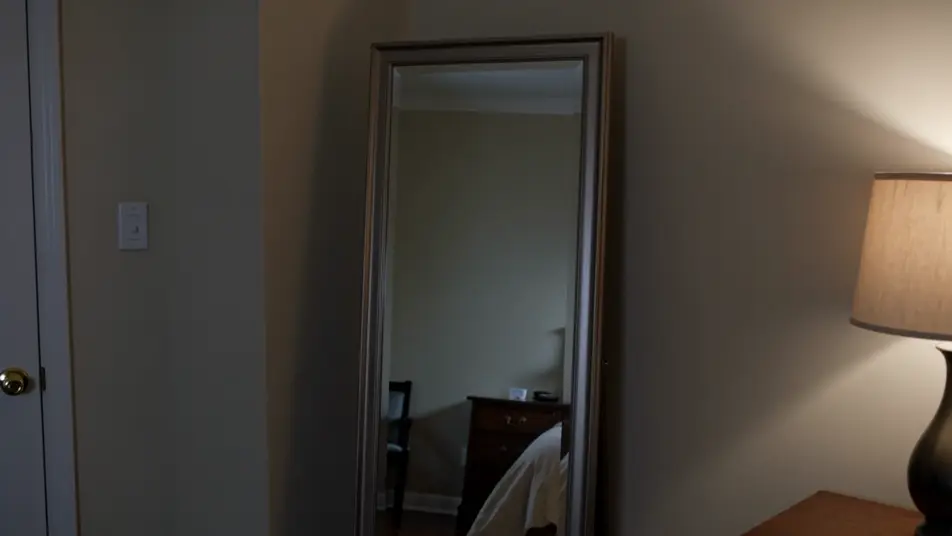
Dust-filled attic light where a curl of luminous mist gathers into a vague human shape before scattering apart. Hard shafts through a small window, a locked wide shot holding the still air.
Editar prompt
A translucent figure climbs a shadowed stone stairwell, growing more opaque with each step until it nearly blocks the light behind it. Cold top light, a slow tilt that follows it up.
Editar prompt
Escreva a cena de ghost overlay que você quer, em poucas palavras.
A Morphic gera um clipe cinematográfico e pronto para uso no seu Canvas em segundos.
Ajuste o prompt, gere novas variações e depois baixe ou compartilhe a cena.

Dramatize any text conversation into a cinematic multi-shot video.
Cinematic time-freeze short film for any scene

Generate a professional film title card from scratch, with optional cinematic animation.
Photo of any real-estate becomes a cinematic renovation timelapse video with construction SFX and music.
One image to a 9-scene cinematic video.
Drop in a photo of yourself. Get a 12-second cinematic movie with animation and a matched soundtrack.
AI Invisibility Effect videos
Generate AI invisibility videos with Morphic. Fade a subject transparent, cloak a figure, and stage empty-space reveals with paste-ready prompts that just run.
AI Double Exposure videos
Generate AI double exposure videos with Morphic. Silhouettes filled with moving landscapes, ghosted portraits, and layered blends from a single prompt.
Vídeos de VFX com IA
Crie vídeos de VFX com IA no Morphic: explosões, energia, destruição e criaturas a partir de um prompt. Sem green screen, sem composição.
Vídeos morph com IA
Crie vídeos morph com IA no Morphic. Transições suaves, revelações com mudança de forma e cortes morph no ritmo, prontos para usar.
Comece grátis hoje mesmo, com a opção de fazer upgrade ou cancelar quando quiser.
Basic
2400 mensal créditos
1 apenas usuário
Todos os modelos
Workflows
Standard
3625 mensal créditos
1 apenas usuário
Todos os modelos
Workflows
Pro
6350 compartilhado mensal créditos
1 usuário
Todos os modelos
Workflows
Max
24650 compartilhado mensal créditos
1 usuário
Todos os modelos
Workflows
Enterprise
Para limites maiores
Personalizado
termos de preços e cobrança

Free
Para experimentar
$0
grátis para sempre