Direct sound-led J-cuts and L-cuts in your browser with Morphic's J-cut L-cut AI video generator. Generate the paired shots where audio leads or trails the picture, a phone ringing before we see the caller, or a conversation carrying over into the street outside, and use the Speech and Music tools to bridge the two shots with a continuous sound bed. Stitch the overlapping picture and audio into one seamless scene on the Canvas.

J-cut and L-cut variations you can direct

J-cut and L-cut sequences you can stage

A voice arriving before the speaker

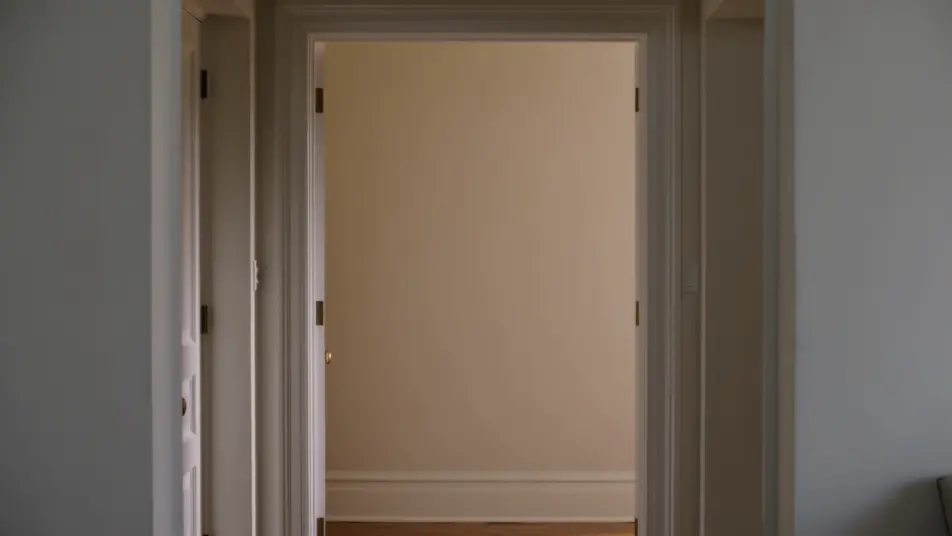
A still shot of an empty doorway in a softly lit hall as a warm greeting drifts in off-screen, then a clean cut to the visitor mid-sentence outside in daylight. The dialogue leads the picture by a full beat.

Editar prompt

A market lingering into a quiet room

A bustling open-air market at golden hour cuts to a hushed apartment interior in cool shade, while the market chatter and clatter trail on for a few seconds past the cut. Static framing on both halves.

Editar prompt

A song rising ahead of the stage

A lone figure walks a rain-slicked night street toward warm venue lights as live music swells in early, then a cut to the glowing concert stage as the same track lands its chorus. Slow tracking follow into a wide reveal.

Editar prompt

A last word echoing over the reaction

A tight two-shot at a kitchen table in soft window light where one person finishes a tender line, then a cut to the listener alone as the final words keep ringing on audio. Shallow depth of field, gentle push-in.

Editar prompt

Crie vídeos de j-cut l-cut em três passos

  1. 01

    Descreva sua cena de j-cut l-cut

    Escreva a cena de j-cut l-cut que você quer, em poucas palavras.

  2. 02

    Gere o vídeo

    A Morphic gera um clipe cinematográfico e pronto para uso no seu Canvas em segundos.

  3. 03

    Refine seu vídeo de j-cut l-cut

    Ajuste o prompt, gere novas variações e depois baixe ou compartilhe a cena.

Workflows relacionados

Você também pode gostar

Preços simples

Comece grátis hoje mesmo, com a opção de fazer upgrade ou cancelar quando quiser.

Basic

$9/ mês
cobrado como $0 por ano

900 mensal créditos

1 apenas usuário

Todos os modelos

Workflows

Standard

$24/ mês
cobrado como $0 por ano

3200 mensal créditos

1 apenas usuário

Todos os modelos

Workflows

Pro

$45/ mês
cobrado como $0 por ano

6200 compartilhado mensal créditos

1 usuário

+ até 4 mais com custo adicional

Todos os modelos

Workflows

Pro Max

$170/ mês
cobrado como $0 por ano

24000 compartilhado mensal créditos

1 usuário

+ até 9 mais com custo adicional

Todos os modelos

Workflows

Enterprise

Para limites maiores

Personalizado

termos de preços e cobrança

Créditos ilimitados
Limites de vagas personalizados
Todos os modelos
Workflows
Pricing Gradient

Free

Para experimentar

$0

grátis para sempre

Até 20 créditos
apenas 1 usuário
Modelos limitados
Workflows

Perguntas frequentes

Where can I make J-cut and L-cut videos with AI?
You can create J-cut and L-cut videos directly in your browser on Morphic. Open the Text to Video tool for both shots, then use the Speech and Music tools to carry a continuous sound across the cut. Line everything up on the Canvas so the audio leads or trails the picture, with no installs.
What kinds of J-cut and L-cut transitions work best with AI video?
Dialogue lead-ins, ambient carry-overs, and music bridges all read cleanly. The strongest sound-led cuts pick one clear audio element to overlap, a voice, a song, or a room tone, so the ear follows a single thread while the picture changes underneath it.
How do I write a good prompt for a J-cut or L-cut video?
Name two shots and the sound that ties them together. State which shot is first, which is second, and whether the audio arrives early (J-cut) or lingers late (L-cut). The clearer the bridging sound, the more seamless the overlap Morphic returns.
How do I keep the J-cut or L-cut consistent between scenes?
Keep the bridging sound continuous across both shots and describe it in each prompt. On the Canvas you can slide the audio earlier or later than the picture cut, so the same voice or track runs unbroken while the visual transitions underneath.
Can I add music and narration to my J-cut and L-cut videos?
Yes, and they are central to the technique. The Music tool produces the track that bridges the cut, and the Speech tool generates the dialogue that leads or trails the picture. Overlapping that audio across the visual cut is exactly what defines a J-cut or an L-cut.
Do I need video editing experience to make a J-cut or L-cut?
No. Morphic runs in your browser and you direct it in plain language. If you can describe two shots and the sound that connects them, you can build a J-cut or an L-cut. The prompts here are written to paste and run.