Direct brutalist scale in your browser with Morphic's Villeneuve style AI video generator. Generate a monolith in an ochre desert or a statue field in a dust storm, lay a subsonic drone with Music, and stitch the wide shots into a sci-fi short on the Canvas.

Villeneuve style characters you can create

Villeneuve style scenes you can direct

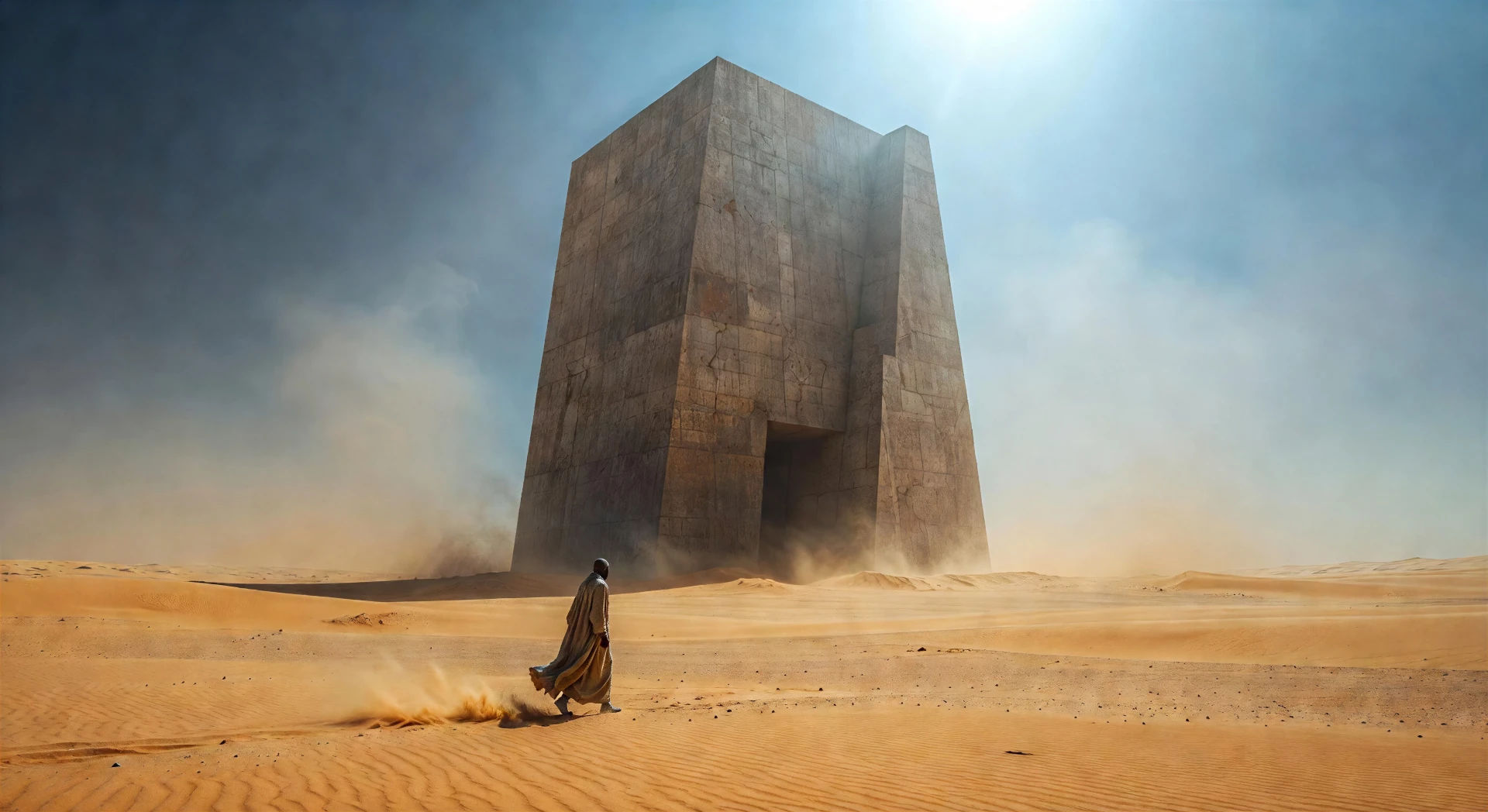
Brutalist monolith in ochre desert at noon

Vast brutalist concrete monolith standing alone in an ochre desert under a high noon sun, single robed figure crossing the foreground, dust suspended in the air.

Prompt bearbeiten
Brutalist monolith in ochre desert at noon

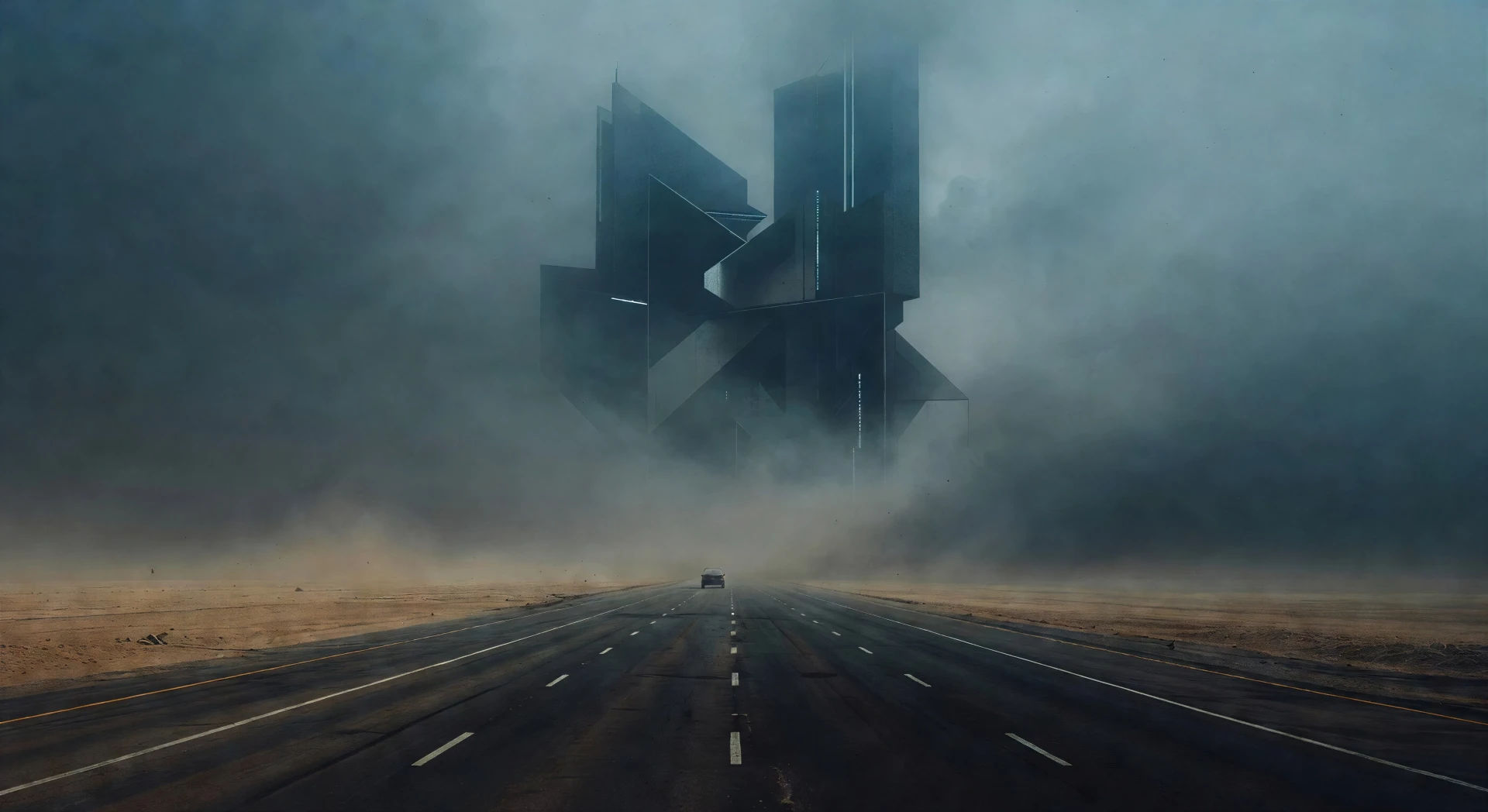
Fog-soaked highway approach

Empty four-lane highway leading toward a vast geometric structure, thick steel-blue fog hiding the silhouette into pure shape, single vehicle in the middle distance.

Prompt bearbeiten
Fog-soaked highway approach

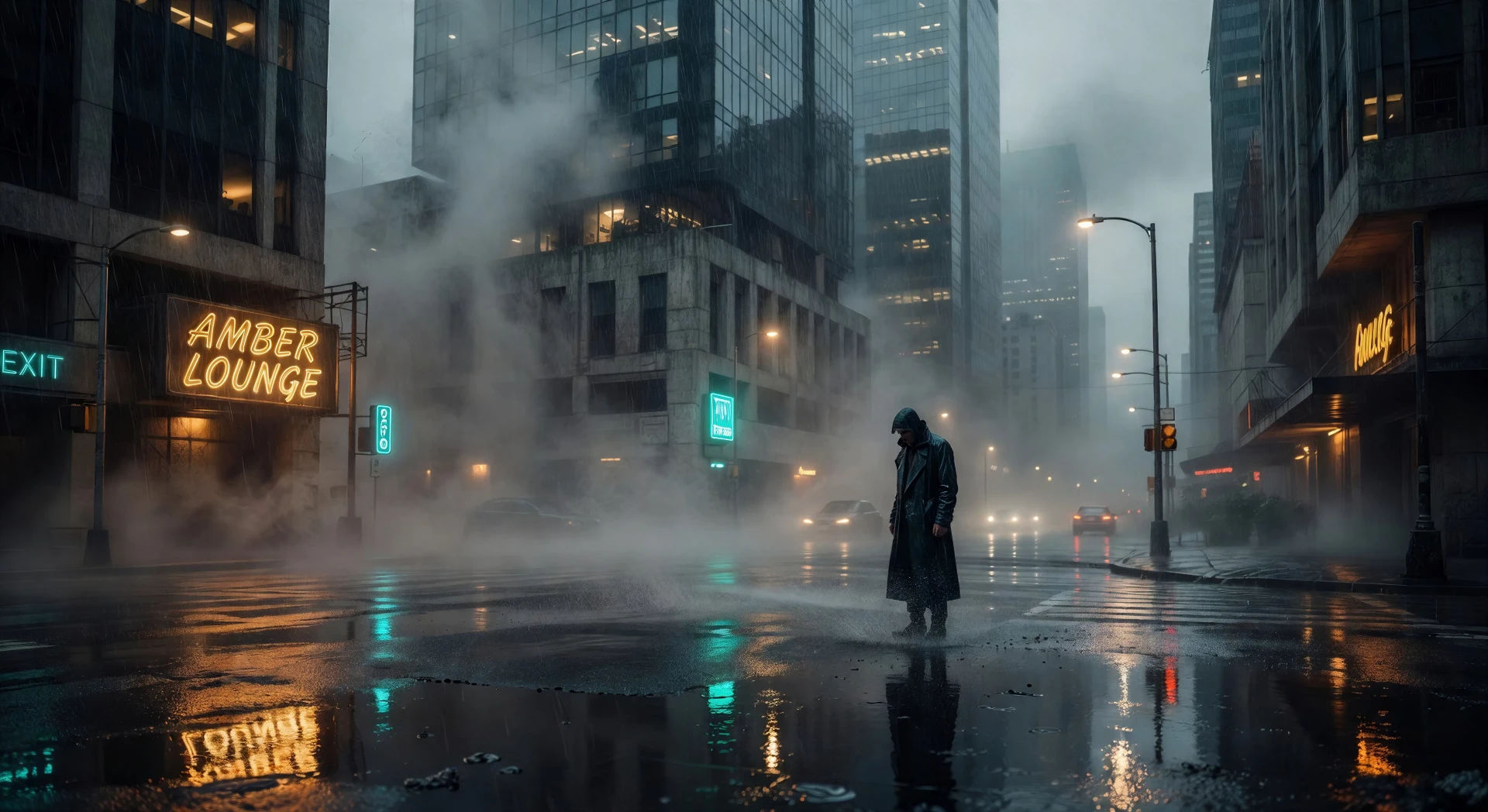
Neon-noir downpour at sunset

Wide neon-noir city intersection in heavy rain at last light, warm amber sign reflected on wet pavement, single coated figure mid-frame, fog held at street level.

Prompt bearbeiten
Neon-noir downpour at sunset

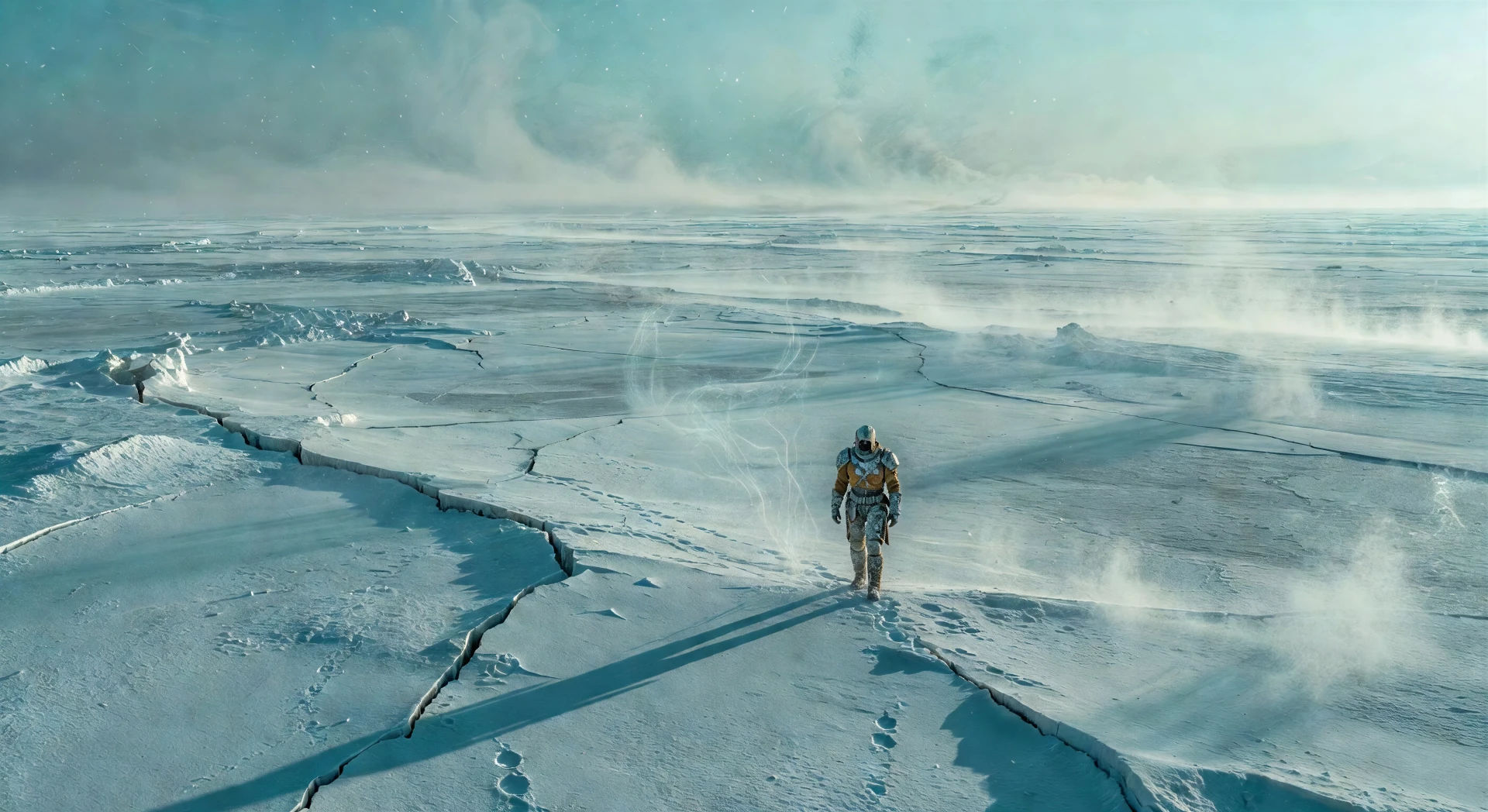
Cracked ice plain under a low sun

Vast cracked ice plain under a low cold sun, single armoured figure walking the horizon, faint vapour rising, the world entirely cyan and white.

Prompt bearbeiten
Cracked ice plain under a low sun

Villeneuve-Videos in drei Schritten erstellen

  1. 01

    Beschreiben Sie Ihre Villeneuve-Szene

    Beschreiben Sie die Villeneuve-Szene, die Sie möchten, in einfachen Worten.

  2. 02

    Video generieren

    Morphic generiert in Sekunden einen filmreifen Clip auf Ihrer Canvas.

  3. 03

    Villeneuve-Video verfeinern

    Passen Sie den Prompt an, generieren Sie Varianten und laden Sie die Aufnahme herunter oder teilen Sie sie.

Verwandte Workflows

Das könnte Ihnen auch gefallen

Einfache Preise

Starten Sie noch heute kostenlos, mit der Option, jederzeit zu upgraden oder zu kündigen.

Basic

$0/ Monat
abgerechnet als $0 pro Jahr

900 monatliche Credits

1 Nutzer

Alle Modelle

Workflows

Standard

$0/ Monat
abgerechnet als $0 pro Jahr

3200 monatliche Credits

1 Nutzer

Alle Modelle

Workflows

Pro

$0/ Monat
abgerechnet als $0 pro Jahr

6200 gemeinsame monatliche Credits

1 Nutzer

+ bis zu 4 weitere gegen Aufpreis

Alle Modelle

Workflows

Pro Max

$0/ Monat
abgerechnet als $0 pro Jahr

24000 gemeinsame monatliche Credits

1 Nutzer

+ bis zu 9 weitere gegen Aufpreis

Alle Modelle

Workflows

Enterprise

Für höhere Limits

Individuell

Preis- und Abrechnungsbedingungen

Unbegrenzte Credits
Individuelle Platzlimits
Alle Modelle
Workflows
Pricing Gradient

Free

Zum Ausprobieren

$0

dauerhaft kostenlos

Bis zu 20 Credits
Nur 1 Nutzer
Eingeschränkte Modelle
Workflows

Häufig gestellte Fragen

Where can I make Villeneuve style videos with AI?
You can create Villeneuve style scenes directly in your browser on Morphic. Open the Text to Video tool, describe the architectural scale, the atmospheric layer, and the restrained palette, and Morphic produces the clip. No installs and no specialist software needed.
What defines the Villeneuve style for an AI prompt?
Three things: architectural scale that holds the human figure deliberately small against monolithic geometry, atmospheric thickness (fog, dust, smoke) treated as a primary compositional element, and a restrained palette of ochre, steel-blue, cyan, and brutalist concrete with one warm amber practical reserved for human contact. Name all three so Morphic does not default to standard sci-fi coverage.
How do I prompt for the Villeneuve atmospheric thickness?
Frame the atmosphere as a primary element rather than set dressing. Phrases like "ochre dust suspended in the air at noon", "thick steel-blue fog softening the monolith into pure silhouette", or "low fog rolling at knee height across the concrete" cue Morphic to treat the haze as composition rather than background.
How do I keep the Villeneuve palette consistent across scenes?
Pick a restrained palette (ochre, steel-blue, cyan, brutalist concrete) and reuse the same colour names in every prompt. Reserve a single warm amber practical for the moment of human contact in each scene. Reference one master shot as a style anchor and let Morphic carry the grade across the cut.
Can I add narration and music to my Villeneuve style videos?
Yes. The Speech tool generates a voiceover in the voice you choose, and the Music tool produces an original soundtrack. A low sub-bass drone, a single sustained synth tone, or a slow ostinato scored against held wide shots all sit cleanly inside the Villeneuve palette.
Do I need any prior video editing experience to make Villeneuve style videos?
No. Morphic runs in your browser and you direct it with plain-language prompts. Anyone who can describe a Villeneuve scene can produce one. After Effects, Blender, and manual rigging are not required.