Inpainting
Inpainting di Morphic memungkinkan Anda melakukan edit terarah pada area tertentu dari sebuah gambar menggunakan prompt, sempurna untuk menyempurnakan, mengganti, atau meningkatkan bagian tertentu tanpa memengaruhi keseluruhan.
Berikut tutorial singkat tentang cara menggunakan Inpainting di Morphic:
- Unggah atau buat gambar Anda di Canvas
- Pilih gambar dan klik 'Seleksi area' di bilah alat di atasnya, atau di bawah 'Detail' > 'Alat' di bilah sisi kanan
- Seret kotak di atas area yang ingin Anda ubah. Untuk bentuk yang tidak beraturan, klik 'Seleksi terpandu' di bilah alat yang sama dan gambar di sekelilingnya secara bebas
- Tulis prompt yang menjelaskan perubahan yang ingin Anda lihat di wilayah tertentu itu
- Klik tombol biru di bilah prompt
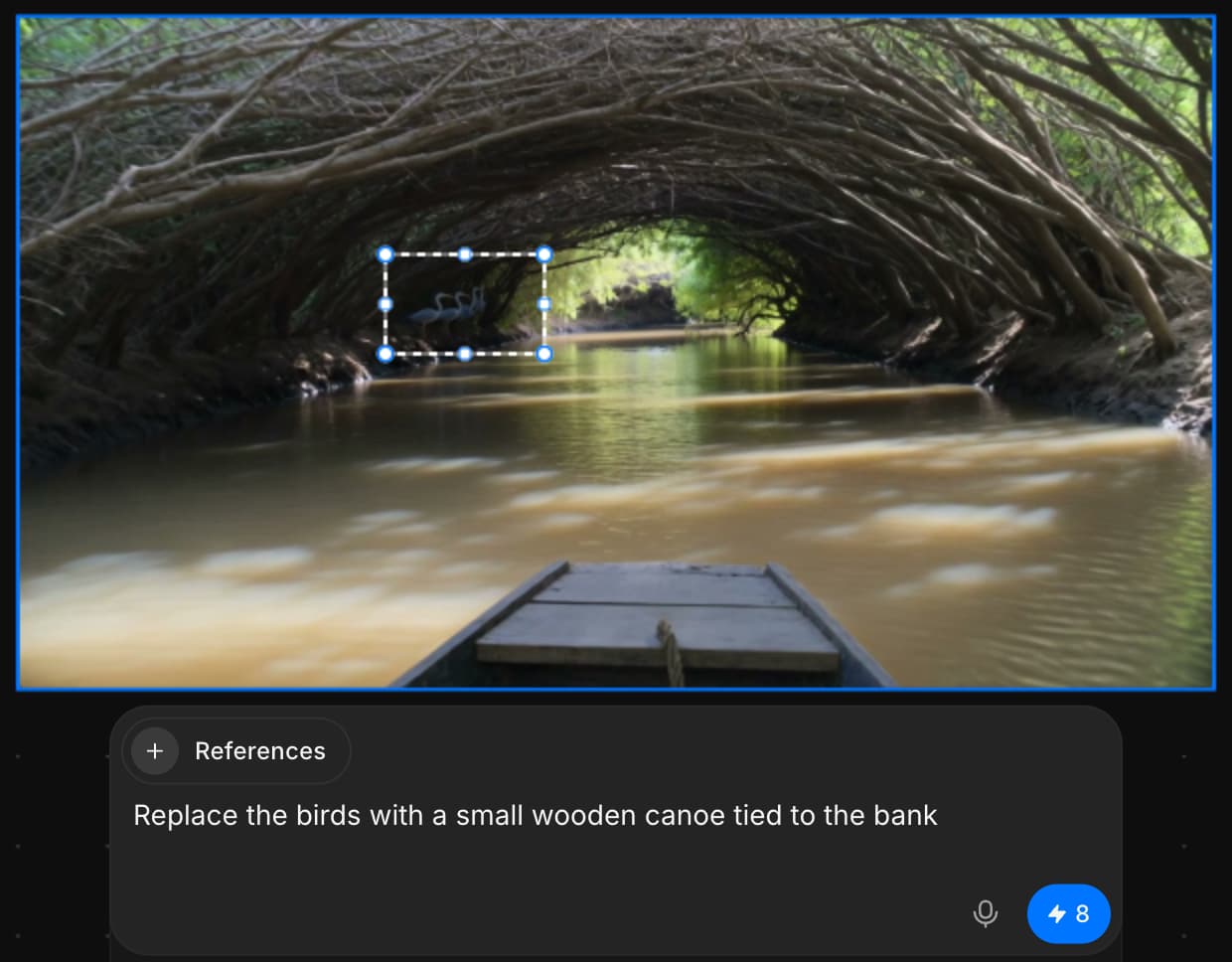
Begitulah cara Anda menggunakan Inpainting untuk melakukan pengeditan terarah pada bagian mana pun dari gambar Anda hanya dengan sebuah prompt. Gunakan Inpainting untuk menghapus, mengganti, atau menambahkan elemen ke gambar Anda dengan mulus. Pengeditan ditambahkan sebagai layer baru, sehingga gambar asli Anda tetap utuh dan sepenuhnya dapat diedit.
Jika Anda mengalami kendala atau memiliki pertanyaan, jangan ragu untuk menghubungi kami. Kami dengan senang hati akan membantu. Tulis kepada kami di support@morphic.com.
Inpainting dan Outpainting
Perbedaan antara mengedit di dalam gambar dan memperluas melewati tepinya, serta kapan masing-masing cocok digunakan.
Outpainting Gambar
Outpainting di Morphic memungkinkan Anda memperluas gambar melewati bingkai aslinya menggunakan prompt, menghasilkan tambahan yang mulus dan sesuai serta melanjutkan adegan yang ada.