> For the complete documentation index, see [llms.txt](https://morphic.com/docs/llms.txt). Markdown versions of documentation pages are available by appending `.md` to page URLs; this page is available as [Markdown](https://morphic.com/docs/tr/how-tos/blending-images.md).

# Görselleri harmanlama

Morphic'in görselden görsele özelliğiyle, farklı varlıkları kusursuzca harmanlayarak karakterleri, arka planları ve aksesuarları tek bir bütünlüklü karede birleştirebilir, stiller arasında tutarlılığı koruyabilirsiniz.
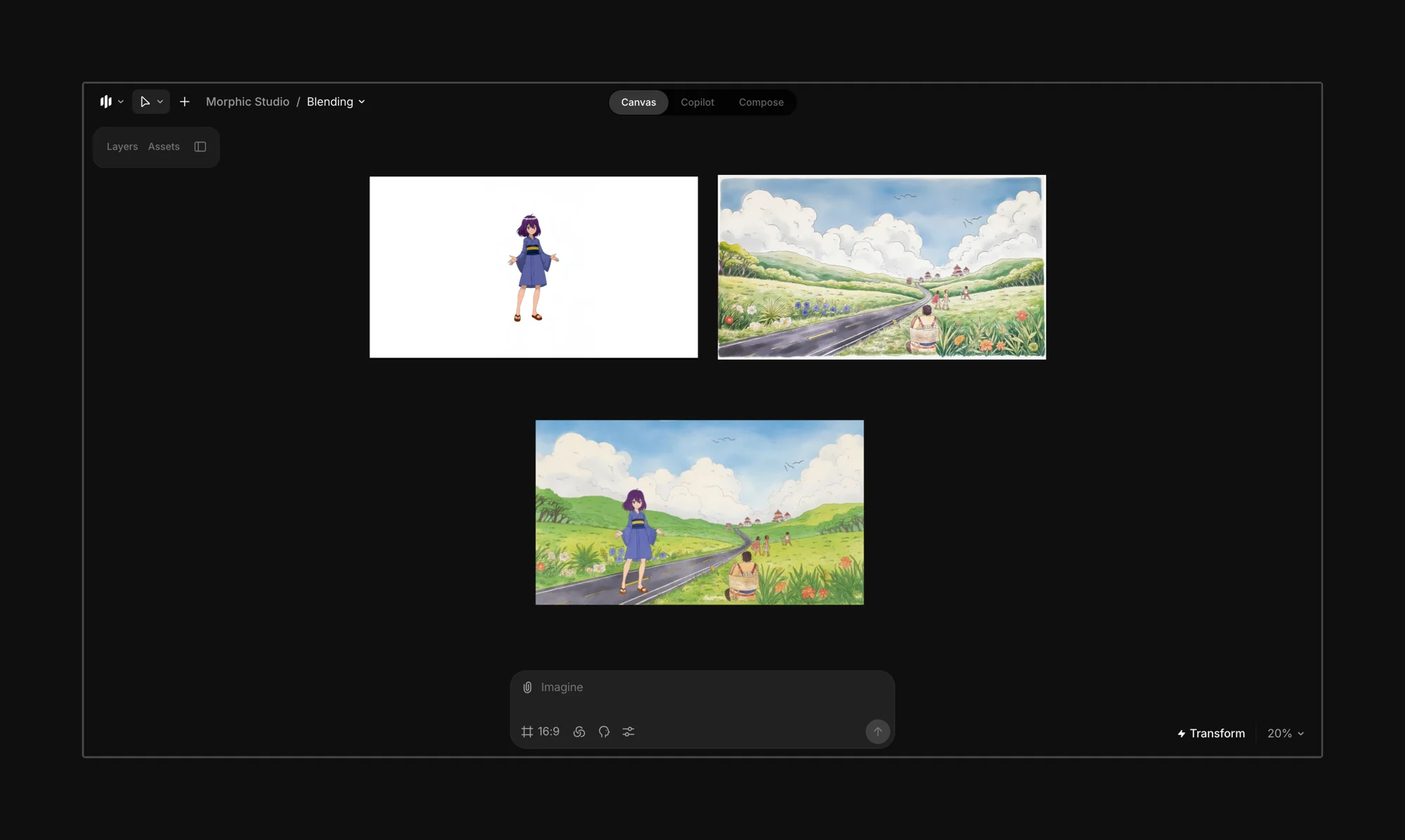
<figure><img src="https://991311795-files.gitbook.io/~/files/v0/b/gitbook-x-prod.appspot.com/o/spaces%2FoPhHCbNZdzW70rakoLhf%2Fuploads%2FB17t1h1DUULPfmDPcqv4%2FCleanShot%202025-06-07%20at%2001.37.05%402x.png?alt=media&amp;token=0ad03b5c-9d30-4956-a139-e05fba5fe222" alt=""><figcaption></figcaption></figure>

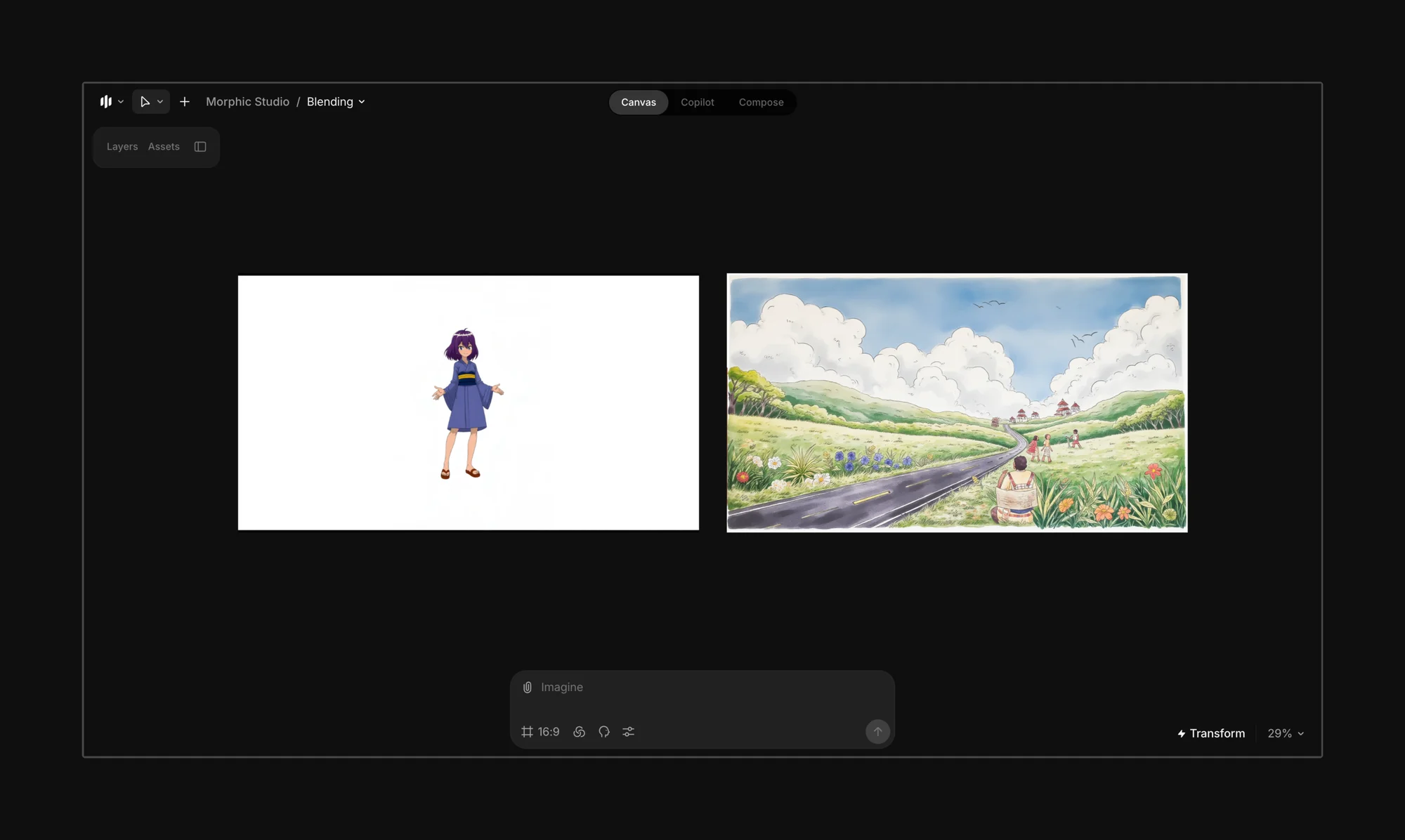
Birleşik bir sahneye harmanlamak istediğiniz karakterleri, arka planları ve nesneleri yükleyerek ya da oluşturarak başlayın. Morphic’in mevcut görüntülerden katmanlar oluşturma özelliğini kullanarak katmanlar oluşturabilirsiniz [segmentasyon özellikleri](/docs/tr/essentials/layers.md).

<figure><img src="https://991311795-files.gitbook.io/~/files/v0/b/gitbook-x-prod.appspot.com/o/spaces%2FoPhHCbNZdzW70rakoLhf%2Fuploads%2Fqa8bRsJq8dgHOv0wmLxB%2FCleanShot%202025-06-07%20at%2001.38.00%402x.png?alt=media&amp;token=e82b7104-79d9-4c75-a1a0-7d04327f4b9b" alt=""><figcaption></figcaption></figure>

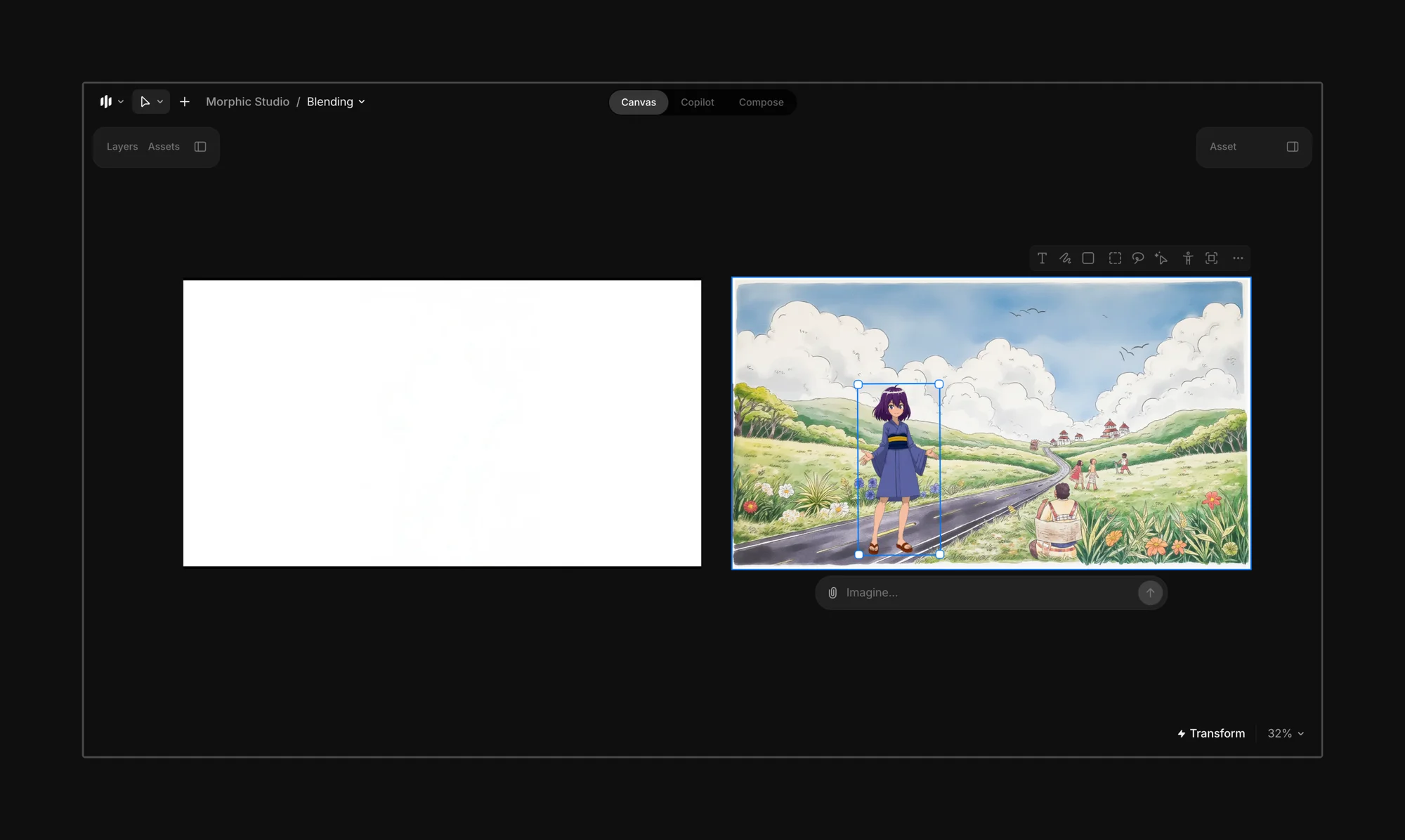
Son kareye dahil etmek istediğiniz karakterleri, öğeleri veya nesneleri katmanlara ayırın.
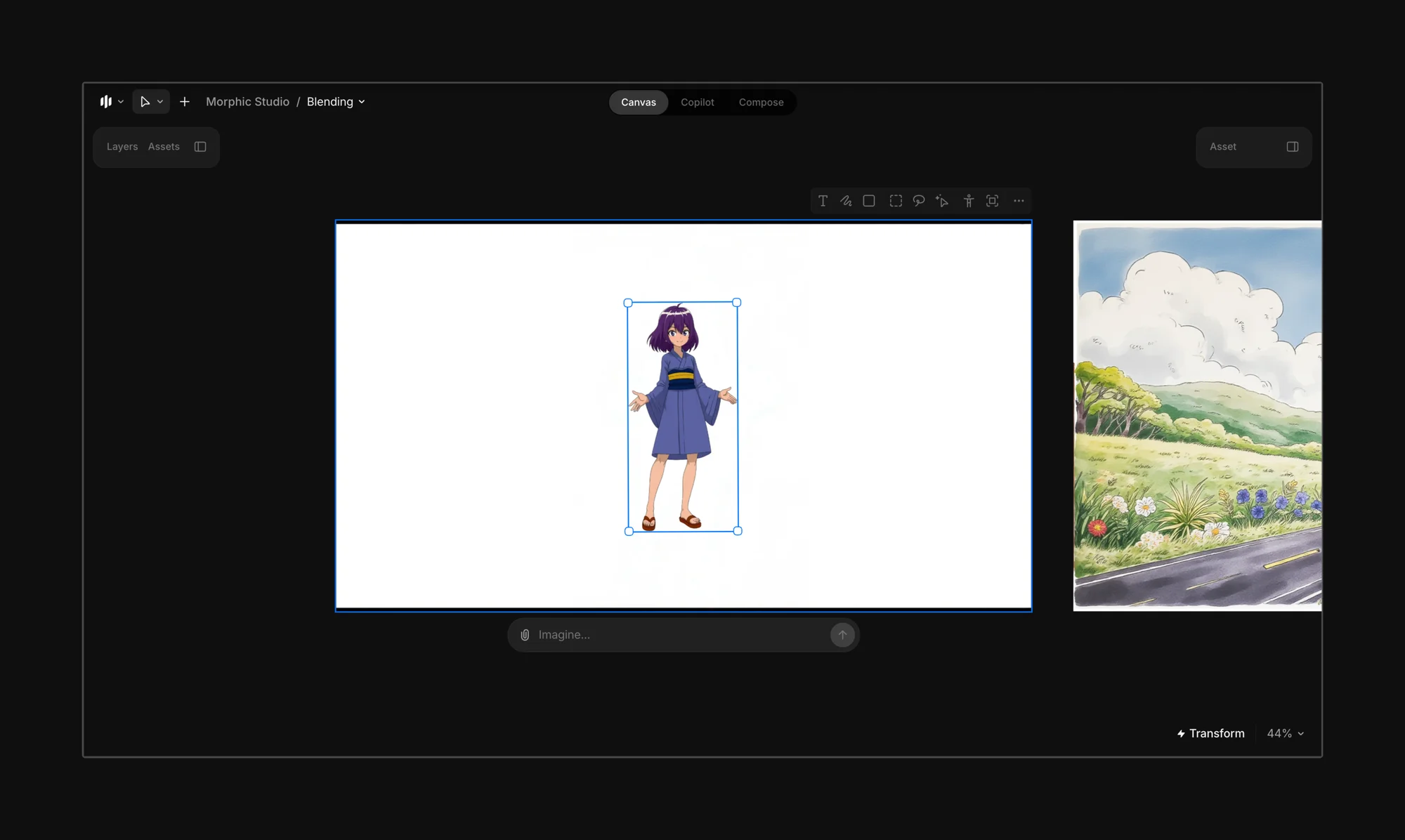
<figure><img src="https://991311795-files.gitbook.io/~/files/v0/b/gitbook-x-prod.appspot.com/o/spaces%2FoPhHCbNZdzW70rakoLhf%2Fuploads%2Fg5WguYr2KHQxqt3DGQ0a%2FCleanShot%202025-06-07%20at%2001.45.51%402x.png?alt=media&amp;token=54cb4e80-f8d2-41c5-bbab-315c8ed2c917" alt=""><figcaption></figcaption></figure>

Öğeleri son kareye taşıyın.

<figure><img src="https://991311795-files.gitbook.io/~/files/v0/b/gitbook-x-prod.appspot.com/o/spaces%2FoPhHCbNZdzW70rakoLhf%2Fuploads%2FVouGQtYM4yVG9BG6xUAQ%2FCleanShot%202025-06-07%20at%2001.48.31%402x.png?alt=media&amp;token=44c4e77b-958b-4e7b-ae10-8b158dfa96d4" alt=""><figcaption></figcaption></figure>

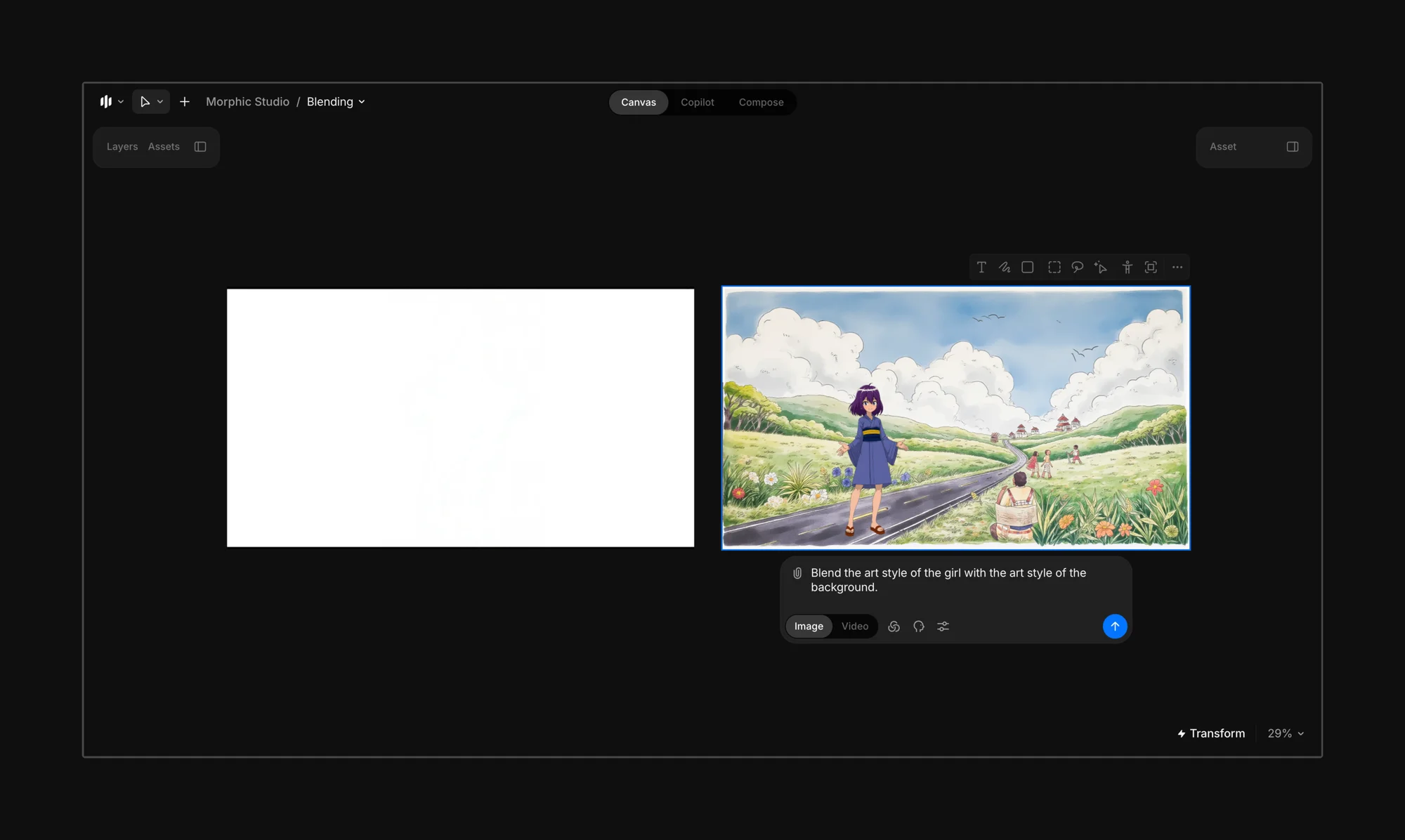
Son kareyi seçin ve sahnenin hangi tarza doğru harmanlanacağını Morphic’e yönlendiren bir komut girin.

{% hint style="info" %}
Şunu deneyin: *“Kızın sanat tarzını arka planın sanat tarzıyla harmanlayın.”*

Hangi öğenin öne çıkması gerektiğinden emin değilseniz, sadece şu komutu verin: *“Sanat tarzlarını uyum sağlayacak şekilde harmanlayın.”*
{% endhint %}

<figure><img src="https://991311795-files.gitbook.io/~/files/v0/b/gitbook-x-prod.appspot.com/o/spaces%2FoPhHCbNZdzW70rakoLhf%2Fuploads%2F2DntSDVC2XifHDDX4m9e%2FCleanShot%202025-06-07%20at%2001.53.28%402x.png?alt=media&amp;token=4c0b009c-0ad7-49e0-b252-7ce3ded96f8a" alt=""><figcaption></figcaption></figure>

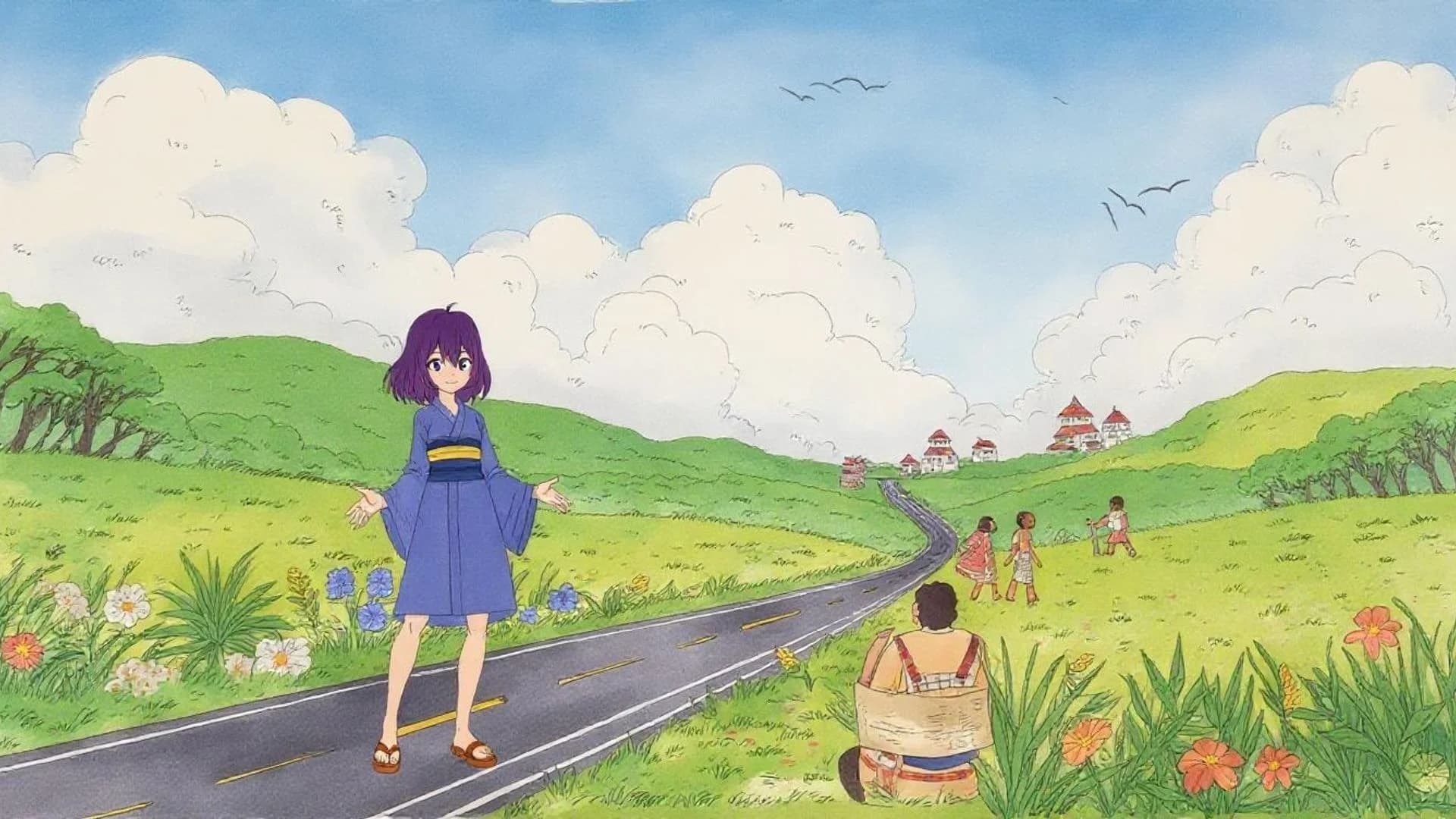
Komut çubuğundaki mavi düğmeye tıklayın; Morphic, komutunuza göre seçili görsellerin, karakterlerin veya nesnelerin tarzlarını harmanlayacaktır.

<figure><img src="https://991311795-files.gitbook.io/~/files/v0/b/gitbook-x-prod.appspot.com/o/spaces%2FoPhHCbNZdzW70rakoLhf%2Fuploads%2Fy36ZAjsVWc7HrVLSqPKR%2FAnime%20Characters.webp?alt=media&amp;token=80a3558b-d485-4f34-99de-dd92fe5cae7a" alt=""><figcaption></figcaption></figure>

{% hint style="danger" %}
**Kaçının**

Birbirinden çok farklı tarzları (ör. anime ile fotogerçekçilik) harmanlamak tutarsız veya öngörülemez sonuçlara yol açabilir.
{% endhint %}

{% hint style="success" %}
**En iyi şu durumlarda kullanılır:**

* Arka planınız ve karakteriniz farklı tarzlarda olduğunda.
* Öğeleri elle yeniden çizmeden uyumlu bir kare istediğinizde.
* Karışık teknik veya kolaj tarzı görseller denediğinizde.
  {% endhint %}

***

Herhangi bir sorun yaşarsanız veya sorularınız varsa, bizimle iletişime geçmekten çekinmeyin. Yardım etmekten memnuniyet duyarız. Bize şu adresten yazın [**support@morphic.com**](mailto:support@morphic.com)**.**


---

# Agent Instructions
This documentation is published with GitBook. GitBook is the documentation platform designed so that both humans and AI agents can read, navigate, and reason over technical content effectively. Learn more at gitbook.com.

## Querying This Documentation
If you need additional information that is not directly available in this page, you can query the documentation dynamically by asking a question.

Perform an HTTP GET request on the current page URL with the `ask` query parameter, and the optional `goal` query parameter:

```
GET https://morphic.com/docs/tr/how-tos/blending-images.md?ask=<question>&goal=<endgoal>
```

`ask` is the immediate question: it should be specific, self-contained, and written in natural language.
`goal` is optional and describes the broader end goal you are ultimately trying to accomplish on behalf of the user. GitBook uses it to tailor the answer towards what is most useful for that goal.

The response will contain a direct answer to the question and relevant excerpts and sources from the documentation.

Use this mechanism when the answer is not explicitly present in the current page, you need clarification or additional context, or you want to retrieve related documentation sections.