Görüntüden Görüntüye
Morphic'teki Görselden Görsele özelliği, yalnızca bir istem kullanarak mevcut bir görseli ince ayarlamanıza, stilini değiştirmenize veya uyarlamanıza olanak tanır.
Morphic'te Görüntüden Görüntüye özelliğinin nasıl kullanılacağına dair kısa bir eğitim:
- Görselinizi Canvas’a yükleyin veya oluşturun
- Üzerinde çalışmak istediğiniz görseli seçin
- Görselin altında beliren istem çubuğunda, çıktı türünü 'Image' olarak bırakın ve ayarları düzenleyin ya da varsayılan olarak bırakın
- Görselde istenen değişikliği anlatan bir istem yazın
- İstem çubuğundaki mavi düğmeye tıklayın
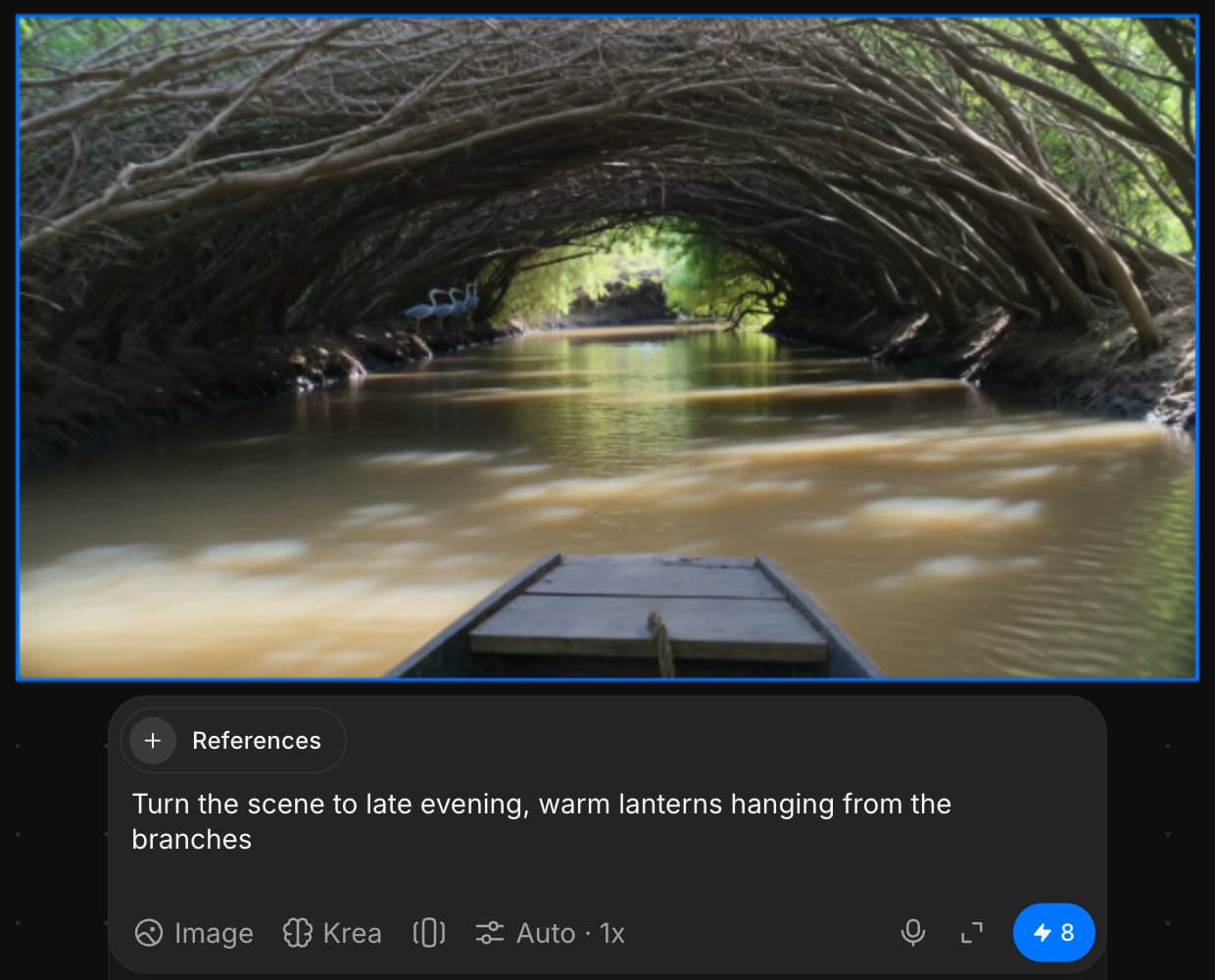
Morphic'te Görüntüden Görüntüye özelliğini böyle kullanırsınız. Sadece bir istemle görsellerinizi geliştirmek, yeniden stil vermek veya yeniden hayal etmek için hızlı bir yoldur.
Daha fazla örnek için Hassas Görüntü Düzenleme etkili kullanım için.
Herhangi bir sorun yaşarsanız ya da sorularınız olursa, bizimle iletişime geçmekten çekinmeyin. Yardım etmeye memnuniyet duyarız. Bize şu adresten yazın: support@morphic.com.
Metinden Görsele
Morphic'teki Metinden Görsele özelliği, yalnızca bir istem kullanarak sıfırdan yeni bir görsel oluşturmanızı sağlar.
Birden Çok Görsel Referansı
Morphic'teki Çoklu görsel referansı, tek bir istemle benzersiz bir kompozisyon (görsel) oluşturmak için birden fazla görselden özneler, pozlar, stiller ve sahneler seçmenize olanak tanır.