AI FPS jump in video

FPS jump in shots generated as one continuous first-person move: the camera vaults a ledge, slides through a doorway or drops into a scene exactly like a game intro.

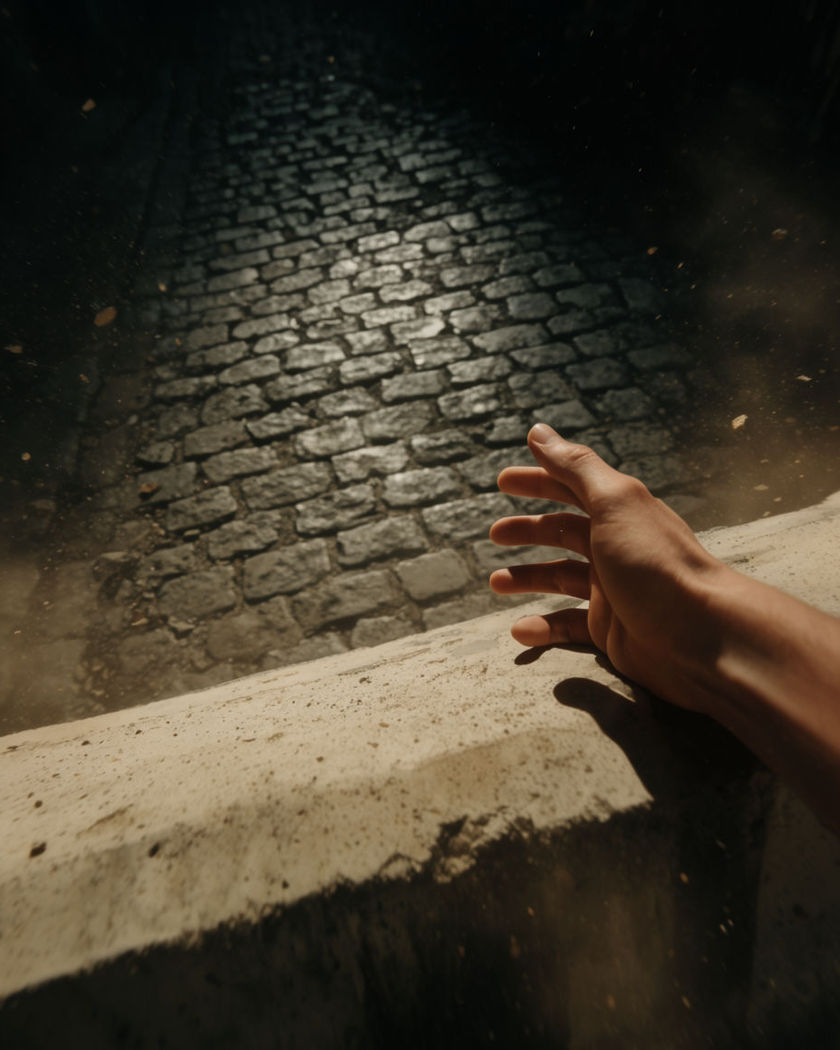
A first-person point of view mid-vault over a ledge with the alley beyond rushing into focus

FPS jump in effect examples

City block vault chain

Usar este prompt

A first-person run chains three vaults down a busy city block. a first-person point of view sprinting down a city block at night, vaulting a low wall, then a parked crate, then a railing in one continuous chain of movement, neon signs streaking past at the edges of the frame, camera bobbing with impact, fast motion

Warehouse skylight drop

Usar este prompt

A first-person view drops through a warehouse skylight into open floor space. a first-person point of view falling through a shattered skylight into a vast empty warehouse, glass and dust scattering through the shaft of daylight above, landing in a roll on the concrete floor and rising into a run, cool industrial light, dramatic entrance

Slide under a closing gate

Usar este prompt

A first-person view slides low under a descending metal gate. a first-person point of view sliding low across wet pavement under a metal gate that is descending fast, sparks flicking off the gate edge as it clears overhead by inches, rising back up into a run on the other side, blue night light, urgent motion

Barrier slide into cover

Usar este prompt

A first-person view slides sideways behind a barrier as the camera settles low. a first-person point of view sliding sideways across gravel and coming to a stop tucked behind a concrete barrier, camera settling low and steady, dust drifting past in the harsh daylight, breathing motion in the frame, tense stillness after the slide

Ledge vault into a run

Usar este prompt

A first-person view vaults a ledge and lands straight into a sprint. a first-person point of view vaulting over a low concrete ledge, hands briefly visible bracing on the edge, landing hard and launching straight into a full sprint down a narrow alley, camera bobbing with each footfall, gritty urban light, fast motion

Rooftop gap leap

Usar este prompt

A first-person view sprints and leaps a gap between two rooftops. a first-person point of view sprinting along a rooftop edge, the gap to the next building rushing closer, launching into a leap across the void with the street far below blurring, landing hard and rolling forward on the far rooftop, dusk sky, high energy motion

Bridge girder leap

Usar este prompt

A first-person view leaps between exposed girders high above a river. a first-person point of view running along an exposed steel girder on an unfinished bridge, the river far below rushing past, launching into a leap across a gap to the next girder and landing steady, wind noise implied by camera motion, golden hour light

Window drop into a room

Usar este prompt

A first-person view drops through a window and lands inside a dim room. a first-person point of view dropping through a broken window frame, glass scattering at the edges of vision, falling into a dim warehouse room and landing in a low crouch, dust kicking up around the boots, single shaft of light cutting the dark, fast cut motion

Loading dock slide

Usar este prompt

A first-person view slides under a lowering shutter on a loading dock. a first-person point of view sliding at speed across a loading dock floor under a metal shutter closing fast, sparks off the shutter edge, rising up on the far side into a sprint between stacked crates, harsh fluorescent light, urgent motion

Trapdoor drop into darkness

Usar este prompt

A first-person view falls through a trapdoor into a lit tunnel below. a first-person point of view falling through a trapdoor in a wooden floor, brief total darkness, then landing hard in a torch-lit stone tunnel below with dust and debris falling alongside, camera settling into a forward walk, warm flickering light

Generate your own FPS jump in effect

Elige un punto de partida, edita lo que quieras y genéralo en Morphic.

Generar

Precios simples

Comienza gratis hoy, con la opción de mejorar tu plan o cancelar cuando quieras.

Basic

$19/ mes
facturado como $0 por año

2400 mensual créditos

1 usuario

Todos los modelos

Workflows

Standard

$24/ mes
facturado como $0 por año

3625 mensual créditos

1 usuario

Todos los modelos

Workflows

Pro

$45/ mes
facturado como $0 por año

6350 compartidos mensual créditos

1 usuario

+ hasta 4 más con costo adicional

Todos los modelos

Workflows

Max

$170/ mes
facturado como $0 por año

24650 compartidos mensual créditos

1 usuario

+ hasta 9 más con costo adicional

Todos los modelos

Workflows

Enterprise

Para límites más altos

Personalizado

términos de precios y facturación

Créditos de alto volumen
Límites de asientos personalizados
Todos los modelos
Workflows
Pricing Gradient

Free

Para experimentar

$0

gratis para siempre

Hasta 20 créditos
Solo 1 usuario
Modelos limitados
Workflows

Preguntas frecuentes

Where can I make FPS jump in videos with AI?
You can create FPS jump in videos directly in your browser on Morphic. Open the Image to Video tool, upload a still of the setting, describe the vault, slide, or drop you want the camera to make, and Morphic generates the clip as one continuous first-person move.
What kinds of FPS jump in shots work best with AI video?
Clear obstacles read best: a ledge to vault, a gate to slide under, a window or trapdoor to drop through. Naming the exact obstacle and what the camera lands into keeps the move readable instead of a blurry rush.
How do I write a good prompt for an FPS jump in video?
Name the obstacle, how the camera clears it, vaulting, sliding, or dropping, and where it lands. Add the light and setting. The clearer that sequence, the more convincing the first-person move Morphic returns.
Can I use my own photo for an FPS jump in video?
Yes. Upload a still of the setting you want the camera to move through, describe the jump in move, and Morphic generates the clip from your image. You can then add a soundtrack and finish the edit on the timeline.
Do I need video editing experience to make an FPS jump in video?
No. Morphic runs in your browser and you direct it with plain-language prompts. If you can describe the obstacle and the move, you can produce the video. The prompts on this page are written so anyone can paste and run them.
What can I use an FPS jump in video for?
They make eye-catching game-style intros, action-edit openers, and high-energy social clips. Generate the move, add a soundtrack under it on the timeline, then export the size each channel needs, all from the same workspace.