AI opera mask effect

Opera mask shots generated on the face: a painted stage mask paints itself on, swaps design in a flick, or lifts away, while the eyes and head stay untouched.

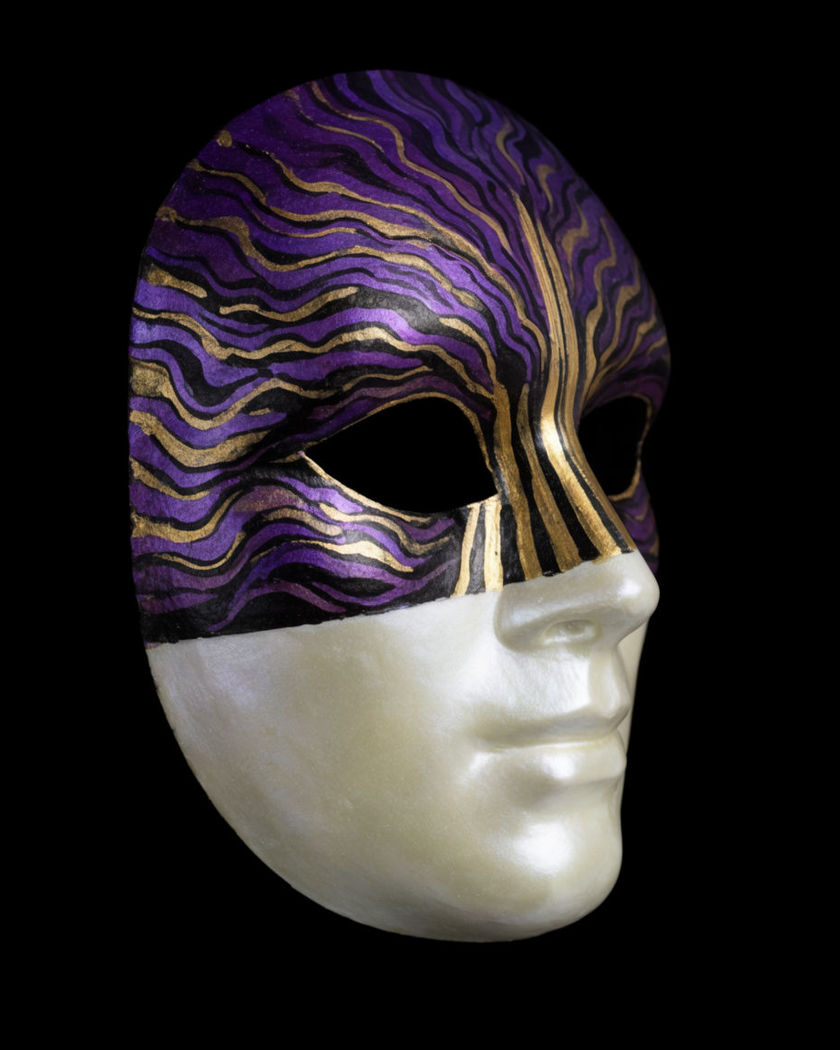
A mask shell caught halfway through painting itself on a black ground

Opera mask effect examples

Mask painting on under a spotlight

Usar este prompt

On an empty stage, the mask paints itself onto a still performer. a wide shot of a single performer standing still on an empty dark stage under one spotlight, a painted red and gold stage mask painting itself onto their face from the forehead down as they hold their pose, the eyes real behind the paint, costume and stage unchanged, still camera

Five swaps in a row

Usar este prompt

A performer sweeps a sleeve across the face five times, five masks. a medium shot of a performer in a plain dark robe sweeping a long sleeve across their face five times in a row, the painted stage mask changing to a different design behind every sweep, red, blue, gold, white, black, the eyes and head movement unchanged between swaps, dim stage, spotlight

Flick swap, red to black

Usar este prompt

A hand sweeps past and the mask design changes instantly. a close-up of a face wearing a painted red and gold stage mask, a hand sweeping quickly across the face from left to right and the mask changing instantly to a black and white design behind the hand, the eyes and head unchanged, three swaps in a row with each sweep, dark stage, top light

Half-painted face

Usar este prompt

Paint covers exactly half the face and stops at the centre line. a close-up of a still face, a painted stage mask in purple and gold painting itself onto the left half of the face only and stopping exactly at the centre line down the nose, the right half staying plain skin, both eyes real and blinking, black background, soft front light

Mask painting itself on

Usar este prompt

Bold painted patterns spread across the face while the eyes stay real. a close-up of a still face in a dark studio, a painted stage mask in bold red, white and gold patterns painting itself onto the skin from the forehead downward as if by an invisible brush, the eyes staying real and blinking behind the paint, hair and neck unchanged, one warm side light

Mask lifting away

Usar este prompt

The painted mask peels up from the face and floats off, skin clean beneath. a close-up of a face wearing a painted green and gold stage mask, the mask lifting away from the chin upward as one thin shell and floating off above the head, the skin beneath clean and unmarked, the eyes following the mask as it goes, warm side light, black background

Mask lifting into the air

Usar este prompt

A performer bows, and the mask lifts off and floats up above them. a wide shot of a performer on a dark stage bowing slowly, their painted stage mask lifting away from the face as one shell and floating up above their head as they straighten, the face beneath clean, the mask hanging in the spotlight, still camera

Mask sliding on from the side

Usar este prompt

A rigid painted mask slides onto the face from the left and seats itself. a close-up of a face looking at the camera, a rigid painted blue and silver stage mask sliding in from the left edge of the frame and seating itself over the face, the mask following the head exactly as the person tilts, the eyes visible through the eye holes, black background, still camera

Masks sliding onto a row of faces

Usar este prompt

Painted masks slide onto four still faces one after another. a wide shot of four people standing still in a row facing the camera in a dark studio, a different painted stage mask sliding onto each face from above one after another from left to right and seating itself, the eyes visible through each mask, bodies and background unchanged, still camera

Turn-away swap

Usar este prompt

The head turns away in one mask and back in another. a medium shot of a person wearing a painted white and blue stage mask turning their head away from the camera, then turning back wearing a completely different painted orange and black mask, the swap happening while the face is turned, hair and clothing unchanged, dim stage, spotlight

Generate your own opera mask effect

Elige un punto de partida, edita lo que quieras y genéralo en Morphic.

Generar

Precios simples

Comienza gratis hoy, con la opción de mejorar tu plan o cancelar cuando quieras.

Basic

$9/ mes
facturado como $0 por año

1100 mensual créditos

1 usuario

Todos los modelos

Workflows

Standard

$24/ mes
facturado como $0 por año

3625 mensual créditos

1 usuario

Todos los modelos

Workflows

Pro

$45/ mes
facturado como $0 por año

6350 compartidos mensual créditos

1 usuario

+ hasta 4 más con costo adicional

Todos los modelos

Workflows

Pro Max

$170/ mes
facturado como $0 por año

24650 compartidos mensual créditos

1 usuario

+ hasta 9 más con costo adicional

Todos los modelos

Workflows

Enterprise

Para límites más altos

Personalizado

términos de precios y facturación

Créditos de alto volumen
Límites de asientos personalizados
Todos los modelos
Workflows
Pricing Gradient

Free

Para experimentar

$0

gratis para siempre

Hasta 20 créditos
Solo 1 usuario
Modelos limitados
Workflows

Preguntas frecuentes

Where can I make opera mask effect videos with AI?
You can create opera mask videos directly in your browser on Morphic. Upload a portrait or describe the face, say how the painted mask should arrive or change, and Morphic generates the mask on the face itself. No face tracking, no 3D mask models, and no compositing needed.
What is the opera mask effect?
The opera mask effect puts a painted stage-style mask on a face and animates it: the mask paints itself on, slides into place, swaps to a new design behind a sweep of the hand, or lifts away. The eyes, head movement and surroundings stay untouched, which is what makes the mask read as part of the face.
Can the mask change design several times in one clip?
Yes. Describe each sweep or turn and name the design that appears after it. Morphic renders the swaps in sequence within one shot, so a performer can change masks five times in a row while the eyes and head movement stay continuous.
How do I write a good prompt for an opera mask effect video?
Describe the mask in two or three colours and a pattern, then say how it arrives: painting on from the forehead, sliding in from one side, or swapping behind a hand. State that the eyes stay real and the hair, neck and background stay unchanged. A dark setting with one light keeps the paint readable.
What kinds of opera mask shots work best with AI video?
A still close-up with the mask painting itself on, a hand sweep that swaps the design, a head turn that returns in a new mask, and a mask lifting away as a single shell all read cleanly. Keep the mask designs original and the face steady so the change is easy to see.
Do I need video editing experience to make an opera mask effect video?
No. Morphic runs in your browser and you direct it with plain-language prompts. If you can describe the mask and how it should appear or change, you can produce an opera mask video. The prompts on this page are written so anyone can paste and run them.