AI Ink Bleed Transition videos

Direct ink bleed transitions in your browser with Morphic's ink bleed AI video generator. Generate ink spreading across wet paper to reveal the next shot, a black bloom between portraits, or a color spill opening a scene. Time the spread with Music, then stitch one sequence on the Canvas.

Ink bleed variations you can direct

Ink bleed sequences you can stage

A black bloom between two portraits

A soft close-up of a face on a pale ground where a black ink drop lands and spreads in feathered tendrils across the frame to reveal a second portrait inside the bloom. Even soft light, slow organic spread.

Editar prompt

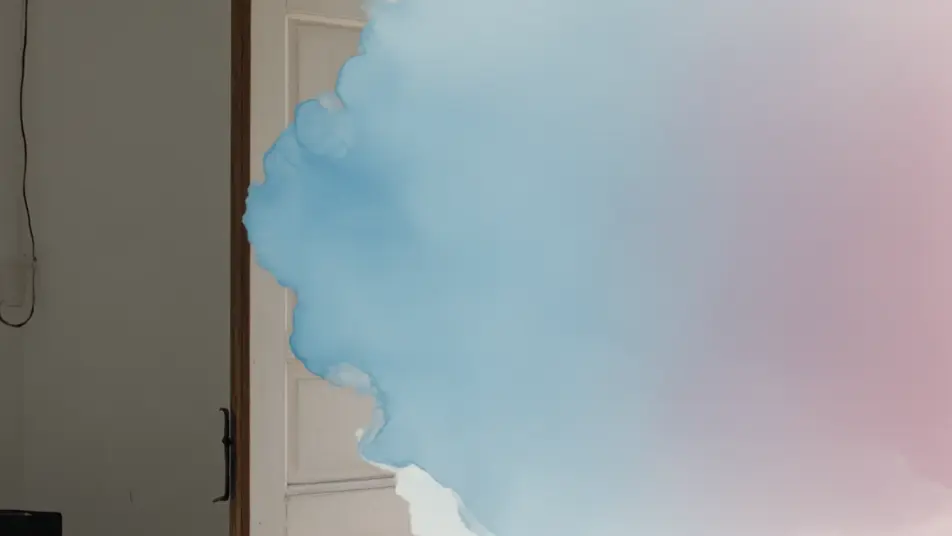
A watercolor spill into a garden

A muted interior shot where soft blue and pink watercolor washes bleed across the frame with wet feathered edges, opening onto a sunlit garden. Static framing, gentle painterly transition.

Editar prompt

A marbled swirl between worlds

A dark still shot where ink caught in swirling water twists into marbled ribbons that turn and open onto a bright surreal landscape. Locked camera, mesmerizing fluid motion bridging the two shots.

Editar prompt

A calligraphy stroke reveal

A pale frame where a single wet brushstroke sweeps left to right, ink feathering at its edges, revealing a serene ink-wash mountain scene in its wake. Warm soft light, elegant directional bleed.

Editar prompt

Crea videos de ink bleed transition en tres pasos

  1. 01

    Describe tu escena de ink bleed transition

    Escribe la escena de ink bleed transition que quieres, en palabras simples.

  2. 02

    Genera el video

    Morphic genera un clip cinematográfico y listo para usar en tu canvas en segundos.

  3. 03

    Refina tu video de ink bleed transition

    Ajusta el prompt, regenera variaciones y luego descarga o comparte la toma.

Workflows relacionados

También te puede gustar

Precios simples

Comienza gratis hoy, con la opción de mejorar tu plan o cancelar cuando quieras.

Basic

$9/ mes
facturado como $0 por año

900 mensual créditos

1 usuario

Todos los modelos

Workflows

Standard

$24/ mes
facturado como $0 por año

3200 mensual créditos

1 usuario

Todos los modelos

Workflows

Pro

$45/ mes
facturado como $0 por año

6200 compartidos mensual créditos

1 usuario

+ hasta 4 más con costo adicional

Todos los modelos

Workflows

Pro Max

$170/ mes
facturado como $0 por año

24000 compartidos mensual créditos

1 usuario

+ hasta 9 más con costo adicional

Todos los modelos

Workflows

Enterprise

Para límites más altos

Personalizado

términos de precios y facturación

High-volume credits
Límites de asientos personalizados
Todos los modelos
Workflows
Pricing Gradient

Free

Para experimentar

$0

gratis para siempre

Hasta 20 créditos
Solo 1 usuario
Modelos limitados
Workflows

Preguntas frecuentes

Where can I make ink bleed transition videos with AI?
You can create ink bleed transitions directly in your browser on Morphic. Open the Text to Video tool, describe the ink color, its spread, and the shot it reveals, and Morphic produces the bleeding transition. Chain the clips on the Canvas, with no template packs and no installs.
What kinds of ink bleed transitions work best with AI video?
A black ink bloom, a soft watercolor spill, and a marbled swirl in water all read strongly. The most convincing ink bleeds name a clear color and spread behavior and a shot to reveal inside the bloom, so the ink has something to open onto as it fills the frame.
How do I write a good prompt for an ink bleed transition?
State the ink color, how it moves (feathering, swirling, sweeping as a stroke), where it starts, and the shot it reveals. Add the texture, smooth wash or fibrous creep. The clearer the spread, the more organic the ink bleed Morphic returns.
How do I keep the ink bleed smooth between scenes?
Reuse the same ink color and spread style across your transitions and name it in each prompt. On the Canvas you can align the moment the ink fills the frame with the start of the next clip so the blooms hand off with a consistent hand-crafted rhythm.
Can I add music and narration to my ink bleed videos?
Yes. The Music tool produces a score, and an ink bleed lands best when a rising note tracks the spread and resolves as the new shot clears. The Speech tool generates narration in your chosen voice, suiting a poetic or reflective voiceover over the bloom.
Do I need video editing experience to make an ink bleed transition?
No. Morphic runs in your browser and you direct it in plain language. If you can describe ink spreading across paper into the next shot, you can produce an ink bleed transition. Every prompt on this page is ready to paste and run.