A market waking at dawn
A wide street of lantern-lit stalls comes to life as vendors raise shutters and steam rises from food carts, warm amber light spreading across wet stone, a slow dolly forward drawing the viewer into the crowd.
Editar prompt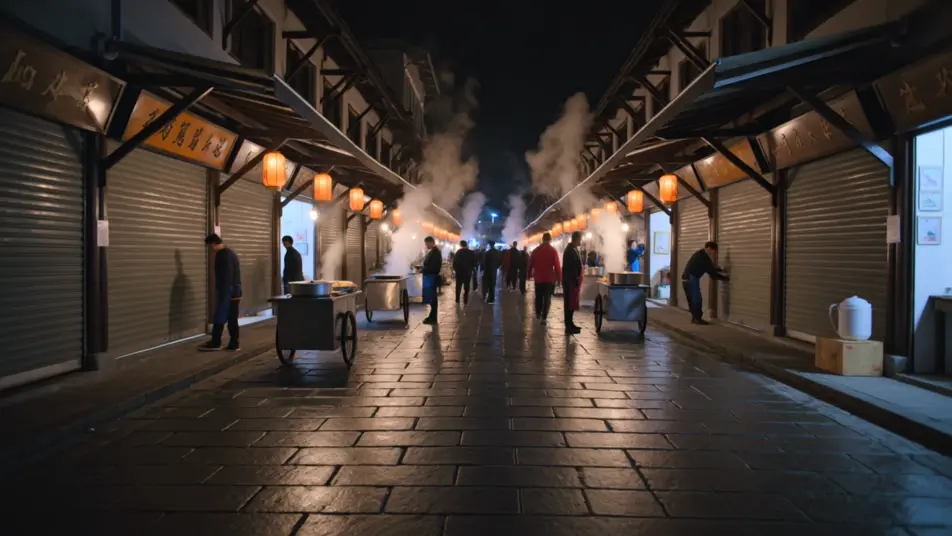
Direct a clip from a typed sentence in your browser with Morphic's text to video generation AI video generator. Generate a lantern-lit market waking at dawn or a lone runner crossing a rain-slick bridge. Pair with Music to score the moment, then stitch it on the Canvas and add narration with Speech.
A wide street of lantern-lit stalls comes to life as vendors raise shutters and steam rises from food carts, warm amber light spreading across wet stone, a slow dolly forward drawing the viewer into the crowd.
Editar promptA lone figure crosses a long steel bridge in steady rain, city lights smeared in the puddles below, a low tracking shot moving alongside the runner as breath fogs in the cold blue air.
Editar prompt
A single presenter seated against a soft gradient backdrop, keyed with a gentle three-point setup, the camera holding a locked medium shot so the delivery stays clean and the words carry.
Editar prompt
A sleek object rotates slowly on a lit pedestal against seamless white, a shallow depth of field softening the edges, the camera arcing a quarter turn to catch the highlight sliding across the surface.
Editar prompt
Escribe la escena de text to video generation que quieres, en palabras simples.
Morphic genera un clip cinematográfico y listo para usar en tu canvas en segundos.
Ajusta el prompt, regenera variaciones y luego descarga o comparte la toma.

Dramatize any text conversation into a cinematic multi-shot video.
Cinematic time-freeze short film for any scene

Generate a professional film title card from scratch, with optional cinematic animation.
Photo of any real-estate becomes a cinematic renovation timelapse video with construction SFX and music.
One image to a 9-scene cinematic video.

Describe a first-person scenario. Get sequential POV frames animated into video clips with audio.
AI Scene Extension videos
Extend clips with AI on Morphic. Continue a shot past its last frame, hold a moment longer, and keep motion and light consistent across the join. No editing skills.
AI Video Upscaling videos
Upscale video with AI on Morphic. Enlarge low-res clips, sharpen soft footage, and recover facial and texture detail while keeping motion smooth and natural.
Videos de VFX con IA
Crea videos de VFX con IA en Morphic. Explosiones, energía, destrucción de ciencia ficción y partículas a partir de un prompt, sin pantalla verde.
Videos POV con IA
Crea videos POV con IA en Morphic. Dirige caminatas inmersivas en primera persona, momentos de acción y de la vida diaria a la altura de los ojos. Escenas de ejemplo, sin experiencia de edición.
Comienza gratis hoy, con la opción de mejorar tu plan o cancelar cuando quieras.
Basic
2400 mensual créditos
1 usuario
Todos los modelos
Workflows
Standard
3625 mensual créditos
1 usuario
Todos los modelos
Workflows
Pro
6350 compartidos mensual créditos
1 usuario
Todos los modelos
Workflows
Max
24650 compartidos mensual créditos
1 usuario
Todos los modelos
Workflows
Enterprise
Para límites más altos
Personalizado
términos de precios y facturación

Free
Para experimentar
$0
gratis para siempre