AI Video Colorization videos

Bring black-and-white footage to life in your browser with Morphic's video colorization AI generator. Colorize old family clips or vintage street scenes with believable skin, sky, and fabric tones. Score the mood with Music, narrate with Speech, then stitch it into one sequence on the Canvas.

Video colorization styles you can direct

Video colorization sequences you can stage

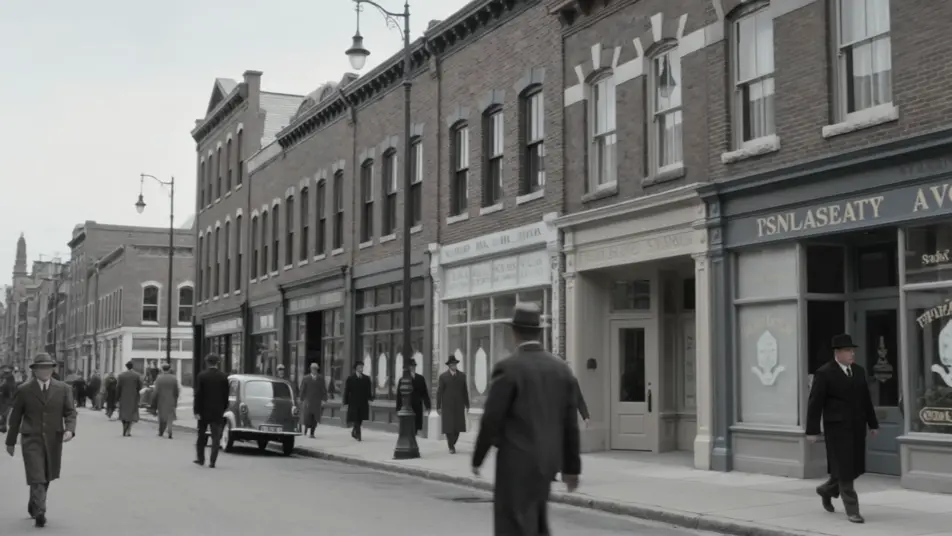
A vintage street brought into color

A black-and-white clip of a busy avenue gains believable color, warm brick, painted signage, and true skin tones filling in as pedestrians pass, the light kept soft and period-appropriate across a slow pan.

Editar prompt

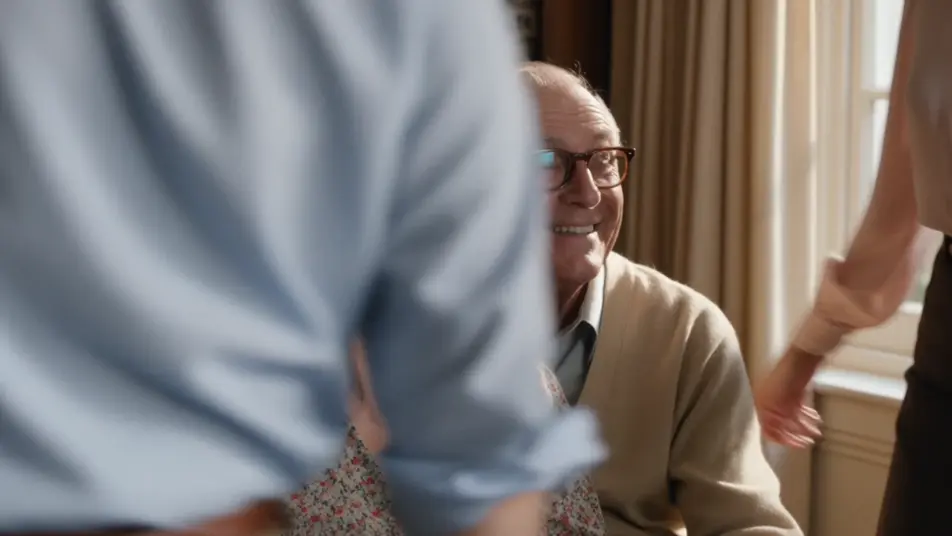
An old family clip warmed up

A grainy home movie is colorized with a warm nostalgic palette, amber highlights and soft browns lending a sunlit, sentimental glow, faces given faithful complexions as the family gathers in frame.

Editar prompt

A documentary scene graded cool

Archival footage of a harbor is colorized in muted, sober tones, cool blues and greys preserving its factual weight, gulls and boats reading in restrained color under an overcast sky.

Editar prompt

A selective-color reveal

A near-monochrome station platform holds while a single red coat blooms into full color and moves through the crowd, the accent guiding the eye across the frame during a locked medium shot.

Editar prompt

Crea videos de video colorization en tres pasos

  1. 01

    Describe tu escena de video colorization

    Escribe la escena de video colorization que quieres, en palabras simples.

  2. 02

    Genera el video

    Morphic genera un clip cinematográfico y listo para usar en tu canvas en segundos.

  3. 03

    Refina tu video de video colorization

    Ajusta el prompt, regenera variaciones y luego descarga o comparte la toma.

Workflows relacionados

También te puede gustar

Precios simples

Comienza gratis hoy, con la opción de mejorar tu plan o cancelar cuando quieras.

Basic

$9/ mes
facturado como $0 por año

900 mensual créditos

1 usuario

Todos los modelos

Workflows

Standard

$24/ mes
facturado como $0 por año

3200 mensual créditos

1 usuario

Todos los modelos

Workflows

Pro

$45/ mes
facturado como $0 por año

6200 compartidos mensual créditos

1 usuario

+ hasta 4 más con costo adicional

Todos los modelos

Workflows

Pro Max

$170/ mes
facturado como $0 por año

24000 compartidos mensual créditos

1 usuario

+ hasta 9 más con costo adicional

Todos los modelos

Workflows

Enterprise

Para límites más altos

Personalizado

términos de precios y facturación

High-volume credits
Límites de asientos personalizados
Todos los modelos
Workflows
Pricing Gradient

Free

Para experimentar

$0

gratis para siempre

Hasta 20 créditos
Solo 1 usuario
Modelos limitados
Workflows

Preguntas frecuentes

Where can I make colorized videos with AI?
You can colorize video directly in your browser on Morphic. Bring a black-and-white clip into the tool, describe the palette and the tones that matter most, and Morphic returns a colorized version. No installs and no frame-by-frame painting.
What kinds of footage colorize best with AI?
Clear black-and-white footage with recognizable subjects, faces, sky, foliage, streets, colorizes cleanly because the generator can infer believable tones. Well-exposed clips give better results than very dark or heavily damaged sources.
How do I write a good prompt for colorization?
Name the overall palette, natural, nostalgic, documentary, and call out the tones that must read true, skin, sky, specific fabric colors. Mention the era for period accuracy, which keeps the color grounded rather than generic.
How do I keep skin and color consistent across scenes?
Reuse the same palette language across prompts and prioritize faithful skin tones. On the Canvas you can place colorized clips side by side and refine each until complexions, sky, and fabric hold a consistent look through the whole sequence.
Can I add music and narration to my colorized videos?
Yes. The Music tool scores a period-fitting soundtrack, and the Speech tool adds narration in the voice you choose. Both layer onto the colorized footage so a restored family clip or archive scene arrives as a finished piece.
Do I need video editing experience to colorize a clip?
No. Morphic runs in your browser and you direct it with plain-language prompts. If you can describe the palette and the tones you want, you can colorize a clip. The prompts on this page paste and run directly.