Qu'est-ce que la tendance du dessin animé mini-moi ?
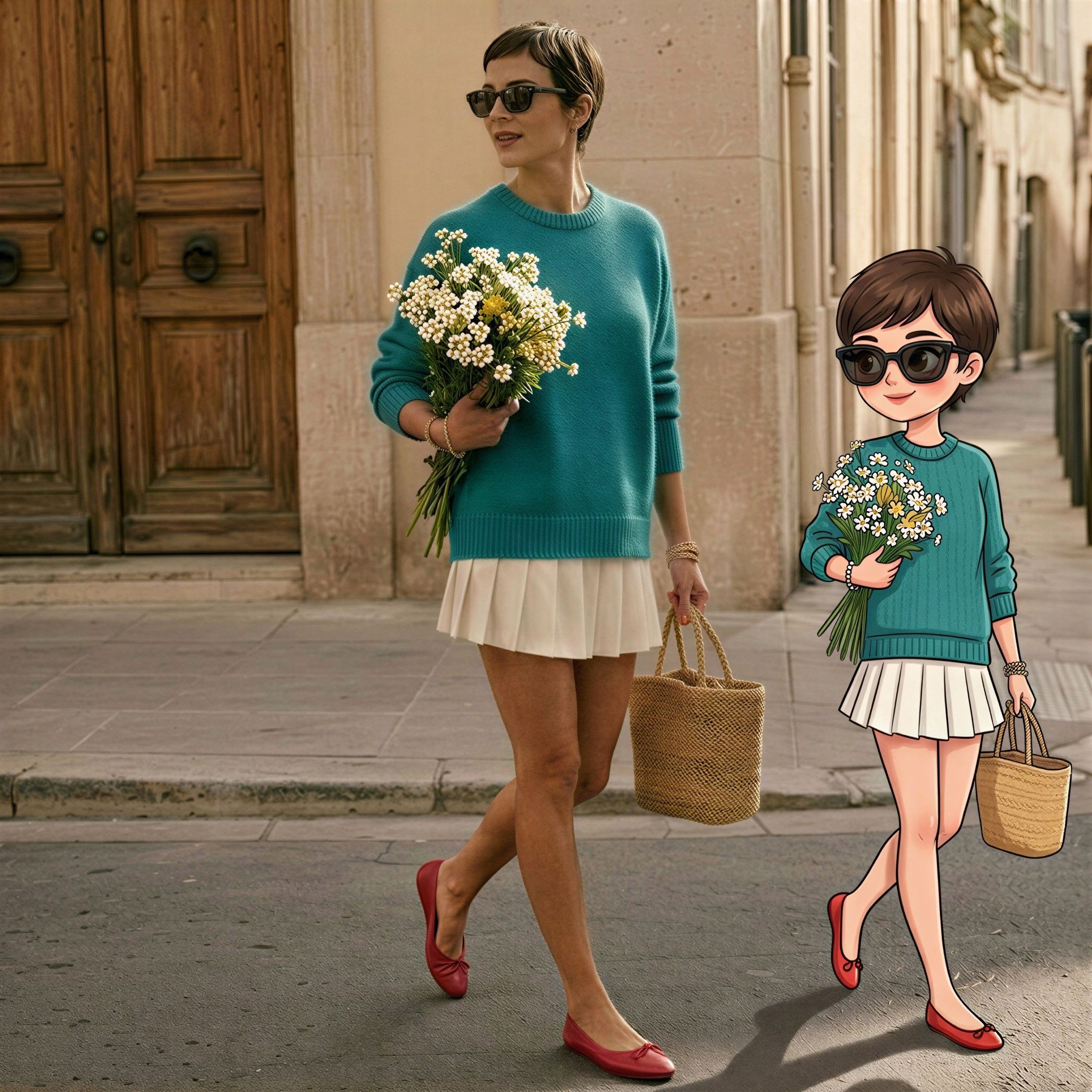
La tendance du dessin animé mini-moi (aussi appelée tendance AI so mini, effet tiny toy ou chibi mini-moi) est ce look viral où une version dessin animé de style chibi d'une personne se tient ou marche à côté de sa vraie photo. Le chibi garde la même tenue, les mêmes cheveux, les mêmes accessoires et la même énergie de pose. L'arrière-plan, l'éclairage et le cadrage de la photo originale restent intacts, et le mini-moi en dessin animé est ajouté à côté.
Importez une photo en pied ou aux 3/4 pour le mini-moi chibi
Ouvrez le workflow « Mini-me cartoon companion ». La seule entrée requise est une photo de la personne qui doit obtenir un mini-moi chibi. Importez une photo depuis votre appareil ou choisissez-en une dans vos ressources Morphic.
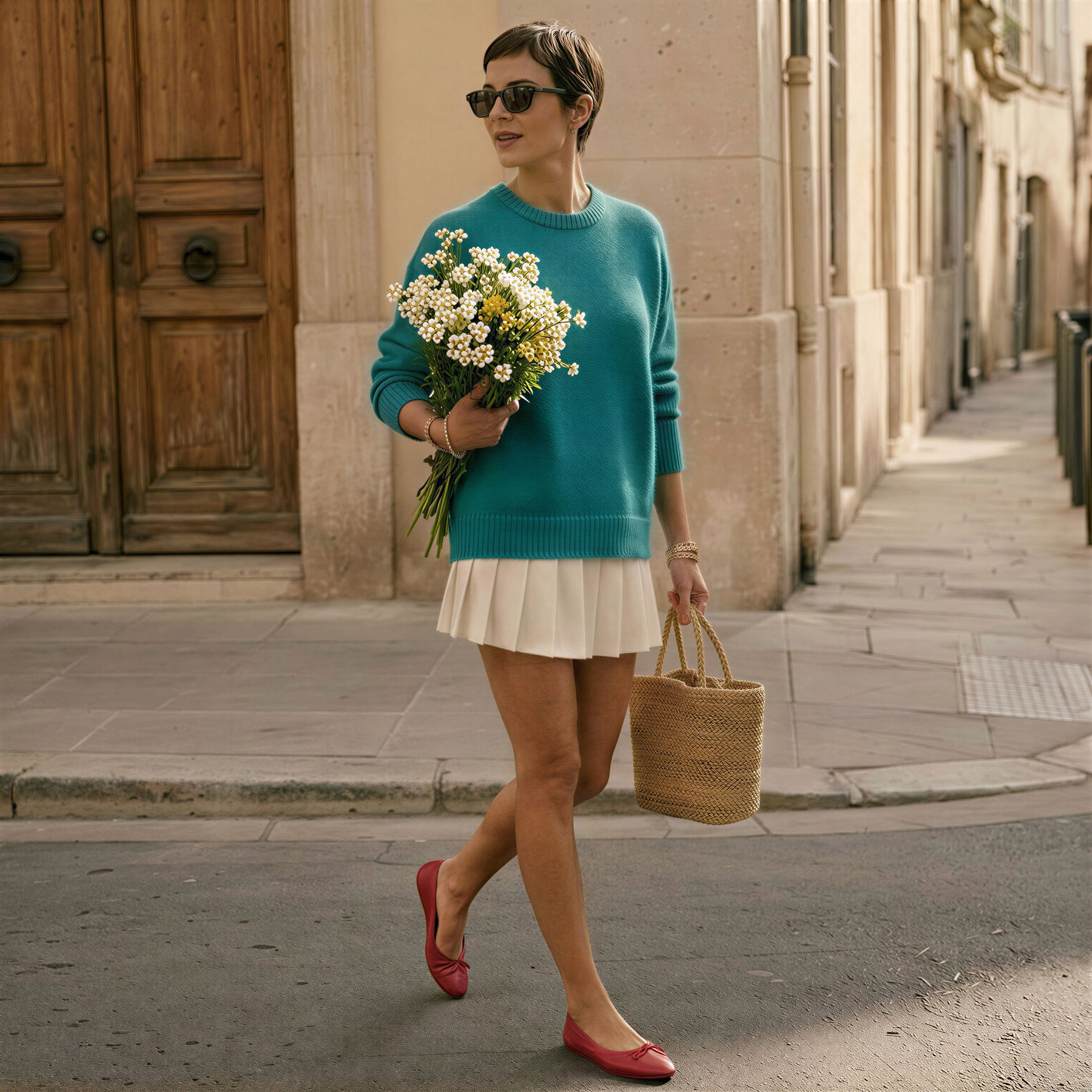
Utilisez une photo en pied ou aux 3/4 pour que l'IA puisse voir la tenue, les chaussures et tous les accessoires que la version dessin animé doit porter. Une photo nette et bien éclairée avec une vue claire du visage donne un mini-moi plus net. Évitez les cadrages serrés tête et épaules, car le compagnon en dessin animé a besoin d'une tenue complète à copier.
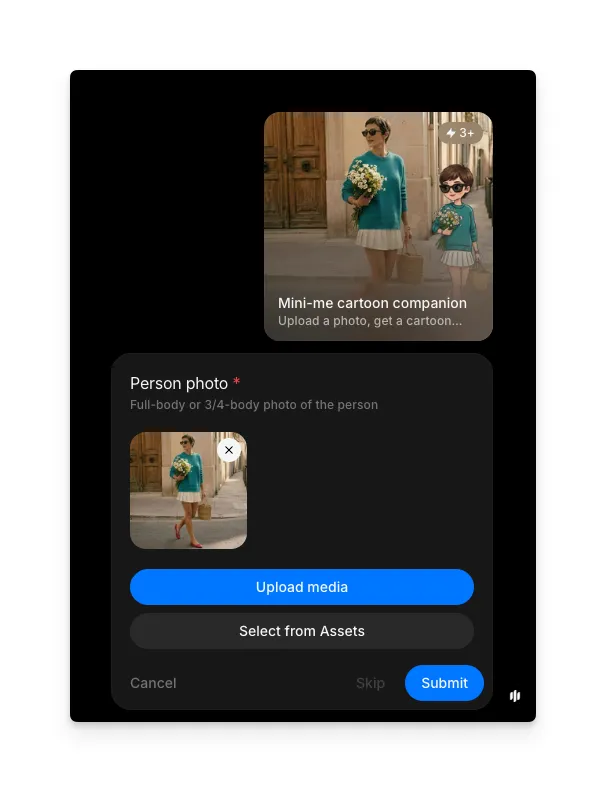
Générez le mini-moi et comparez le résultat chibi
Cliquez sur Soumettre. Morphic renvoie la photo originale avec une version chibi en dessin animé de la même personne ajoutée à côté d'elle, vêtue de la même tenue et tenant les mêmes accessoires.
Le visage et la tenue restent identiques. Un mini-moi chibi apparaît à côté.
Questions fréquentes
La tendance du dessin animé mini-moi est une retouche photo IA virale où une version dessin animé de style chibi d'une personne est ajoutée à côté de sa vraie photo, portant la même tenue et tenant les mêmes accessoires. On l'appelle aussi tendance AI so mini, effet tiny toy ou chibi mini-moi, et elle se propage à travers les Reels, les Shorts et TikTok.
Une photo en pied ou aux 3/4 avec le visage clairement visible et un éclairage uniforme donne le meilleur résultat. L'IA utilise la tenue, les accessoires et la pose pour construire le compagnon en dessin animé, donc plus la photo montre de corps, plus le mini-moi chibi reprend de détails.
Un selfie serré produit quand même un compagnon chibi, mais l'IA doit inventer la tenue et le bas du corps. Pour un mini-moi qui correspond à ce que vous portez, importez une photo plus large qui inclut les vêtements, les chaussures et tout sac ou accessoire que vous voulez reprendre.
Oui. Le compagnon en dessin animé est généré pour correspondre à la tenue, la coiffure, les lunettes de soleil, le sac et tout accessoire visible sur la photo originale. Une photo plus nette donne une correspondance plus proche.
Le workflow est conçu autour d'une personne principale par photo. Pour une photo de couple ou de groupe, lancez le workflow une fois par personne en utilisant des recadrages qui isolent chaque sujet, puis combinez les résultats chibi ensuite.
Le résultat est une image fixe : la photo originale avec un mini-moi chibi en dessin animé de la même personne ajouté à côté d'elle. Utilisez-la comme photo de profil, sticker, publication sociale ou miniature de Reels.