Hyperrealism painting AI art

Design hyperrealism painting art in your browser with Morphic's Hyperrealism painting AI image generator. Push skin pores, water droplets, and fabric weave past photoreal under clinical even light, lock the more-real-than-real look with Style Transfer, then animate any still with Image to Video.

Hyperrealism painting subjects you can compose

Hyperrealism painting compositions you can design

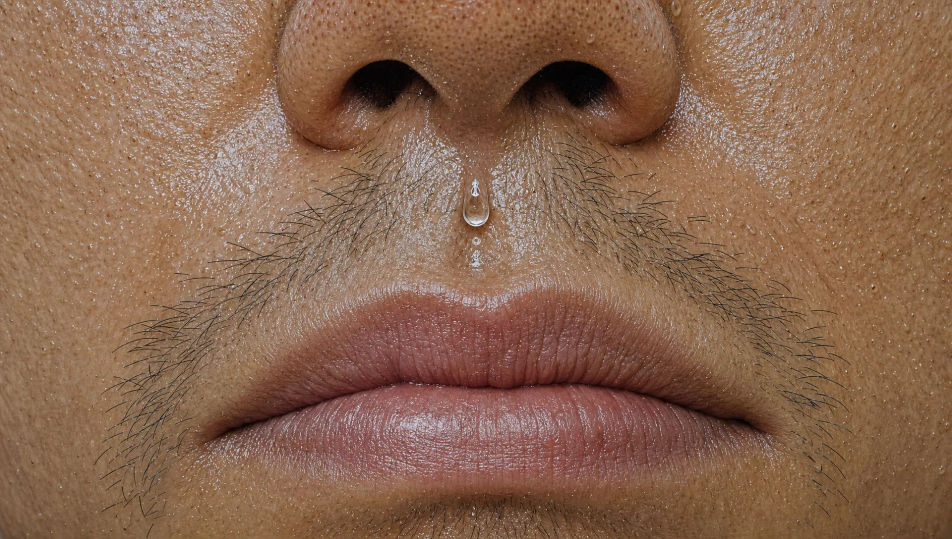
Monumental face fragment

A wall-sized fragment of a face, nose and lip only, every pore, crease, and stray whisker exaggerated past photoreal, a bead of sweat poised on the philtrum acting as a lens, flat clinical light edge to edge, glassy skin sheen, no soft shadow anywhere, detail unrelenting.

Edit prompt
Monumental face fragment

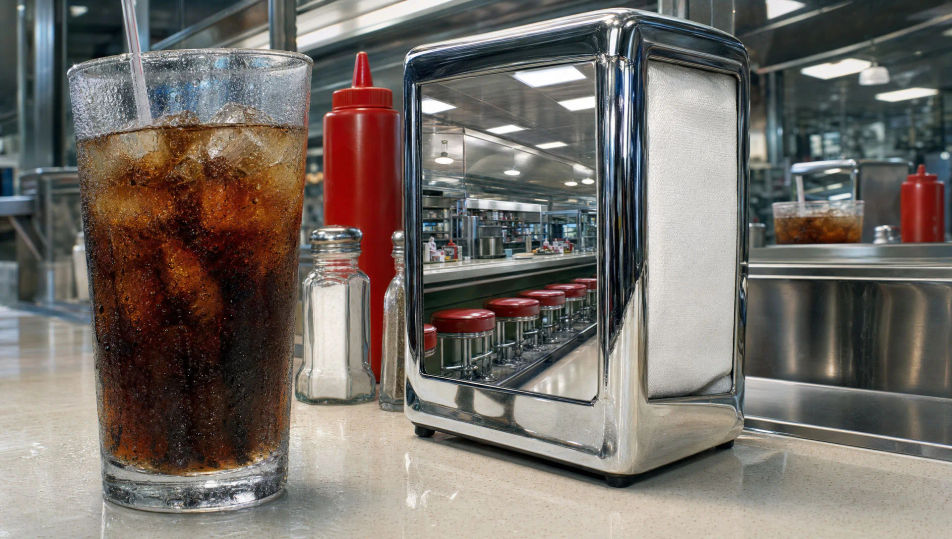
Diner counter still life

A hyperreal diner counter, a sweating soda glass, a chrome napkin holder doubling the room in its mirror, ketchup gloss and condensation droplets each rendered sharper than a lens, flat clinical overhead light, glassy reflections stacked, every surface more-real-than-real.

Edit prompt
Diner counter still life

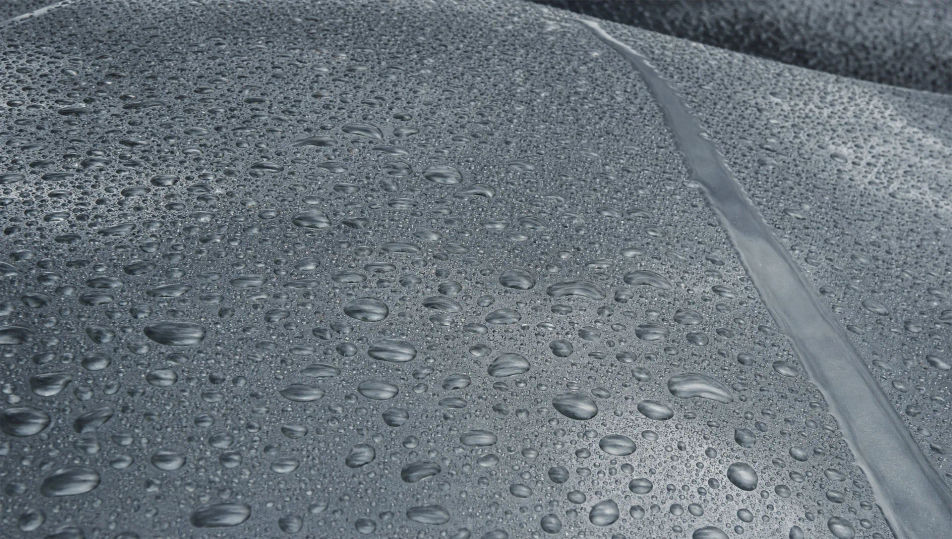
Rain-beaded car hood

A car hood after rain at heroic scale, thousands of exaggerated droplets each a tiny lens bending a grey sky, paint metallic flake legible beneath the water, a single runnel cutting a clean track, clinical even light, glassy highlights, detail far past what any camera resolves.

Edit prompt
Rain-beaded car hood

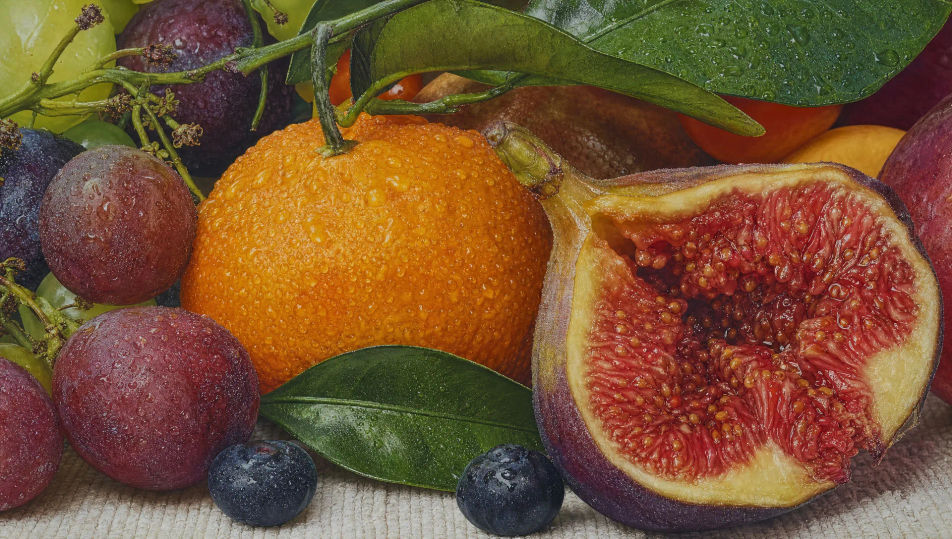
Market produce close study

A hyperreal close study of market produce, the dimpled skin of a citrus, dew beading on a leaf, a torn fig oozing seeds rendered glassily wet, every texture exaggerated past photoreal under flat clinical light, no atmosphere, sharpness uniform from front rind to back leaf.

Edit prompt
Market produce close study

Buat Hyperrealism painting dalam tiga langkah

  1. 01

    Jelaskan Hyperrealism painting Anda

    Jelaskan Hyperrealism painting yang Anda inginkan, dengan kata-kata sederhana.

  2. 02

    Buat gambar

    Morphic membuat gambar bersih yang siap diterbitkan di canvas Anda dalam hitungan detik.

  3. 03

    Sempurnakan Hyperrealism painting Anda

    Ubah prompt, buat ulang variasi, lalu unduh atau bagikan frame-nya.

Workflow terkait

Anda mungkin juga suka

Harga sederhana

Mulai gratis hari ini, dengan opsi untuk upgrade atau membatalkan kapan saja.

Basic

$9/ bulan
ditagih sebagai $0 per tahun

900 bulanan kredit

1 pengguna saja

Semua model

Workflows

Standard

$24/ bulan
ditagih sebagai $0 per tahun

3200 bulanan kredit

1 pengguna saja

Semua model

Workflows

Pro

$45/ bulan
ditagih sebagai $0 per tahun

6200 bersama bulanan kredit

1 pengguna

+ hingga 4 lainnya dengan biaya tambahan

Semua model

Workflows

Pro Max

$170/ bulan
ditagih sebagai $0 per tahun

24000 bersama bulanan kredit

1 pengguna

+ hingga 9 lainnya dengan biaya tambahan

Semua model

Workflows

Enterprise

Untuk batas yang lebih tinggi

Khusus

ketentuan harga dan penagihan

High-volume credits
Batas kursi khusus
Semua model
Workflows
Pricing Gradient

Free

Untuk bereksperimen

$0

gratis selamanya

Hingga 20 kredit
Hanya 1 pengguna
Model terbatas
Workflows

FAQ

Where can I make hyperrealism painting art with AI?
You can create hyperrealism painting images directly in your browser on Morphic. Open the Image tool, describe the exaggerated detail, the clinical even light, and the glassy surfaces, and Morphic produces the composition. No installs and no specialist software needed.
What defines hyperrealism painting for an AI prompt?
Four locked-in choices: detail pushed past photoreal (pores, droplets, sweat, fabric weave), clinical even light with no soft shadow, a large or monumental scale, and a glassy surface sheen. Name all four for the more-real-than-real look to land rather than a plain sharp photograph.
What is the difference between hyperrealism painting and photorealism?
Photorealism faithfully matches a photograph, including its focus and grain. Hyperrealism exaggerates past the photo, adding pores, droplets, and texture sharper than any lens resolves. Name "detail exaggerated beyond the camera, more-real-than-real" and the look reads as hyperrealism, not photorealism.
How do I keep a hyperrealism series feeling like one collection?
Use Morphic's Style Transfer workflow to lock the clinical even light and the glassy detail register before producing additional pieces, then reference that style card in every prompt. A portrait series or a still-life set stays consistent in light and texture across the run.
Can I turn hyperrealism compositions into animated video?
Yes. Morphic's Image to Video tool animates any still you generate, and a slow drift across the exaggerated surface or a droplet catching the light suits the register. Pair with the Music tool for a quiet, tense score.
Do I need any prior painting experience to make hyperrealism art?
No. Morphic runs in your browser and you direct it with plain-language prompts. Anyone who can describe exaggerated pores, a sweating glass, and flat clinical light can produce a hyperrealism composition. Airbrush and months of layered glazing are not required.