Paint Splash Effect

A still photo turns into a slow-motion paint burst: colour crowning around the subject, droplets frozen mid-air, held in one generated shot.

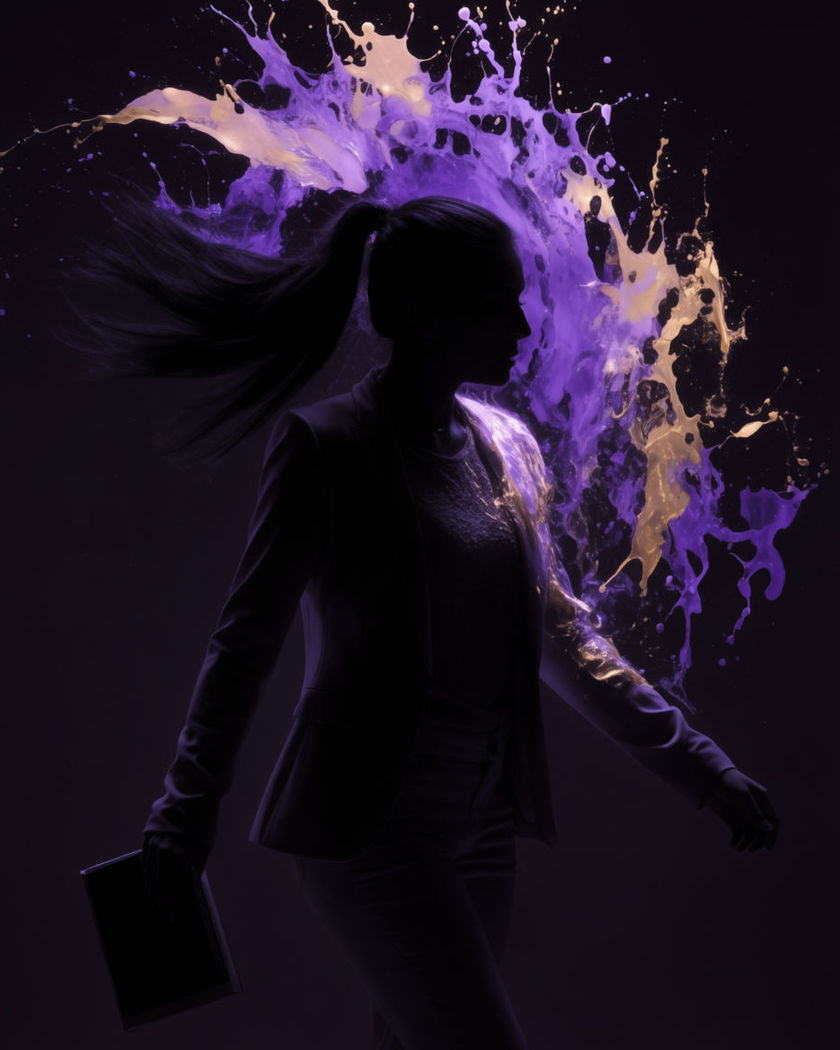
A burst of violet and gold paint frozen mid-explosion around a silhouetted subject against black

Paint splash effect examples

Studio dual-colour burst

Gunakan prompt ini

A wide studio shot as two paint colours burst and mix mid-air around a subject. a wide studio shot against black, a subject standing centre frame as thick streams of orange and cyan paint burst from both sides and collide in mid-air around them in extreme slow motion, hard rim lighting, droplets catching the light

Outdoor colour run splash

Gunakan prompt ini

In daylight, a handful of coloured paint is thrown and hangs in the air. a wide outdoor scene in bright daylight, a person throwing a handful of vivid pink paint powder into the air in front of them, the cloud expanding and hanging suspended in slow motion against a clear blue sky

Paint dripping to a burst

Gunakan prompt ini

Thick paint drips down the shoulders before suddenly bursting off in a spray. a portrait of a subject with thick gold paint slowly dripping down their shoulders and collarbone, then suddenly bursting off the skin in a fine slow-motion spray as if flicked away, dark background, warm rim light catching each droplet

Splash frozen at peak

Gunakan prompt ini

A wide splash freezes at its peak spread, every droplet distinct and lit. a close portrait against black, a wide splash of emerald paint frozen exactly at its widest spread in front of the subject, every droplet distinct and rim lit, the subject's eyes calm and steady through the frozen chaos

Crown burst behind the head

Gunakan prompt ini

A ring of paint bursts outward from behind the head like a slow-motion crown. a close portrait against pure black, a ring of violet and gold paint exploding outward from directly behind the subject's head in extreme slow motion, droplets hanging in the air, the face sharp and dry, single hard side light

Splash across profile

Gunakan prompt ini

A single splash of paint crosses the face in profile, droplets scattering. a profile portrait against black, a single wide splash of turquoise paint crossing the face from off-frame in slow motion, fine droplets scattering outward and hanging in the air, hard rim light outlining the profile

Slow drip to splash reveal

Gunakan prompt ini

Paint drips from above before a final splash reveals the scene in full colour. a wide shot of a grey studio space, gold paint slowly dripping from above onto a still subject below, then a sudden wide splash bursting outward from the point of impact and lighting the whole frame in colour, slow motion throughout

Two-colour collision

Gunakan prompt ini

Red and blue paint streams collide mid-air and fan out across the frame. a close portrait against black, two thick streams of red and blue paint colliding in mid-air just in front of the subject's face and fanning outward into a slow-motion spray, the collision point lit bright, dramatic side lighting

Product-style splash ring

Gunakan prompt ini

A ring of paint splashes symmetrically around a centred subject on black. a wide studio product-style shot on pure black, a subject standing perfectly still as a symmetrical ring of silver and blue paint splashes outward around them from multiple points at once, extreme slow motion, dramatic rim light

Powder-paint hybrid puff

Gunakan prompt ini

A soft cloud of paint powder puffs outward around the shoulders and dissolves. a portrait against a dark studio backdrop, a soft cloud of magenta paint powder puffing outward around the subject's shoulders in slow motion, fine particles catching a single spotlight before slowly dissolving into haze

Generate your own paint splash effect

Pilih titik awal, ubah sesukamu, lalu buat di Morphic.

Buat

Harga sederhana

Mulai gratis hari ini, dengan opsi untuk upgrade atau membatalkan kapan saja.

Basic

$19/ bulan
ditagih sebagai $0 per tahun

2400 bulanan kredit

1 pengguna saja

Semua model

Workflows

Standard

$24/ bulan
ditagih sebagai $0 per tahun

3625 bulanan kredit

1 pengguna saja

Semua model

Workflows

Pro

$45/ bulan
ditagih sebagai $0 per tahun

6350 bersama bulanan kredit

1 pengguna

+ hingga 4 lainnya dengan biaya tambahan

Semua model

Workflows

Max

$170/ bulan
ditagih sebagai $0 per tahun

24650 bersama bulanan kredit

1 pengguna

+ hingga 9 lainnya dengan biaya tambahan

Semua model

Workflows

Enterprise

Untuk batas yang lebih tinggi

Khusus

ketentuan harga dan penagihan

Kredit volume tinggi
Batas kursi khusus
Semua model
Workflows
Pricing Gradient

Free

Untuk bereksperimen

$0

gratis selamanya

Hingga 20 kredit
Hanya 1 pengguna
Model terbatas
Workflows

FAQ

Where can I make AI Paint Splash Effect videos with AI?
You can create AI Paint Splash Effect videos directly in your browser on Morphic. Turn a still into a shot with the Image to Video tool, describe the burst you want, and Morphic generates the motion. No splash tank or practical effects needed.
What kinds of shots work best for a paint splash effect video?
A plain dark or bright background works best so the colour reads clearly against it. A single deliberate burst, a collision of two colours, or one wide splash frozen at its peak look more convincing than several splashes layered together.
How do I write a good prompt for a paint splash effect video?
Name the colours, where the paint starts, and how it moves: a burst, a collision, a drip that suddenly scatters. Add slow motion and the light catching the droplets. The clearer the description, the more dimensional the splash Morphic returns.
Can I use my own photo as the starting point?
Yes. Upload a portrait or product still, describe the splash you want around or across it, and Morphic generates the motion from your image while keeping the subject recognisable.
Do I need video editing experience to make this video?
No. Morphic runs in your browser and you direct it with plain-language prompts. If you can describe the colours and the motion, you can produce the video. The prompts on this page are written so anyone can paste and run them.
What can I use an AI Paint Splash Effect video for?
They work well as bold product and brand-style social content. Generate the shot, lay music under it on the timeline, then export the size each platform needs, all from the same workspace.