Reverse video effect

To add a reverse effect to a video, film or generate an action that is easy to read forwards, such as a pour, a splash or a smash, then play it backwards. Morphic generates the action from your prompt and reverses the clip when you ask, and you finish the cut in Compose.

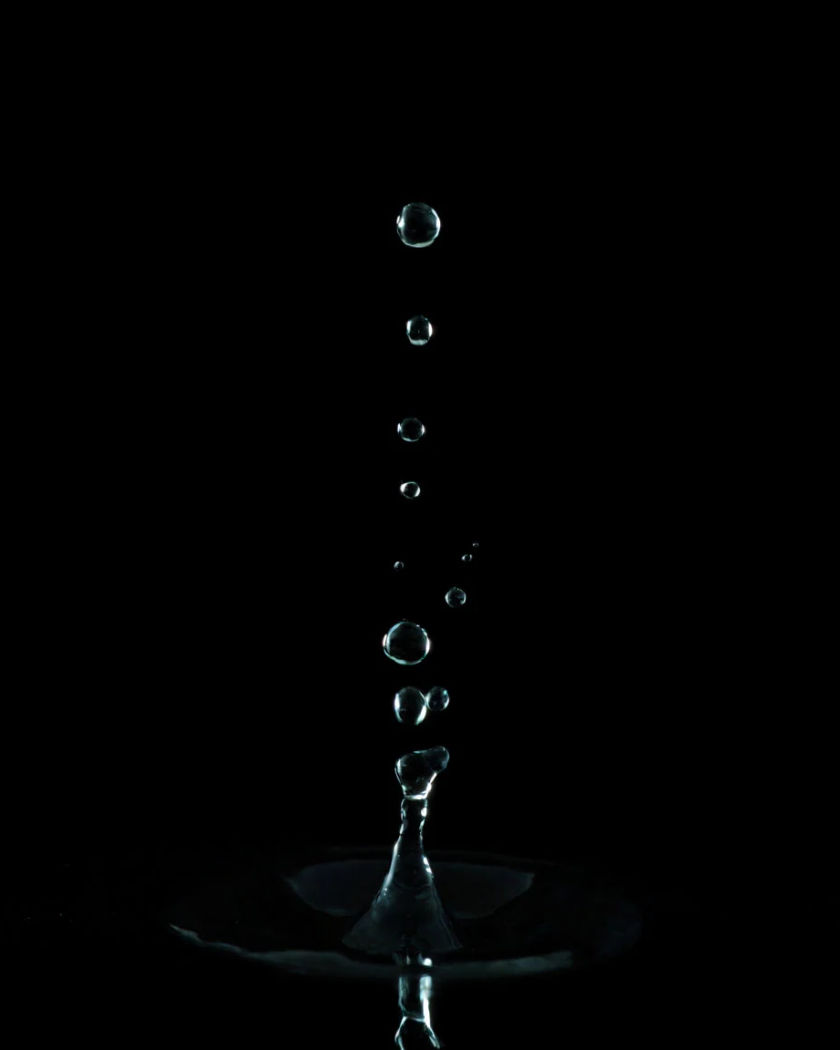
Clear water droplets rising out of a dark pool and gathering into one drop above it on pure black

What is the reverse video effect?

It plays a clip backwards so things happen the wrong way round. Juice climbs out of the glass into the jug, a shattered mug skids together and jumps back into a hand, a swimmer rises out of the pool feet first and lands on the edge. It works best on actions everyone knows the direction of, with gravity, water or breakage in them, filmed from a locked-off camera so the only thing that moves backwards is the action. The audio plays backwards with it, which adds to the rewind feel. Creators use it for satisfying loops, "instant clean" jokes and magic tricks.

Reverse video effect examples

Milk leaves the coffee

Gunakan prompt ini

The caramel swirl unmixes and the milk climbs back into the jug. Realistic widescreen close-up on a cafe table by a window, soft morning light. 85 mm lens, locked off, side view of a clear glass mug of black coffee. A small steel jug pours a thick stream of white milk into the coffee. The milk plunges in and blooms up through the dark coffee in billowing white clouds and swirls that spread and curl until the whole mug turns a soft caramel brown. Real liquid physics, sharp detail. No readable text, no logos. Then reverse the finished clip so it plays backwards.

Up out of the leaves

Gunakan prompt ini

The leaf pile pulls him up and launches him back onto the wall. Realistic widescreen footage in a park in autumn, golden afternoon light, bare trees behind. 35 mm lens at waist height, locked off. A man in his thirties in a red flannel shirt stands on a low stone wall, then jumps off backward with his arms spread and lands flat on his back in a big pile of orange and brown leaves. The leaves burst up into the air around him and flutter down over him while he laughs. Real leaves, natural skin. No readable text, no logos. Then reverse the finished clip so it plays backwards.

The mug mends itself

Gunakan prompt ini

Shards skid together across the tiles and the mug leaps back into her hand. Realistic vertical footage, camera low on a terracotta tile kitchen floor in warm afternoon light, 35 mm lens, locked off. A woman's hand at the top of the frame lets go of a plain white ceramic coffee mug. The mug falls, hits the tiles and shatters into many sharp white pieces that scatter and spin across the floor toward the camera, small chips bouncing, the handle skidding away. Slight slow motion on the impact. Real ceramic, real tile texture. No readable text, no logos. Then reverse the finished clip so it plays backwards.

The tower rebuilds

Gunakan prompt ini

Scattered blocks jump off the table and stack into a neat tower. Realistic vertical footage on a wooden dining table in warm window light. 50 mm lens at table height, locked off. A tall, neat tower of plain unpainted wooden blocks stands in the centre of the frame. A man's finger flicks out one block near the bottom, and the whole tower collapses, blocks tumbling and bouncing across the table and a few falling off the edge. Real wood texture, real physics. No readable text, no letters on the blocks, no logos. Then reverse the finished clip so it plays backwards.

Juice back into the jug

Gunakan prompt ini

The glass empties upward as the stream climbs back into the jug. Realistic vertical phone footage at a sunny kitchen counter in the morning, white tiles and a window behind. 50 mm lens at counter height, close and locked off. A woman's hands hold a full clear glass jug of bright orange juice and pour it in one steady stream into a tall empty glass on the counter. The stream splashes and the glass fills to the top, bubbles and foam rising, a few drops landing on the counter. Daylight catches the juice and the glass. Real liquid physics, natural skin. No readable text, no logos, no brand marks. Then reverse the finished clip so it plays backwards.

Paper un-tears

Gunakan prompt ini

Scraps fly up into his hands, uncrumple and join into one clean sheet. Realistic vertical phone footage in a bright, minimal living room. 35 mm lens at chest height, locked off. A man in his twenties in a plain green t-shirt faces the camera holding a big blank white sheet of paper. He tears it in half, then in half again, then scrunches the pieces and throws them all high into the air above his head. The torn white pieces flutter and tumble down around him onto the wooden floor while he grins. Daylight from a window. Natural skin, real paper. Blank paper with no writing, no readable text, no logos. Then reverse the finished clip so it plays backwards.

Watermelon, unbroken

Gunakan prompt ini

Juice and chunks rush together and a whole melon rises into waiting hands. Realistic widescreen footage on a sunny backyard patio, grey paving stones. 50 mm lens low at ground level, locked off. A pair of hands at the top of the frame drops a whole green watermelon from waist height. It hits the paving and bursts open, red flesh, juice and black seeds splattering outward, chunks rolling toward the camera. Slight slow motion on the impact. Real fruit texture, sharp detail. No readable text, no logos. Then reverse the finished clip so it plays backwards.

Out of the pool

Gunakan prompt ini

The splash closes up and he flies feet first back onto the edge. Realistic vertical phone footage at a bright outdoor swimming pool on a sunny afternoon, clear blue water, white tiles at the edge. 28 mm lens at waist height from the pool side, locked off. A man in his thirties in plain navy swim shorts stands on the pool edge, then jumps feet first into the water. He hits the surface with a big white splash, water spraying up and out in all directions, droplets catching the sun, and he sinks below the surface in a cloud of bubbles as the ripples spread across the pool. Real water physics, natural skin. No readable text, no logos. Then reverse the finished clip so it plays backwards.

Paint flies home

Gunakan prompt ini

The blue splatter peels off the wall and arcs back into the bucket. Realistic widescreen footage in an empty white-walled studio with a concrete floor, bright even daylight. 35 mm lens, side view, locked off. A woman in white overalls swings a small open bucket and throws bright cobalt blue paint at the white wall. The paint flies through the air in a long glossy arc and hits the wall in a big splatter, drips starting to run down. Slight slow motion as it lands. Real paint, natural skin. No readable text, no logos, no labels on the bucket. Then reverse the finished clip so it plays backwards.

Hair flip in rewind

Gunakan prompt ini

Drops fly out of the lake back into her hair as she folds forward. Realistic vertical footage at the edge of a lake at sunset, strong golden backlight. 50 mm lens at chest height, locked off, slight slow motion. A woman in her twenties in a dark swimsuit stands knee deep in the water, bent forward with her long soaked dark hair hanging down in front of her. She whips her head and hair straight back up in one big motion, and a wide arc of glittering water droplets sprays off her hair into the air behind her, every drop lit gold by the sun. She stands tall with her eyes closed, smiling, the spray falling into the lake. Real water, natural skin. No readable text, no logos. Then reverse the finished clip so it plays backwards.

How do I add a reverse effect to a video?

  1. 01

    Pick an action with a direction

    Choose something that only looks right one way: a pour, a splash, a smash or a jump. The more obvious the forward direction, the stranger it looks backwards.

  2. 02

    Generate it forwards, locked off

    Describe the action as it really happens, with the camera still and the whole action in frame. Do not ask the model to film it backwards; that rarely works.

  3. 03

    Ask Morphic to reverse it

    Add "then reverse the finished clip" to the prompt or ask afterwards. The clip and its sound play backwards; trim the start and end in Compose so it loops.

Reverse video prompts to try

Copy a prompt or send it straight to Morphic. Swap the action or the setting to make it yours.

  • Out of the pool

    A man jumps feet first into a sunny outdoor pool with a big splash, camera locked off at the pool edge. Then reverse the finished clip so he flies back out of the water onto the edge

    Create now
  • Milk leaves the coffee

    Close, locked-off shot of milk poured into a glass mug of black coffee, swirling until it turns caramel. Then reverse the finished clip so the milk unmixes and climbs back into the jug

    Create now
  • The mug mends itself

    A white ceramic mug drops onto terracotta tiles and shatters, low locked-off camera. Then reverse the finished clip so the shards skid together and the mug jumps back into her hand

    Create now
  • Paint flies back into the bucket

    A woman throws a bucket of bright blue paint at a white studio wall in slow motion, side view. Then reverse the finished clip so the splatter peels off the wall and flies back into the bucket

    Create now

FAQ

How do I add a reverse effect to a video?
Generate or upload a clip of an action with an obvious direction, such as a pour or a splash, then ask Morphic to reverse it. The whole clip and its sound play backwards.
Can I reverse my own footage?
Yes. Upload your clip and ask the agent to reverse it. Locked-off shots of pours, splashes, jumps and breakages work best.
Why not just prompt the model to play it backwards?
Video models are trained on forward motion, so a prompt for water flowing up usually comes out confused. Generating the action forwards and reversing the finished clip gives clean, believable physics.
Does the sound reverse too?
Yes, the audio plays backwards with the picture, which gives the classic rewind sound. Mute it or lay new sound under it in Compose if you want something else.
Can I finish the edit in Morphic?
Yes. Bring the clips into Compose, the timeline editor in Morphic, to trim the loop, add sound and export, and on the Pro plan and above several people can edit the same timeline live.
Is this quicker than shooting a reverse shot myself?
Every editor can play a clip backwards. The time goes into the shot itself: a pour, a smash or a dive has to be set up, reset and filmed again until one take is clean. Here the forward action is generated from a prompt, reversed when you ask, and trimmed in Compose. Your own footage reverses the same way.
What makes a good reverse shot?
A still camera, the whole action in frame, and something gravity normally decides: liquid, falling pieces, a jump into water or leaves. Start and end on a clean frame so the loop reads.