Feeding at the grave
A graveyard feeder crouched over broken earth in a moonlit cemetery, head snapping up toward the camera, cold blue light, mist between the headstones, a slow push-in that halts as it turns.
Edit prompt
Direct the ghoul in your browser with Morphic's ghoul AI video generator. Generate a hunched feeder crouched over a fresh grave or a pack loping across moonlit dunes, hold one design with Character Lineup, score it with Music, and cut the beats in the Canvas.
A graveyard feeder crouched over broken earth in a moonlit cemetery, head snapping up toward the camera, cold blue light, mist between the headstones, a slow push-in that halts as it turns.
Edit promptA desert hunter loping on all fours across moonlit dunes, sand hissing off its stride, drool trailing in the wind, a low tracking shot running parallel across the rippling sand.
Edit prompt
A blind tunnel-dweller groping toward a dropped torch on wet stone, milky eyes catching no light, water dripping, a static low shot as the flame flickers across the pallid skin.
Edit prompt
A crypt-lurker crouched motionless among stone sarcophagi, one claw tapping a lid, a thin shaft of grey light finding only its eyes, dust hanging still, a slow creep-in through the vault door.
Edit prompt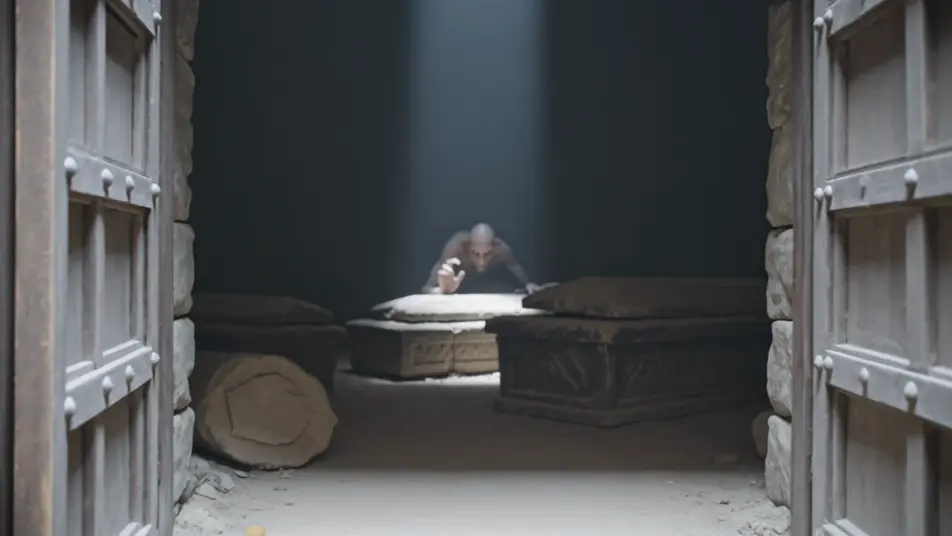
Tuliskan adegan ghoul yang Anda inginkan, dengan kata-kata sederhana.
Morphic membuat klip sinematik yang siap dijadikan frame di canvas Anda dalam hitungan detik.
Ubah prompt, buat ulang variasi, lalu unduh atau bagikan shot-nya.
Cinematic time-freeze short film for any scene

Dramatize any text conversation into a cinematic multi-shot video.
One image to a 9-scene cinematic video.
Drop in a photo of yourself. Get a 12-second cinematic movie with animation and a matched soundtrack.

Share a scene description with character references. Get a full storyboard with shot angles and mood.

Feed in a single image. Get 9 cinematic beats laid out as a 3x3 storyboard grid.
Revenant AI Videos
Generate revenant videos with Morphic. Risen corpse, vengeance-driven, grave-crawler, and frost-bound archetypes with frozen graveyard and snowbound road scene prompts.
Wraith AI Videos
Generate wraith videos with Morphic. Cloaked reaper, battle-shade, drowned wraith, and lantern-bearer archetypes with fog-bound moor and ruined crypt scene prompts.
Video AI Monster
Buat video monster dengan generator video AI Morphic. Makhluk orisinal, monster berkabut, monster danau, dan adegan mencekam dari prompt sederhana.
Creature Feature AI Videos
Generate creature feature AI videos with Morphic. Lurking beasts, slow monster reveals, and confined-setting scene prompts you can direct in the browser.
Mulai gratis hari ini, dengan opsi untuk upgrade atau membatalkan kapan saja.
Basic
2400 bulanan kredit
1 pengguna saja
Semua model
Workflows
Standard
3625 bulanan kredit
1 pengguna saja
Semua model
Workflows
Pro
6350 bersama bulanan kredit
1 pengguna
Semua model
Workflows
Max
24650 bersama bulanan kredit
1 pengguna
Semua model
Workflows
Enterprise
Untuk batas yang lebih tinggi
Khusus
ketentuan harga dan penagihan

Free
Untuk bereksperimen
$0
gratis selamanya