The skyline reveal
A city skyline at dusk as a colossal silhouette rises slowly behind the towers, lights winking out across the grid, a low horn sounding, the camera tilting up to take in the scale, slow and vast.
Edit prompt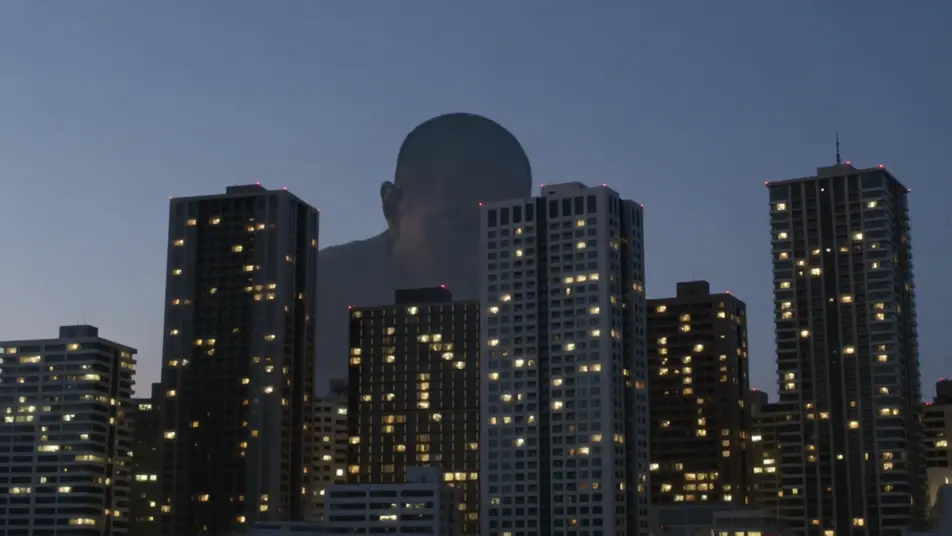
Direct city-crushing spectacle in your browser with Morphic's giant monster AI video generator. Generate a colossal silhouette behind a skyline, a vast foot crushing a crosswalk, or fighter jets banking around a towering beast. Add the broadcast voices and score with Speech and Music.
A city skyline at dusk as a colossal silhouette rises slowly behind the towers, lights winking out across the grid, a low horn sounding, the camera tilting up to take in the scale, slow and vast.
Edit promptA pedestrian-level view down a canyon of buildings as a vast foot crashes through a crosswalk, cars tossed and dust blasting toward camera, people scattering, low chaotic handheld.
Edit prompt
Fighter jets banking and firing around the towering beast amid skyscrapers, tracer streaks and missile smoke, the monster swatting through them, sweeping aerial camera, epic scale.
Edit prompt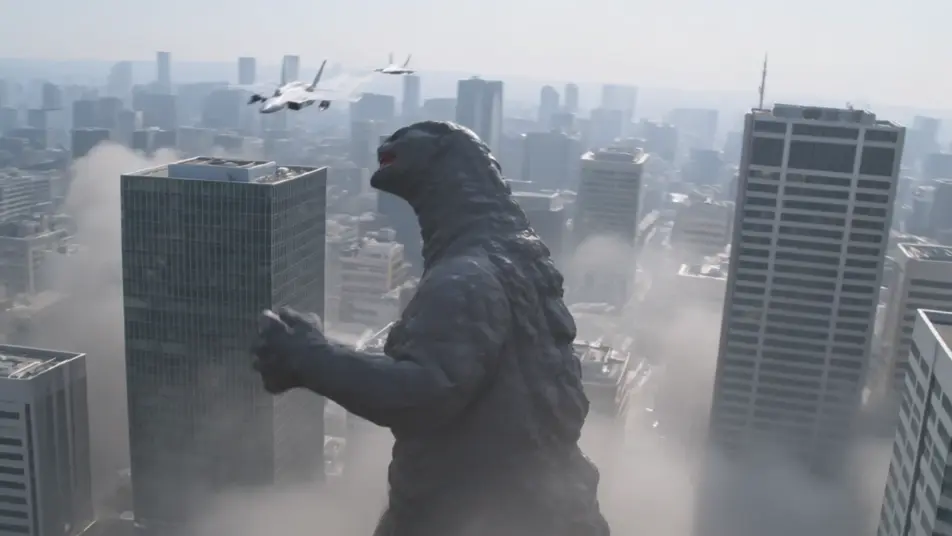
A ruined city at first light, skyscrapers sheared and smoking, a vast drag-trail through the rubble leading to the sea, tiny rescue figures picking through the wreckage, slow mournful crane up.
Edit prompt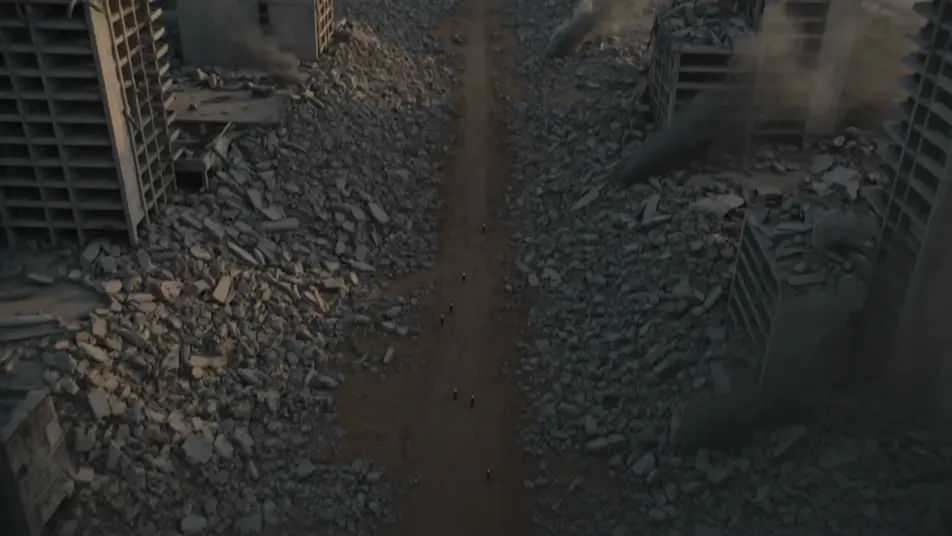
Tuliskan adegan giant monster yang Anda inginkan, dengan kata-kata sederhana.
Morphic membuat klip sinematik yang siap dijadikan frame di canvas Anda dalam hitungan detik.
Ubah prompt, buat ulang variasi, lalu unduh atau bagikan shot-nya.
Cinematic time-freeze short film for any scene

Dramatize any text conversation into a cinematic multi-shot video.
One image to a 9-scene cinematic video.
Drop in a photo of yourself. Get a 12-second cinematic movie with animation and a matched soundtrack.

Share a scene description with character references. Get a full storyboard with shot angles and mood.

Feed in a single image. Get 9 cinematic beats laid out as a 3x3 storyboard grid.
Video AI kaiju
Buat video kaiju dengan Morphic. Makhluk raksasa se-kota, kehancuran gaya suitmation slow-motion, reaksi JSDF, dan desain makhluk orisinal yang aman IP.
Creature Feature AI Videos
Generate creature feature AI videos with Morphic. Lurking beasts, slow monster reveals, and confined-setting scene prompts you can direct in the browser.
Video AI Monster
Buat video monster dengan generator video AI Morphic. Makhluk orisinal, monster berkabut, monster danau, dan adegan mencekam dari prompt sederhana.
Video AI Bencana
Buat video AI bencana yang dramatis dengan Morphic. Hasilkan gempa, tsunami, banjir, dan letusan gunung sinematik hanya dalam hitungan detik.
Mulai gratis hari ini, dengan opsi untuk upgrade atau membatalkan kapan saja.
Basic
2400 bulanan kredit
1 pengguna saja
Semua model
Workflows
Standard
3625 bulanan kredit
1 pengguna saja
Semua model
Workflows
Pro
6350 bersama bulanan kredit
1 pengguna
Semua model
Workflows
Max
24650 bersama bulanan kredit
1 pengguna
Semua model
Workflows
Enterprise
Untuk batas yang lebih tinggi
Khusus
ketentuan harga dan penagihan

Free
Untuk bereksperimen
$0
gratis selamanya