Frost giant on the glacier
The frost giant striding across a cracked glacier as tiny figures flee across the ice below, frost breath fogging, flat arctic light and blowing snow. A low wide shot with the giant filling the sky.
Edit prompt
Direct colossal scale in your browser with Morphic's giant AI video generator. Generate a frost giant striding a glacier or a storm giant wading between thunderheads, hold one design with Character Lineup, score it with Music, and stitch the shots into an epic sequence on the Canvas.
The frost giant striding across a cracked glacier as tiny figures flee across the ice below, frost breath fogging, flat arctic light and blowing snow. A low wide shot with the giant filling the sky.
Edit promptThe hill giant cresting a ridge at dusk, dragging its boulder maul, its shadow sweeping across a whole valley and a village below. A sweeping crane shot pulling back to reveal the scale.
Edit prompt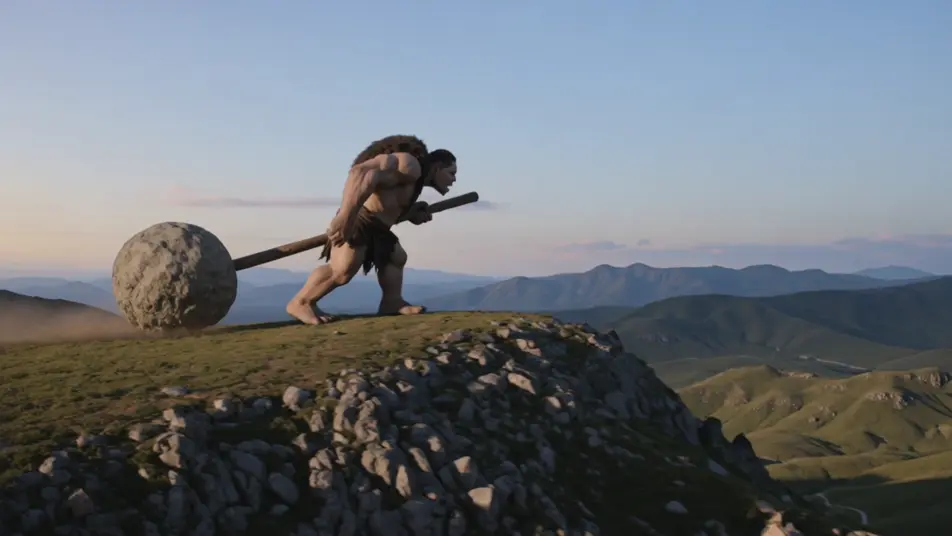
The storm giant wading between towering thunderheads as lightning traces its arms, rain sheeting past, a ship pitching far below. A slow tilt up from the sea to the cloud-lost face.
Edit prompt
The earth-shaper lifting from the landscape as soil and trees slide off its stone body, a river pouring from its shoulder, soft dawn haze thinning. A rising crane shot as the mountain becomes a figure.
Edit prompt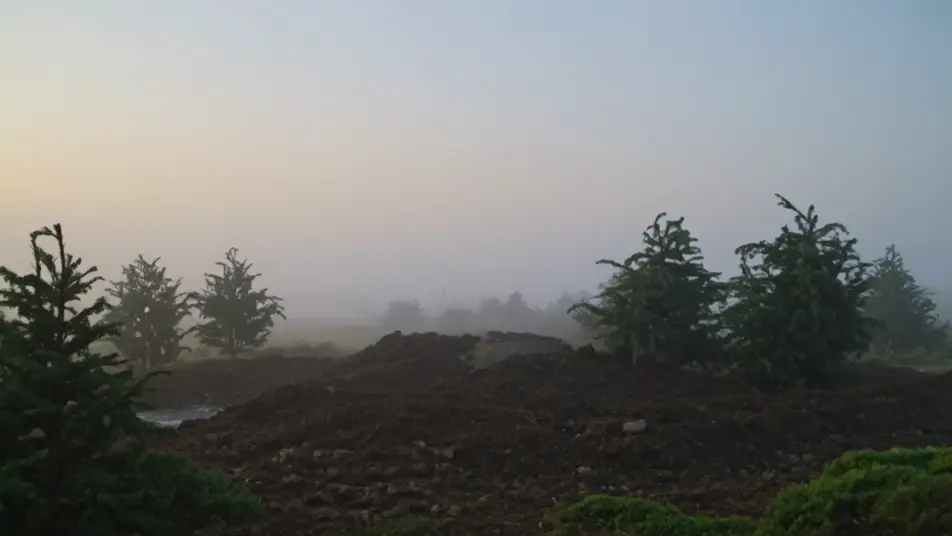
Tuliskan adegan giant yang Anda inginkan, dengan kata-kata sederhana.
Morphic membuat klip sinematik yang siap dijadikan frame di canvas Anda dalam hitungan detik.
Ubah prompt, buat ulang variasi, lalu unduh atau bagikan shot-nya.
Cinematic time-freeze short film for any scene

Dramatize any text conversation into a cinematic multi-shot video.
One image to a 9-scene cinematic video.
Drop in a photo of yourself. Get a 12-second cinematic movie with animation and a matched soundtrack.

Share a scene description with character references. Get a full storyboard with shot angles and mood.

Feed in a single image. Get 9 cinematic beats laid out as a 3x3 storyboard grid.
Troll AI Videos
Generate troll videos with Morphic. Cave brute, bridge-keeper, mountain giant, and stone-cursed archetypes with mossy cave and misty river scene prompts.
Ogre AI Videos
Generate ogre videos with Morphic. War-brute, swamp-dweller, castle cook, and chieftain archetypes with firelit lair and misty marsh scene prompts.
Video AI Monster
Buat video monster dengan generator video AI Morphic. Makhluk orisinal, monster berkabut, monster danau, dan adegan mencekam dari prompt sederhana.
Creature Feature AI Videos
Generate creature feature AI videos with Morphic. Lurking beasts, slow monster reveals, and confined-setting scene prompts you can direct in the browser.
Mulai gratis hari ini, dengan opsi untuk upgrade atau membatalkan kapan saja.
Basic
2400 bulanan kredit
1 pengguna saja
Semua model
Workflows
Standard
3625 bulanan kredit
1 pengguna saja
Semua model
Workflows
Pro
6350 bersama bulanan kredit
1 pengguna
Semua model
Workflows
Max
24650 bersama bulanan kredit
1 pengguna
Semua model
Workflows
Enterprise
Untuk batas yang lebih tinggi
Khusus
ketentuan harga dan penagihan

Free
Untuk bereksperimen
$0
gratis selamanya