AI Video Colorization videos

Bring black-and-white footage to life in your browser with Morphic's video colorization AI generator. Colorize old family clips or vintage street scenes with believable skin, sky, and fabric tones. Score the mood with Music, narrate with Speech, then stitch it into one sequence on the Canvas.

Video colorization styles you can direct

Video colorization sequences you can stage

A vintage street brought into color

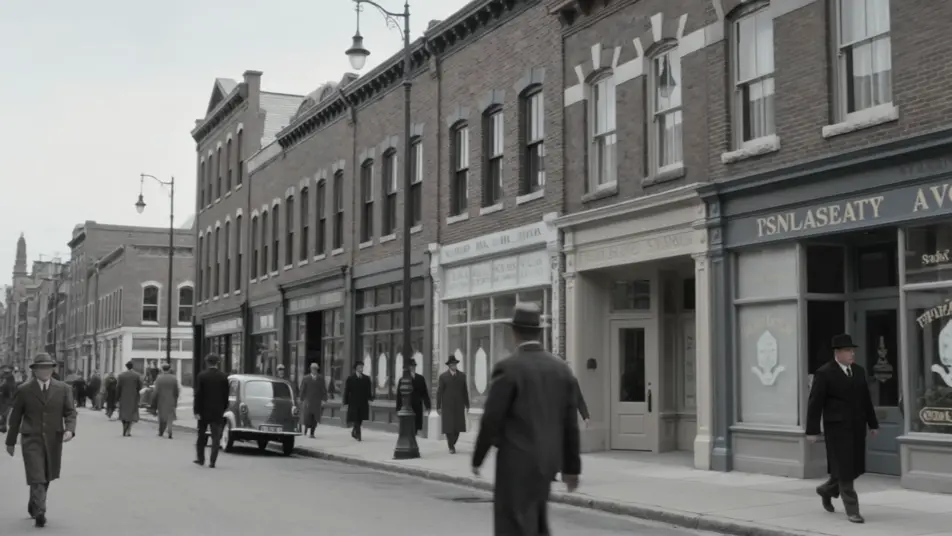
A black-and-white clip of a busy avenue gains believable color, warm brick, painted signage, and true skin tones filling in as pedestrians pass, the light kept soft and period-appropriate across a slow pan.

Edit prompt

An old family clip warmed up

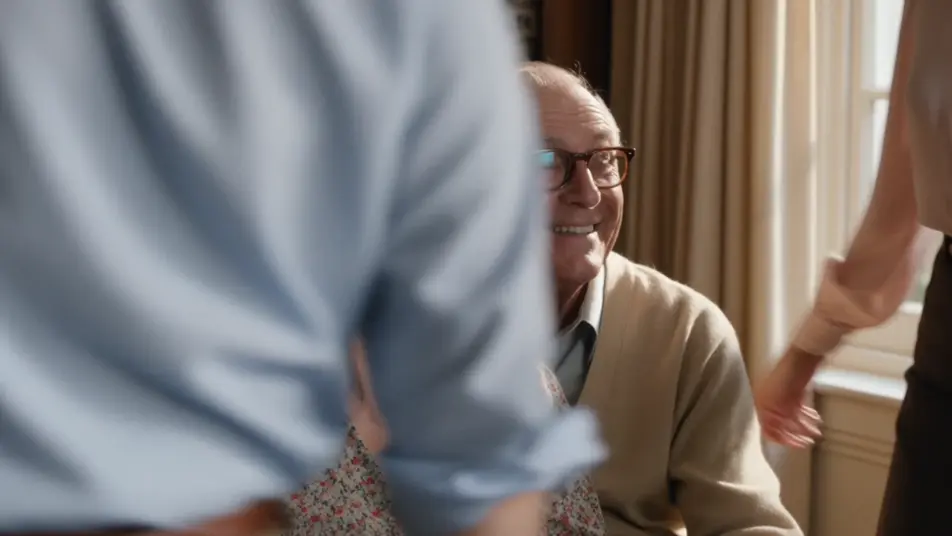
A grainy home movie is colorized with a warm nostalgic palette, amber highlights and soft browns lending a sunlit, sentimental glow, faces given faithful complexions as the family gathers in frame.

Edit prompt

A documentary scene graded cool

Archival footage of a harbor is colorized in muted, sober tones, cool blues and greys preserving its factual weight, gulls and boats reading in restrained color under an overcast sky.

Edit prompt

A selective-color reveal

A near-monochrome station platform holds while a single red coat blooms into full color and moves through the crowd, the accent guiding the eye across the frame during a locked medium shot.

Edit prompt

Buat video video colorization dalam tiga langkah

  1. 01

    Jelaskan adegan video colorization Anda

    Tuliskan adegan video colorization yang Anda inginkan, dengan kata-kata sederhana.

  2. 02

    Buat video

    Morphic membuat klip sinematik yang siap dijadikan frame di canvas Anda dalam hitungan detik.

  3. 03

    Sempurnakan video video colorization Anda

    Ubah prompt, buat ulang variasi, lalu unduh atau bagikan shot-nya.

Workflow terkait

Anda mungkin juga suka

Harga sederhana

Mulai gratis hari ini, dengan opsi untuk upgrade atau membatalkan kapan saja.

Basic

$9/ bulan
ditagih sebagai $0 per tahun

900 bulanan kredit

1 pengguna saja

Semua model

Workflows

Standard

$24/ bulan
ditagih sebagai $0 per tahun

3200 bulanan kredit

1 pengguna saja

Semua model

Workflows

Pro

$45/ bulan
ditagih sebagai $0 per tahun

6200 bersama bulanan kredit

1 pengguna

+ hingga 4 lainnya dengan biaya tambahan

Semua model

Workflows

Pro Max

$170/ bulan
ditagih sebagai $0 per tahun

24000 bersama bulanan kredit

1 pengguna

+ hingga 9 lainnya dengan biaya tambahan

Semua model

Workflows

Enterprise

Untuk batas yang lebih tinggi

Khusus

ketentuan harga dan penagihan

High-volume credits
Batas kursi khusus
Semua model
Workflows
Pricing Gradient

Free

Untuk bereksperimen

$0

gratis selamanya

Hingga 20 kredit
Hanya 1 pengguna
Model terbatas
Workflows

FAQ

Where can I make colorized videos with AI?
You can colorize video directly in your browser on Morphic. Bring a black-and-white clip into the tool, describe the palette and the tones that matter most, and Morphic returns a colorized version. No installs and no frame-by-frame painting.
What kinds of footage colorize best with AI?
Clear black-and-white footage with recognizable subjects, faces, sky, foliage, streets, colorizes cleanly because the generator can infer believable tones. Well-exposed clips give better results than very dark or heavily damaged sources.
How do I write a good prompt for colorization?
Name the overall palette, natural, nostalgic, documentary, and call out the tones that must read true, skin, sky, specific fabric colors. Mention the era for period accuracy, which keeps the color grounded rather than generic.
How do I keep skin and color consistent across scenes?
Reuse the same palette language across prompts and prioritize faithful skin tones. On the Canvas you can place colorized clips side by side and refine each until complexions, sky, and fabric hold a consistent look through the whole sequence.
Can I add music and narration to my colorized videos?
Yes. The Music tool scores a period-fitting soundtrack, and the Speech tool adds narration in the voice you choose. Both layer onto the colorized footage so a restored family clip or archive scene arrives as a finished piece.
Do I need video editing experience to colorize a clip?
No. Morphic runs in your browser and you direct it with plain-language prompts. If you can describe the palette and the tones you want, you can colorize a clip. The prompts on this page paste and run directly.