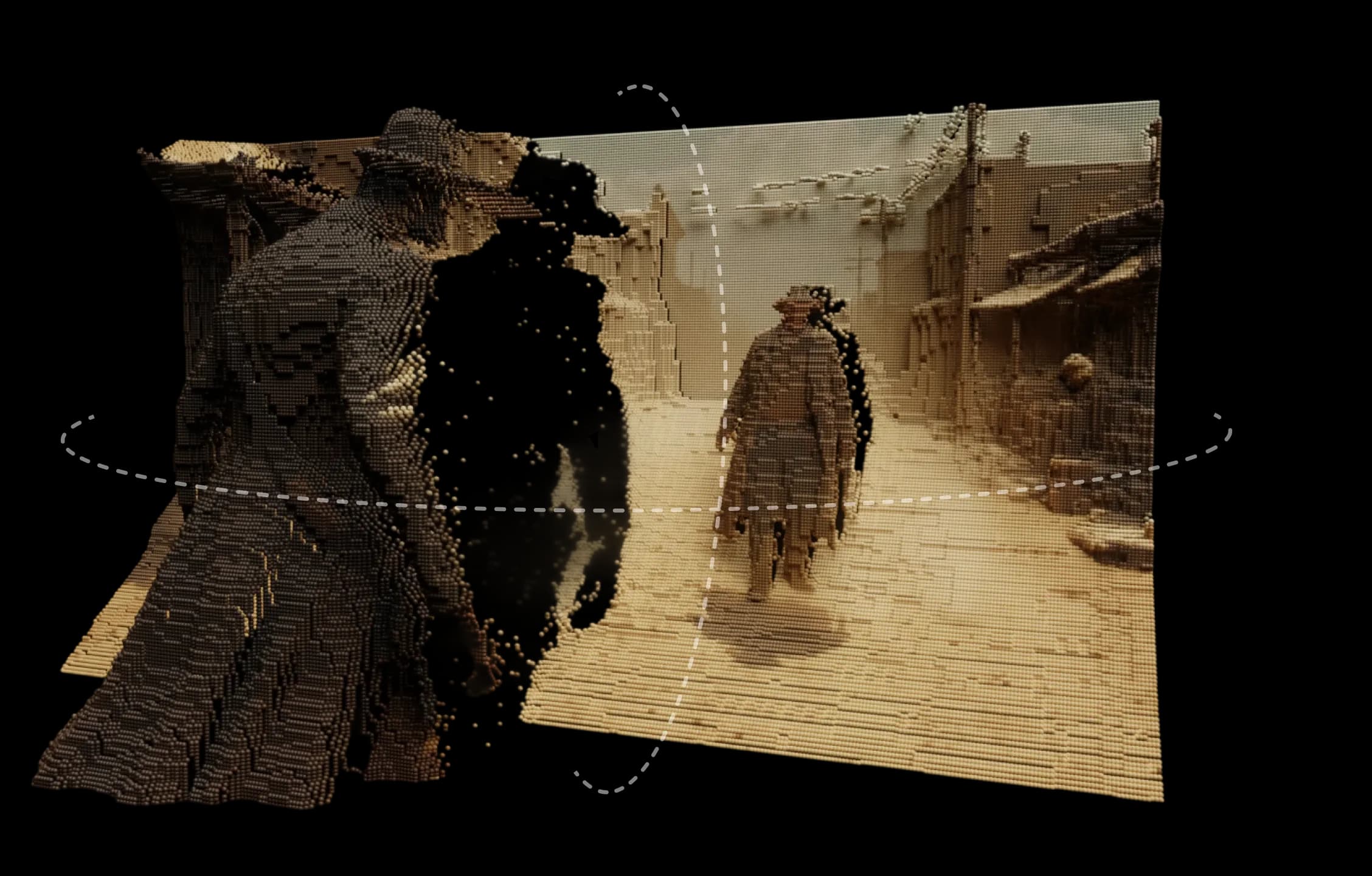
Morphic의 3D 모션은 어떤 이미지든 실제처럼 느껴지는 장면으로 바꿉니다. 깊이, 레이어, 거리를 추가하여 부드럽고 시네마틱한 느낌으로 자연스러운 모션과 패럴랙스를 탐색할 수 있습니다.
Morphic의 깊이 엔진을 기반으로 이미지를 3D 환경으로 해석합니다. 모션 경로를 설계하고, 여러 카메라 각도를 설정하고, 실시간으로 움직임을 미리 볼 수 있습니다.
단순한 팬이나 줌 효과가 아니라 진정한 공간감입니다. 표면이 분리되고 빛이 자연스럽게 이동하며 모든 움직임이 목적이 있게 느껴집니다.
그려진 풍경, 디지털 일러스트레이션, 실사 프레임이든 3D 모션은 정적 이미지에 생명을 불어넣습니다.
다양한 각도에서 장면을 돌아다닐 수 있었고 모든 것이 자연스럽게 느껴졌습니다.
Morphic 내에서 3D 모션이 어떻게 작동하는지 확인하세요.
정지 이미지를 3D 비디오로 변환한 크리에이터의 비디오.
Morphic에서는 창의적 직관을 확장하는 도구를 설계합니다. 3D 모션은 그 아이디어를 계속하여 복잡함이나 과잉 없이 상상력에 형태와 깊이를 부여합니다. 지금 시도
3D motion FAQs
What is 3D motion in Morphic?
Upload a still image and place camera angles in 3D space to generate a video with smooth, depth-based motion.
Do I need to film anything?
No. A single still is enough; the motion is generated from depth.
Can I control the camera path?
Yes. Place multiple camera angles in 3D space to direct how the shot moves through the scene.
Can I plan the shot before generating?
Yes. 3D Scene lets you block the staging and camera, then export a frame or clip as the reference the model follows.
Does blocking a 3D scene cost credits?
No. Scene edits cost no credits; only the generation does.
What is depth-based motion good for?
Turning a still photograph or render into a cinematic moving shot.