3D Motion
Wechseln Sie zwischen mehreren Kamerawinkeln Ihrer Standbilder, um sanfte, tiefenbasierte Bewegungsvideos zu erstellen.
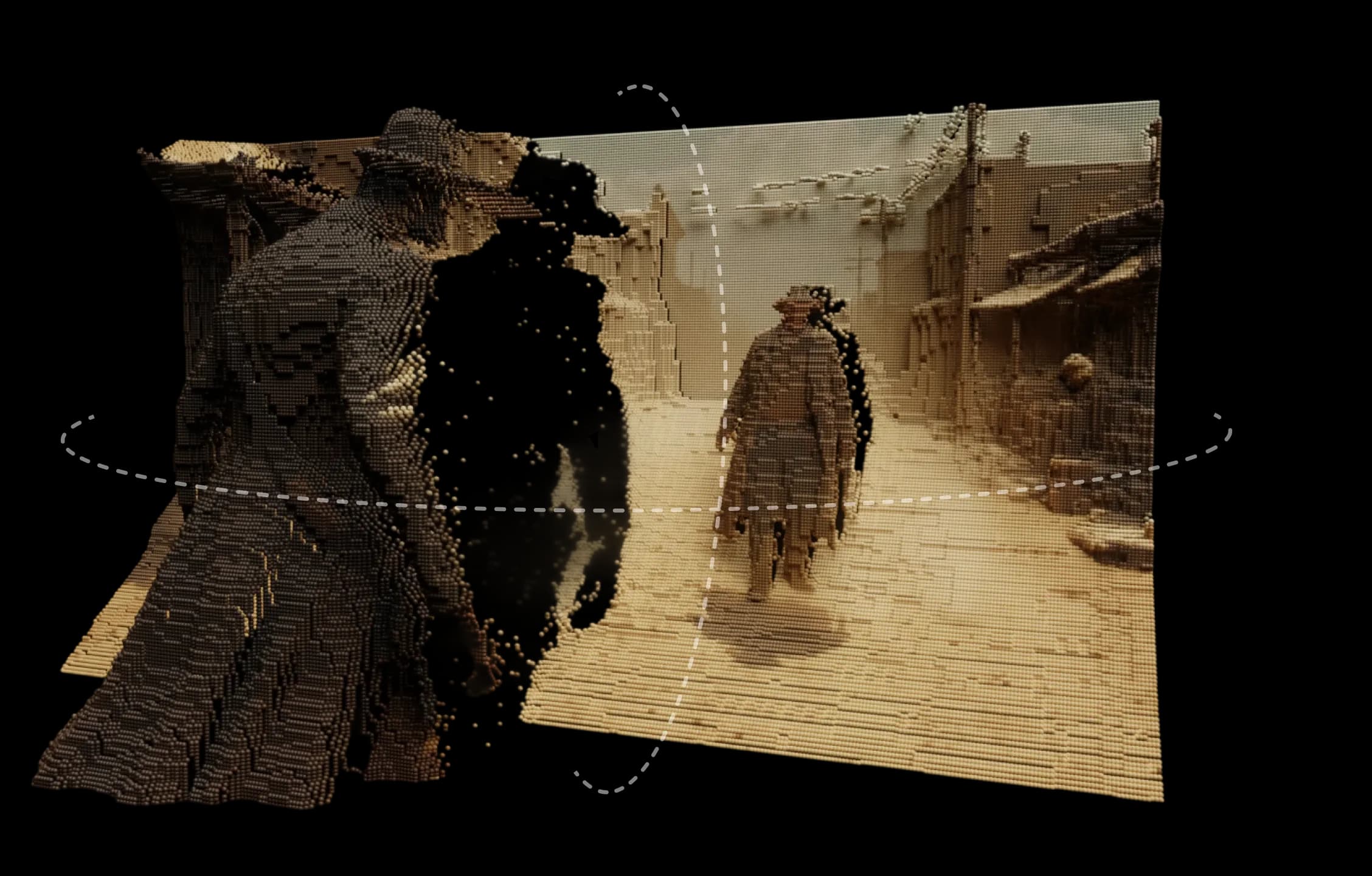
3D Motion von Morphic macht aus jedem Bild eine Szene, die real wirkt. Es fügt Tiefe, Ebenen und Distanz hinzu, sodass Sie natürliche Bewegung und Parallaxe mit sanftem, filmischem Gefühl erkunden.
Basierend auf der Depth-Engine von Morphic interpretiert es Ihr Bild als 3D-Umgebung. Sie gestalten Bewegungspfade, legen mehrere Kamerawinkel fest und sehen die Bewegung in Echtzeit.
Es ist kein einfacher Schwenk- oder Zoom-Effekt, sondern ein echtes Raumgefühl. Flächen trennen sich, Licht verändert sich natürlich, und jede Bewegung wirkt gezielt.
Ob gemalte Landschaft, digitale Illustration oder Realfilm-Bild, 3D Motion erweckt statische Bilder zum Leben.
Ich konnte mich aus verschiedenen Winkeln durch meine Szene bewegen, und alles wirkte natürlich.
Sehen Sie, wie 3D Motion in Morphic funktioniert.
Videos von Creatorn, die Standbilder in 3D-Videos verwandeln.
Bei Morphic entwickeln wir Tools, die kreative Intuition erweitern. 3D Motion setzt diese Idee fort und gibt der Vorstellungskraft Form und Tiefe, ohne Komplexität oder Überfluss. Jetzt ausprobieren