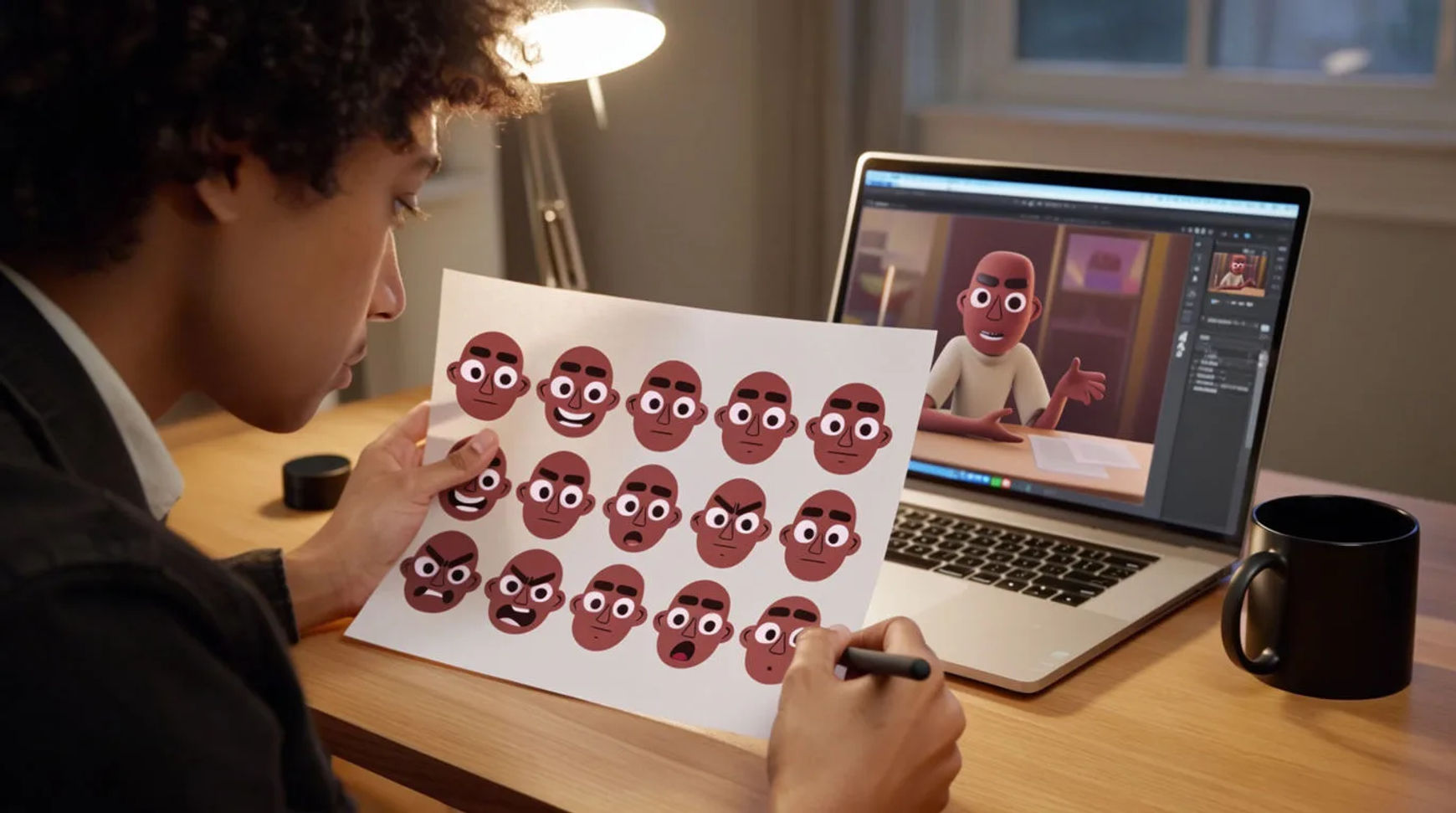
Creators build a consistent on-screen persona by locking a look, an avatar, and a voice as fixed references, then applying them to every post so the channel reads as one recognizable character rather than a fresh face each time. The workflow is short: design the persona look, lock it as a reference sheet, generate an avatar or presenter, then keep the voice and style consistent. Because the visuals and voice live in one project, the persona you approve once becomes the persona every future generation is measured against, which is what turns a scattered feed into a channel.
Steps at a glance
- Design the persona look
- Lock it as a reference sheet
- Generate an avatar or presenter
- Keep the voice and style consistent
- Reuse the same references on every post
How creators build a consistent persona, step by step
Design the persona look
Decide what the persona is before you generate anything: the face, the wardrobe, the setting, the tone. This is the part that stays human, because it is where the identity actually lives. Generate a few options for the face and look, compare them side by side, and choose the one that feels like the character. What you are really deciding here is the thing every later post will match, so it is worth getting right once.
Lock it as a reference sheet
Take the approved look and build a character reference sheet from it: the persona, the wardrobe, and the recurring set as reference images you can pass into every generation. Several references can ride on a single shot, so the character, the set, and the wardrobe all inform it. A reference sheet is stronger than any worded description, because the reference itself carries the look instead of you re-describing it and hoping it lands the same.
Generate an avatar or presenter
Generate an avatar or on-screen presenter for the persona, so you can front a channel without filming yourself each time. Direct the shot like a filmmaker: name the framing, the light, and the delivery. Because the presenter is generated against the reference sheet, it comes back as the same character you approved rather than a new face, which is the whole point of running a persona instead of posting as yourself ad hoc.
Keep the voice and style consistent
Give the persona a voice by directing text-to-speech: choose a voice character and direct how it performs the line, then keep the same voice settings and read on every post. Morphic does directed voice and voice styles, not cloning of your exact voice, so consistency here comes from directing the same voice the same way and recording those choices on the reference sheet. Layer music and cut on the Compose timeline. A paid plan exports at higher resolution.
Here are a few finished pieces the same persona produces, each generated against the reference sheet rather than filmed:
Avatar presenter
Talking head
Short cut
Ad-hoc each time versus a reference-locked persona
The difference is less about any single video and more about whether the persona is recognizable across a month of them. Here is the shift, honestly drawn.
| Stage | Ad-hoc each time | Reference-locked persona |
|---|---|---|
| The look | Re-described per video | Held by a reference sheet |
| The face | Drifts shot to shot | The same character throughout |
| The voice | Chosen fresh each time | Same directed voice and read |
| Recognition | Hard to build | Built in by repetition |
| Best used for | One-off experiments | A channel with an identity |
Put it together
A consistent persona is not about a single good-looking video; it is about repeating a few fixed things until a feed reads as a channel. Design the look, lock it as a reference sheet, generate an avatar to front it, and direct the same voice the same way on every post. The saving that matters is recognition, which is what turns viewers into an audience that knows you on sight. The lowest-risk way to start is to lock one reference sheet and run your next few posts against it. The AI avatar generator is the fastest place to build a presenter, and the AI voiceover generator covers directing a voice so the read stays consistent post to post.