Vertikales Posterlayout
Eine längliche stilisierte Figur innerhalb eines gestuften Sonnenstrahl-Rahmens, goldene Linie auf tiefem Juwelengrund, strikte Symmetrie und Chevron-Detail, ein Band am Fuß für einen Titel reserviert.
Prompt bearbeiten
Gestalten Sie Art-Deco-Illustrationen direkt im Browser mit dem KI-Bildgenerator von Morphic. Erzeugen Sie einen gestuften Gold-auf-Schwarz-Sonnenstrahl, eine Chevron-Skyline oder eine Figur in einem fächerförmigen Rahmen. Kombinieren Sie jedes Motiv mit Style Transfer, um eine Geometrie und eine metallische Palette über ein ganzes Set hinweg zu halten.
Eine längliche stilisierte Figur innerhalb eines gestuften Sonnenstrahl-Rahmens, goldene Linie auf tiefem Juwelengrund, strikte Symmetrie und Chevron-Detail, ein Band am Fuß für einen Titel reserviert.
Prompt bearbeitenEin horizontales, sich wiederholendes Band aus Zickzacks, Chevrons und gestuften Rauten in Spiegelsymmetrie, zwei flache Töne mit einem metallischen Akzent, ein offener Streifen für eine Schlagzeile reserviert.
Prompt bearbeiten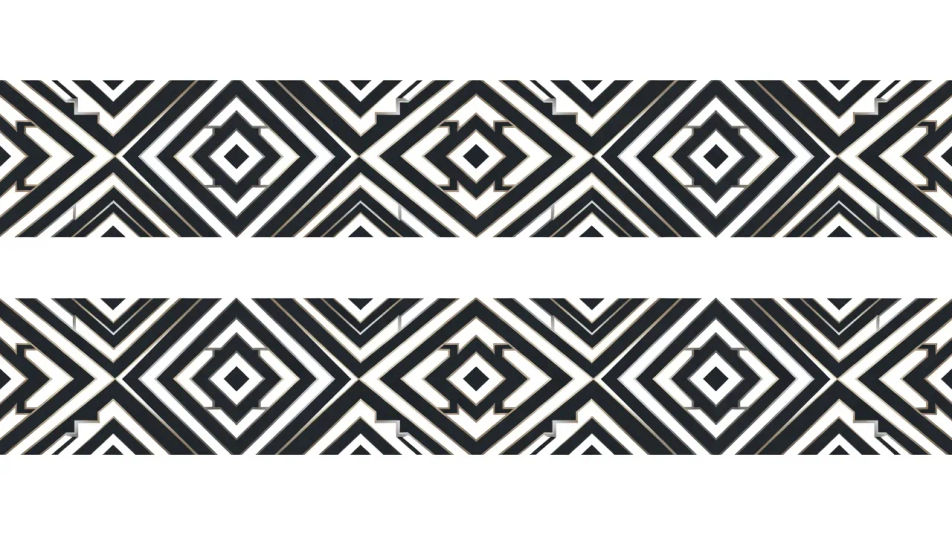
Eine stilisierte Wolkenkratzer-Skyline in gestuften Rücksprüngen und Chevron-Geschwindigkeitslinien, flaches Gold und Schwarz, ein Gefühl maschinenzeitlicher Vorwärtsbewegung, Raum darüber für ein Wortzeichen reserviert.
Prompt bearbeiten
Ein zentraler gestufter Sonnenstrahl mit einem Fächerrahmen und einem geometrischen Monogramm, Gold auf dunklem Grund, Spiegelsymmetrie, ausgewogen für ein Produktetikett, eine Speisekartendecke oder eine Titelkarte.
Prompt bearbeiten
Beschreiben Sie das Art-Deco-Illustration, das Sie möchten, in einfachen Worten.
Morphic generiert in Sekunden ein sauberes, veröffentlichungsfertiges Bild auf Ihrer Canvas.
Passen Sie den Prompt an, generieren Sie Varianten und laden Sie das Bild herunter oder teilen Sie es.
Pick a reference image, apply its visual style to your own photo or artwork.

Turn any sketch or drawing into a finished render.
Convert any image to a new aspect ratio. Smart crop or extend the edges to fit.

Pick any anime illustration as your style guide. Apply its look to any image.

Take any character image and generate 6 distinct facial expressions on a single reference sheet.
Reimagine any anime character as a photorealistic, high-fashion live-action portrait.
Art-Deco-KI-Kunst
Erstellen Sie Art-Deco-Kunst mit Morphic. Gestufte Wolkenkratzer, Sonnenstrahl-Motive, Chromschmuck, Ozeandampfer-Stromlinien und Gold-auf-Schwarz-Geometrie aus einem einzigen Prompt.
Art-Deco-Poster-KI-Kunst
Erstellen Sie Art-Deco-Poster mit Morphic. Gestufte Sonnenstrahlen, geometrische Porträts, Reise-und-Kreuzfahrt-Kompositionen und vergoldete Gold-und-Schwarz-Designs der 1920er aus einem einzigen Prompt.
Art-Nouveau-Illustration-KI-Bilder
Erstellen Sie KI-Art-Nouveau-Illustrationen mit Morphic. Erzeugen Sie Art-Nouveau-Illustrationskunst, Szenen und Visuals für jedes Projekt in Sekunden.
Vintage-Poster-KI-Bilder
Erstellen Sie KI-Vintage-Poster-Bilder mit Morphic. Generieren Sie Vintage-Poster-Kunstwerke, -Layouts und -Editorialmotive für jedes Projekt in Sekunden.
Starten Sie noch heute kostenlos, mit der Option, jederzeit zu upgraden oder zu kündigen.
Basic
2400 monatliche Credits
1 Nutzer
Alle Modelle
Workflows
Standard
3625 monatliche Credits
1 Nutzer
Alle Modelle
Workflows
Pro
6350 gemeinsame monatliche Credits
1 Nutzer
Alle Modelle
Workflows
Max
24650 gemeinsame monatliche Credits
1 Nutzer
Alle Modelle
Workflows
Enterprise
Für höhere Limits
Individuell
Preis- und Abrechnungsbedingungen

Free
Zum Ausprobieren
$0
dauerhaft kostenlos