Design dragonborn in your browser with Morphic's dragonborn AI image generator. Generate portraits and compositions like a bronze-scaled warrior in heavy plate, a crimson dragonborn breathing fire on a battlefield, or a silver-scaled cleric at an altar, and pair them with Style Transfer to hold one scale-color and crest look across the set. Hand the plates to Image to Video to make a breath weapon flare and a cloak snap.

Dragonborn types you can create

Dragonborn compositions you can produce

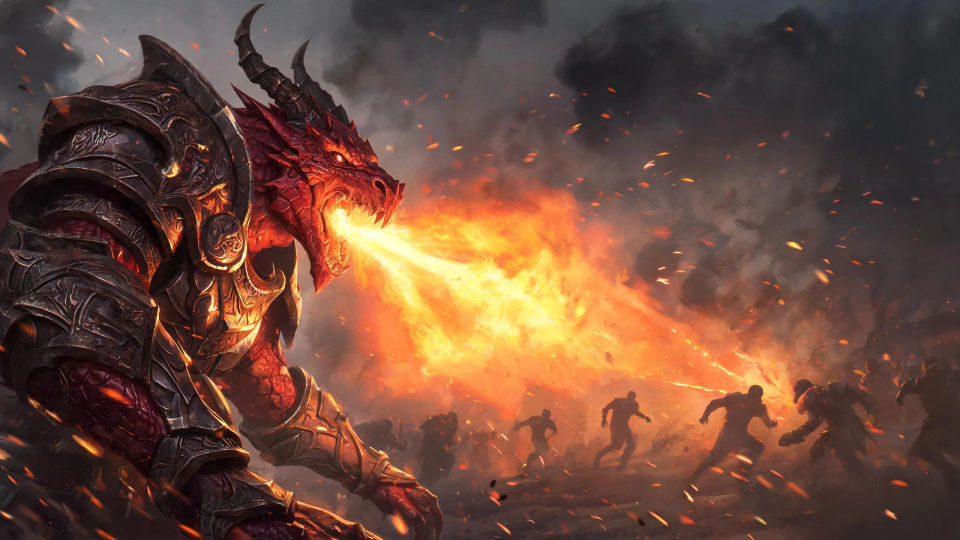
A breath weapon on the battlefield

A crimson dragonborn warrior loosing a cone of fire across a smoke-filled field, plate glinting orange, silhouetted foes scattering and embers streaking through the dark air.

Prompt bearbeiten
A breath weapon on the battlefield

A draconic mountain hall

A vaulted hall carved with coiled dragon reliefs and lit by braziers, dragonborn in armor lining a long stone aisle, warm firelight catching row upon row of scales.

Prompt bearbeiten
A draconic mountain hall

A cliffside altar at dawn

A silver-scaled dragonborn cleric raising a holy symbol at a mountaintop altar, first light breaking over distant peaks, cold wind and soft radiant glow around the figure.

Prompt bearbeiten
A cliffside altar at dawn

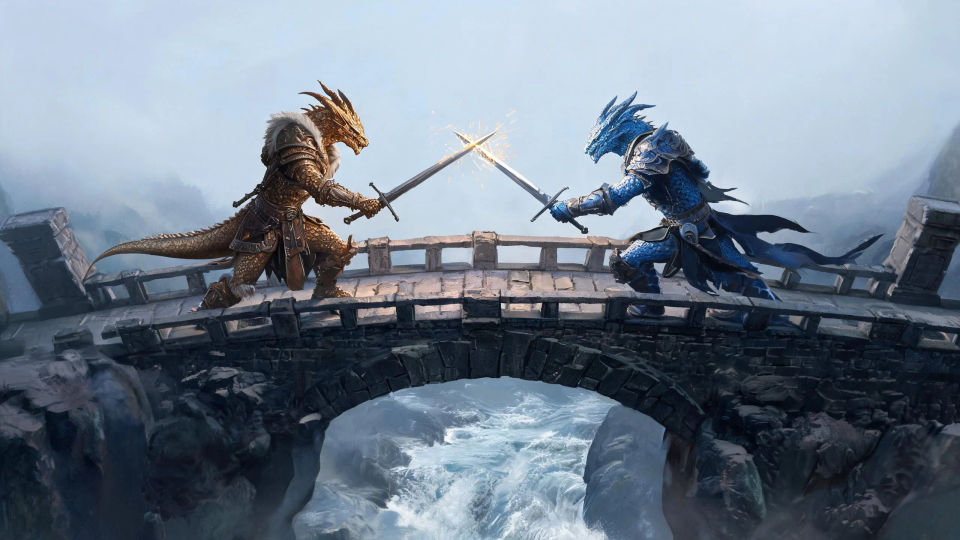
A duel on a stone bridge

Two dragonborn crossing weapons on a narrow chasm bridge, scales flashing bronze and blue, sparks flying and a river roaring far below in cold grey morning light.

Prompt bearbeiten
A duel on a stone bridge

Dragonborn in drei Schritten erstellen

  1. 01

    Beschreiben Sie Ihr Dragonborn

    Beschreiben Sie das Dragonborn, das Sie möchten, in einfachen Worten.

  2. 02

    Bild generieren

    Morphic generiert in Sekunden ein sauberes, veröffentlichungsfertiges Bild auf Ihrer Canvas.

  3. 03

    Dragonborn verfeinern

    Passen Sie den Prompt an, generieren Sie Varianten und laden Sie das Bild herunter oder teilen Sie es.

Verwandte Workflows

Das könnte Ihnen auch gefallen

Einfache Preise

Starten Sie noch heute kostenlos, mit der Option, jederzeit zu upgraden oder zu kündigen.

Basic

$0/ Monat
abgerechnet als $0 pro Jahr

900 monatliche Credits

1 Nutzer

Alle Modelle

Workflows

Standard

$0/ Monat
abgerechnet als $0 pro Jahr

3200 monatliche Credits

1 Nutzer

Alle Modelle

Workflows

Pro

$0/ Monat
abgerechnet als $0 pro Jahr

6200 gemeinsame monatliche Credits

1 Nutzer

+ bis zu 4 weitere gegen Aufpreis

Alle Modelle

Workflows

Pro Max

$0/ Monat
abgerechnet als $0 pro Jahr

24000 gemeinsame monatliche Credits

1 Nutzer

+ bis zu 9 weitere gegen Aufpreis

Alle Modelle

Workflows

Enterprise

Für höhere Limits

Individuell

Preis- und Abrechnungsbedingungen

Unbegrenzte Credits
Individuelle Platzlimits
Alle Modelle
Workflows
Pricing Gradient

Free

Zum Ausprobieren

$0

dauerhaft kostenlos

Bis zu 20 Credits
Nur 1 Nutzer
Eingeschränkte Modelle
Workflows

Häufig gestellte Fragen

Where can I make dragonborn images with AI?
You can create dragonborn images directly in your browser on Morphic. Open the Image tool, describe the scale color, the crest, the reptilian head, and the lighting, and Morphic produces the artwork. No installs and no specialist software needed.
What kinds of dragonborn can I generate?
Any kind you can name: a plated warrior, a flame-handed sorcerer, a radiant cleric, a storm-etched paladin, a scaled ranger, or an aged elder. Name the scale color, the crest, and the lighting so Morphic builds the version you want.
How do I write a good prompt for a dragonborn image?
Name the scale color, the crest or horns, the reptilian jaw, the gear, and any breath effect. For example: "a bronze-scaled dragonborn warrior in heavy plate with a great axe." Naming the scales and draconic head keeps the character distinct.
How do I keep one dragonborn consistent across several images?
Use the Character Lineup workflow to lock the dragonborn’s head, scale color, crest, and gear, then reference that card in every prompt. Morphic preserves the same character across a battlefield scene, a hall scene, and a portrait so the set stays consistent.
Can I turn a dragonborn image into a video?
Yes. Take any dragonborn image into the Image to Video tool and describe the motion, such as a breath weapon flaring, a cloak snapping, or smoke curling from the nostrils. Morphic animates the still into a short clip you can use on its own or cut into a longer sequence.
Do I need any drawing skill to make dragonborn images?
No. Morphic runs in the browser and takes plain-language prompts. Anyone who can describe a dragonborn, the scales, and the lighting can produce a finished image. Drawing ability and illustration software are not required.