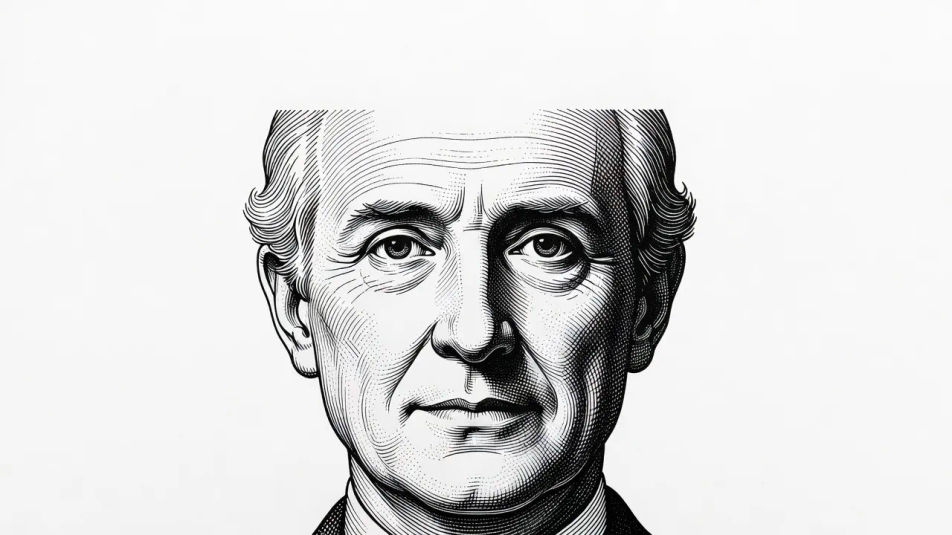
Engraving illustration AI Images

Design engraving illustrations in your browser with Morphic's AI image generator. Generate a portrait of swelling burin strokes, a banknote-style guilloche, or a contour-hatched study. Pair each with the Style Transfer workflow to hold one line discipline across a set.

Engraving illustration styles you can design

Engraving illustration compositions you can design

Burin portrait plate

A portrait built from precise swelling burin lines that follow the contours of the face to model form, black on white, disciplined and formal, space reserved above for a title.

Prompt bearbeiten
Burin portrait plate

Banknote guilloche panel

An intricate guilloche of fine woven parallel lines and lathe-work curves in the currency tradition, rhythmic and ornamental, a clear area reserved at the centre for a title.

Prompt bearbeiten
Banknote guilloche panel

Catalogue product study

A catalogue-style engraving of a single object with contour-following hatching modelling its volume and fine cross-hatch in the shadow, crisp and explanatory, room left below for a caption.

Prompt bearbeiten
Catalogue product study

Heraldic emblem layout

A crest or emblem engraved with confident swelling line and even hatching, symmetrical and formal in the bookplate tradition, balanced for a title page or seal.

Prompt bearbeiten
Heraldic emblem layout

Engraving illustration in drei Schritten erstellen

  1. 01

    Beschreiben Sie Ihr Engraving illustration

    Beschreiben Sie das Engraving illustration, das Sie möchten, in einfachen Worten.

  2. 02

    Bild generieren

    Morphic generiert in Sekunden ein sauberes, veröffentlichungsfertiges Bild auf Ihrer Canvas.

  3. 03

    Engraving illustration verfeinern

    Passen Sie den Prompt an, generieren Sie Varianten und laden Sie das Bild herunter oder teilen Sie es.

Verwandte Workflows

Das könnte Ihnen auch gefallen

Einfache Preise

Starten Sie noch heute kostenlos, mit der Option, jederzeit zu upgraden oder zu kündigen.

Basic

$0/ Monat
abgerechnet als $0 pro Jahr

900 monatliche Credits

1 Nutzer

Alle Modelle

Workflows

Standard

$0/ Monat
abgerechnet als $0 pro Jahr

3200 monatliche Credits

1 Nutzer

Alle Modelle

Workflows

Pro

$0/ Monat
abgerechnet als $0 pro Jahr

6200 gemeinsame monatliche Credits

1 Nutzer

+ bis zu 4 weitere gegen Aufpreis

Alle Modelle

Workflows

Pro Max

$0/ Monat
abgerechnet als $0 pro Jahr

24000 gemeinsame monatliche Credits

1 Nutzer

+ bis zu 9 weitere gegen Aufpreis

Alle Modelle

Workflows

Enterprise

Für höhere Limits

Individuell

Preis- und Abrechnungsbedingungen

Unbegrenzte Credits
Individuelle Platzlimits
Alle Modelle
Workflows
Pricing Gradient

Free

Zum Ausprobieren

$0

dauerhaft kostenlos

Bis zu 20 Credits
Nur 1 Nutzer
Eingeschränkte Modelle
Workflows

Häufig gestellte Fragen

What is engraving illustration?
Engraving illustration is an intaglio print-style image defined by a precise burin line that swells and tapers, contour-following hatching that models form, and the disciplined banknote-style line work of fine parallel and woven strokes. The look comes from a burin cut directly into a metal plate. Those traits separate it from a loose sketch.
Where can I make engraving illustrations with AI?
You can create engraving illustrations with AI on Morphic, right in your browser. Open the Image tool, describe the burin line, the hatching discipline, and the subject, and Morphic generates the engraved-style art. No installs and no design software needed.
How do I get the banknote guilloche line work in an engraving?
Name the woven line and the lathe curves directly in the prompt: "intricate guilloche of fine evenly spaced woven parallel lines, lathe-work curves, the rhythmic interlace of currency engraving." Calling out the woven parallel line and the lathe curves is what gives the image its banknote line discipline.
How do I keep a set of engraving illustrations consistent?
Use Morphic's Style Transfer workflow to lock the line weight, hatching discipline, and palette from your first engraving plate, then reference that style card across the set. Each piece carries a different subject while the whole run shares one burin-line behaviour.
Can I add a title or caption to an engraving illustration on Morphic?
Yes. Generate the engraving illustration with space reserved, then open the Canvas to place a title or caption. Keeping the type as a separate layer lets you adjust the wording without regenerating the plate.
Do I need printmaking skill to make engraving illustrations?
No. Morphic runs in your browser and takes plain-language prompts, so engraving illustrations need no printmaking skill. Anyone who can describe a burin line, a hatching discipline, and a subject can produce a finished engraving-style image. A graver, a steel plate, and years of line practice are not required.