Wiese in sanftem Pigment
Eine weite Sommerwiese, gedruckt als Gum-Bichromat, geschichtete grüne und ockerfarbene Pigmentauftragungen leicht versetzt, gepinselte Ränder und matte Aquarellpapier-Struktur.
Prompt bearbeiten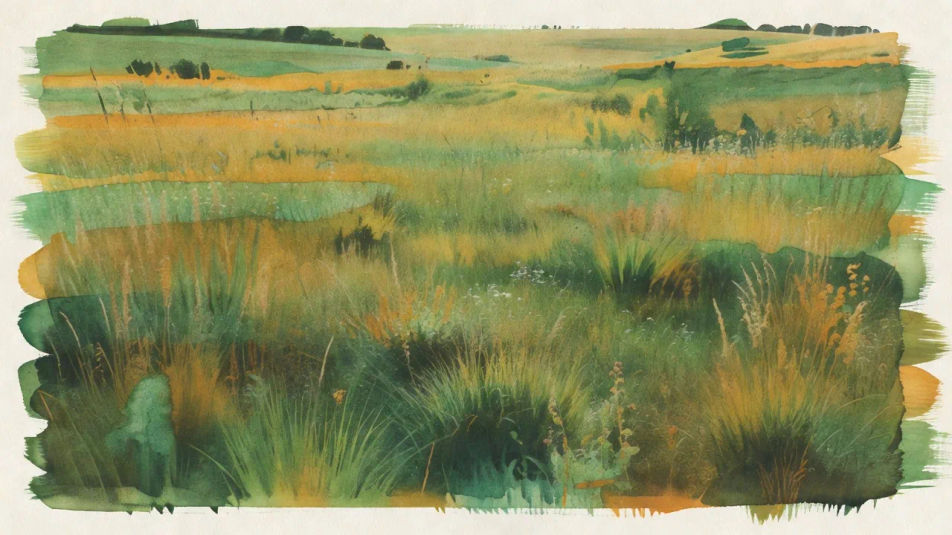
Erstellen Sie Gum-Bichromat-Bilder direkt im Browser mit Morphics KI-Bildgenerator. Erzeugen Sie ein malerisches Porträt mit gepinselten Pigmenträndern, eine Landschaft aus mehreren Farbschichten oder ein Stillleben mit sichtbaren Pinselstrichen und Papierstruktur. Legen Sie die Palette mit Style Transfer fest und animieren Sie.
Eine weite Sommerwiese, gedruckt als Gum-Bichromat, geschichtete grüne und ockerfarbene Pigmentauftragungen leicht versetzt, gepinselte Ränder und matte Aquarellpapier-Struktur.
Prompt bearbeitenEin weiter Altstadtplatz in gedecktem erdigem Pigment, kontrastarm und ohne Korn, sichtbare Pinselränder um das Bild, durchgehend weiche matte Gum-Bichromat-Oberfläche.
Prompt bearbeiten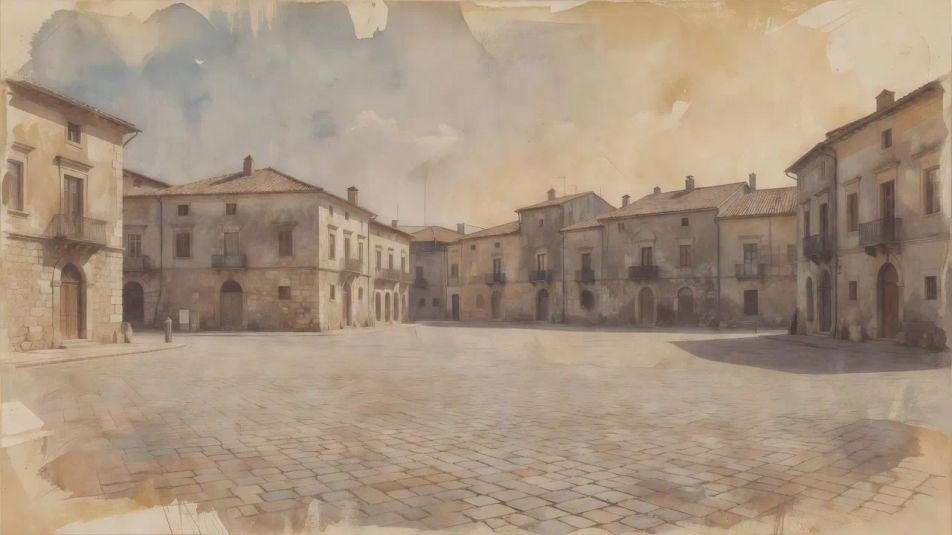
Eine weite Flussuferszene, gedruckt in einem einzigen tiefen Preußischblau-Pigment, Pinselspuren des Sensibilisators sichtbar an den Rändern, kreidig-matte Töne auf rauem Papier.
Prompt bearbeiten
Ein weiter Blumengarten, aufgebaut aus drei getrennten Pigmentschichten, sanft versetzt, sodass Farben ausfransen, handgepinselte Ränder und malerisch matte Gum-Struktur.
Prompt bearbeiten
Beschreiben Sie das Gum bichromate, das Sie möchten, in einfachen Worten.
Morphic generiert in Sekunden ein sauberes, veröffentlichungsfertiges Bild auf Ihrer Canvas.
Passen Sie den Prompt an, generieren Sie Varianten und laden Sie das Bild herunter oder teilen Sie es.
Fix plastic-looking AI skin. Adds natural texture, pores, and imperfections for realism.
One selfie becomes a set of professional headshots. Studio-quality, multiple styles.
Convert any image to a new aspect ratio. Smart crop or extend the edges to fit.
Set the look with one reference image. Apply that exact grade to any scene or batch.
Choose your viewing angles and get precise perspective shifts of any image with full camera control.
Bring back any damaged, blurry, or low-res image. Get a sharp, detailed 4K version with natural clarity restored.
Carbon-Transfer-Print KI-Bilder
Carbon-Transfer-Print KI-Bilder im Browser erstellen: tiefe Pigmentschwarztöne, feines Relief, glänzende Gelatinetiefe. Direkt aus einem Prompt bauen.
Bromoil-Print-KI-Bilder
Bromoil-Print-KI-Bilder im Browser erstellen: getupftes Ölpigment, brüchige Textur, warmer Tintenton. Jetzt ausprobieren.
Salzdruck-KI-Bilder
Salzdruck-KI-Bilder im Browser: mattes Rotbraun, weicher Kontrast, sichtbare Papierfasern, unregelmäßige Ränder. Jetzt erstellen.
Platinum-Palladium-Print KI-Bilder
Platinum-Palladium-Print KI-Bilder: lange Tonwertskala, warme neutrale Schwarztöne, matte Mitteltöne. Fine-Art-Print gestalten. Jetzt loslegen.
Starten Sie noch heute kostenlos, mit der Option, jederzeit zu upgraden oder zu kündigen.
Basic
2400 monatliche Credits
1 Nutzer
Alle Modelle
Workflows
Standard
3625 monatliche Credits
1 Nutzer
Alle Modelle
Workflows
Pro
6350 gemeinsame monatliche Credits
1 Nutzer
Alle Modelle
Workflows
Max
24650 gemeinsame monatliche Credits
1 Nutzer
Alle Modelle
Workflows
Enterprise
Für höhere Limits
Individuell
Preis- und Abrechnungsbedingungen

Free
Zum Ausprobieren
$0
dauerhaft kostenlos