Noir illustration AI images

Illustrate noir in your browser with Morphic's AI image generator. Build a trench-coated detective under a lone streetlamp, a femme fatale half in venetian-blind shadow, or a rain-slick alley for a pulp cover, and pair every piece with the Style Transfer workflow to lock the high-contrast ink and shadow across a whole set. Animate any illustration with the Image to Video tool.

Noir illustration looks you can create

Noir illustration scenes you can build

The lamplit confrontation

A wide street where two figures face off under a lone lamp, long hard shadows stretching across wet cobbles, high-contrast ink and drifting rain.

Prompt bearbeiten
The lamplit confrontation

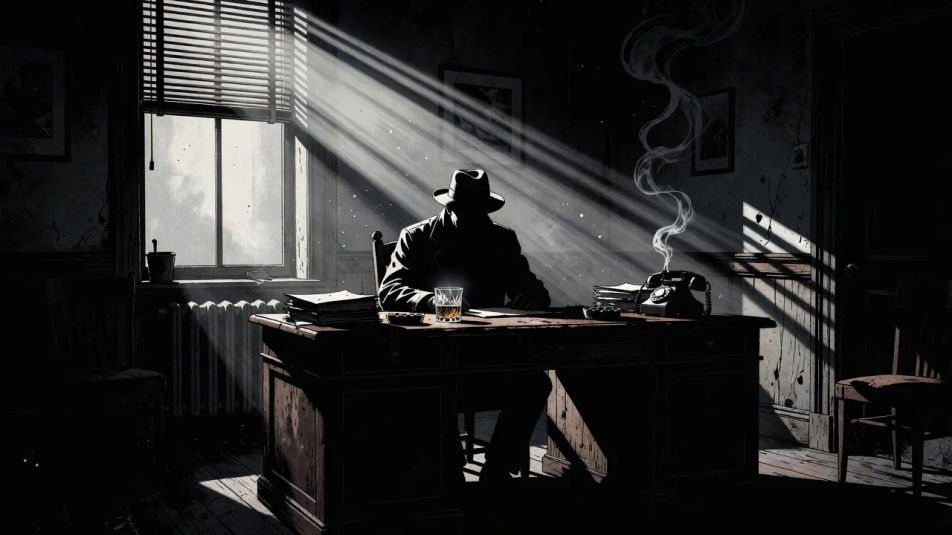
The office at midnight

A wide dim detective office cut by venetian-blind light, a figure at the desk in silhouette, whisky glass glinting, deep ink shadow filling the corners.

Prompt bearbeiten
The office at midnight

The chase in the rain

A wide rain-lashed street with a running figure lit by passing headlights, hard reflected light on the asphalt, everything else dropping into black.

Prompt bearbeiten
The chase in the rain

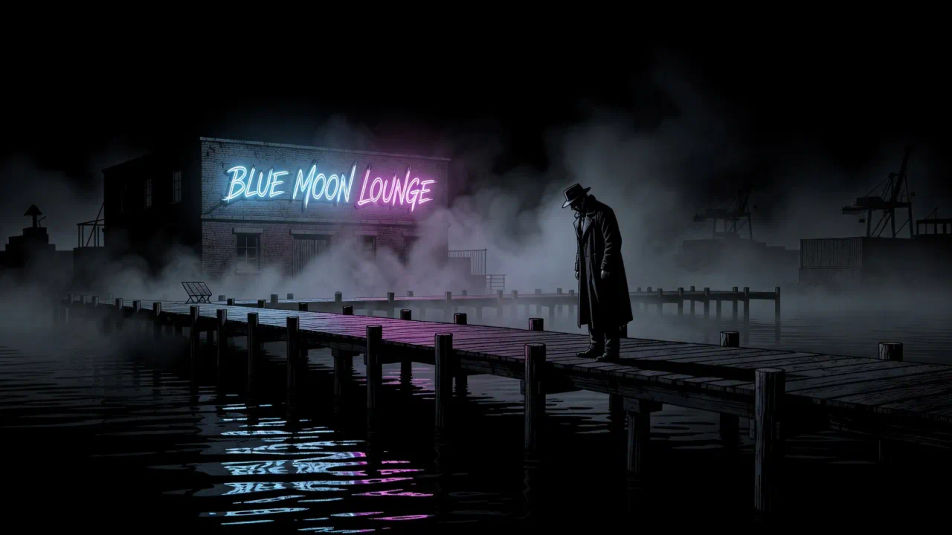
The neon-lit waterfront

A wide shadowed waterfront where a single neon sign bleeds into fog and black water, a lone figure on the pier, stark high-contrast ink rendering.

Prompt bearbeiten
The neon-lit waterfront

Noir illustration in drei Schritten erstellen

  1. 01

    Beschreiben Sie Ihr Noir illustration

    Beschreiben Sie das Noir illustration, das Sie möchten, in einfachen Worten.

  2. 02

    Bild generieren

    Morphic generiert in Sekunden ein sauberes, veröffentlichungsfertiges Bild auf Ihrer Canvas.

  3. 03

    Noir illustration verfeinern

    Passen Sie den Prompt an, generieren Sie Varianten und laden Sie das Bild herunter oder teilen Sie es.

Verwandte Workflows

Das könnte Ihnen auch gefallen

Einfache Preise

Starten Sie noch heute kostenlos, mit der Option, jederzeit zu upgraden oder zu kündigen.

Basic

$0/ Monat
abgerechnet als $0 pro Jahr

900 monatliche Credits

1 Nutzer

Alle Modelle

Workflows

Standard

$0/ Monat
abgerechnet als $0 pro Jahr

3200 monatliche Credits

1 Nutzer

Alle Modelle

Workflows

Pro

$0/ Monat
abgerechnet als $0 pro Jahr

6200 gemeinsame monatliche Credits

1 Nutzer

+ bis zu 4 weitere gegen Aufpreis

Alle Modelle

Workflows

Pro Max

$0/ Monat
abgerechnet als $0 pro Jahr

24000 gemeinsame monatliche Credits

1 Nutzer

+ bis zu 9 weitere gegen Aufpreis

Alle Modelle

Workflows

Enterprise

Für höhere Limits

Individuell

Preis- und Abrechnungsbedingungen

Unbegrenzte Credits
Individuelle Platzlimits
Alle Modelle
Workflows
Pricing Gradient

Free

Zum Ausprobieren

$0

dauerhaft kostenlos

Bis zu 20 Credits
Nur 1 Nutzer
Eingeschränkte Modelle
Workflows

Häufig gestellte Fragen

How can I make noir illustration images with AI?
You can create noir illustrations directly in your browser on Morphic. Open the Image tool, describe the subject, the single light source and the shadow, and Morphic renders the scene. No illustration software or inking skill needed.
What visual cues make an image read as noir illustration?
Name the noir markers: a lone hard light source, deep black shadows, venetian-blind slats, rain-slick streets, cigarette smoke and trench coats. Extreme contrast with crushed blacks and few midtones separates noir from an ordinary night illustration.
How do I get that stark, high-contrast look?
Describe it directly: "single hard light source, deep crushed blacks, hard-edged shadows, almost no midtones." Noir art lives on contrast, so ask for one dramatic light and heavy shadow rather than soft even lighting.
How do I keep a set of noir scenes consistent?
Use Morphic's Style Transfer workflow to lock the contrast, the ink rendering and the shadow style, then reference that style card in every prompt. Detectives, alleys and cities all read as one cohesive noir series.
Can I turn a noir illustration into video?
Yes. Morphic's Image to Video tool animates any illustration you generate, and drifting cigarette smoke, falling rain, or a swinging bulb throwing moving shadows suit the subject well. Pair the result with the Music tool for a jazzy score.
Do I need art experience to make these?
No. Morphic runs in your browser and you direct it with plain-language prompts. Anyone who can describe a detective, an alley or a light source can produce noir illustrations. The contrast and shadow are handled for you.