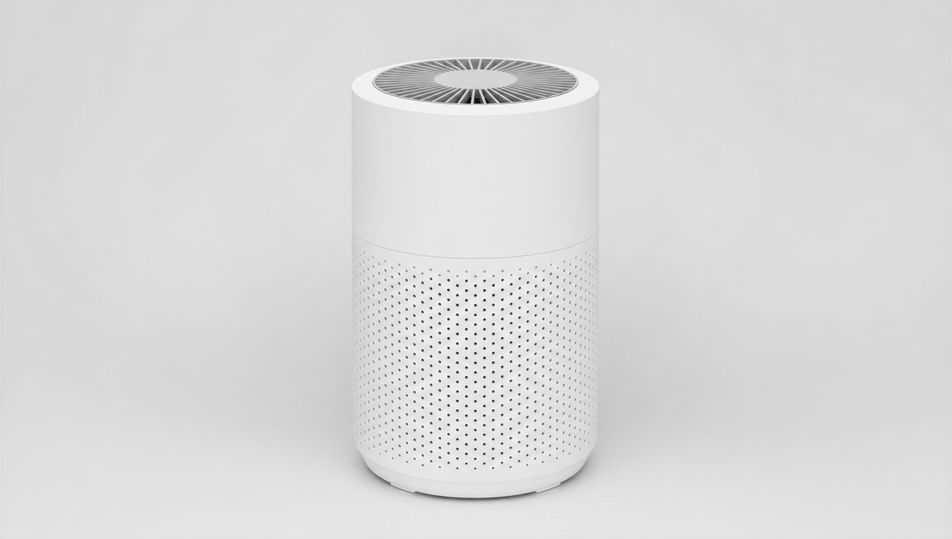
Packshot Photography AI Images

Shoot packshot photography in your browser with Morphic's packshot photography AI image generator. Create a bottle on pure white or a folded-garment packshot, lock shadowless lighting with Style Transfer, then push cut-outs to listing grade with Upscale.

Packshot photography setups you can shoot

Packshot photography scenes you can compose

Pure-white sweep with even light

A wide pure-white seamless sweep with an unbranded product centred, even shadowless wraparound light from large diffusers, 70mm lens, crisp clean edges, classic e-commerce packshot staging.

Prompt bearbeiten
Pure-white sweep with even light

Product on a backdrop pedestal

An unbranded product centred on a low pedestal against a clean seamless backdrop, even soft light, 70mm lens, gentle contact shadow, true colour.

Prompt bearbeiten
Product on a backdrop pedestal

Acrylic display stand

An unbranded product raised on a clear acrylic stand against pure white, even shadowless light, 85mm lens, crisp floating presentation, true colour.

Prompt bearbeiten
Acrylic display stand

Glass-shelf packshot

An unbranded product on a clear glass shelf with a soft reflection beneath, even diffuse light, 85mm lens, clean neutral backdrop, true colour.

Prompt bearbeiten
Glass-shelf packshot

Packshot photography in drei Schritten erstellen

  1. 01

    Beschreiben Sie Ihr Packshot photography

    Beschreiben Sie das Packshot photography, das Sie möchten, in einfachen Worten.

  2. 02

    Bild generieren

    Morphic generiert in Sekunden ein sauberes, veröffentlichungsfertiges Bild auf Ihrer Canvas.

  3. 03

    Packshot photography verfeinern

    Passen Sie den Prompt an, generieren Sie Varianten und laden Sie das Bild herunter oder teilen Sie es.

Verwandte Workflows

Das könnte Ihnen auch gefallen

Einfache Preise

Starten Sie noch heute kostenlos, mit der Option, jederzeit zu upgraden oder zu kündigen.

Basic

$0/ Monat
abgerechnet als $0 pro Jahr

900 monatliche Credits

1 Nutzer

Alle Modelle

Workflows

Standard

$0/ Monat
abgerechnet als $0 pro Jahr

3200 monatliche Credits

1 Nutzer

Alle Modelle

Workflows

Pro

$0/ Monat
abgerechnet als $0 pro Jahr

6200 gemeinsame monatliche Credits

1 Nutzer

+ bis zu 4 weitere gegen Aufpreis

Alle Modelle

Workflows

Pro Max

$0/ Monat
abgerechnet als $0 pro Jahr

24000 gemeinsame monatliche Credits

1 Nutzer

+ bis zu 9 weitere gegen Aufpreis

Alle Modelle

Workflows

Enterprise

Für höhere Limits

Individuell

Preis- und Abrechnungsbedingungen

Unbegrenzte Credits
Individuelle Platzlimits
Alle Modelle
Workflows
Pricing Gradient

Free

Zum Ausprobieren

$0

dauerhaft kostenlos

Bis zu 20 Credits
Nur 1 Nutzer
Eingeschränkte Modelle
Workflows

Häufig gestellte Fragen

Where can I make packshot photography with AI?
You can shoot packshot photography directly in your browser on Morphic. Open the Image tool, describe the product, the white or grey background, the lens, and the even lighting, and Morphic renders the cut-out. No studio booking and no camera gear needed.
What defines packshot photography at the prompt level?
A single product centred on pure white or grey, even shadowless lighting, crisp clean edges, and a listing-ready cut-out. Name the background, the lens, and the even light in every prompt so the shot stays clean enough to drop straight onto a product page.
How do I get the even shadowless lighting right in a packshot?
Specify it directly: "even shadowless wraparound light from large diffusers", "soft diffuse top light, no harsh shadow", and call the only allowed shadow ("faint soft contact shadow at the base"). Reuse those words across every product so the lighting stays matched through the set.
How do I keep a packshot set feeling consistent across products?
Use Morphic's Style Transfer workflow to lock the background, the even lighting, and the framing, then reference that style card in every prompt. The full catalogue then reads as one shoot with matched edges and shadows across every product.
Do I need a studio or lighting gear to shoot packshots?
No. Morphic runs in your browser and you direct it with plain-language prompts. Anyone who can describe a product, a white background, and even lighting can produce listing-ready packshots. A light tent, sweeps, and a camera are not required.