Social avatar circle
The red PFP shown inside a round profile avatar on a social app, framed to confirm the subject and color stay centered and clear when cropped to a circle.
Prompt bearbeiten
Design a red PFP in your browser with Morphic's red profile picture generator. Create looks like a bold crimson abstract, a moody dark-red portrait, or a neon red glow, and restyle any of them with Style Transfer to shift the shade or texture. Frame a centered square crop that sits well in a profile circle, then download each PFP in HD or refine the composition on the Canvas before you set it.
The red PFP shown inside a round profile avatar on a social app, framed to confirm the subject and color stay centered and clear when cropped to a circle.
Prompt bearbeitenThe PFP set as a messaging-app profile photo next to a name and status line, showing how the bold red look reads at small size in a contact list.
Prompt bearbeiten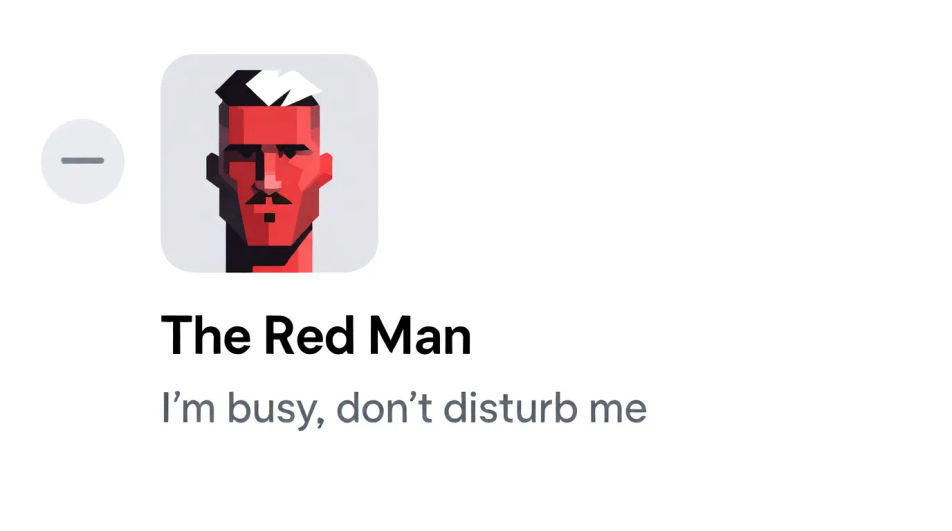
The red image placed as a gaming profile picture beside a username and level, showing how the high-energy look pops against a dark UI.
Prompt bearbeiten
The PFP shown as a small square forum avatar beside a post, proving the composition stays legible even at thumbnail scale.
Prompt bearbeiten
Beschreiben Sie das red pfp, das Sie möchten, in einfachen Worten.
Morphic generiert in Sekunden ein sauberes, veröffentlichungsfertiges Bild auf Ihrer Canvas.
Passen Sie den Prompt an, generieren Sie Varianten und laden Sie das Bild herunter oder teilen Sie es.
Convert any image to a new aspect ratio. Smart crop or extend the edges to fit.
One selfie becomes a set of professional headshots. Studio-quality, multiple styles.

Generate a female AI influencer. Vertical output, ready for socials.
Bring back any damaged, blurry, or low-res image. Get a sharp, detailed 4K version with natural clarity restored.
Full model photoshoot from one photo of you
Fix plastic-looking AI skin. Adds natural texture, pores, and imperfections for realism.
Hanuman DP AI images
Create AI hanuman profile pictures with our hanuman avatar generator. Find vibrant hanuman profile pictures for any project in seconds.
White PFP AI images
Create AI white profile pictures with our white avatar generator. Find custom white profile pictures for any project in seconds.
Wolf PFP AI images
Create AI wolf profile pictures with our wolf avatar generator. Find vibrant wolf profile pictures for any project in seconds.
Y2K-PFP KI-Generator
Y2K-PFP in HD zum Download. Einzigartige KI-Profilbilder für WhatsApp, Instagram und Discord entdecken oder mit Morphic selbst erstellen.
Starten Sie noch heute kostenlos, mit der Option, jederzeit zu upgraden oder zu kündigen.
Basic
2400 monatliche Credits
1 Nutzer
Alle Modelle
Workflows
Standard
3625 monatliche Credits
1 Nutzer
Alle Modelle
Workflows
Pro
6350 gemeinsame monatliche Credits
1 Nutzer
Alle Modelle
Workflows
Max
24650 gemeinsame monatliche Credits
1 Nutzer
Alle Modelle
Workflows
Enterprise
Für höhere Limits
Individuell
Preis- und Abrechnungsbedingungen

Free
Zum Ausprobieren
$0
dauerhaft kostenlos