Shadow photography AI Images

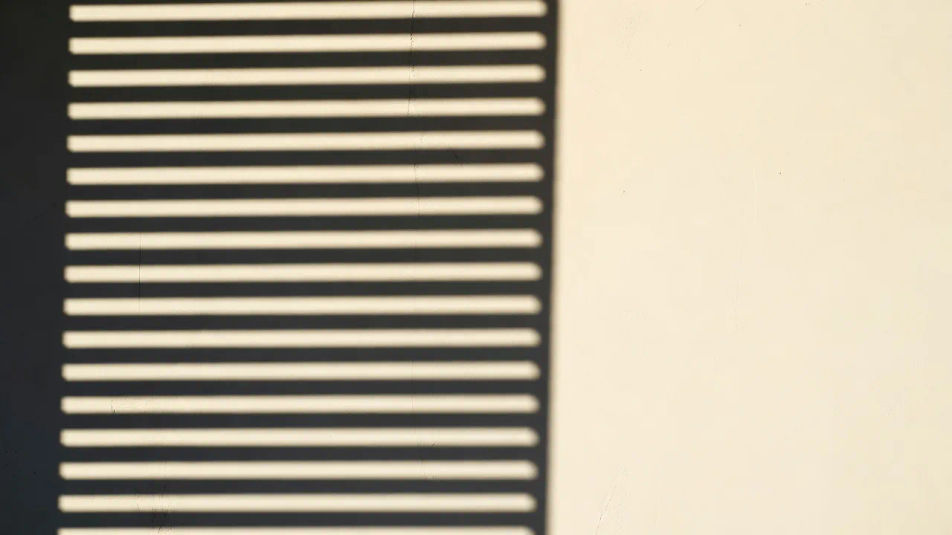
Create Shadow photography images in your browser with Morphic's AI image generator. Generate hard graphic frames like a blind's slats striping a bare wall, a hand casting a long raking shadow across pavement, or a lattice pattern printed in light and dark. Hold one high-contrast look across a set with the Style Transfer workflow.

Shadow photography shots you can create

Shadow photography compositions you can produce

Wide graphic wall frame

A wide composition of a sunlit wall carrying hard striped shadows across its full width, bold bands of black and white, generous negative space reserved on one side for a title.

Prompt bearbeiten
Wide graphic wall frame

Pavement shadow panel

A landscape frame looking down at a long cast shadow stretching across textured ground, low sun, deep contrast, the dark shape leading the eye through the composition.

Prompt bearbeiten
Pavement shadow panel

Pattern-print spread

A wide shot of an intricate lattice or blind pattern printed across a plain surface, crisp geometric shadow shapes, a clear caption area held in the bright untouched space.

Prompt bearbeiten
Pattern-print spread

Corridor light-and-dark establishing shot

An establishing frame of a bright corridor sliced by hard shadows from side windows, alternating bands of glare and black, a stark high-contrast graphic mood.

Prompt bearbeiten
Corridor light-and-dark establishing shot

Shadow photography in drei Schritten erstellen

  1. 01

    Beschreiben Sie Ihr Shadow photography

    Beschreiben Sie das Shadow photography, das Sie möchten, in einfachen Worten.

  2. 02

    Bild generieren

    Morphic generiert in Sekunden ein sauberes, veröffentlichungsfertiges Bild auf Ihrer Canvas.

  3. 03

    Shadow photography verfeinern

    Passen Sie den Prompt an, generieren Sie Varianten und laden Sie das Bild herunter oder teilen Sie es.

Verwandte Workflows

Das könnte Ihnen auch gefallen

Einfache Preise

Starten Sie noch heute kostenlos, mit der Option, jederzeit zu upgraden oder zu kündigen.

Basic

$0/ Monat
abgerechnet als $0 pro Jahr

900 monatliche Credits

1 Nutzer

Alle Modelle

Workflows

Standard

$0/ Monat
abgerechnet als $0 pro Jahr

3200 monatliche Credits

1 Nutzer

Alle Modelle

Workflows

Pro

$0/ Monat
abgerechnet als $0 pro Jahr

6200 gemeinsame monatliche Credits

1 Nutzer

+ bis zu 4 weitere gegen Aufpreis

Alle Modelle

Workflows

Pro Max

$0/ Monat
abgerechnet als $0 pro Jahr

24000 gemeinsame monatliche Credits

1 Nutzer

+ bis zu 9 weitere gegen Aufpreis

Alle Modelle

Workflows

Enterprise

Für höhere Limits

Individuell

Preis- und Abrechnungsbedingungen

Unbegrenzte Credits
Individuelle Platzlimits
Alle Modelle
Workflows
Pricing Gradient

Free

Zum Ausprobieren

$0

dauerhaft kostenlos

Bis zu 20 Credits
Nur 1 Nutzer
Eingeschränkte Modelle
Workflows

Häufig gestellte Fragen

What is shadow photography?
Shadow photography is a high-contrast graphic style built on hard cast shadows, repeating patterns, and negative space. A strong directional light throws sharp dark shapes across a plain surface, so the shadow itself becomes the subject rather than the object making it.
How do I create shadow photography with AI?
You can make shadow photography images with AI on Morphic, right in your browser. Open the Image tool, describe the object, the hard light, and the surface, and Morphic generates the frame. No camera, harsh studio lamp, or editing app needed.
How do I get hard-edged shadows instead of soft ones?
Ask for a hard single light source: "strong low sun, sharp parallel shadows, high contrast, deep blacks against a bright wall." Naming the direction and hardness of the light is what produces crisp graphic edges instead of soft, diffuse falloff.
How do I keep a set of shadow images consistent?
Use Morphic's Style Transfer workflow to lock the contrast level and the light direction from your first frame, then reference that style card across the set. Each image can carry a different pattern while the whole series holds one graphic look.
Can I add a title or caption to a shadow image on Morphic?
Yes. Generate the frame with a stretch of plain lit wall reserved, then open the Canvas to place a title or caption on the negative space. Keeping type as a layer lets you rework the wording without regenerating the image beneath it.
Do I need special lighting gear to make shadow photography?
No. Morphic runs in your browser on plain-language prompts, so you do not need a hard lamp, a window, or a camera. Anyone who can describe an object, a strong light, and a bright surface can produce a bold shadow frame.