Space Station AI Images

Design space stations in your browser with Morphic's space station AI image generator. Generate a rotating ring habitat against Earth or a docking bay meeting a shuttle, lock one orbital palette with Style Transfer, then make the ring turn with Image to Video.

Space station elements you can create

Space station compositions you can produce

The station against Earth

A sweeping exterior view of a vast space station with its rotating ring and solar arrays hanging above the curved blue limb of Earth, hard sunlight and a deep star-strewn black sky.

Prompt bearbeiten
The station against Earth

A docking bay with a shuttle

A wide interior of a pressurized docking bay as a shuttle eases in past glowing guide-lights, robotic arms reaching, suited crew watching, hard light cutting deep shadow.

Prompt bearbeiten
A docking bay with a shuttle

The ring habitat interior

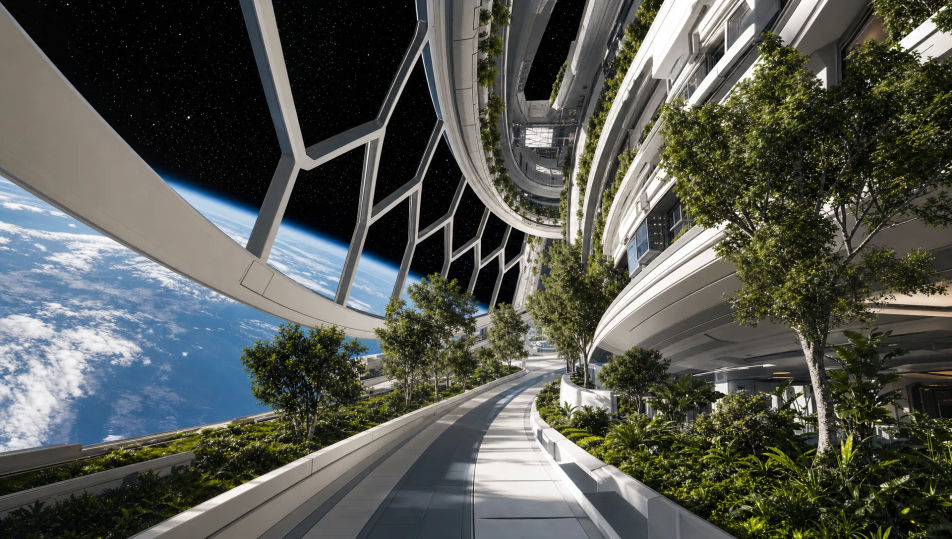
A curved living deck inside the rotating ring where the floor sweeps gently upward in the distance, windows onto the turning starfield, plants and walkways under soft light.

Prompt bearbeiten
The ring habitat interior

The exterior solar arrays

A close exterior view along the station hull toward vast gold-and-black solar arrays catching the sun, radiators and antennas in silhouette, Earth glowing far below.

Prompt bearbeiten
The exterior solar arrays

Space station in drei Schritten erstellen

  1. 01

    Beschreiben Sie Ihr Space station

    Beschreiben Sie das Space station, das Sie möchten, in einfachen Worten.

  2. 02

    Bild generieren

    Morphic generiert in Sekunden ein sauberes, veröffentlichungsfertiges Bild auf Ihrer Canvas.

  3. 03

    Space station verfeinern

    Passen Sie den Prompt an, generieren Sie Varianten und laden Sie das Bild herunter oder teilen Sie es.

Verwandte Workflows

Das könnte Ihnen auch gefallen

Einfache Preise

Starten Sie noch heute kostenlos, mit der Option, jederzeit zu upgraden oder zu kündigen.

Basic

$0/ Monat
abgerechnet als $0 pro Jahr

900 monatliche Credits

1 Nutzer

Alle Modelle

Workflows

Standard

$0/ Monat
abgerechnet als $0 pro Jahr

3200 monatliche Credits

1 Nutzer

Alle Modelle

Workflows

Pro

$0/ Monat
abgerechnet als $0 pro Jahr

6200 gemeinsame monatliche Credits

1 Nutzer

+ bis zu 4 weitere gegen Aufpreis

Alle Modelle

Workflows

Pro Max

$0/ Monat
abgerechnet als $0 pro Jahr

24000 gemeinsame monatliche Credits

1 Nutzer

+ bis zu 9 weitere gegen Aufpreis

Alle Modelle

Workflows

Enterprise

Für höhere Limits

Individuell

Preis- und Abrechnungsbedingungen

Unbegrenzte Credits
Individuelle Platzlimits
Alle Modelle
Workflows
Pricing Gradient

Free

Zum Ausprobieren

$0

dauerhaft kostenlos

Bis zu 20 Credits
Nur 1 Nutzer
Eingeschränkte Modelle
Workflows

Häufig gestellte Fragen

Where can I make space station images with AI?
You can create space station images directly in your browser on Morphic. Open the Image tool, describe the station element, the orbital lighting, and the Earth or starfield, and Morphic produces the artwork. No installs and no specialist software needed.
What defines a space station for an AI prompt?
A few things: a recognizable structure (rotating ring, modules, docking bay, solar arrays), hard directional sunlight with deep shadow, the black of space, and Earth or stars in frame. Name those and the station reads as orbital rather than terrestrial.
How do I write a good prompt for a space station image?
Name the element, the lighting, the backdrop, and the vantage. For example: "a rotating ring habitat with solar arrays against the blue limb of Earth, hard sunlight, deep black sky, exterior wide view." The hard light and black sky sell the orbit.
How do I keep one space station consistent across several images?
Use Morphic's Style Transfer workflow to lock the hull palette, the lighting, and the module style, then reference that style card in every prompt. Morphic carries the same station across an exterior, a docking bay, and a corridor so the set stays consistent.
Can I turn a space station image into a video?
Yes. Take any space station image into the Image to Video tool and describe the motion, such as the ring rotating, a shuttle drifting in, or Earth turning below. Morphic animates the still into a short clip you can use on its own or cut into a longer sequence.
Do I need any 3D or design skill to make space station images?
No. Morphic runs in the browser and takes plain-language prompts. Anyone who can describe a station element, the lighting, and the backdrop can produce a finished space station image. Modeling skill and design software are not required.