Eine Figur durch Radier-Geister
Eine verwischte Kohlefigur, die sich über körniges Papier bewegt, Radier-Geister, die ihrer Bewegung folgen, rauchige kontrastreiche Schattierung, ein langsames Heranfahren.
Prompt bearbeiten
Verwischen und radieren Sie in Ihrem Browser mit dem KI-Videogenerator für Kohleanimation von Morphic. Erzeugen Sie eine rauchige Figur, die sich durch Radier-Geister bewegt, ein Porträt auf körnigem Papier oder einen monochromen Sturm aus Schattierung. Vertonen Sie jede Aufnahme mit Speech und Music und schneiden Sie einen Kurzfilm auf dem Canvas.
Eine verwischte Kohlefigur, die sich über körniges Papier bewegt, Radier-Geister, die ihrer Bewegung folgen, rauchige kontrastreiche Schattierung, ein langsames Heranfahren.
Prompt bearbeitenEin nahes Kohleporträt in rauchigem Monochrom, tiefe Schwarztöne und helle Glanzpunkte, körniges Papier, weiche verwischte Kanten, eine ruhige Bildeinstellung.
Prompt bearbeiten
Ein Sturm aus verwischten Kohlewolken, schwere rauchige Schwarztöne, körnige Papierkörnung, Radier-Geister von Bild zu Bild, ein wirbelndes Treiben.
Prompt bearbeiten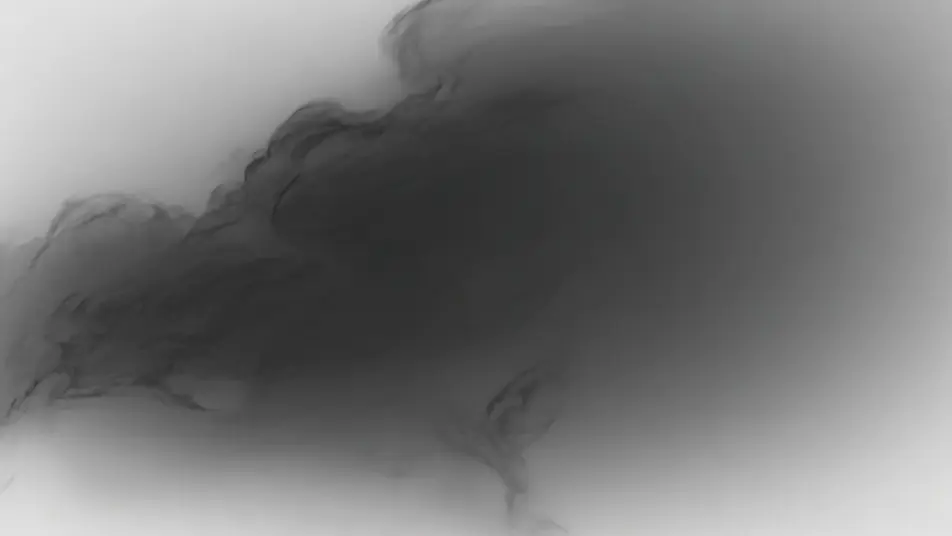
Ein Wald aus verwischten Kohlebäumen, rauchige kontrastreiche Schattierung, körniges Papier, schwache Radierspuren, ein langsamer monochromer Schwenk.
Prompt bearbeiten
Beschreiben Sie die Kohleanimation-Szene, die Sie möchten, in einfachen Worten.
Morphic generiert in Sekunden einen filmreifen Clip auf Ihrer Canvas.
Passen Sie den Prompt an, generieren Sie Varianten und laden Sie die Aufnahme herunter oder teilen Sie sie.

Pick any anime illustration as your style guide. Apply its look to any image.

Turn any sketch or drawing into a finished render.

Take any character image and generate 6 distinct facial expressions on a single reference sheet.

All your characters on a single lineup image, side by side with height comparison.

Turn any photo or description into an animated chibi sprite. Dance, jump, wave, attack, and more.
Upload a character image and make it dance in any style.
Bleistiftskizzen-Animation KI-Videos
Bleistiftskizzen-Animationsvideos mit KI auf Morphic. Graphit-Linienarbeit, Schraffur, Konstruktionslinien-Energie, Papiertextur, grobes Wabern. Legen Sie los.
Tuschmalerei-Animation KI-Videos
Tuschmalerei-Animationsvideos mit KI auf Morphic. Sumi-e-Pinselführung, fließende schwarze Verläufe auf Weiß, Weißraum, minimale Striche. Jetzt erstellen.
Pastell-Animation KI-Videos
Pastell-Animationsvideos mit KI auf Morphic. Kreidige weichkantige Striche, pudrige Textur, warme gedämpfte Farbe, sichtbare Papierkörnung. Legen Sie los.
2D-Animation KI-Videos
Erzeugen Sie 2D-Animationsvideos auf Morphic. Handgezeichnete Figuren, bemalte Hintergründe, klare Linienführung und traditionell animierte Szenen aus Prompts.
Starten Sie noch heute kostenlos, mit der Option, jederzeit zu upgraden oder zu kündigen.
Basic
2400 monatliche Credits
1 Nutzer
Alle Modelle
Workflows
Standard
3625 monatliche Credits
1 Nutzer
Alle Modelle
Workflows
Pro
6350 gemeinsame monatliche Credits
1 Nutzer
Alle Modelle
Workflows
Max
24650 gemeinsame monatliche Credits
1 Nutzer
Alle Modelle
Workflows
Enterprise
Für höhere Limits
Individuell
Preis- und Abrechnungsbedingungen

Free
Zum Ausprobieren
$0
dauerhaft kostenlos