Direct city-crushing spectacle in your browser with Morphic's giant monster AI video generator. Generate giant monster scenes like a colossal silhouette rising behind a skyline at dusk, a street-level view of a vast foot crushing a crosswalk, or fighter jets banking around a towering beast, and pair them with the Speech and Music tools to add the emergency-broadcast voices and the thunderous score. Stitch the rampage into a full giant monster short without leaving the Canvas.

Giant monster characters you can create

Giant monster scenes you can direct

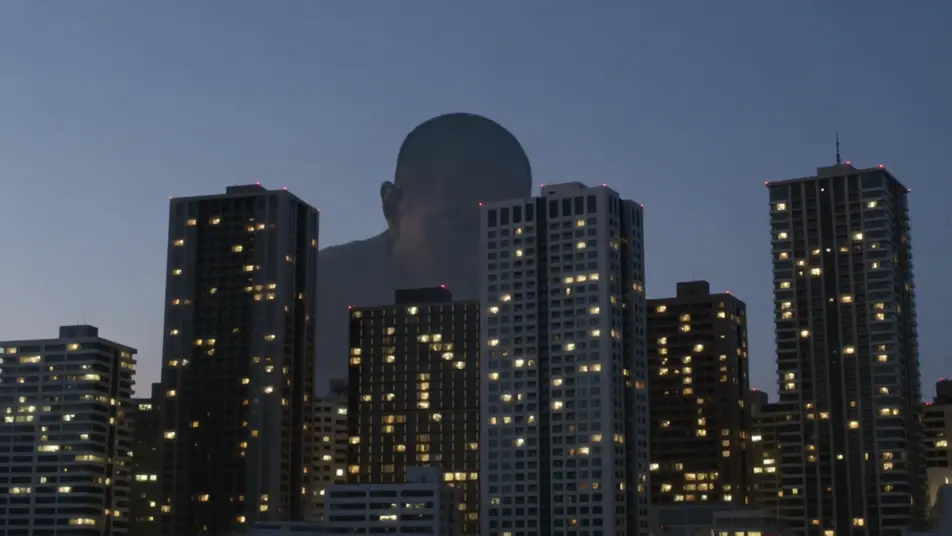
The skyline reveal

A city skyline at dusk as a colossal silhouette rises slowly behind the towers, lights winking out across the grid, a low horn sounding, the camera tilting up to take in the scale, slow and vast.

Prompt bearbeiten

The street-level stomp

A pedestrian-level view down a canyon of buildings as a vast foot crashes through a crosswalk, cars tossed and dust blasting toward camera, people scattering, low chaotic handheld.

Prompt bearbeiten

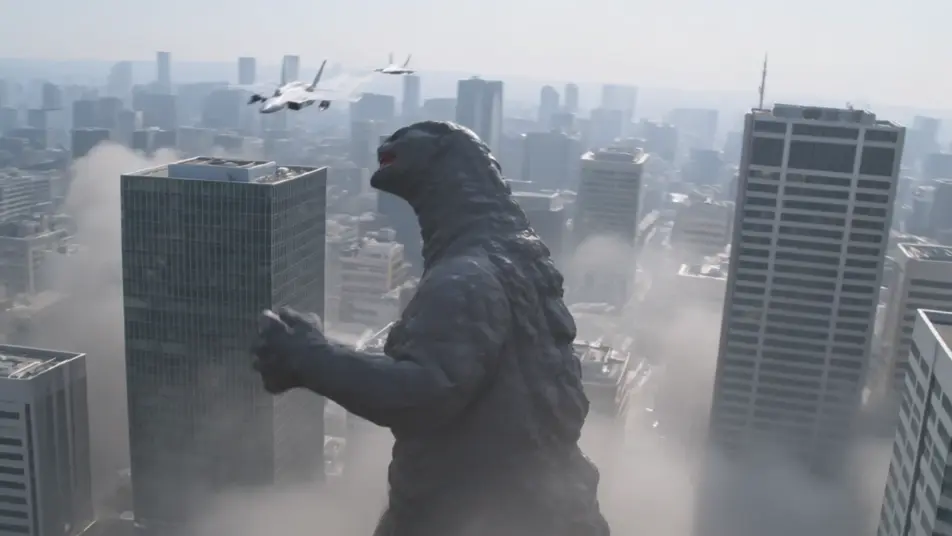
The jets versus the titan

Fighter jets banking and firing around the towering beast amid skyscrapers, tracer streaks and missile smoke, the monster swatting through them, sweeping aerial camera, epic scale.

Prompt bearbeiten

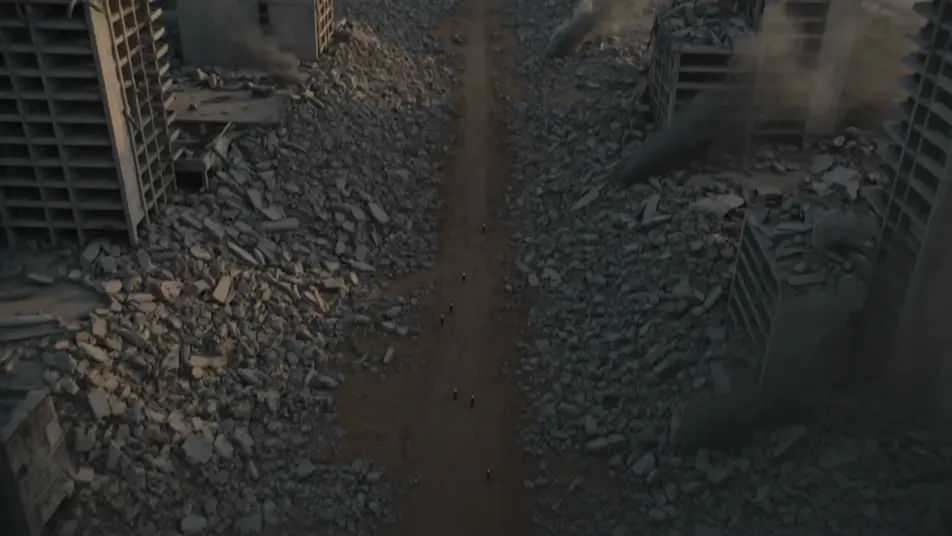
The aftermath at dawn

A ruined city at first light, skyscrapers sheared and smoking, a vast drag-trail through the rubble leading to the sea, tiny rescue figures picking through the wreckage, slow mournful crane up.

Prompt bearbeiten

giant monster-Videos in drei Schritten erstellen

  1. 01

    Beschreiben Sie Ihre giant monster-Szene

    Beschreiben Sie die giant monster-Szene, die Sie möchten, in einfachen Worten.

  2. 02

    Video generieren

    Morphic generiert in Sekunden einen filmreifen Clip auf Ihrer Canvas.

  3. 03

    giant monster-Video verfeinern

    Passen Sie den Prompt an, generieren Sie Varianten und laden Sie die Aufnahme herunter oder teilen Sie sie.

Verwandte Workflows

Das könnte Ihnen auch gefallen

Einfache Preise

Starten Sie noch heute kostenlos, mit der Option, jederzeit zu upgraden oder zu kündigen.

Basic

$0/ Monat
abgerechnet als $0 pro Jahr

900 monatliche Credits

1 Nutzer

Alle Modelle

Workflows

Standard

$0/ Monat
abgerechnet als $0 pro Jahr

3200 monatliche Credits

1 Nutzer

Alle Modelle

Workflows

Pro

$0/ Monat
abgerechnet als $0 pro Jahr

6200 gemeinsame monatliche Credits

1 Nutzer

+ bis zu 4 weitere gegen Aufpreis

Alle Modelle

Workflows

Pro Max

$0/ Monat
abgerechnet als $0 pro Jahr

24000 gemeinsame monatliche Credits

1 Nutzer

+ bis zu 9 weitere gegen Aufpreis

Alle Modelle

Workflows

Enterprise

Für höhere Limits

Individuell

Preis- und Abrechnungsbedingungen

Unbegrenzte Credits
Individuelle Platzlimits
Alle Modelle
Workflows
Pricing Gradient

Free

Zum Ausprobieren

$0

dauerhaft kostenlos

Bis zu 20 Credits
Nur 1 Nutzer
Eingeschränkte Modelle
Workflows

Häufig gestellte Fragen

Where can I make giant monster videos with AI?
You can create giant monster scenes directly in your browser on Morphic. Open the Text to Video tool, describe the city setting, the scale cues, and the camera angle, and Morphic produces the clip. No installs and no specialist software needed.
What defines a giant monster scene for an AI prompt?
Three things: a city-scale setting, a human-level reference that conveys the impossible size (a fleeing crowd, a low angle, jets dwarfed beside it), and spectacle framing that tilts up to take in the beast. Name all three so Morphic lands true giant-monster scale.
How do I convey the sense of enormous scale?
Anchor the monster to something human-sized: "a street-level view as a vast foot crushes a crosswalk, people scattering, the shadow falling over a whole block." Showing the creature against people, cars, and buildings from a low angle is what sells the scale, far more than the creature alone.
How is a giant monster video different from a kaiju video?
Kaiju is the specific Japanese giant-monster tradition with its own tone and conventions; giant monster is the broader category that also covers Western city-destroying creatures. They overlap heavily, so pick kaiju for the Japanese register and giant monster for the wider one.
Can I add emergency-broadcast voices and a thunderous score?
Yes. The Speech tool generates the emergency broadcasts, news reports, and radio chatter in the voices you choose, and the Music tool builds the thunderous orchestral score the genre relies on. Layer both onto the generated clips to publish a complete giant monster short.
Do I need filmmaking experience to make a giant monster video?
No. Morphic runs in your browser and you direct it in plain language. If you can describe a skyline reveal, a street-level stomp, and jets versus the titan, you can produce a giant monster scene. The prompts on this page are written so anyone can paste and run.