Direct neo-noir on demand in your browser with Morphic's neo-noir AI video generator. Generate neo-noir video scenes like a wet-neon Tokyo alley reflected in oily asphalt, a sun-blown LA private eye crossing a vacant lot, or a corporate-night assassin riding a downtown cab, and pair them with the Music tool to score every shot. Cut the four neo-noir modes into one long-form film inside the Canvas.

Neo-noir characters you can create

Neo-noir scenes you can direct

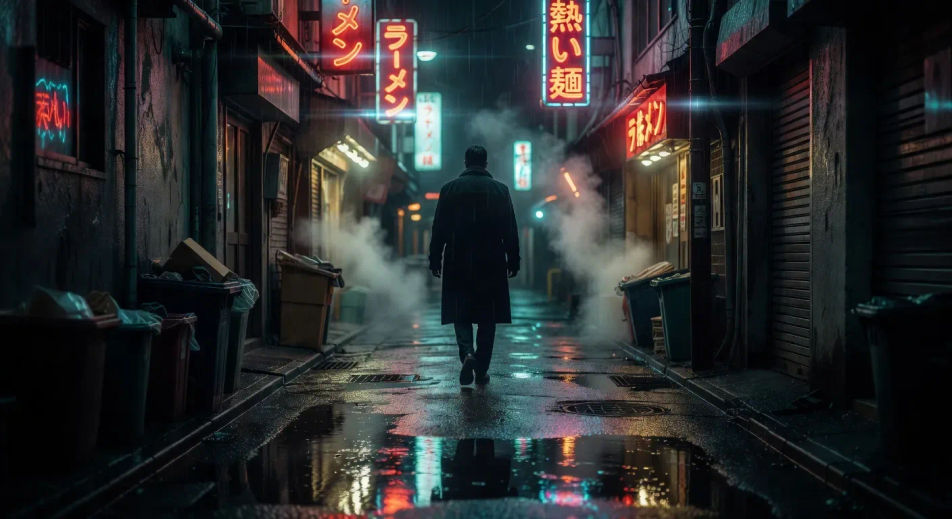
Wet-neon Tokyo alley reflected in oily asphalt

Rain-slick Tokyo alley at 2am, ramen-shop signage bleeding red and cyan, oily asphalt mirroring the neon, single coat-collar figure walking away from camera, slow tracking pull-back.

Prompt bearbeiten
Wet-neon Tokyo alley reflected in oily asphalt

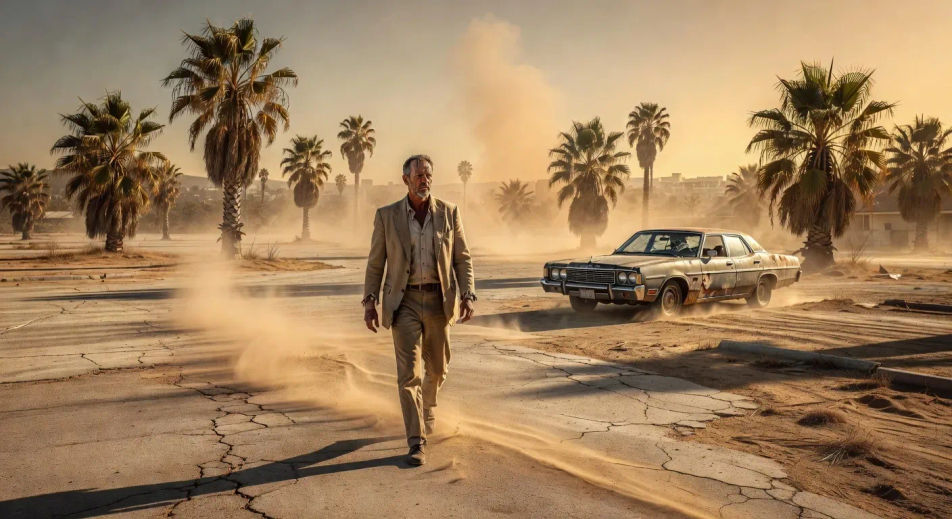
Sun-blown LA private eye crossing a vacant lot

Sun-blown LA vacant lot at 3pm, dust haze and dry palms, faded private eye in beige linen crossing diagonally toward a 70s sedan, ochre haze and side-rake light. The Chinatown register.

Prompt bearbeiten
Sun-blown LA private eye crossing a vacant lot

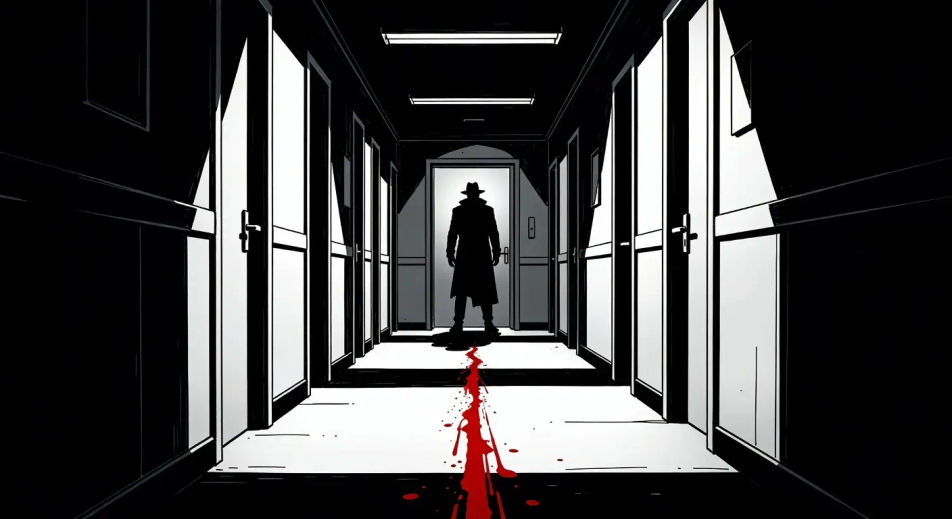
Comic chiaroscuro corridor in pure ink

High-contrast pure black-and-white ink corridor with a single red blood streak as the only colour accent, line-art enforcer silhouetted against a frosted door at the far end. The Sin City register.

Prompt bearbeiten
Comic chiaroscuro corridor in pure ink

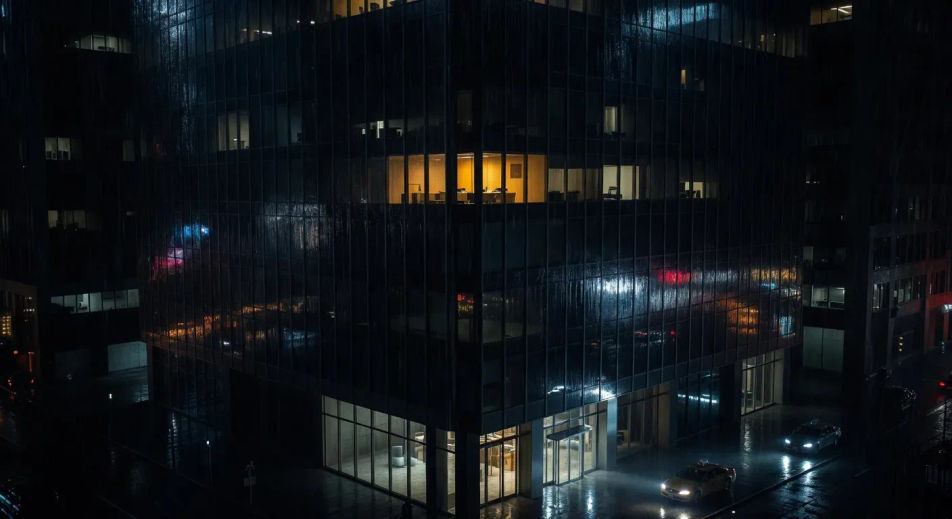
Corporate-night skyscraper at 2am

Glass-tower facade at 2am, single lit corner office on the 38th floor, taxi headlights raking the lobby, rain pulsing across the glass. The Michael Clayton corporate register.

Prompt bearbeiten
Corporate-night skyscraper at 2am

neo-noir-Videos in drei Schritten erstellen

  1. 01

    Beschreiben Sie Ihre neo-noir-Szene

    Beschreiben Sie die neo-noir-Szene, die Sie möchten, in einfachen Worten.

  2. 02

    Video generieren

    Morphic generiert in Sekunden einen filmreifen Clip auf Ihrer Canvas.

  3. 03

    neo-noir-Video verfeinern

    Passen Sie den Prompt an, generieren Sie Varianten und laden Sie die Aufnahme herunter oder teilen Sie sie.

Verwandte Workflows

Das könnte Ihnen auch gefallen

Einfache Preise

Starten Sie noch heute kostenlos, mit der Option, jederzeit zu upgraden oder zu kündigen.

Basic

$0/ Monat
abgerechnet als $0 pro Jahr

900 monatliche Credits

1 Nutzer

Alle Modelle

Workflows

Standard

$0/ Monat
abgerechnet als $0 pro Jahr

3200 monatliche Credits

1 Nutzer

Alle Modelle

Workflows

Pro

$0/ Monat
abgerechnet als $0 pro Jahr

6200 gemeinsame monatliche Credits

1 Nutzer

+ bis zu 4 weitere gegen Aufpreis

Alle Modelle

Workflows

Pro Max

$0/ Monat
abgerechnet als $0 pro Jahr

24000 gemeinsame monatliche Credits

1 Nutzer

+ bis zu 9 weitere gegen Aufpreis

Alle Modelle

Workflows

Enterprise

Für höhere Limits

Individuell

Preis- und Abrechnungsbedingungen

Unbegrenzte Credits
Individuelle Platzlimits
Alle Modelle
Workflows
Pricing Gradient

Free

Zum Ausprobieren

$0

dauerhaft kostenlos

Bis zu 20 Credits
Nur 1 Nutzer
Eingeschränkte Modelle
Workflows

Häufig gestellte Fragen

Where can I make neo-noir videos with AI?
You can create neo-noir scenes directly in your browser on Morphic. Open the Text to Video tool, pick the mode (wet-neon, sun-blown LA, comic chiaroscuro, or corporate-night), describe the location and the light, and Morphic produces the clip. No installs and no specialist software needed.
What are the four neo-noir modes I can prompt for?
Wet-neon (Drive, Blade Runner 2049, Collateral): rain, oily asphalt, neon bleed, tail-light bloom. Sun-blown LA (Chinatown, Inherent Vice, The Long Goodbye): vacant lots, dusty palms, ochre haze, faded sun. Comic chiaroscuro (Sin City): pure black-and-white ink with a single colour accent. Corporate-night (Michael Clayton, Collateral, Nightcrawler): glass towers, single lit window, rain on the lobby glass. Naming the mode anchors the entire prompt.
How do I get the wet-neon look in a neo-noir video?
Specify the rain, the surface, and the colour bleed. For example: "rain-slick Tokyo alley at 2am, oily asphalt mirroring red and cyan ramen-shop neon, single coat-collar figure walking away from camera." Naming the surface reflection plus the neon colour pair is what cues the wet-neon mode rather than a generic rain shot.
How do I prompt the sun-blown LA neo-noir mode?
Lead with the heat and the haze. For example: "sun-blown LA vacant lot at 3pm, dust haze and dry palms, faded private eye in beige linen crossing diagonally, ochre side-rake light." The combination of vacant geography, dust haze, and ochre side-rake is what separates the Chinatown register from generic Hollywood daylight.
How do I keep my neo-noir characters consistent across scenes?
Use the Character Lineup workflow to lock in wardrobe and posture for each archetype: the wet-neon coat collar, the sun-blown linen suit, the satin-gown siren, the rain-coat informant. Reference those character cards in every prompt and Morphic preserves the silhouette across the neo-noir series.
Can I add a saxophone-and-synth score to my neo-noir videos?
Yes. The Music tool produces an original soundtrack, and the neo-noir register splits cleanly between two scoring directions. For wet-neon and corporate-night: pulsing analog synth, breath pad, sub-bass drone. For sun-blown LA and comic chiaroscuro: lonely tenor saxophone, brushed snare, upright bass. Layer the score onto the generated clip with the Speech tool for hard-boiled voiceover.