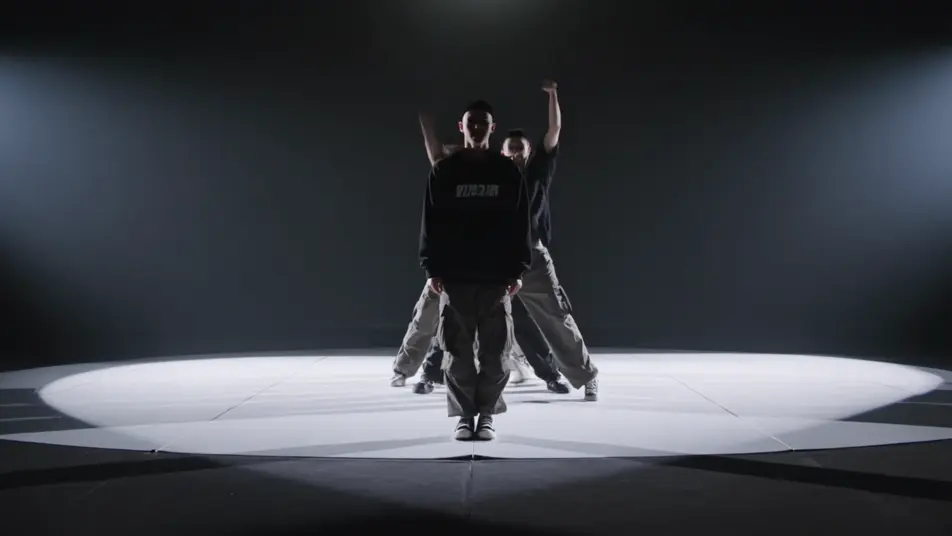
Stage a sung-through spectacle in your browser with Morphic's rock opera AI video generator. Generate a tortured frontman pinned in a single hard backlight, a robed chorus advancing through stage smoke, or a confrontation on a multi-level scaffold set, then score the act with the Music tool, add the operatic vocal with Speech, and stitch the full sequence in the Canvas.

Rock opera characters you can create

Rock opera scenes you can direct

Frontman pinned in a single hard backlight

A torn-shirted lead stands center stage drenched in sweat as one hard backlight throws his shadow long across the boards, rolling smoke catching the beam, a slow push-in as he reaches the held high note.

Prompt bearbeiten

Robed chorus advancing through smoke

A row of hooded figures advances in slow unison through dense stage smoke toward a cold blue wash, hands raised, a low tracking dolly moving with them as a hard top-light cuts shafts through the haze.

Prompt bearbeiten

Confrontation on a multi-level scaffold set

The frontman and the masked antagonist face off across two levels of an industrial scaffold stage, cold blue uplight against warm key, a wide crane drifting up to take in the full structure as the act builds.

Prompt bearbeiten

Pyro-lit guitar solo at the apron

The glam guitarist plants a platform boot on a monitor wedge at the front of the stage, a starburst of pyro firing behind the headstock, hard backlight silhouetting the pose, the camera whip-panning across the crowd glow.

Prompt bearbeiten

rock opera-Videos in drei Schritten erstellen

  1. 01

    Beschreiben Sie Ihre rock opera-Szene

    Beschreiben Sie die rock opera-Szene, die Sie möchten, in einfachen Worten.

  2. 02

    Video generieren

    Morphic generiert in Sekunden einen filmreifen Clip auf Ihrer Canvas.

  3. 03

    rock opera-Video verfeinern

    Passen Sie den Prompt an, generieren Sie Varianten und laden Sie die Aufnahme herunter oder teilen Sie sie.

Verwandte Workflows

Das könnte Ihnen auch gefallen

Einfache Preise

Starten Sie noch heute kostenlos, mit der Option, jederzeit zu upgraden oder zu kündigen.

Basic

$0/ Monat
abgerechnet als $0 pro Jahr

900 monatliche Credits

1 Nutzer

Alle Modelle

Workflows

Standard

$0/ Monat
abgerechnet als $0 pro Jahr

3200 monatliche Credits

1 Nutzer

Alle Modelle

Workflows

Pro

$0/ Monat
abgerechnet als $0 pro Jahr

6200 gemeinsame monatliche Credits

1 Nutzer

+ bis zu 4 weitere gegen Aufpreis

Alle Modelle

Workflows

Pro Max

$0/ Monat
abgerechnet als $0 pro Jahr

24000 gemeinsame monatliche Credits

1 Nutzer

+ bis zu 9 weitere gegen Aufpreis

Alle Modelle

Workflows

Enterprise

Für höhere Limits

Individuell

Preis- und Abrechnungsbedingungen

Unbegrenzte Credits
Individuelle Platzlimits
Alle Modelle
Workflows
Pricing Gradient

Free

Zum Ausprobieren

$0

dauerhaft kostenlos

Bis zu 20 Credits
Nur 1 Nutzer
Eingeschränkte Modelle
Workflows

Häufig gestellte Fragen

What is a rock opera?
A rock opera is a sung-through musical work that tells a continuous, often allegorical story through rock music rather than spoken scenes. Its visual hallmarks are theatrical concert staging with hard backlight and rolling smoke, allegorical archetypes like a tortured frontman and a masked antagonist, and a dramatic build where the music carries the narrative.
How do I make rock opera videos with AI?
Make rock opera videos in your browser on Morphic with the Text to Video tool. Describe the theatrical staging, the figures, and the camera move, and Morphic produces the clip. No installs and no specialist software are needed.
How do I write a good rock opera video prompt?
Name the staging, the allegorical figure, and the camera move in one line so Morphic lands the rock opera register. For example, "a torn-shirted frontman pinned in a single hard backlight through rolling smoke, a slow push-in tightening on his face." Calling out the hard directional light and the layered smoke is what cues the staged, larger-than-life look.
What rock opera scenes work best for AI video?
Theatrical staged moments with hard light and smoke work best for AI rock opera video, such as a frontman pinned in a single hard backlight, a robed chorus advancing through smoke, a confrontation on a multi-level scaffold set, and a pyro-lit guitar solo at the apron. Each pairs an allegorical figure with a defined camera move.
How do I keep characters consistent across rock opera scenes?
Use the Character Lineup workflow to lock the wardrobe and silhouette for each rock opera archetype, then reference those character cards in every prompt. Morphic preserves the frontman torn shirt, the antagonist half-mask, and the chorus grey robes across the whole act so the figures stay recognizable from the overture to the finale.
Can I add music and narration to my rock opera videos?
Yes. The Music tool produces an original arrangement with the driving guitars and dynamic builds the form needs, and the Speech tool generates the soaring lead and chorus vocals in the voice you choose. Layer both onto your rock opera video to publish a complete sung-through act with the band, the chorus, and the lead in place.
What is the best AI video generator for rock opera videos?
Morphic is one of the best AI video generators for rock opera videos. It runs in your browser: describe a scene in plain language and the Text to Video tool generates the rock opera clip, the Character Lineup workflow keeps your cast consistent across shots, and the Music and Speech tools add an original score and narration. You can direct, refine, and assemble a full rock opera video on a single canvas with no installs.