AI Year in Review videos

Direct a year-in-review video in your browser with Morphic's year in review AI video generator. Generate segments like a twelve-month montage sweeping through the seasons or an animated stat card counting up your biggest number, and pair them with the Music tool for a swelling recap score. Stitch the highlights into one continuous end-of-year reel on the Canvas.

Year in review styles you can direct

Year in review sequences you can stage

A twelve-month seasonal montage

A fixed frame that moves through twelve short beats, frost on a window, spring blossom, a summer beach, autumn leaves, and back to winter, the light and palette shifting continuously in one warm nostalgic grade.

Prompt bearbeiten

An animated top-stat reveal

A soft gradient backdrop where a single large number climbs from zero to its final figure, the digits sharp and centered, a gentle glow pulsing as the count locks and holds.

Prompt bearbeiten

An uplifting highlight sizzle

A run of the year peaks cut fast and bright, sunrise runs, crowded rooms, open roads, each clip busier than the last under a clean airy grade that builds toward a final freeze.

Prompt bearbeiten

A midnight countdown to next year

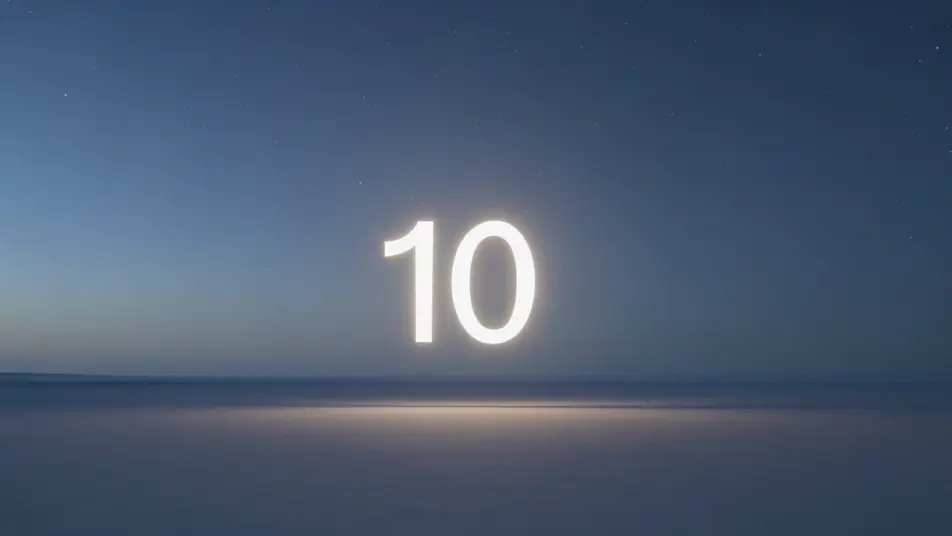
A wide night sky where glowing numbers tick down from ten, the frame darkening with each beat until zero triggers a soft burst of light that opens onto a bright new horizon.

Prompt bearbeiten

year in review video-Videos in drei Schritten erstellen

  1. 01

    Beschreiben Sie Ihre year in review video-Szene

    Beschreiben Sie die year in review video-Szene, die Sie möchten, in einfachen Worten.

  2. 02

    Video generieren

    Morphic generiert in Sekunden einen filmreifen Clip auf Ihrer Canvas.

  3. 03

    year in review video-Video verfeinern

    Passen Sie den Prompt an, generieren Sie Varianten und laden Sie die Aufnahme herunter oder teilen Sie sie.

Verwandte Workflows

Das könnte Ihnen auch gefallen

Einfache Preise

Starten Sie noch heute kostenlos, mit der Option, jederzeit zu upgraden oder zu kündigen.

Basic

$9/ Monat
abgerechnet als $0 pro Jahr

900 monatliche Credits

1 Nutzer

Alle Modelle

Workflows

Standard

$24/ Monat
abgerechnet als $0 pro Jahr

3200 monatliche Credits

1 Nutzer

Alle Modelle

Workflows

Pro

$45/ Monat
abgerechnet als $0 pro Jahr

6200 gemeinsame monatliche Credits

1 Nutzer

+ bis zu 4 weitere gegen Aufpreis

Alle Modelle

Workflows

Pro Max

$170/ Monat
abgerechnet als $0 pro Jahr

24000 gemeinsame monatliche Credits

1 Nutzer

+ bis zu 9 weitere gegen Aufpreis

Alle Modelle

Workflows

Enterprise

Für höhere Limits

Individuell

Preis- und Abrechnungsbedingungen

Unbegrenzte Credits
Individuelle Platzlimits
Alle Modelle
Workflows
Pricing Gradient

Free

Zum Ausprobieren

$0

dauerhaft kostenlos

Bis zu 20 Credits
Nur 1 Nutzer
Eingeschränkte Modelle
Workflows

Häufig gestellte Fragen

Where can I make year in review videos with AI?
You can create year in review videos directly in your browser on Morphic. Open the Text to Video tool, describe each beat, the montage, the stat card, the countdown, and Morphic generates the segments. On the Canvas you assemble them into one continuous recap with no editing software needed.
What kinds of year in review segments work best with AI video?
Month-by-month montages, animated stat reveals, and highlight sizzles read cleanly because each beat is short and self-contained. The strongest recaps hold one grade and one mood across the reel so twelve separate clips feel like a single continuous year rather than a stack of unrelated footage.
How do I write a good prompt for a year in review video?
Prompt each beat separately and keep the grade consistent across all of them. Name the progression you want, the shifting seasons in a montage, the climbing digit in a stat card, the ticking numbers in a countdown. A clear emotional pitch, uplifting or nostalgic, keeps the whole recap coherent.
How do I keep a year in review consistent across scenes?
Reuse the same color grade, framing, and pacing descriptors across every prompt so no beat breaks the reel. On the Canvas you can place the segments in order and trim each transition until the recap flows evenly from the opening month to the final countdown.
Can I add music and narration to my year in review videos?
Yes. The Music tool produces a swelling original score, and recaps land hardest when the peaks hit a rising track. The Speech tool generates narration in the voice you choose, so a montage can carry a warm voiceover walking through the year as the clips play.
Do I need video editing experience to make a year in review video?
No. Morphic runs in your browser and you direct it with plain-language prompts. If you can describe the moments you want to remember and the order to show them, you can build a year in review. The prompts on this page are written so anyone can paste and run.