SaaS landing page hero
Overhead laptop-and-coffee flat lay with clean surface, room for a product headline.
Modifier le prompt
Compose laptop workspace images in your browser with Morphic's AI photo generator. Try a clean flat-lay desk from above, a laptop open in a sunlit cafe, or a cozy evening setup with lamp glow. Adjust the crop and color in the Canvas, then download each in HD.
Overhead laptop-and-coffee flat lay with clean surface, room for a product headline.
Modifier le promptAngled desk view with glowing screen, horizontal crop to top a how-to post.
Modifier le prompt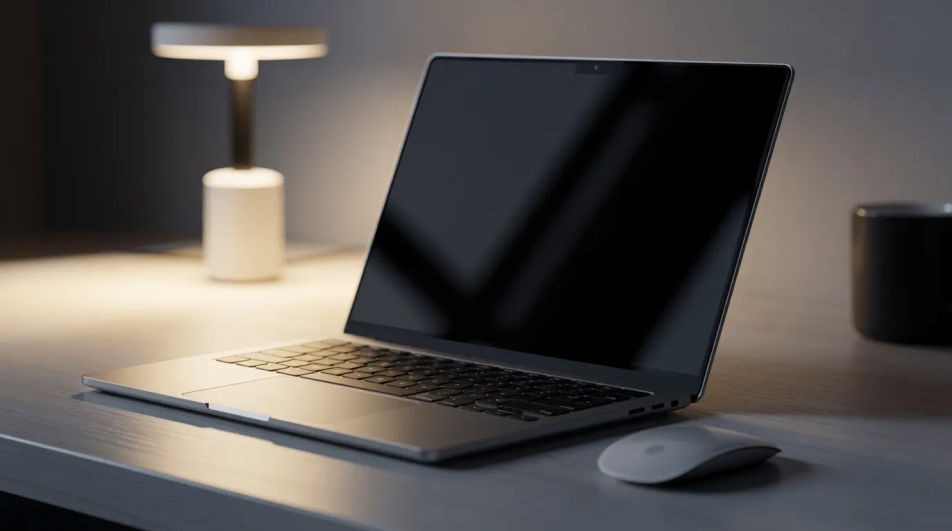
Minimal laptop scene with neutral tones so a UI mockup composites onto the display.
Modifier le prompt
Student typing at a bright workspace, square framing to draw clicks in a course grid.
Modifier le prompt
Décrivez le laptop workspace que vous voulez, en mots simples.
Morphic génère votre image prête à publier en quelques secondes.
Ajustez le prompt, régénérez des variantes, téléchargez ou partagez l’image.
Court-métrage cinématographique avec effet de gel du temps pour toute scène
Partagez une description de scène avec des références de personnages. Obtenez un storyboard complet avec des angles de prise de vue et une ambiance.
Téléchargez une image de personnage et faites-la danser dans n'importe quel style.

Dramatiser toute conversation textuelle en une vidéo cinématographique multi-plans.
Déposez une photo de vous. Obtenez un film cinématique de 12 secondes avec animation et une bande sonore assortie.

Générer une carte de titre de film professionnelle à partir de zéro, avec animation cinématographique optionnelle.
Accountant AI Images
Turn a brief into accountant images instantly. Specify the people, setting and mood instead of settling for the nearest stock photo. Yours to use commercially.
Architect AI Images
Generate architect images with AI in seconds. Generate the scene your brief describes, not the closest match in a library.
Bank Branch AI Images
Make bank branch images from a text prompt. Specify the people, setting and mood instead of settling for the nearest stock photo.
Images IA de safari
Créez des images IA de safari avec notre générateur d'images de safari. Trouvez des images de safari haute qualité pour tout projet en quelques secondes.
Commencez gratuitement dès aujourd'hui, avec la possibilité de mettre à niveau ou d'annuler à tout moment.
Basic
2400 mensuel crédits
1 utilisateur uniquement
Tous les modèles
Workflows
Standard
3625 mensuel crédits
1 utilisateur uniquement
Tous les modèles
Workflows
Pro
6350 partagé mensuel crédits
1 utilisateur
Tous les modèles
Workflows
Max
24650 partagé mensuel crédits
1 utilisateur
Tous les modèles
Workflows
Enterprise
Pour des limites plus élevées
Personnalisé
conditions de tarification et de facturation

Free
Pour expérimenter
$0
gratuit pour toujours