Une pièce qui se révèle au lever du jour
Un plan large et stable d'un salon sombre et encombré qu'un fondu vertical traverse lentement, laissant la même pièce ensoleillée, rangée et chaleureuse dans son sillage.
Modifier le prompt
Réalisez une vidéo avant-après dans votre navigateur avec le générateur d'IA de Morphic et laissez le changement parler de lui-même. Générez une pièce terne qui se réchauffe sous la lumière, une plante fanée qui reprend vie, ou un métal terni qui retrouve son éclat. Montez les révélations sur Compose ou placez les deux états côte à côte sur Canvas.
Un plan large et stable d'un salon sombre et encombré qu'un fondu vertical traverse lentement, laissant la même pièce ensoleillée, rangée et chaleureuse dans son sillage.
Modifier le promptUn plan macro d'une bouilloire en cuivre terni sur une surface sombre tandis qu'une bande de lumière chaude la balaie, la ternissure se dissolvant en un éclat miroir derrière le faisceau.
Modifier le prompt
Un plan rapproché sur un parterre de fleurs sec et fané qui se redresse en couleurs et en fleurs pleines sur un fondu lent, douce lumière du matin qui monte avec le changement.
Modifier le prompt
Un plan fixe et partagé qui tient un bureau chaotique couvert de papiers à côté du même bureau dégagé et ordonné, angle et lumière identiques pour que seul l'état diffère.
Modifier le prompt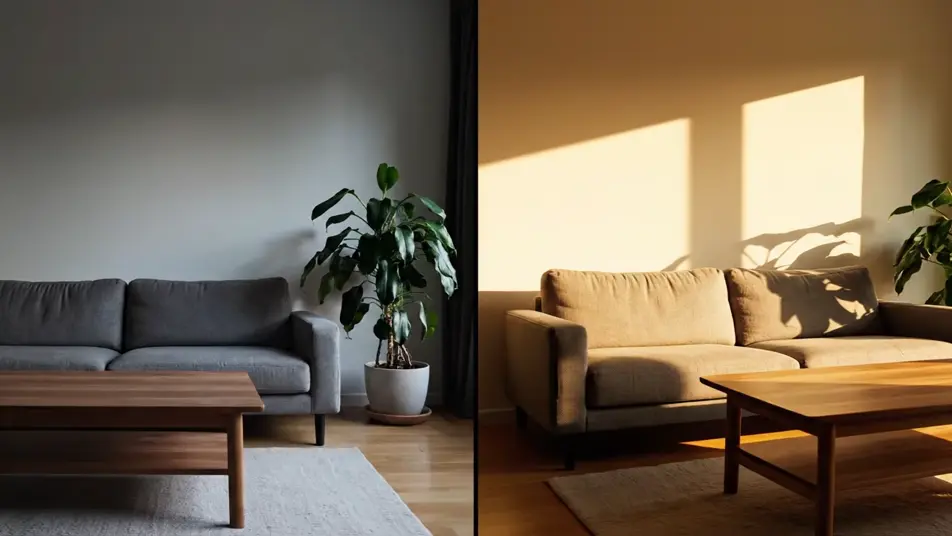
Écrivez la scène vidéo avant-après que vous voulez, en mots simples.
Morphic génère votre clip cinématographique en quelques secondes.
Ajustez le prompt, régénérez des variantes, téléchargez ou partagez le plan.

Dramatiser toute conversation textuelle en une vidéo cinématographique multi-plans.
Court-métrage cinématographique avec effet de gel du temps pour toute scène

Générer une carte de titre de film professionnelle à partir de zéro, avec animation cinématographique optionnelle.
Photo of any real-estate becomes a cinematic renovation timelapse video with construction SFX and music.
Une image pour une vidéo cinématographique en 9 scènes.
Déposez une photo de vous. Obtenez un film cinématique de 12 secondes avec animation et une bande sonore assortie.
Publicités vidéo IA pour Facebook
Créez une pub vidéo Facebook avec l'IA. Révélations produit, accroches lifestyle et macros satisfaisants, ajustés prise par prise.
Vidéos promo Black Friday par IA
Créez votre vidéo promo Black Friday avec l'IA. Révélations sous spot, orbites néon, confettis, sans tournage ni stock. Générez le buzz dès maintenant.
Films de marque par IA
Créez votre film de marque avec l’IA. Le geste artisanal en gros plan, l’atelier à l’heure dorée, la silhouette du fondateur, sans tournage ni équipe.
Vidéo audiogramme IA
Créez un audiogramme IA pour vos podcasts : ondes lumineuses, barres d’égaliseur et particules qui suivent le rythme, avec voix française et musique.
Commencez gratuitement dès aujourd'hui, avec la possibilité de mettre à niveau ou d'annuler à tout moment.
Basic
2400 mensuel crédits
1 utilisateur uniquement
Tous les modèles
Workflows
Standard
3625 mensuel crédits
1 utilisateur uniquement
Tous les modèles
Workflows
Pro
6350 partagé mensuel crédits
1 utilisateur
Tous les modèles
Workflows
Max
24650 partagé mensuel crédits
1 utilisateur
Tous les modèles
Workflows
Enterprise
Pour des limites plus élevées
Personnalisé
conditions de tarification et de facturation

Free
Pour expérimenter
$0
gratuit pour toujours