Eyes settling on the lens
A tight frame across the bridge of the nose as both eyes settle directly on camera and hold, one catchlight from a window.
Modifier le prompt
Generate eyes stock video in Morphic's AI video generator: a pair finding the lens and holding, or a glance sliding off to one side and back. Try variants side by side on Canvas.
A tight frame across the bridge of the nose as both eyes settle directly on camera and hold, one catchlight from a window.
Modifier le promptThe gaze slides away to one side, waits a beat, then returns to camera under an even key light.
Modifier le prompt
Both eyes follow something passing off screen, the head held still so only the gaze travels across the frame.
Modifier le prompt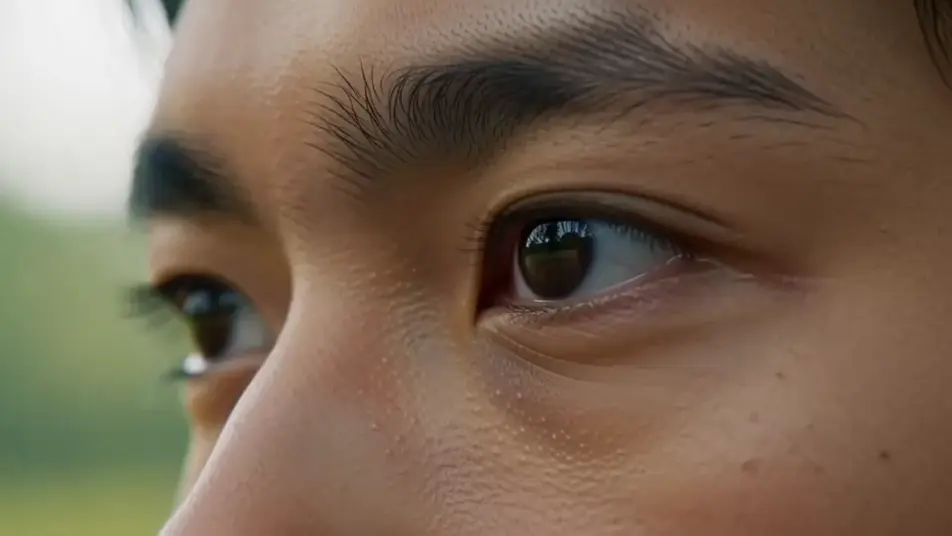
The outer corners crease and the lower lids lift as a smile arrives, the mouth cropped out of frame in warm soft light.
Modifier le prompt
Écrivez la scène eyes stock video que vous voulez, en mots simples.
Morphic génère votre clip cinématographique en quelques secondes.
Ajustez le prompt, régénérez des variantes, téléchargez ou partagez le plan.

Dramatiser toute conversation textuelle en une vidéo cinématographique multi-plans.
Court-métrage cinématographique avec effet de gel du temps pour toute scène

Générer une carte de titre de film professionnelle à partir de zéro, avec animation cinématographique optionnelle.
Photo of any real-estate becomes a cinematic renovation timelapse video with construction SFX and music.
Une image pour une vidéo cinématographique en 9 scènes.

Décrivez un scénario à la première personne. Obtenez des images séquentielles de points de vue animées en clips vidéo avec audio.
AI eye stock footage
Browse eye stock footage and generate your own shots at the exact length, ratio and look the cut needs. Morphic makes video, image, voice and sound.
AI people stock footage
Browse people stock footage and generate your own shots at the exact length, ratio and look the cut needs. Morphic makes video, image, voice and sound.
AI hand stock video
Browse hand stock video and generate your own shots at the exact length, ratio and look the cut needs. Morphic makes video, image, voice and sound.
AI happy stock footage
Browse happy stock footage and generate your own shots at the exact length, ratio and look the cut needs. Morphic makes video, image, voice and sound.
Commencez gratuitement dès aujourd'hui, avec la possibilité de mettre à niveau ou d'annuler à tout moment.
Basic
2400 mensuel crédits
1 utilisateur uniquement
Tous les modèles
Workflows
Standard
3625 mensuel crédits
1 utilisateur uniquement
Tous les modèles
Workflows
Pro
6350 partagé mensuel crédits
1 utilisateur
Tous les modèles
Workflows
Max
24650 partagé mensuel crédits
1 utilisateur
Tous les modèles
Workflows
Enterprise
Pour des limites plus élevées
Personnalisé
conditions de tarification et de facturation

Free
Pour expérimenter
$0
gratuit pour toujours