Produce a quarterly results video in your browser with Morphic's quarterly results video generator. Turn the earnings script into a CEO recap, animated revenue charts, and clean metric callouts without booking studio time. Voice the narration with Speech, then assemble the segments into one continuous recap on the Canvas.

Results-video segments you can direct

Earnings-recap sequences you can stage

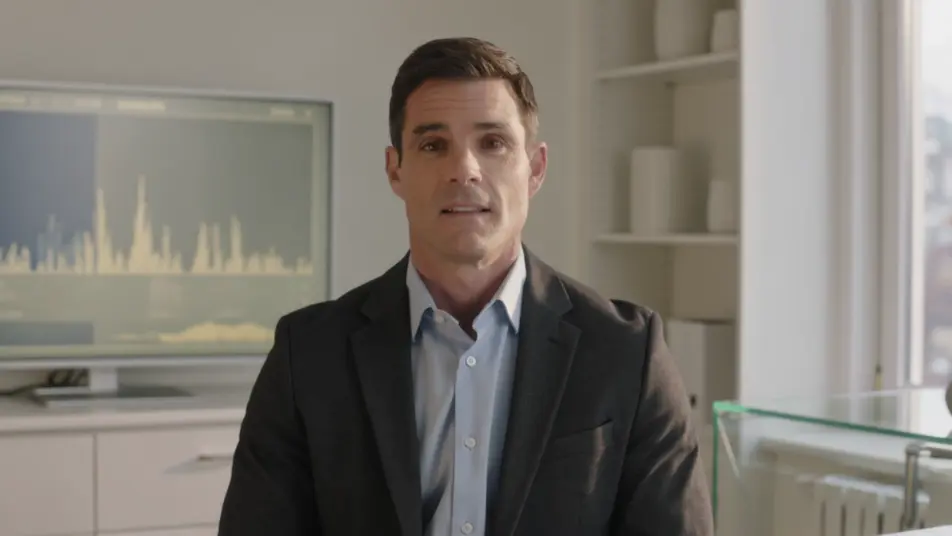
A CEO earnings address

A bright office set where an executive speaks directly to camera about the quarter, a soft key light on the face and the results screen glowing behind, the framing steady and composed for a confident recap.

Modifier le prompt

A revenue chart building on screen

A clean minimal frame where a bar chart rises quarter over quarter, each column filling in on cue with the narration, the camera holding still so the growth line reads clearly.

Modifier le prompt

A single metric owning the frame

A wide branded frame where one glowing unlabeled ring fills around a clean centered card, soft shadows and open space on every side so a single result holds the moment on its own.

Modifier le prompt

An outlook and guidance close

A calm gradient background where next-quarter targets and forward figures fade in as clean text, the motion restrained and the pacing measured to close the recap on the plan ahead.

Modifier le prompt

Créez des vidéos quarterly results video en trois étapes

  1. 01

    Décrivez votre scène quarterly results video

    Écrivez la scène quarterly results video que vous voulez, en mots simples.

  2. 02

    Générez la vidéo

    Morphic génère votre clip cinématographique en quelques secondes.

  3. 03

    Peaufinez votre vidéo quarterly results video

    Ajustez le prompt, régénérez des variantes, téléchargez ou partagez le plan.

Tarifs simples

Commencez gratuitement dès aujourd'hui, avec la possibilité de mettre à niveau ou d'annuler à tout moment.

Basic

$9/ mois
facturé comme $0 par an

900 mensuel crédits

1 utilisateur uniquement

Tous les modèles

Workflows

Standard

$24/ mois
facturé comme $0 par an

3200 mensuel crédits

1 utilisateur uniquement

Tous les modèles

Workflows

Pro

$45/ mois
facturé comme $0 par an

6200 partagé mensuel crédits

1 utilisateur

+ jusqu'à 4 plus à un coût supplémentaire

Tous les modèles

Workflows

Pro Max

$170/ mois
facturé comme $0 par an

24000 partagé mensuel crédits

1 utilisateur

+ jusqu'à 9 plus à un coût supplémentaire

Tous les modèles

Workflows

Enterprise

Pour des limites plus élevées

Personnalisé

conditions de tarification et de facturation

Crédits à haut volume
Limites de sièges personnalisées
Tous les modèles
Workflows
Pricing Gradient

Free

Pour expérimenter

$0

gratuit pour toujours

Jusqu'à 20 crédits
1 utilisateur uniquement
Modèles limités
Workflows

Questions fréquentes

Where can I make a quarterly results video with AI?
You can produce a quarterly results video directly in your browser on Morphic. Open the Text to Video tool, describe the executive recap, the charts, and the metric callouts you need, and it generates each segment. On the Canvas you assemble them into one continuous recap with no studio time.
What segments work best in an earnings recap video?
An executive to-camera recap, animated revenue charts, single-metric callout cards, and a short guidance beat each carry one point cleanly. Giving every result its own frame keeps a data-heavy quarter readable and lets viewers follow the story from headline number to outlook.
How do I write a good prompt for a results video?
Reduce each beat to one figure and prompt it in a consistent style. Name how the chart should build, whether bars rise or a number counts up, and keep the palette steady across segments. Describing one metric per frame is what makes the recap land instead of blur.
How do I keep the video consistent with our brand?
Reuse the same palette, chart style, and motion descriptors in every prompt so no segment breaks the look. Generate variations on the Canvas, compare them side by side, then keep the frames that match your report design and time the transitions to the narration.
Can I add narration to a quarterly results video?
Yes. The Speech tool generates a clear narration track in the voice you choose to carry the figures and the outlook. Keep any bed from the Music tool subtle so the numbers and the voiceover stay in focus across the recap.