Direct the magic-in-modern-city register of urban fantasy in your browser with Morphic's urban fantasy AI video generator. Generate urban fantasy video scenes like a charcoal-trench warlock kneeling at a sigil that has just begun to glow on a 4am subway platform, two figures trading arcane-blue light across a Manhattan rooftop, or a leyline pulsing under city pavement at 3am, and pair them with the Music tool to layer a brooding synth-and-cello score under the neon. Stitch the modern-magic set pieces into a contemporary urban fantasy short inside the Canvas.

urban fantasy characters you can create

urban fantasy scenes you can direct

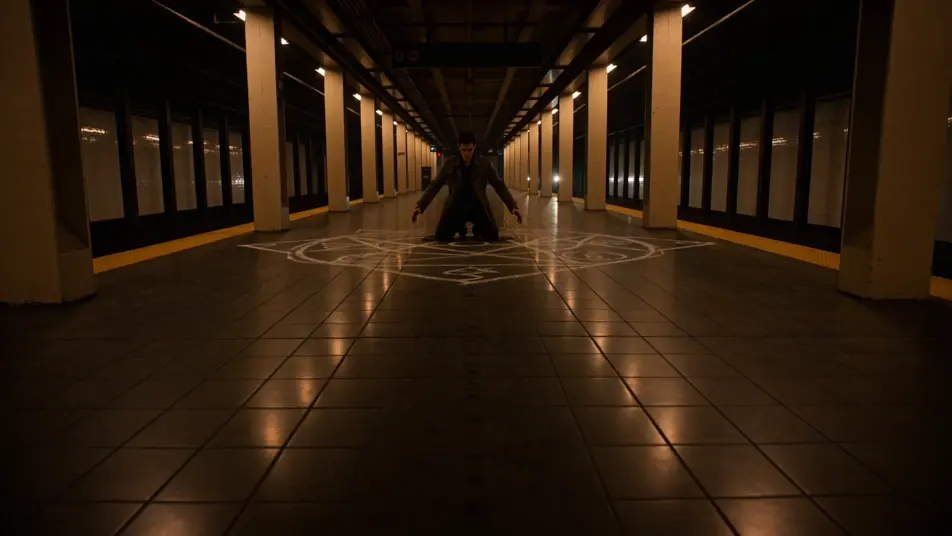
Sodium-lit subway summoning at 4am

Sodium-lit subway platform at 4am, a charcoal-trench warlock kneeling at the centre of a chalk-drawn sigil that's just begun to glow arcane-blue, the platform tile floor reflecting the glow.

Edit prompt

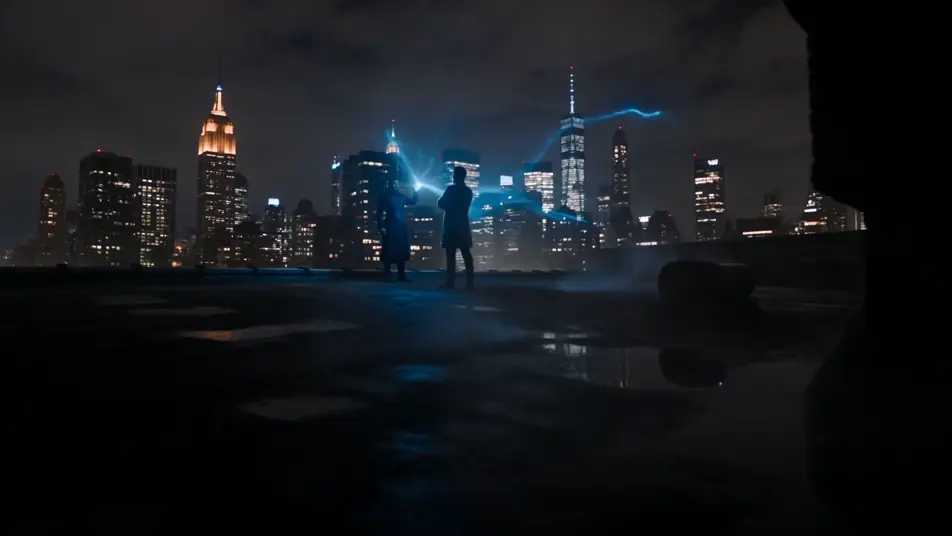
Rooftop wizard duel over Manhattan

Manhattan rooftop at midnight, two figures facing off across a tarred roof, one trailing arcane-blue light from extended fingertips, the other arms-crossed in a long charcoal coat, glittering city skyline behind.

Edit prompt

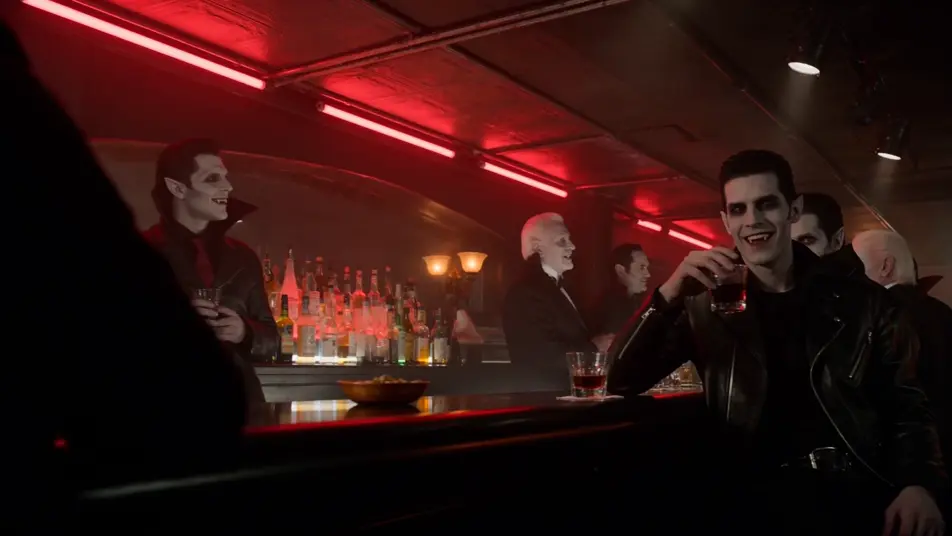
Hemoglobin-red vampire jazz club

Hemoglobin-red basement jazz club, a four-piece band on a small stage, leather-jacketed vampires and high-collared elders at the bar, a fledgling at a corner table with a crystal coupe of red liquid.

Edit prompt

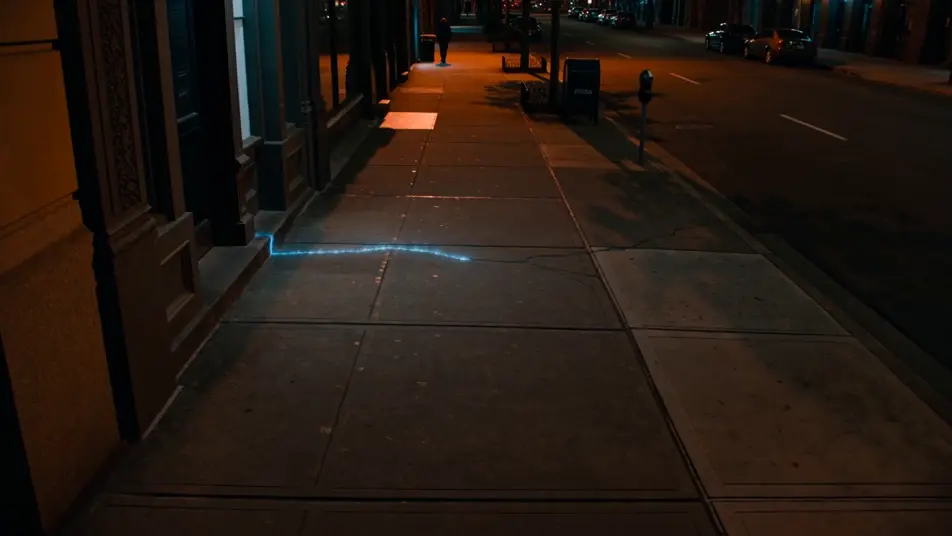
Leylines under city pavement

City sidewalk at 3am, a glowing leyline traced in arcane-blue running diagonally beneath the pavement cracks, a single passing pedestrian unaware, the line pulsing slowly.

Edit prompt

Make urban fantasy videos in three steps

  1. 01

    Describe your urban fantasy scene

    Write the urban fantasy scene you want, including the moment, location, and camera direction.

  2. 02

    Generate the video

    Morphic generates a cinematic, frame-ready clip on your canvas in seconds, no editing software required.

  3. 03

    Refine your urban fantasy video

    Tweak the prompt, regenerate variations, then download or share the moment the shot lands.

Related workflows

Vous pourriez aussi aimer

FAQs

Where can I make urban fantasy videos with AI?
You can create urban fantasy scenes directly in your browser on Morphic. Open the Text to Video tool, describe the modern setting, the magical element, and the city-light palette, and Morphic produces the clip. No installs and no specialist software needed.
What defines urban fantasy at the prompt level?
Three things define urban fantasy: a recognisably modern city setting (subway platform, rooftop, alley, konbini, café), a magical element placed inside that setting (chalk sigil, sigil tattoo, leyline, fangs, were-fox ears), and a sodium-orange-plus-arcane-blue palette that lets the city light and the spell light read in the same frame. Name all three so Morphic does not strip the modern setting and default to high fantasy.
How is urban fantasy different from high fantasy?
The wedge is the modern-city setting. High fantasy lives at /resources/videos/high-fantasy-videos and stays in marble citadels, elven host marches, dwarven pillar halls. Urban fantasy keeps the magic but moves the camera to a subway platform, a Manhattan rooftop, a neon nightclub. If the scene has a chalk sigil on a tile floor under a sodium streetlight, you are in the right place.
How do I keep my urban fantasy look consistent across scenes?
Use the Character Lineup workflow to lock the wardrobe and magical marker for each archetype (the charcoal-trench warlock, the chrome-aviator vampire, the sigil-ring detective), then reference those character cards in every prompt. For the palette, lock a Style Transfer reference frame (sodium-orange streetlight, arcane-blue spell-light, neon accent) and apply it across the whole shot list so the look holds from subway to rooftop to jazz club.
Can I add a brooding synth score and voiceover to my urban fantasy videos?
Yes. The Music tool produces an original soundtrack, and a brooding synth-and-cello register sits cleanly under the rooftop and subway-summoning beats. The Speech tool generates voiceover (detective inner monologue, warlock incantation, hipster necromancer aside) in the voice you choose, layered onto the generated video to publish a complete urban fantasy short.
Do I need any background to make urban fantasy videos with AI?
No. Morphic runs in your browser and you direct it with plain-language prompts. If you can describe a charcoal-trench warlock on a 4am subway platform and a leyline pulsing under city pavement, you can produce an urban fantasy scene. The prompts on this page are written so anyone can paste and run.