The 180-degree rule in film, explained

Two glowing figures facing each other across a bright line of light on a black ground, the cover for the 180-degree rule

The 180-degree rule keeps the camera on one side of the line between two characters, so screen direction holds across every cut. Here is how it works, when to break it, and how to check it in 3D before you generate.

The 180-degree rule keeps the camera on one side of an imaginary line between two characters, or along a subject's direction of travel. Stay on that side and screen direction holds from the wide to the close-up; cross it unseen and the two seem to swap places.

What is the 180-degree rule?

Draw a line through the two people in a conversation: the line of action, also called the axis of action or simply the line. Cameras can go anywhere in the half circle on one side of it, hence the 180 degrees.
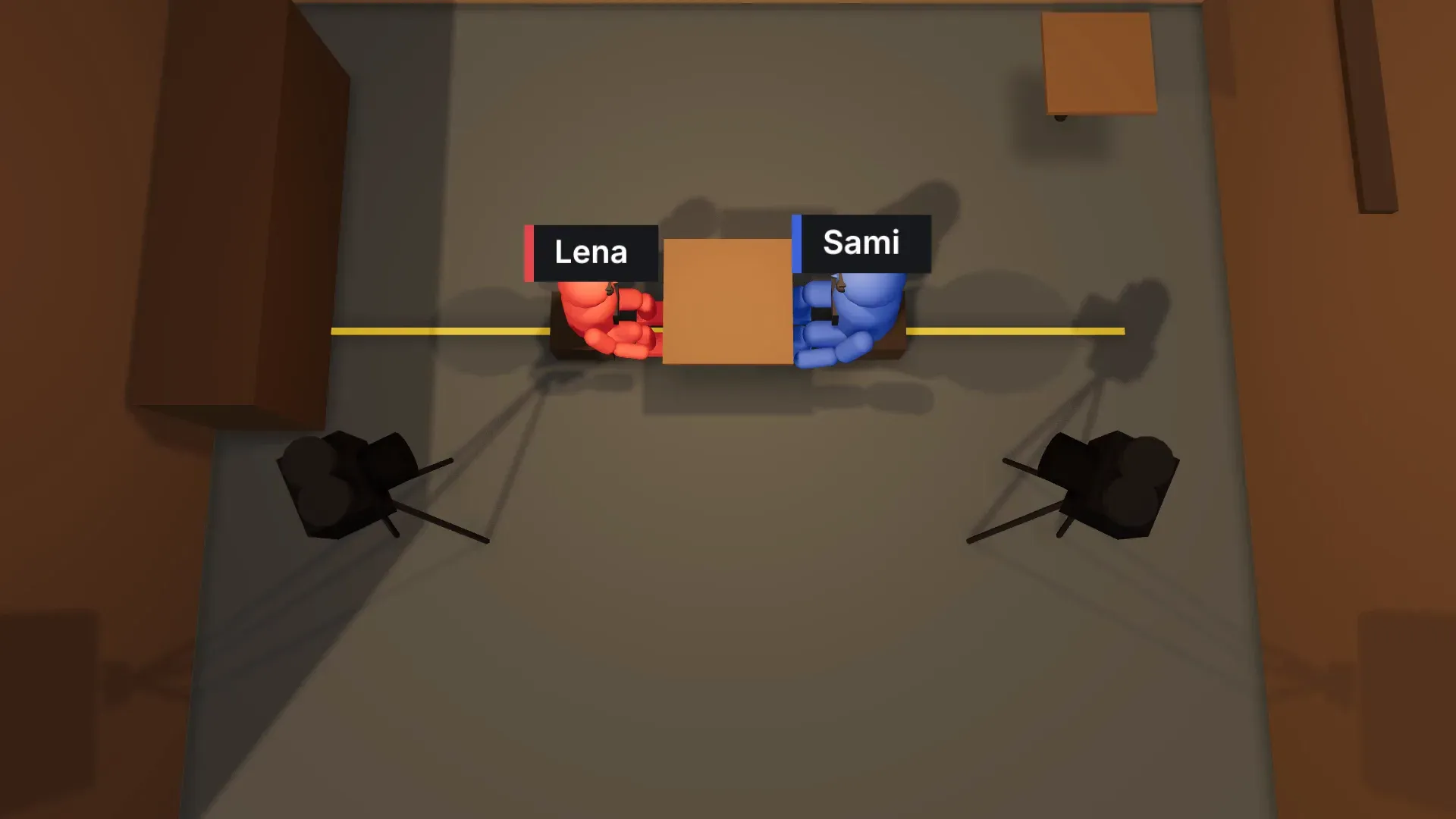
Top view of a 3D Scene: a red figure and a blue figure facing each other across a café table, with two cameras on the same side of the line between them
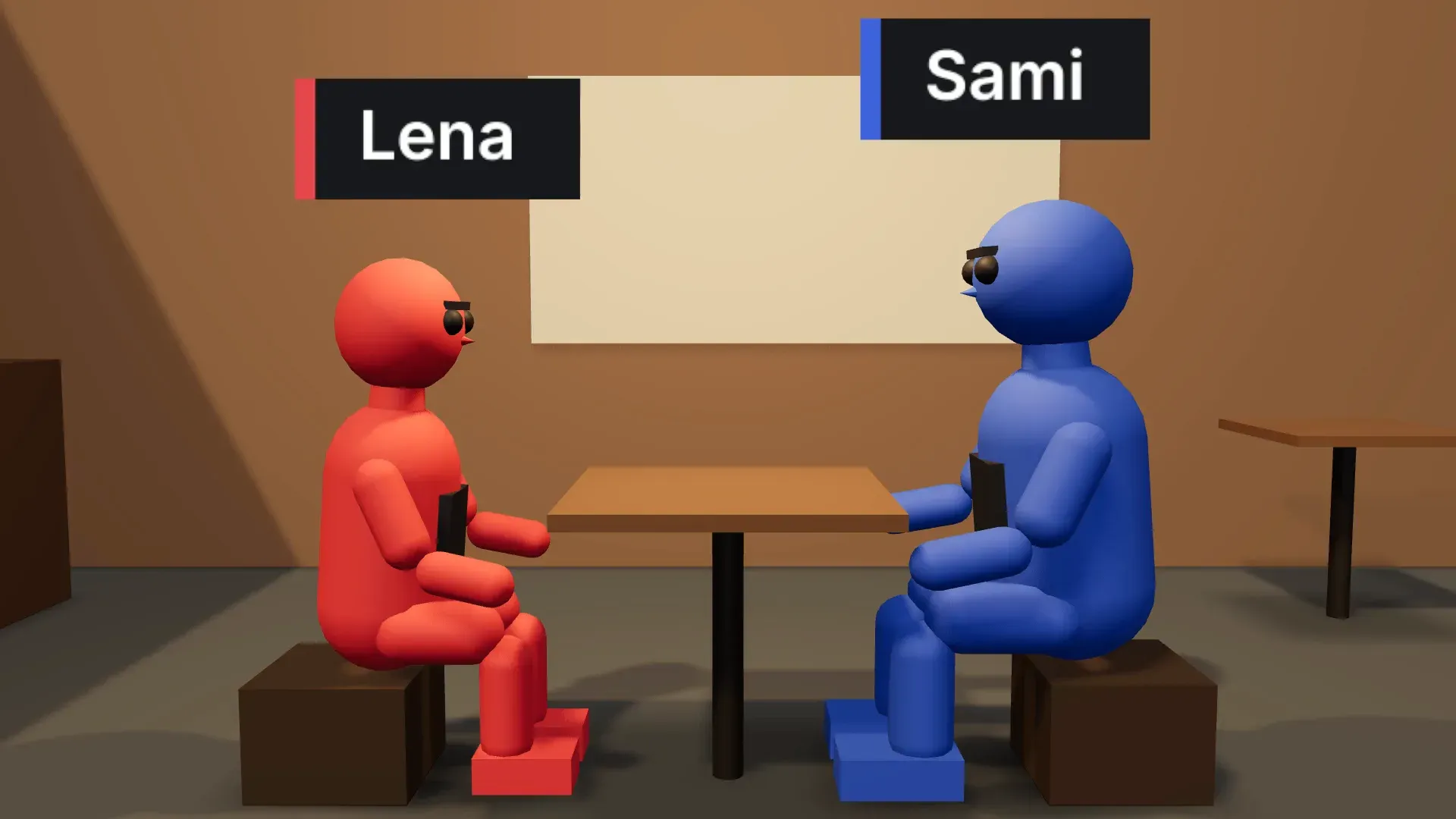
Two-shot from the camera side of the line: the red figure on the left looks right, the blue figure on the right looks left

Why screen direction matters

Screen direction is how the audience maps the room. If she looks right in her close-up, viewers expect him off screen right, looking left. When every shot agrees the cut is invisible, the logic behind a reverse shot and an eyeline match.

How to keep the 180-degree rule in a dialogue scene

Dialogue coverage usually means three kinds of shot, all from the same side of the line. Cut between the two over-the-shoulder shots below and the eyelines meet; put the second camera across the line and both would look screen right.

ShotWhat it does
Two-shotBoth people in frame; sets who sits where.
Over-the-shoulder shotOver one shoulder onto the other person. The foreground shoulder stays on the side of frame that person held in the two-shot.
The reverseThe matching shot from the other side of the table, still on the camera side of the line.
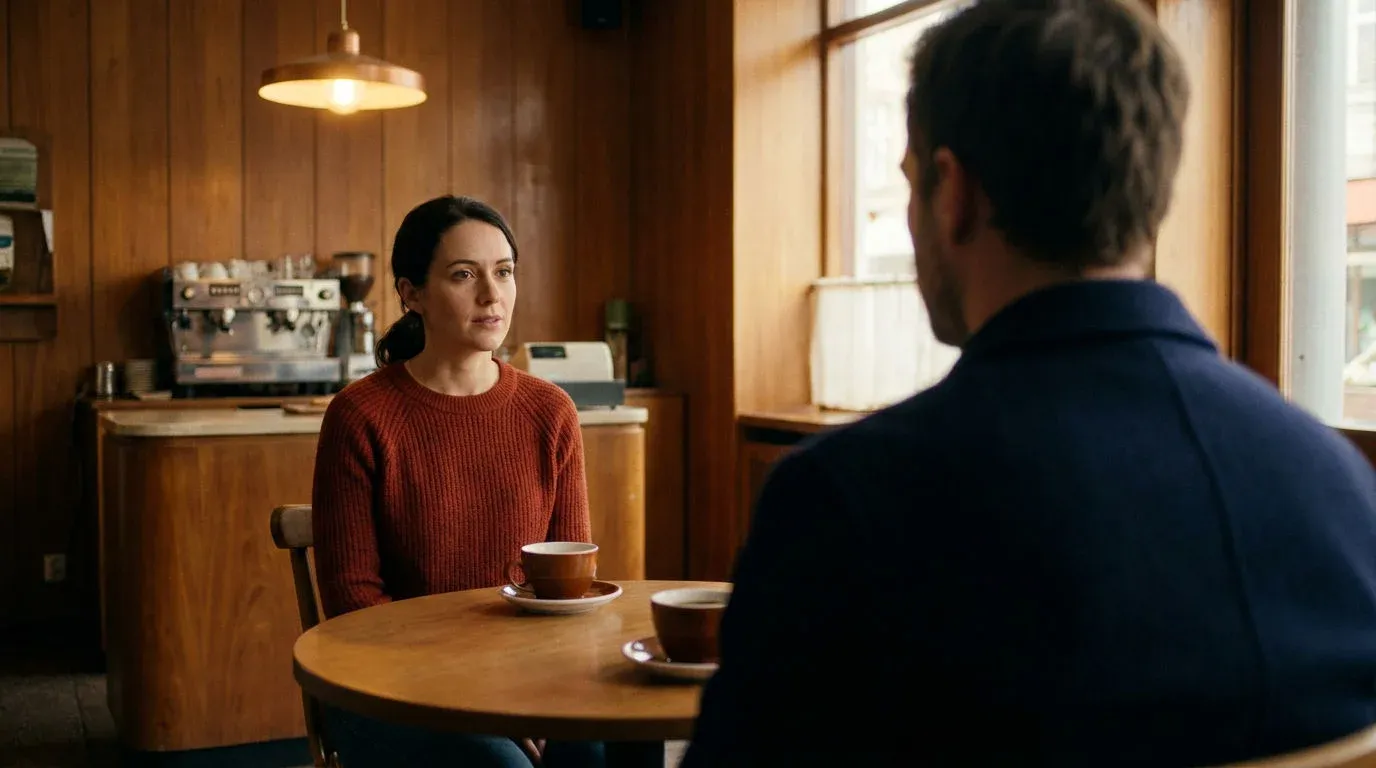
Generated over-the-shoulder shot from the camera side of the line: the man's shoulder and the back of his head frame the right edge as the woman across the café table, left of centre, looks screen right towards him
Generated reverse over-the-shoulder shot from the same side of the line: the woman's shoulder and the back of her head frame the left edge as the man, right of centre, looks screen left towards her

When breaking the 180-degree rule works

Crossing the line works when the confusion is the point, or when the audience sees it happen.

To unsettle

A deliberate jump across the line in an argument or an interrogation makes the room feel unstable.

To mark a shift

When the power in a conversation turns, the other side resets the scene around the new balance.

With the move on screen

A dolly or a stabilised handheld shot that travels across the line carries the audience with it.

Through a neutral shot

A shot straight down the line has no left or right, so the next cut can come from either side.

Why AI video often breaks the 180-degree rule

Each generated shot is made on its own, so a prompt like "over the shoulder onto the woman" leaves the shoulder and the side open. Writing "screen left" and "screen right" into every prompt helps; blocking the scene in 3D helps more.

Check the 180-degree line in 3D Scene before you generate

In Morphic's 3D Scene, characters and cameras share one space, and the timeline flags a camera that crosses the line or a performer moving at odd speeds. Fix it, render the blocking video, and attach it with each figure named by colour.

The camera blocking tool covers that workflow, eyeline match explains the cut that depends on it, and continuity covers the wider idea.

FAQ

What happens if you break the 180-degree rule?
The characters appear to swap sides of the frame between two shots. A person who was looking right in one shot suddenly looks left in the next, so the audience briefly loses track of who is facing whom. In a calm dialogue scene that reads as a mistake; the viewer notices the jump even when they cannot name it.
Does the 180-degree rule apply to action scenes?
Yes, and it matters more there. In a chase or a fight the line follows the direction of travel or the two opponents, so a car moving left to right should keep moving left to right across cuts. Break it and the car seems to turn around, which confuses the geography exactly when the pace leaves no time to recover.
How do you cross the line correctly?
Show the move. Track or dolly the camera across the line in one continuous shot, cut to a neutral shot taken straight down the line, or let a character walk across it on screen. Each one shows the audience the new geography, so the flip reads as a choice.
Does Morphic warn me when I cross the line?
Yes. When you block a scene in Morphic 3D Scene, the editor flags a camera that crosses the 180-degree line between two characters, right on the timeline. Check the warnings before you render the blocking video, because a crossing is quick to fix in 3D and slow to fix in generated footage.
Is the 180-degree rule the same as the 30-degree rule?
No. The 180-degree rule keeps the camera on one side of the line between characters. The 30-degree rule is about cutting between two shots of the same subject: move the camera at least about 30 degrees, or change the shot size, so the cut does not read as a jump. Most scenes follow both at once.