What is camera blocking?
Camera blocking is planning where each actor stands and moves in a scene, and where the camera sits and travels to film them. The blocking glossary entry covers the craft in full.
Block a shot in three steps
- 01
Describe or place the scene
Tell Copilot the set, the cast and the action, or place the figures and props by hand.
- 02
Block actors and camera
Set each path, time the moves, then set the lens, angle and camera move.
- 03
Render and generate
Render the blocking, attach it to the shot, and name each figure by colour in the prompt.
Camera blocking by description: tell Copilot the shot
Blocking is the step AI video usually skips, and the cost shows up in rerolls. Block first, and the generation has a plan to follow.
The fastest start is a sentence. Copilot builds the set, cast, movement and cameras from the 3D tab or any chat, at no credit cost for the scene edits.
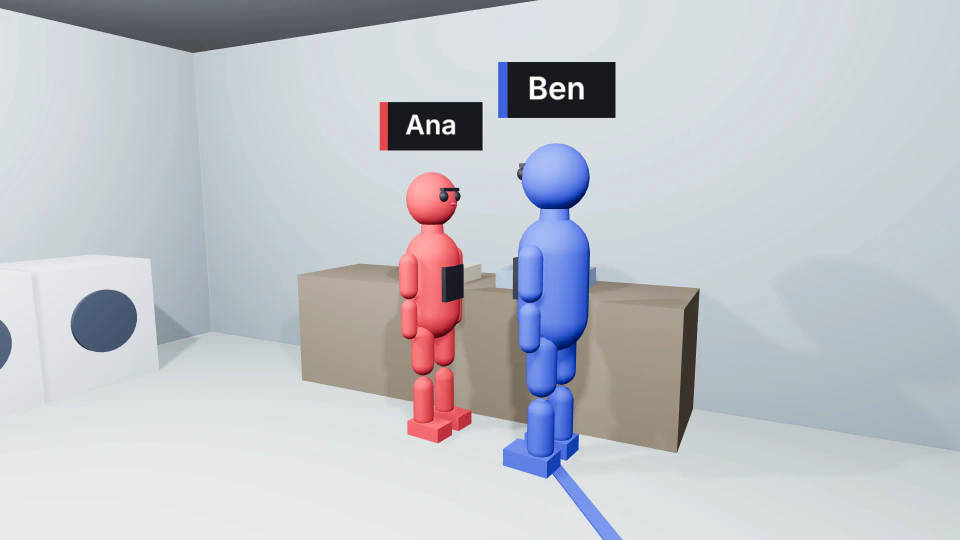
A late-night laundromat. A woman folds clothes at the counter, a man walks in from the street and crosses to her. A wide camera that cuts to a two-shot as he arrives.
Block actors and the camera in 3D
Block actors: paths, gaits and timing on the timeline
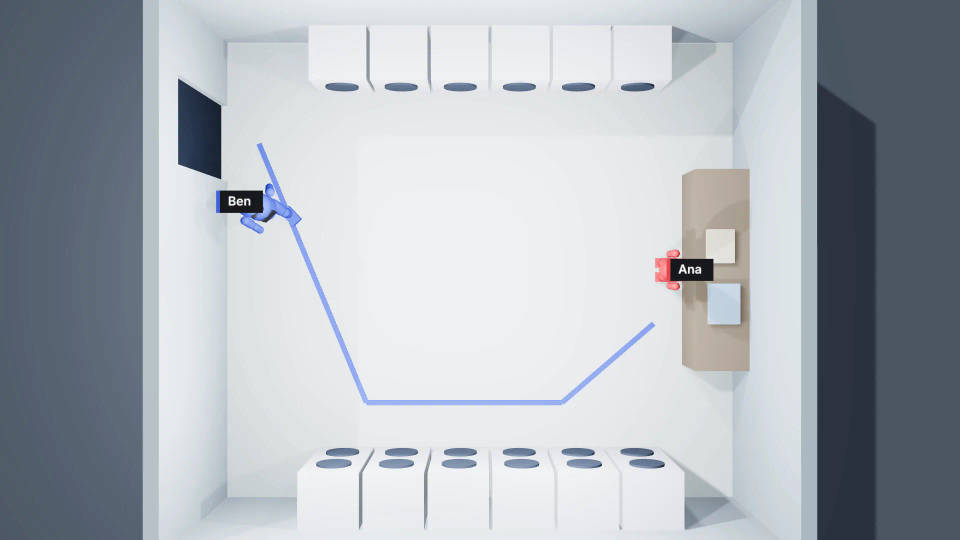
Give each figure a path and a gait: idle, walk, run or Auto. Time each start, stop and turn on a timeline that zooms to single frames, and pose the stance at each mark.
Block the camera: lens, angles and Follow
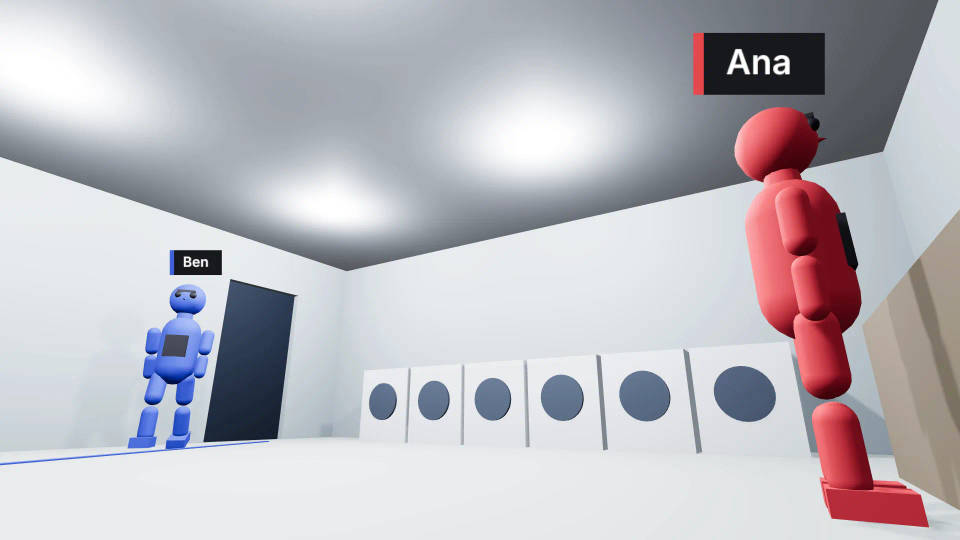
Pick a lens preset, set the field of view and sensor size, or use a one-click angle that frames the subject for you. Follow keeps a camera on a moving figure.
Compare camera angles with several cameras
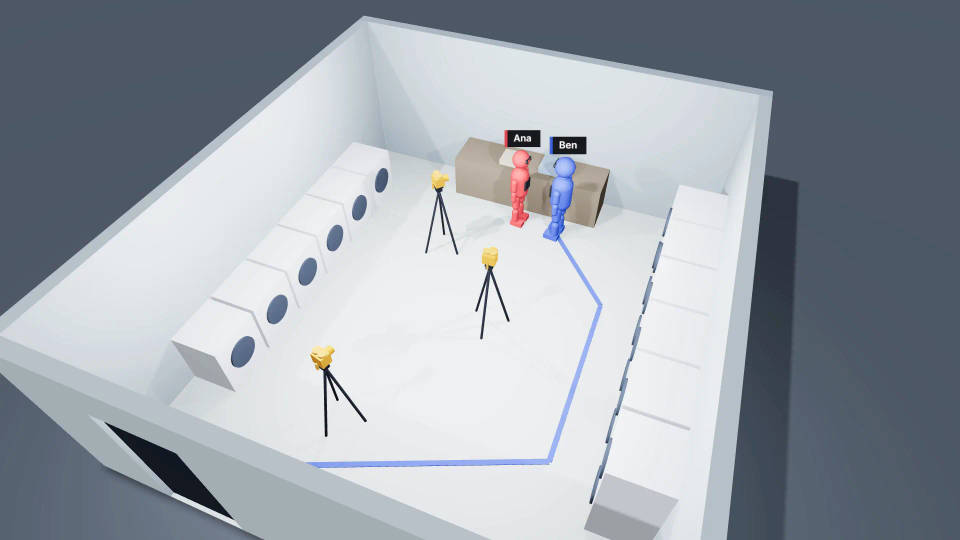
Put a wide, a two-shot and a close-up on one setup and cut between them. Every camera sees the same performance, so you compare angles on identical blocking.
Camera moves: keyframe one or record it live
Add a camera move, set its Camera style and how much it shakes, or mount the camera on a moving object. Keyframe it at an exact frame, or record one live by steering the view.
Dialogue blocking: two-shot, over-the-shoulder, reverse and the 180-degree warning
A dialogue scene usually opens on a two-shot, then trades over-the-shoulder shots and a reverse shot. Place a camera for each setup and cut between them.
Keep every camera on one side of the line between the two characters; the editor flags any that crosses it. The 180-degree rule guide covers when crossing on purpose works.
Turn the blocked shot into AI video
Render the blocking video at no credit cost and add it to the Canvas, or press P to save a snapshot. Attach either one to the shot and name each figure by colour. The blocking guides who stands where, which way they face and where the camera sits. For prompt wording, see camera movements and camera movement prompts. The step-by-step guide takes one scene to a finished shot.
Night interior of a laundromat, two-shot. The red figure is a woman in a grey cardigan folding clothes at the counter. The blue figure is a man in a rain-wet jacket arriving beside her.
 Generated shot
 Camera blocking
All on Morphic
3D scene maker
Describe a shot and Copilot builds the set, cast, action and camera in 3D.
Previs software
Previs a whole sequence in 3D, then use the blocking video as the reference for every shot.
Focal length comparison
Compare lenses on the same blocked shot and pick the frame before you generate.
3D pose tool
Pose a 3D mannequin joint by joint and use it as reference for an image or a shot.
