Team page portrait
Polished corporate headshot on a neutral backdrop, framed for a uniform staff grid on an about page.
プロンプトを編集
Compose corporate headshots in your browser with Morphic's AI portrait generator. Try a confident executive against a neutral studio backdrop, a friendly team member in a bright office, or a polished outdoor portrait. Adjust the crop and color on the Canvas, then download each in HD for a team page, a LinkedIn profile, or a press kit.
Polished corporate headshot on a neutral backdrop, framed for a uniform staff grid on an about page.
プロンプトを編集Square corporate headshot with even lighting and space around the face for a professional profile picture.
プロンプトを編集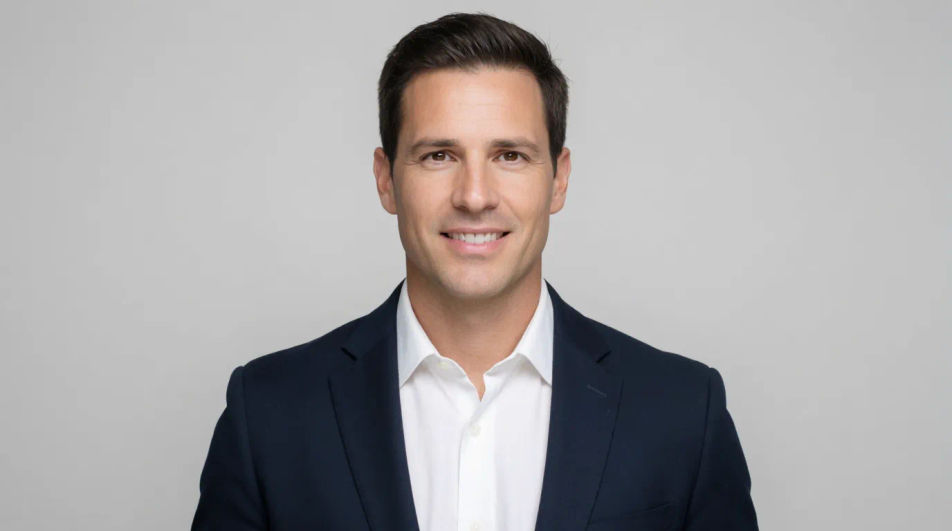
Clean corporate headshot sized for an event agenda tile beside a name, title, and session time.
プロンプトを編集
High resolution corporate headshot suitable for a media kit and newspaper or magazine reproduction.
プロンプトを編集
作りたいcorporate headshotを、わかりやすい言葉で記述します。
Morphicがキャンバス上に公開できる画像を数秒で生成します。
プロンプトを調整して再生成し、気に入った画像を保存・共有します。
プラスチックのようなAIの肌を修正します。リアルさを追求し、自然な質感、毛穴、そして不完全さを加えます。
1枚の自撮り写真がプロ仕様のヘッドショットセットに。スタジオ品質、複数のスタイル。
あなたの写真1枚からフルモデル撮影
視聴角度を選択し、完全なカメラ制御で画像の正確なパースペクティブシフトを取得します。
画像を新しいアスペクト比に変換します。スマートクロップまたはエッジを拡張してフィットさせます。
参照画像1枚でルックを設定します。あらゆるシーンやバッチにその正確なグレードを適用します。
アルバムジャケットのAIデザイン
ジャンルや雰囲気を伝えるだけで、オリジナルのアルバムジャケットをAIが生成。正方形HDでダウンロードでき、商用利用も可能です。
Amazon Listing AI Images
Make amazon listing images from a text prompt. Adjust style, colour and composition until it fits the brief. No stock licence needed.
Annual Report Cover AI Images
Create annual report cover without a photoshoot. Generate variations until one lands, then refine it. No stock licence needed.
水墨肖像画のAI画像
ブラウザで水墨肖像画のAI画像を制作。文人、絹の衣の貴婦人、筆の暈しなど、ひとつのプロンプトから水墨の肖像を組み立てましょう。今すぐ作成。
今すぐ無料で始めて、いつでもアップグレードまたはキャンセルできます。
Basic
2400 月 クレジット
1 ユーザーのみ
すべてのモデル
ワークフロー
Standard
3625 月 クレジット
1 ユーザーのみ
すべてのモデル
ワークフロー
Pro
6350 共有 月 クレジット
1 ユーザー
すべてのモデル
ワークフロー
Max
24650 共有 月 クレジット
1 ユーザー
すべてのモデル
ワークフロー
Enterprise
より高い制限のために
カスタム
料金と請求条件

Free
気軽に試したい方に
$0
ずっと無料