Manufacturing website hero
Wide shot of an automated assembly line with robotic arms and conveyor belts in motion.
プロンプトを編集
Compose factory images in your browser with Morphic's AI photo generator. Try a long automated assembly line, a worker at a control station, or a warehouse stacked with pallets. Adjust the crop and color in the Canvas, then download each in HD.
Wide shot of an automated assembly line with robotic arms and conveyor belts in motion.
プロンプトを編集Workers in high visibility vests monitoring machinery on a busy production floor.
プロンプトを編集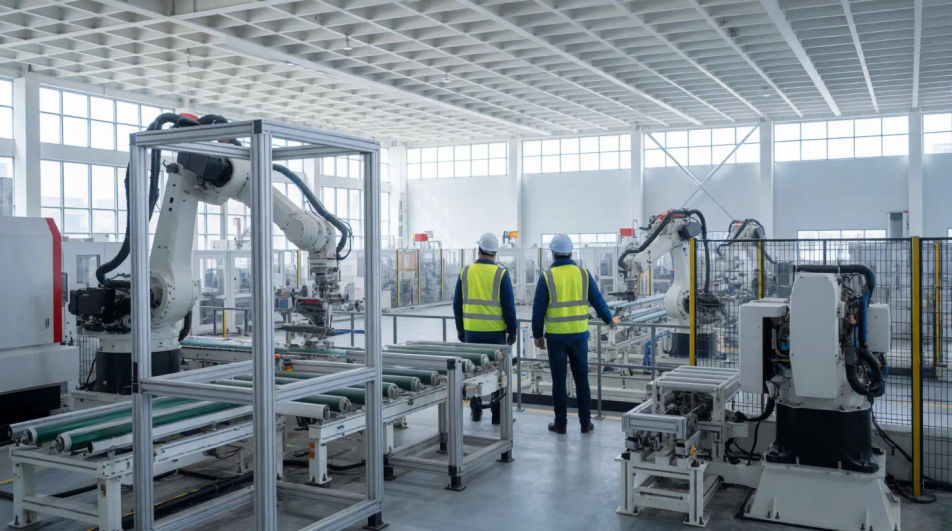
Clean view of a modern factory interior with rows of equipment, framed for a full page.
プロンプトを編集
Close up of a machine finishing a metal part with sparks, precise industrial detail.
プロンプトを編集
作りたいfactoryを、わかりやすい言葉で記述します。
Morphicがキャンバス上に公開できる画像を数秒で生成します。
プロンプトを調整して再生成し、気に入った画像を保存・共有します。
あらゆるシーンに使える、シネマティックなタイムフリーズ短編動画

キャラクター参照を含むシーンの説明を共有します。ショットの角度とムードを備えた完全なストーリーボードを取得します。
キャラクター画像をアップロードして、どんなスタイルでも踊らせましょう。

あらゆるテキスト会話を映画のようなマルチショットビデオにドラマ化します。
あなたの写真をドロップしてください。アニメーションとマッチしたサウンドトラックを備えた12秒の映画のようなムービーを入手してください。

オプションでシネマティックアニメーションを追加できる、プロフェッショナルな映画タイトルカードをゼロから生成します。
Accountant AI Images
Turn a brief into accountant images instantly. Specify the people, setting and mood instead of settling for the nearest stock photo. Yours to use commercially.
Architect AI Images
Generate architect images with AI in seconds. Generate the scene your brief describes, not the closest match in a library.
Bank Branch AI Images
Make bank branch images from a text prompt. Specify the people, setting and mood instead of settling for the nearest stock photo.
タイニーハウス内装のAI画像
タイニーハウス内装AI画像ジェネレーターでプロ品質の画像を作成しましょう。あらゆるプロジェクトに合うタイニーハウス内装の画像を数秒で見つけられます。
今すぐ無料で始めて、いつでもアップグレードまたはキャンセルできます。
Basic
2400 月 クレジット
1 ユーザーのみ
すべてのモデル
ワークフロー
Standard
3625 月 クレジット
1 ユーザーのみ
すべてのモデル
ワークフロー
Pro
6350 共有 月 クレジット
1 ユーザー
すべてのモデル
ワークフロー
Max
24650 共有 月 クレジット
1 ユーザー
すべてのモデル
ワークフロー
Enterprise
より高い制限のために
カスタム
料金と請求条件

Free
気軽に試したい方に
$0
ずっと無料